•Mustafa Atteya• 4 λεπτά ανάγνωσης
GTA 5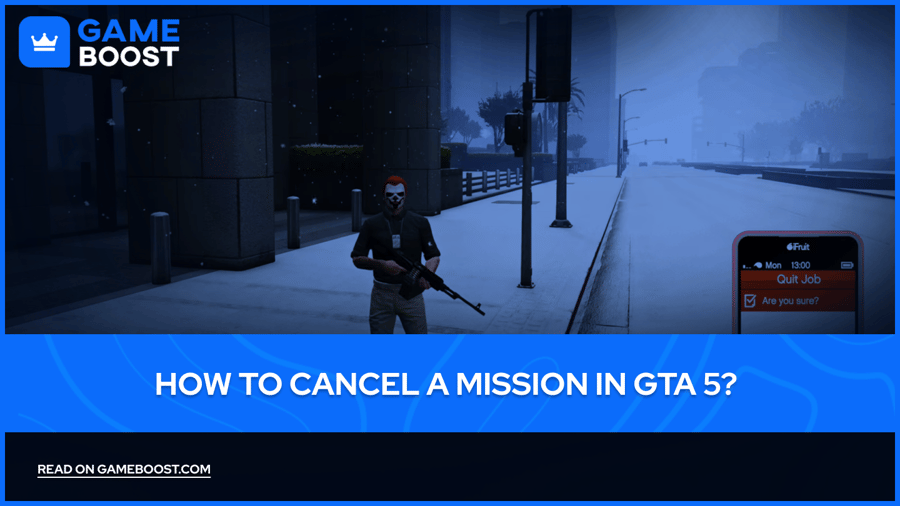

Grand Theft Auto 5 immerses players in a rich world filled with dynamic missions and gameplay experiences. However, there are times when players may need to exit an ongoing mission due to unexpected circumstances, a desire to change their strategy, or even an accidental selection. In such cases, understanding the various methods for canceling missions becomes essential.
The game offers multiple ways to exit missions, each with its own consequences for gameplay, whether in story mode or online, and this guide will cover the most effective ways to do so.
In GTA 5 story mode, canceling a mission is a straightforward process within the single-player experience. Players can easily access mission management options by using the in-game phone interface found in the pause menu. By selecting the 'Brief' tab, an option to quit the current mission becomes available.
However, it's essential to think carefully before making this choice, as quitting will completely reset your progress on that mission. This means you'll need to restart from the very beginning, which could result in losing any progress or strategic advantages you gained during your current attempt.
Also Read: Complete GTA 5 Mission List (In Order)

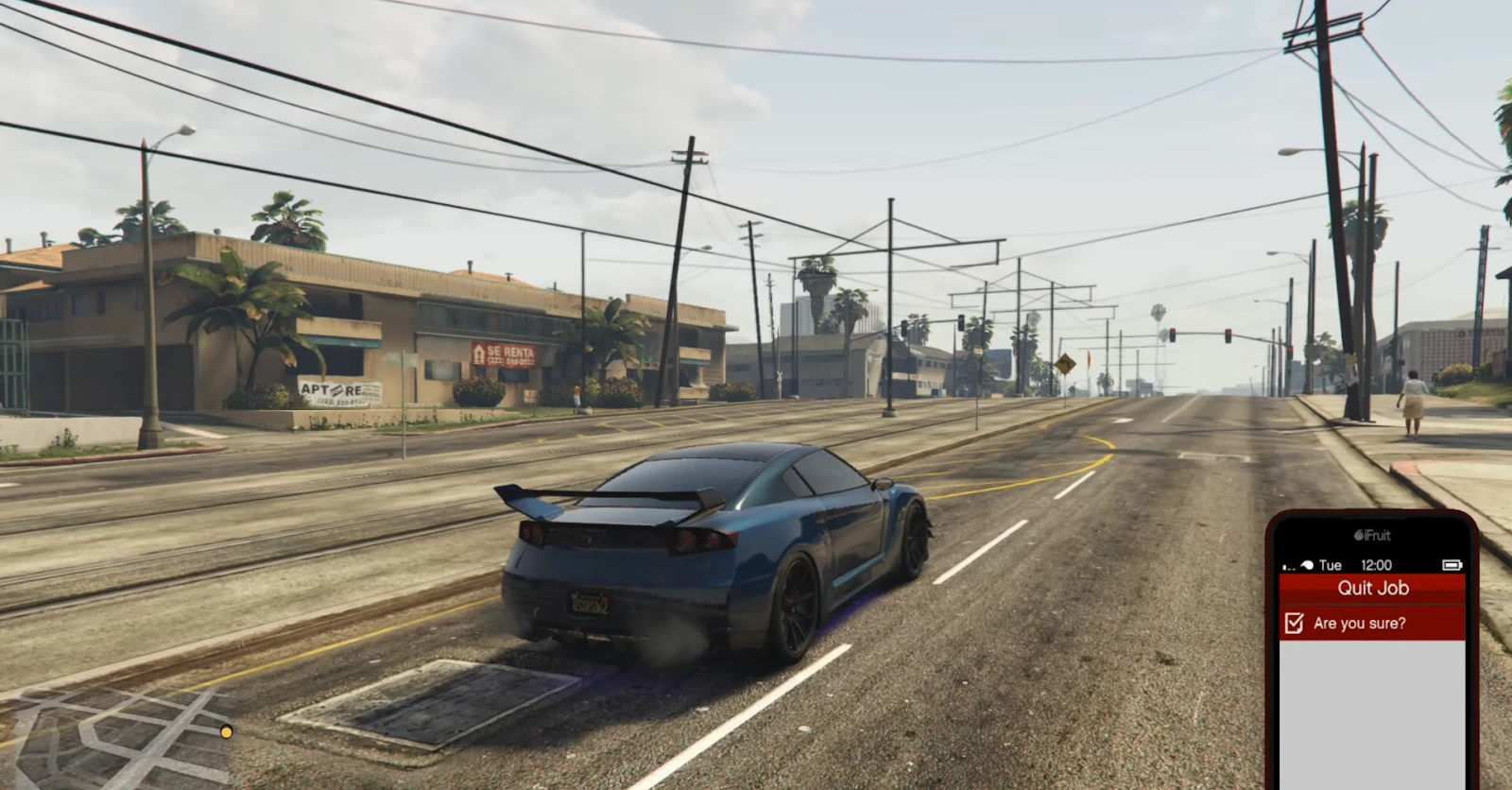
To cancel missions efficiently in GTA Online, the best approach is to utilize the virtual iFruit phone interface. This method ensures minimal disruption to your gameplay while providing a quick exit strategy.
When you're on an active mission in GTA 5 and you want to cancel it, start by opening your smartphone and navigating to the job list. From there, select the current job and confirm the option to quit. This streamlined process is designed to be intuitive, requiring minimal navigation and delivering immediate results, allowing you to swiftly move on to your next adventure.
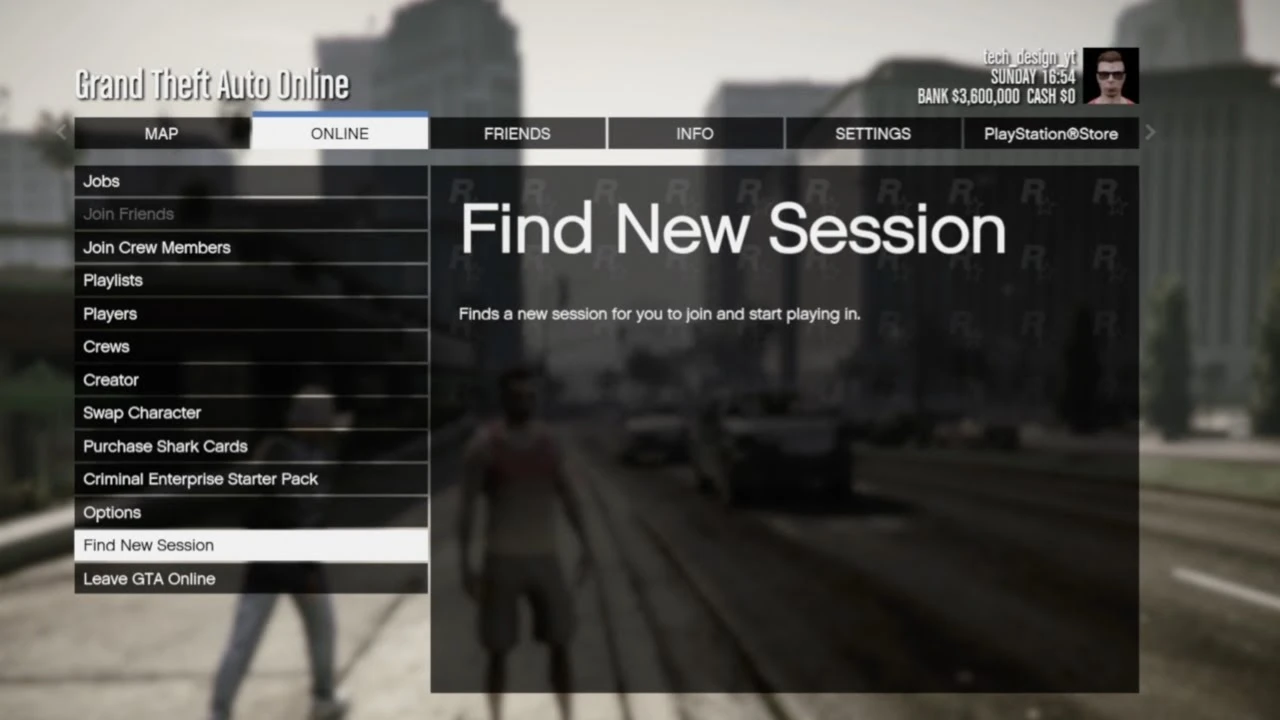
For players looking for a more comprehensive way to cancel missions in GTA 5, starting a new game session can be an effective strategy. To do this, simply access the start menu, navigate to the Online tab, and select the "Find New Session" option. This approach can help you avoid the current mission and reset your gameplay experience.
Players have access to various session types, such as solo public sessions, invite-only environments, and crew-specific spaces. Although this method may take a bit more time compared to using the iFruit phone, it offers greater flexibility. Players can change their gameplay environment and exit the current mission simultaneously, enhancing their overall experience.
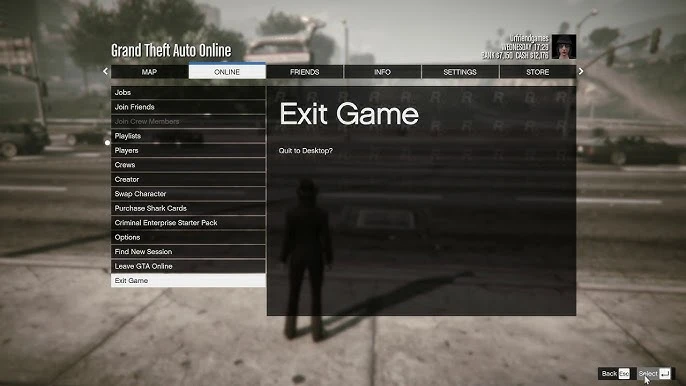
The final method for canceling a mission in GTA Online is to completely exit the platform. To do this, players can open the start menu, navigate to the Online tab, and select "Leave GTA Online" or "Exit Game". This method ensures that any ongoing mission is terminated.
However, it does come with some downsides, such as the time it takes to log back in and the potential disruption to the overall gaming experience. While this approach guarantees mission cancellation, players should weigh the inconvenience against their current situation in the game.
Also Read: GTA 5: How to Become a Cop and Join LSPD?
Mission cancellation in GTA 5 requires careful consideration of the potential consequences. In GTA Online, for instance, exiting missions prematurely can have a significant impact on various gameplay elements. Players risk compromising rewards, reputation points, and progression in mission chains.
Επιπλέον, ορισμένες αποστολές έχουν συγκεκριμένες απαιτήσεις ή ποινές που σχετίζονται με την πρόωρη διακοπή. Επομένως, είναι κρίσιμο να κατανοήσετε το ευρύτερο πλαίσιο και τις επιπτώσεις πριν αποφασίσετε να ακυρώσετε μια αποστολή.
GTA 5 Κλειδί
GTA 5 Ενισχυμένο Κλειδί
Αγοράστε Αντικείμενα GTA 5
Λογαριασμοί GTA 5 προς Πώληση
Δείτε όλους τους Λογαριασμούς GameBoost
Δείτε όλες τις Υπηρεσίες Boosting GameBoost
Δείτε όλα τα Νομίσματα GameBoost
Δείτε όλα τα Κλειδιά Παιχνιδιών GameBoost
Δείτε όλες τις Κάρτες Δώρων GameBoost
Δείτε όλες τις Ανανεώσεις GameBoost
Δείτε όλα τα Αντικείμενα GameBoost
Skins Counter-Strike 2
“ Η Κριστίνα εντάχθηκε στην GameBoost το 2024 ως ειδικός SEO και γρήγορα έγινε η βασική συγγραφέας για παιχνίδια τρίτου προσώπου και ανταγωνιστικά παιχνίδια. Καλύπτει τίτλους όπως Fortnite, Valorant, League of Legends, GTA 5 και Roblox, εστιάζοντας σε οδηγούς how-to, πρακτικές συμβουλές και ενημερώσεις.”