


•Hamza Rashid• 10 min read
League of Legends

League of Legends has been a mouse-and-keyboard-only game since Riot released it in 2009. For 17 years, there was no official way to play with a controller. Players who wanted to use one had to rely on third-party software to remap inputs manually, which worked but was never a clean solution.
That changed in April 2026 when Riot quietly added native controller support as part of the WASD movement update. The detail was buried in a developer blog, and most players missed it, but community account SkinSpotlights spotted it on April 17 and shared it on X, and it spread fast from there. In this article, we'll explain how League of Legends controller support works, how to set it up, and what its current limitations are.
Also Read: How to Sell League of Legends Accounts: Step-by-Step Guide

League of Legends added native controller support in April 2026 as part of the WASD movement update
Controller support activates automatically when WASD mode is enabled, with no separate setup required
The default Xbox button layout maps LT/LB/RB/RT to Q/W/E/R, with the left stick controlling movement and the right stick controlling the cursor
Riot framed the feature as an accessibility tool, not a broad controller rollout
There are no dedicated controller settings in the client yet, and Point and Click still holds a minor win-rate advantage
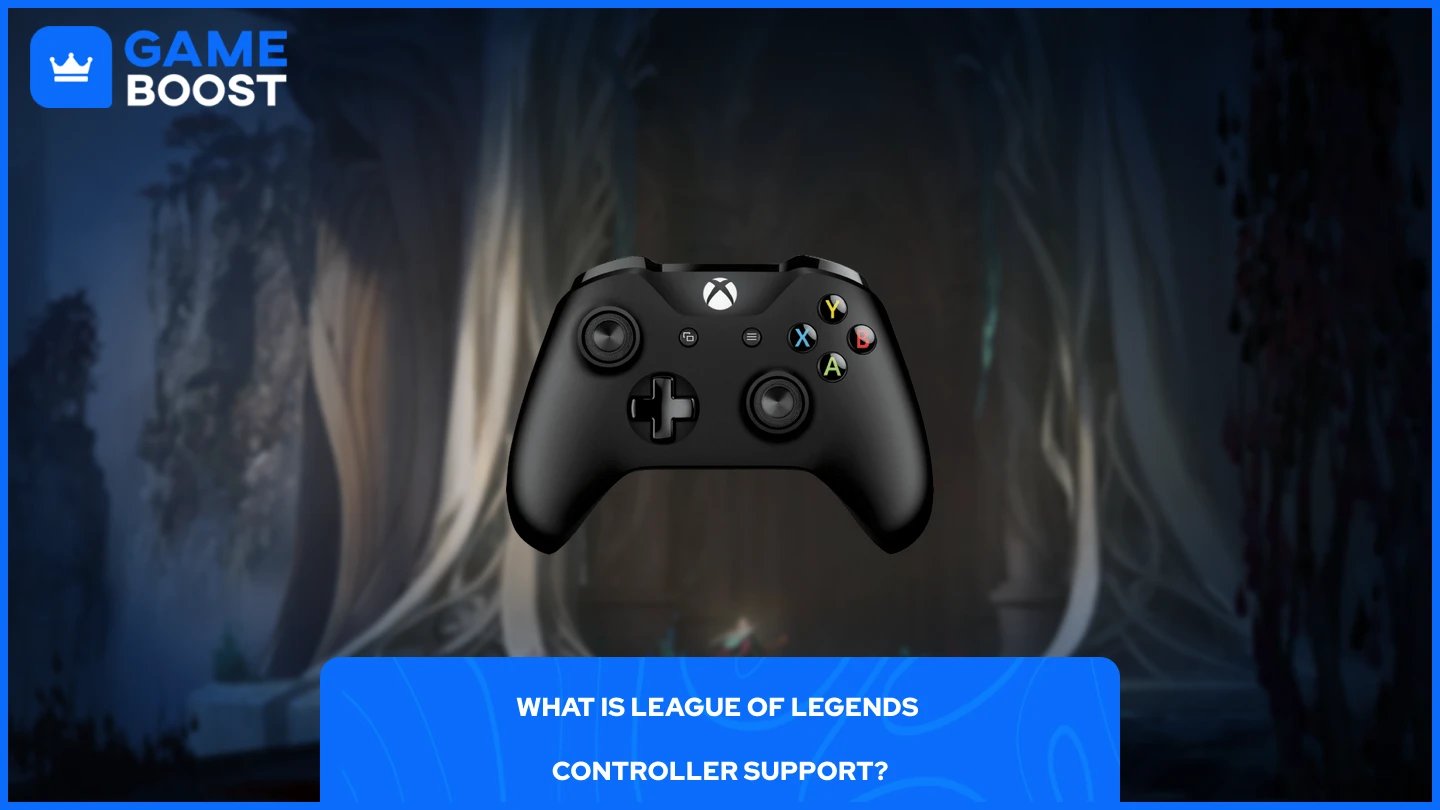
Riot framed controller support as an accessibility feature, built primarily for players with mobility limitations who want to use widely available hardware like the Xbox Adaptive Controller. In their own words: "While we don't have plans to officially support controllers or joysticks broadly right now, we did want to enable play on joysticks through remapping of WASD for accessibility reasons."
The controller support activates automatically when you enable WASD mode. It is not a standalone feature and does not have its own settings menu in the client. It works by mapping the controller's inputs to the same actions the WASD keys handle, so the two systems are directly tied together.

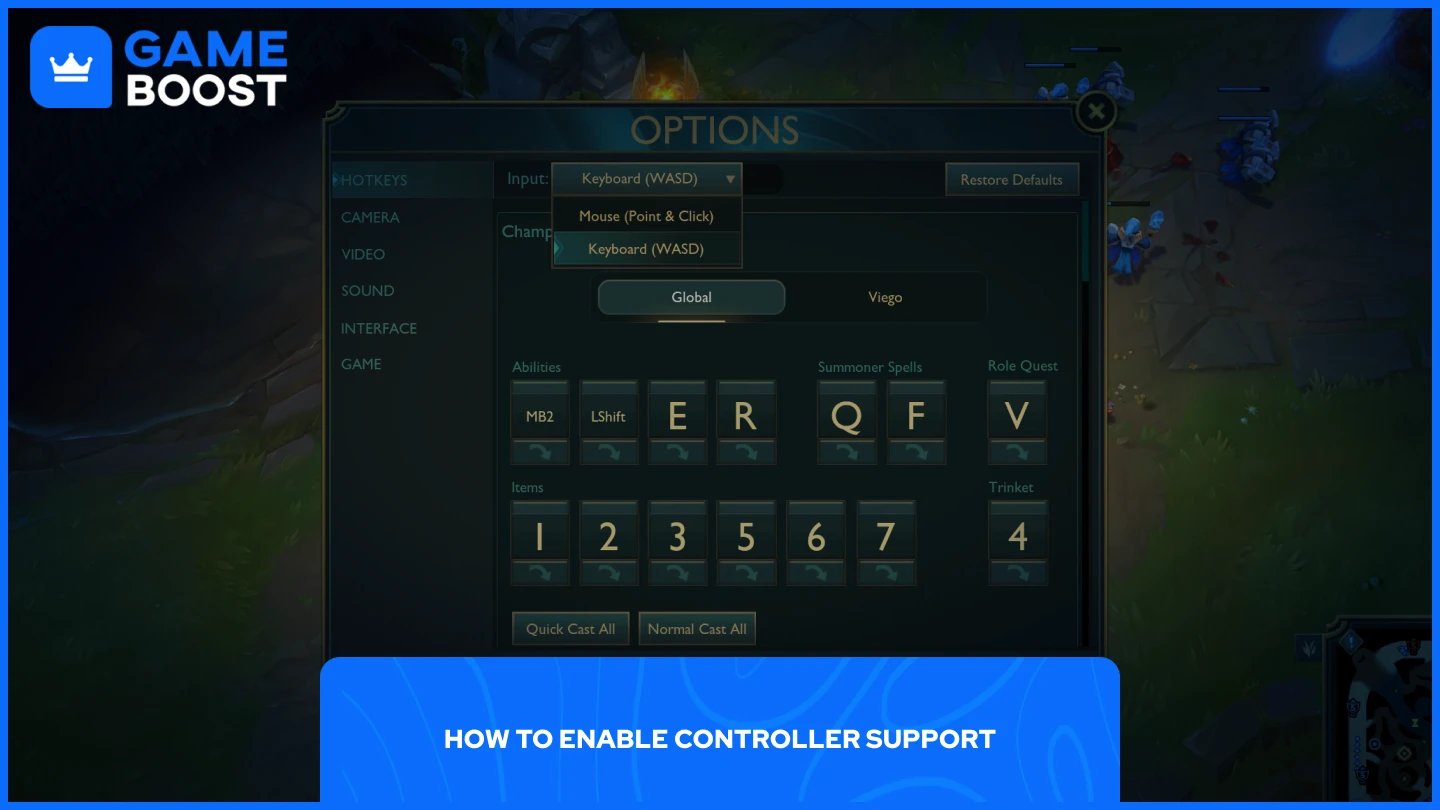
Plug in your controller before launching the game, then follow these steps:
Launch League of Legends and start a match or open the Practice Tool.
Press Esc to open the Options menu.
Open the Input dropdown at the top of the menu and select Keyboard (WASD).
That's all it takes. As long as WASD is enabled, you can plug in and use an Xbox or PlayStation controller with a built-in control scheme without making any additional settings adjustments.
The first time you enable WASD, Riot automatically switches your camera to Dynamic Camera so your champion stays centered on screen. You can disable that under the Camera menu if you prefer the traditional feel.
Also Read: How Much is Your League of Legends Account Worth?
The left stick controls your champion's movement, while the right stick moves the cursor for aiming abilities and navigating the shop. The rest of the default button layout for Xbox controllers is as follows:
Button | Action |
|---|---|
LT | Q |
LB | W |
RB | E |
RT | R |
X | D |
Y | F |
A | Auto Attack |
D-Pad Down | Trinket |
Quick Cast and Normal Cast both work in WASD, so you can keep your preferred casting style. You can also remap these bindings through the standard keybinding menu, though the options are limited compared to what keyboard users have access to.
Also Read: How to Check Your MMR in League of Legends
Controller support in League is functional but far from polished. There are no official controller settings in the client as of yet. Everything runs through the WASD keybinding menu, which was designed with keyboard users in mind.
Point and Click still holds a minor win-rate advantage over WASD. Riot expects that gap to decrease over time as players gain more experience with the control scheme, but they will continue monitoring the data.
Riot has also been clear that this is not a commitment to full controller support. The feature exists under an accessibility label, and there is no indication that a dedicated controller mode with its own UI or settings is in development. For now, it works, but players looking for a fully optimized controller experience will find the current implementation limited.
Probably not anytime soon, but it is worth bringing up. Riot had plans to bring Wild Rift to consoles but scrapped them in 2024, with the Wild Rift executive producer stating the decision was made to prioritize mobile investments over splitting development between mobile and consoles.
The main League of Legends client has never had a console version, and Riot has not indicated that it is changing. The controller support added in April 2026 was explicitly framed as an accessibility feature, not a foundation for a console port.
That said, native controller support does change the conversation from "can players force this with third-party software?" to "what happens when Riot itself supports alternate inputs inside the live client?" The infrastructure is now at least partially in place, and if Riot decides to expand controller support beyond the accessibility lane, it would have something to build on.
For now, it remains speculation. Riot's position has been consistent, and a full console release would require far more than just controller input. It would need UI adjustments, platform certification, and a separate development track. Nothing points to that being in progress.
League of Legends controller support is real, but it is narrow. It works through WASD mode, it was built for accessibility, and Riot has been upfront that broader controller support is not on their roadmap. The current setup is functional enough for casual play, but players expecting a fully optimized controller experience will find it lacking.
Buy LoL Skins
Buy Riot Points
League of Legends Boosting Service
LoL Accounts for Sale
View all GameBoost Accounts
View all GameBoost Boosting Services
View all GameBoost Currencies
View all GameBoost Game Keys
View all GameBoost Gift Cards
View all GameBoost Top Ups
View all GameBoost Items
Counter-Strike 2 Skins
“ Mustafa Atteya has been writing about gaming and esports since 2023, specializing in competitive game content and player improvement guides. At 25, he brings both hands-on gaming experience and professional SEO writing expertise to the GameBoost team.”