.webp?v=1790584042)


•Hamza Rashid• 9 min read
FC 27
Last Updated: September 4th, 2026 - PC Requirements Updated
EA FC 27 hands more of the match back to the player, with manual defending, dynamic corners, and a social hub called The Grounds sitting alongside Ultimate Team and Career. PC players get the same feature set as current-generation consoles, so hardware decides how well the game runs rather than which version they own.
EA published the FC 27 system requirements alongside the July 23 announcement, and the bar sits lower than most people guessed. Graphics cards that first shipped in 2016 and 2017 still appear on the minimum tier, which keeps plenty of older builds alive for another season rather than forcing an upgrade.
What follows covers both spec tiers, the install size, how players can read their own hardware, and the fixes that make the biggest difference for anyone coming up short.
EA has published six PC spec tiers for FC 27: Minimum, Recommended, High – Balanced, High – Performance, Ultra – Balanced, and Ultra – Performance.
Minimum hardware centres on a Ryzen 5 1600 or Core i5-6600K with an RX 570 or GTX 1050 Ti, 4 GB of VRAM, and 8 GB of DDR4 memory in dual-channel, targeting 720p at 60 FPS on Low.
Recommended hardware moves up to a Ryzen 7 2700X or Core i7-6700 with an RX 5600 XT or GTX 1660, 6 GB of VRAM, and 12 GB of memory, targeting 1080p at 60 FPS on Medium.
New High and Ultra tiers each split into Balanced and Performance profiles, letting players choose between higher resolution or a higher frame rate on the same hardware.
FC 27 System Storage sits at 100 GB across every tier, though EA now recommends an SSD from the Recommended tier upward; only the Minimum tier is rated against an HDD.
EA now publishes a resolution, graphics preset, and frame rate target for every tier, from 720p/60 FPS at Minimum up to 4K/60 FPS (Ultra – Balanced) or 1440p/120 FPS (Ultra – Performance).
Denuvo Anti-Tamper, EA Javelin Anticheat, EA online activation, and the EA app all run alongside the game and consume resources the table does not list.
The Grounds and Off-Balance Dribbling reach PS5, Xbox Series X|S, PC, and Switch 2 only, and PS4 and Xbox One owners upgrade a generation at no cost.
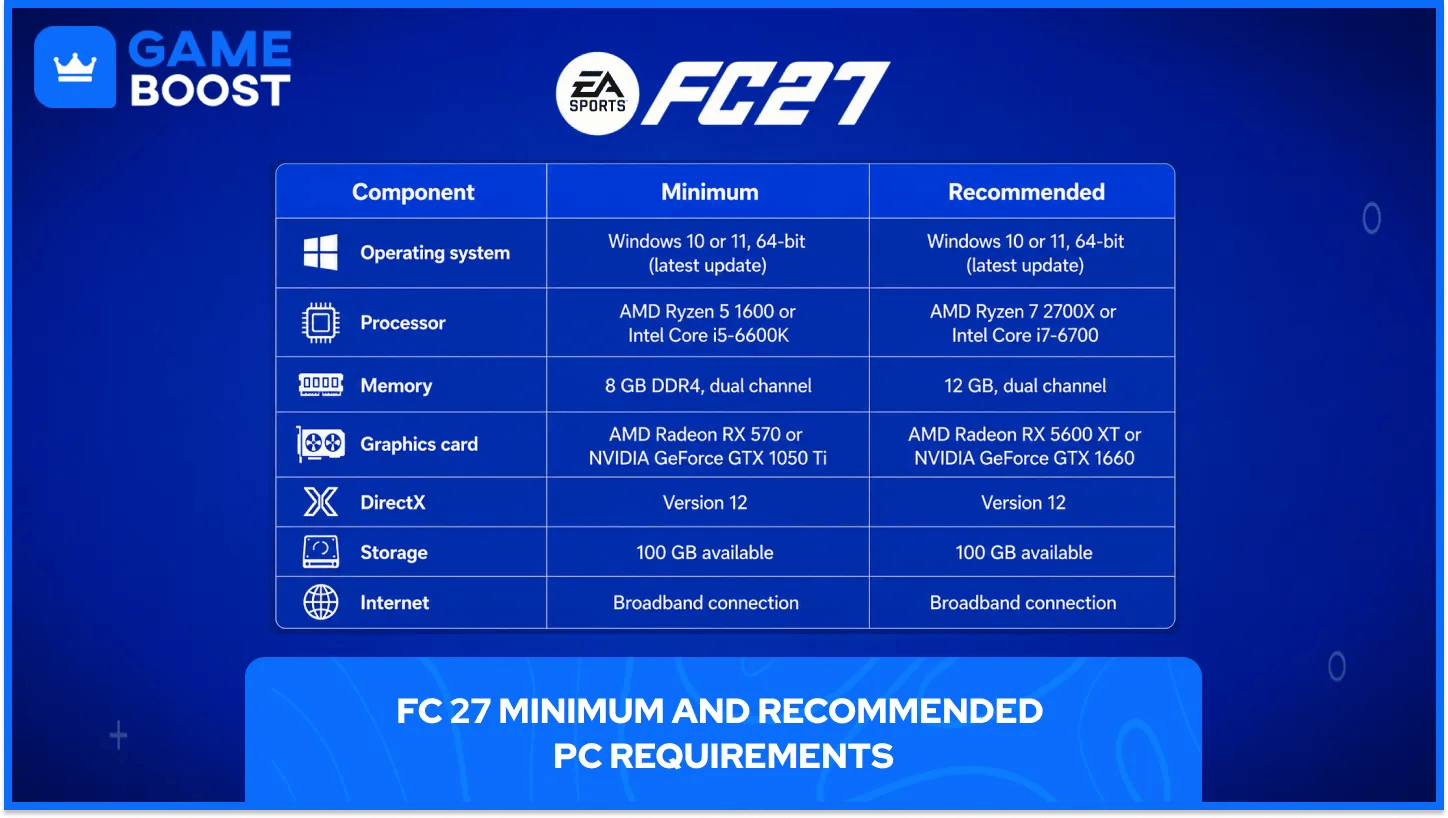
EA's September 2 PC Deep Dive pitch notes replaced the old two-tier list with a full spec sheet covering Minimum, Recommended, High – Balanced, High – Performance, Ultra – Balanced, and Ultra – Performance. The High and Ultra tiers are new for FC 27: each pairs the same hardware against two profiles, one tuned for resolution (Balanced) and one tuned for frame rate (Performance).
Here are the official per-preset (PPPC) figures for FC 27 System Requirements, straight from EA's support page:
Requirement | Minimum | Recommended | High – Balanced | High – Performance | Ultra – Balanced | Ultra – Performance |
|---|---|---|---|---|---|---|
Expected FPS | 60 (Gameplay) / 30 (Cutscenes) | 60 (Gameplay) / 30 (Cutscenes) | 60 (Gameplay) / 30 (Cutscenes) | 80 (Gameplay) / 40 (Cutscenes) | 60 (Gameplay) / 30 (Cutscenes) | 120 (Gameplay) / 60 (Cutscenes) |
Resolution | 720p | 1080p | 1440p | 1080p | 2160p (4K) | 1440p |
Graphics preset | Low | Medium | High | Medium | Ultra | High |
GPU | GTX 1050 Ti or RX 570 | GTX 1660 or RX 5600 XT | RTX 3060 or RX 6600 XT | RTX 3060 or RX 6600 XT | RTX 4070 or RX 7800 XT | RTX 4070 or RX 7800 XT |
VRAM | 4 GB | 6 GB | 8 GB | 8 GB | 12 GB | 12 GB |
CPU | Core i5-6600K or Ryzen 5 1600 | Core i7-6700 or Ryzen 7 2700X | Core i7-10700 or Ryzen 7 3700X | Core i7-10700 or Ryzen 7 3700X | Core i9-12900K or Ryzen 7 7800X3D | Core i9-12900K or Ryzen 7 7800X3D |
Memory | 8 GB DDR4, dual channel | 12 GB, dual channel | 16 GB, dual channel | 16 GB, dual channel | 32 GB, dual channel | 32 GB, dual channel |
OS | Windows 10/11, 64-bit | Windows 10/11, 64-bit | Windows 11, 64-bit | Windows 11, 64-bit | Windows 11, 64-bit | Windows 11, 64-bit |
DirectX | Version 12 | Version 12 | Version 12 | Version 12 | Version 12 | Version 12 |
Storage | 100 GB (HDD) | 100 GB (SSD) | 100 GB (SSD) | 100 GB (SSD) | 100 GB (SSD) | 100 GB (SSD) |
Network | Broadband | Broadband | Broadband | Broadband | Broadband | Broadband |
A few things stand out against the old FC 26-style two-tier list:
High and Ultra now require Windows 11 specifically, while Minimum and Recommended still accept either Windows 10 or 11.
Only the Minimum tier is rated for an HDD. Every tier from Recommended upward assumes an SSD.
Dual-channel memory is now specified at every tier, from 2x4 GB at Minimum up to 2x16 GB at Ultra. EA notes in its pitch notes that a matched pair outperforms a single stick of the same total capacity.
The Performance profiles trade resolution for frame rate on identical hardware to the matching Balanced profile: High – Performance holds the High – Balanced GPU and CPU but drops to 1080p for an 80 FPS target, and Ultra – Performance holds the Ultra – Balanced hardware but drops to 1440p for a 120 FPS target.
EA's PC Deep Dive covered more than the spec sheet. A handful of other changes affect how the game runs and feels on PC:
Change | What it does |
|---|---|
New Performance and Balanced graphics presets | Sit alongside the existing presets so players can prioritise frame rate or visual quality directly |
VRAM indicator | A live estimate of expected video memory usage as graphics settings are adjusted, shown in the settings menu |
Enhanced Ultra Visuals | Optional settings above the standard Ultra preset for high-end PCs; disabled by default |
Steam Friends via EA Connect | Steam friends now surface automatically as EA Friends, removing the old manual EA ID search |
Updated keyboard controls | Redesigned default WASD and Arrow Key layouts, with extra shortcuts for tactical changes mid-match |
Launch time reduction | A reworked Steam startup flow that EA's own testing showed cutting launch times by around 50% in some configurations |
CPU responsiveness work | Optimisations aimed at reducing cases where high CPU load hurt responsiveness in FC 26 |
None of this changes the baseline hardware needed to install and launch FC 27; it changes what a PC can get out of that hardware once the game is running.
Meeting the FC 27 minimum gets the game running, but says nothing about how it plays. Two machines can clear the same numbers and still deliver very different matches.
Four things sit outside the published FC 27 PC requirements and affect performance anyway.
Not in FC 27 requirements | Why it matters |
|---|---|
Resolution and frame rate targets | EA names no preset or frame rate at either tier, so the minimum is a supported floor rather than a promised 1080p at 60 |
Denuvo, Javelin anti-cheat, and the EA app | Each one runs alongside FC 27 and claims processor time and memory of its own |
Dual-channel memory arrangement | A single 8 GB stick clears the capacity figure and still loses frames against 8 GB split across two slots |
Background software already loaded | Windows, a browser, Discord, and controller utilities all sit in memory before FC 27 opens |
None of this pushes FC 27 out of reach on older hardware. Memory arrangement and background load cost nothing to fix, which makes them the first place to look before spending money on parts.
FC 27 asks for 100 GB of available space, and EA sets the same figure at both tiers rather than raising it for the stronger build. Lower settings can work around a weak graphics card, though nothing works around a full drive.
System requirement of 100 GB storage covers FC 27 launch install alone. Season content, title updates, and squad data all land on top of it across the year, so a drive sitting at exactly 100 GB free now can get uncomfortable later. Storage of 130 GB, which sits 30 GB above the FC 27 storage requirement, leaves room for a season of additions.
EA names no drive type at either tier, so a mechanical drive meets the requirement. Load times still favour solid state storage heavily, and the difference shows up most in menus, squad screens, and the transfer market rather than during a match.
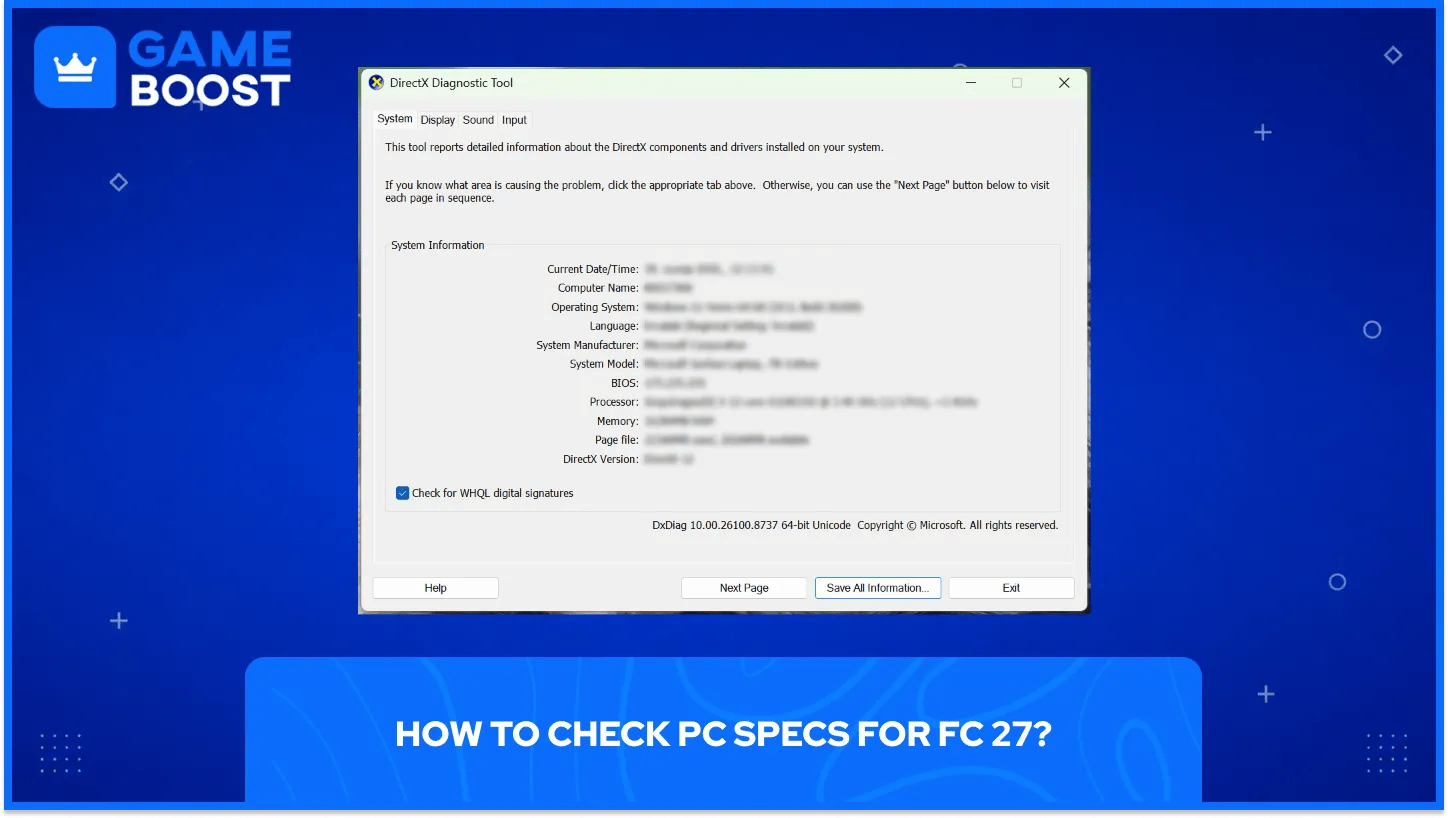
Checking a PC against the FC 27 requirements takes about two minutes and nothing beyond the tools already installed in Windows. Three built-in screens cover all four figures, so a downloaded spec checker adds nothing.
Here is how to check PC specs for FC 27:
What to check | Where Windows shows it |
|---|---|
Processor, memory, and DirectX version | Press the Windows key and R together, type dxdiag, press Enter, then read the System tab |
Graphics card | Open the Display tab inside dxdiag and read the Name and Display Memory lines |
Memory configuration | Open Task Manager, select Performance, then Memory, and read the Slots used line |
Free storage | Open Settings, select System, then Storage |
Which line of the FC 27 PC requirements came up short matters more than the exact numbers. A PC clearing all four is ready to pre-load, and a PC missing one of them has a far cheaper path forward than a PC missing three.
Falling one line short of the FC 27 minimum rarely means buying a new machine. The fixes run from free to expensive, and the cheap end clears the shortfall on plenty of builds.
The order below runs from lowest cost to highest.
Settings and resolution first. Dropping to 900p and turning down crowd density and grass quality costs nothing and often recovers the missing frames.
Memory second. Adding a matched stick to reach dual channel is the cheapest hardware fix here, and every other game on the machine benefits from it too.
Storage third. A 100 GB install on a nearly full drive drags load times badly. A second drive or an SSD swap fixes that for less than a graphics card.
Graphics card fourth. A card upgrade delivers the biggest visual jump of the five, and both recommended options have been on the market long enough to appear widely used.
Processor last. A processor swap usually drags a new motherboard and new memory along with it, which turns a targeted fix into a full rebuild.
Anyone sitting below the FC 27 PC requirements on two or more lines at once should price a used prebuilt against the individual parts, since the maths often favours the whole machine.
FC 27 runs on seven platforms, and only the PC version arrives with hardware requirements to check. Console owners face a different question, since EA has confirmed two features that reach current-generation machines only.
Current-generation hardware carries both of those features, and last-generation hardware carries neither.
Platform | The Grounds and Clubs | Off-Balance Dribbling |
|---|---|---|
PC | Supported | Supported |
PS5 | Supported | Supported |
Xbox Series X|S | Supported | Supported |
Nintendo Switch 2 | Supported | Supported |
PS4 | Not supported | Not supported |
Xbox One | Not supported | Not supported |
Nintendo Switch | Not supported | Not supported |
PS4 and Xbox One owners can move up at no extra cost, since EA includes a generation upgrade with both versions. Original Switch owners have no equivalent route announced, which leaves the Switch 2 version as a separate purchase rather than a free step up.
Four releases in, the FC 27 PC requirements sit almost exactly where FC 26 left them, and that pattern matters more than any single figure on the list. Machine built to clear the recommended tier now stands a good chance of clearing it next year too, which turns a hardware purchase into a multi-season decision rather than a one-game one.
That leaves a short pre-launch list. Confirm the memory runs in dual channel, clear more space than the FC 27 storage requirement asks for, and sort the connection out before September rather than during a first Champions run.
FC 27 Accounts For Sale
Buy Cheap FC 27 Coins
Buy FC 27 Points
Buy FC 26 Items
Buy FC 26 Coins
Buy FC 26 Accounts
View all GameBoost Accounts
View all GameBoost Boosting Services
View all GameBoost Currencies
View all GameBoost Game Keys
View all GameBoost Gift Cards
View all GameBoost Top Ups
View all GameBoost Items
“ Kristina joined GameBoost in 2024 as an SEO specialist and quickly became the go-to writer for third-person shooter and competitive games. She covers titles like Fortnite, Valorant, League of Legends, GTA 5, and Roblox, focusing on how-to guides, practical tips, and updates.”