


•Filip Premuš• 6 min read
Call of Duty: Modern Warfare 4

Your Activision account is tied to everything from your Call of Duty progress to your linked platform accounts, and the email address on file plays a central role in keeping it all accessible. People switch email providers, abandon old addresses, or simply want to move to something more secure, and updating your Activision account email is something you'll eventually need to do.
Activision requires verification through your current email address to authorize any email change, which makes the process straightforward if you still have access to it, but trickier if you don't. In this article, we'll explore how to change your Activision account email, what to expect during the verification process, and what to do if you've lost access to your old address.

Changing your Activision account email requires a one-time verification code sent to your current email address, so you need access to it before starting.
If you no longer have access to your old email, you can log in through a linked platform account (PlayStation, Xbox, Steam, etc.) and reset your password first, then update the email without needing the old one.
If you have no linked accounts and no access to the old email, contacting Activision Support is the only option, though they are not guaranteed to make the change due to privacy and security policies.
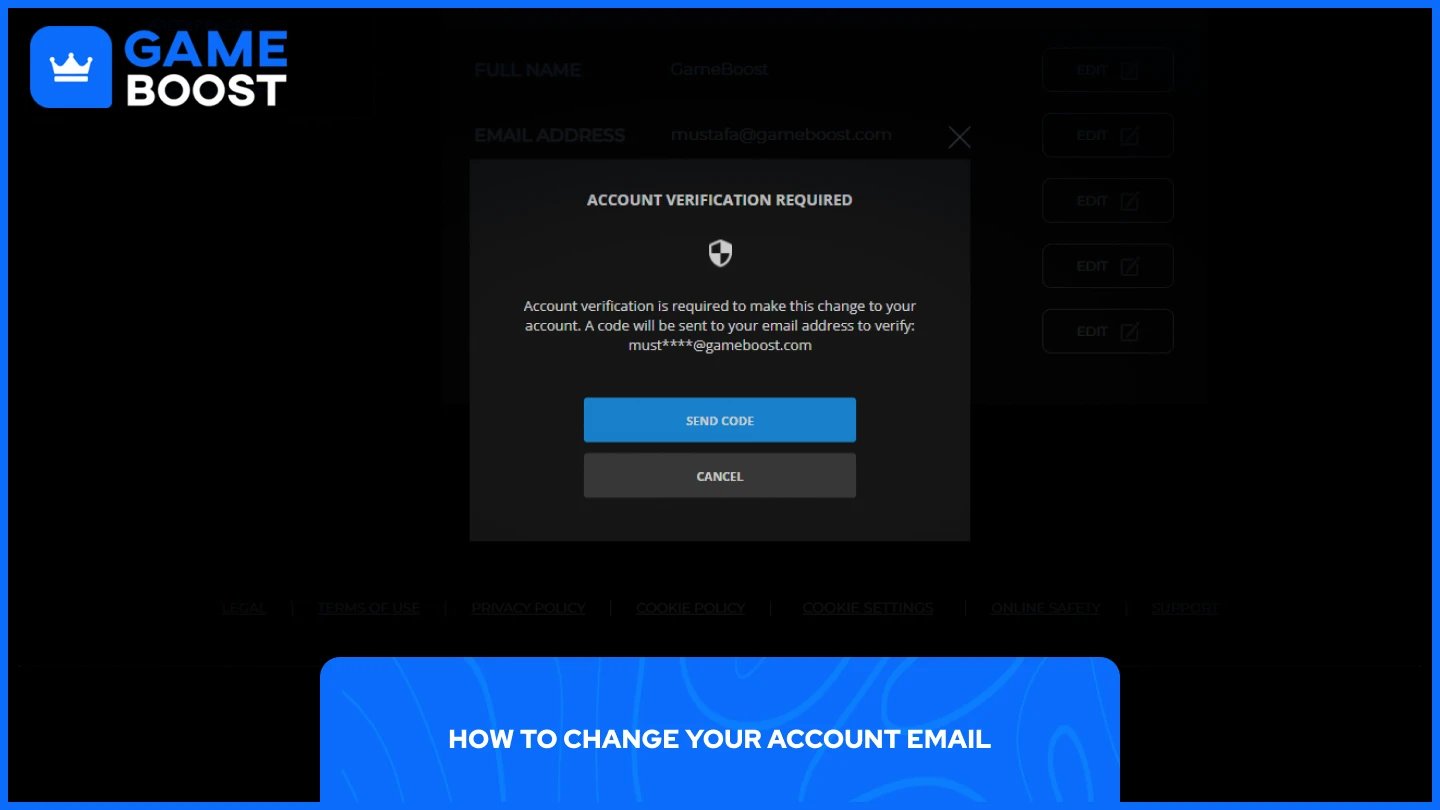
Changing your email requires account verification, and Activision will send a one-time code to your current email address to authorize the change. Make sure you have access to that inbox before starting. Here are the steps to follow:
Go to Call of Duty’s website and log in to your account.
Go to “Profile” and select "Basic Info."
Select "Edit" next to the Email Address field.
In the Account Verification Required pop-up, select "Send Code."
Go to your current email inbox and retrieve the one-time verification code.
Enter the code in the pop-up and select "Continue."
Enter your new email address and select "Save."
Enter your Activision account password and select "Save."
Check your new email inbox for a verification email from Activision and click "Verify Your Email Address" to complete the change.
Once you've confirmed through your current email, Activision will also send a second verification to the new address to confirm you have access to it. The change is only finalized after both steps are done.
Also Read: How to Enable 2FA on Your Activision Account
If you no longer have access to the email on your account, you can still log in using any platform account linked to it, such as PlayStation, Xbox, Steam, Blizzard, or Nintendo. From there, you can update the email address without needing access to the old one. Here is how to do it:
Go to the Activision account login page.
Select a linked account type, such as PlayStation or Xbox.
Log in using that platform account's credentials.
Go to “Profile” and select "Basic Info."
Select "Edit" next to the Email Address field.
Enter a valid email address you can access and select "Save."
Enter the password you set for your Activision account and select "Save."
If you do not remember your Activision account password, you can reset it from the Basic Info page after logging in through a linked account, then proceed to update the email address.
If you have no linked accounts at all, your options become very limited. Activision's system does not provide a direct method to change the email address without verifying ownership of the original one, which is where contacting support becomes the only remaining route.
Also Read: How to Log Out of Your Account in Call of Duty
This is a question a lot of players end up asking after hitting a dead end on their own. The short answer is: possibly, but it is not guaranteed. Activision's official stance is that, due to privacy and security concerns, support may be unable to change account details.
That said, submitting a support request is still worth doing. Contacting Activision Support directly and providing proof of account ownership, such as past purchase receipts or linked console IDs, gives support agents what they need to verify your identity and potentially update the email manually.
You can submit a request through Activision's official support page. Keep your expectations realistic, though. Many players report being redirected back to the same self-service steps, and outcomes depend on how much proof of ownership you can provide. The more evidence you have tying you to the account, the better your chances of getting a resolution.
Changing your Activision account email is straightforward as long as you still have access to the old one. If you don't, logging in through a linked platform account is the most reliable workaround available. Activision Support can be contacted as a last resort, but there's no guarantee they'll be able to make the change on your behalf. Keep your account email up to date and tied to an address you actively use to avoid running into this issue down the line.
Buy Cheap Modern Warfare 4 Accounts
“ Mustafa Atteya has been writing about gaming and esports since 2023, specializing in competitive game content and player improvement guides. At 25, he brings both hands-on gaming experience and professional SEO writing expertise to the GameBoost team.”