

•Filip Premuš• 9 min read
Call of Duty

Activision accounts are required to play Call of Duty titles online. They store your cross-progression data, stats, in-game purchases, and linked platform accounts across PlayStation, Xbox, Steam, and Battle.net.
Reasons to delete vary. Some players want out entirely after quitting the game, others are concerned about data privacy, and some just want to unlink a platform and start fresh. Whatever the case, the process isn't as simple as hitting a delete button.
In this article, we'll explore how to submit an account deletion request, what you'll lose in the process, and what to consider before going through with it.

Activision doesn't offer a direct delete button. You need to submit a data erasure request through the Privacy Portal instead.
Deleting your account permanently removes all game progress, in-game items, virtual currency, and linked platform data from MW (2019) onwards.
You won't get a refund on any purchases, and the request cannot be undone once confirmed.
To delete, log into your Activision account, go to Privacy & Data Protection, and submit a Right to Erasure request.
Processing takes up to 30 days, and you'll receive a confirmation email when it's done.
If you think you might return to Call of Duty, do not delete, your progress cannot be recovered.
Deleting your Activision account is permanent, and the losses go beyond just your profile. Before submitting a request, it's worth knowing exactly what gets wiped.
All game progress for every Call of Duty title that uses cross-progression, starting from Modern Warfare (2019) onwards, will be erased, including any in-game items and virtual currency tied to those games.
All personal information from linked platform accounts, including PlayStation, Xbox, and Blizzard Battle.net, along with their associated progression data.
You will not be eligible for a refund on any purchases made, and once the request is confirmed, nothing can be recovered under any circumstances.
Also Read: How to Enable 2FA on Your Activision Account
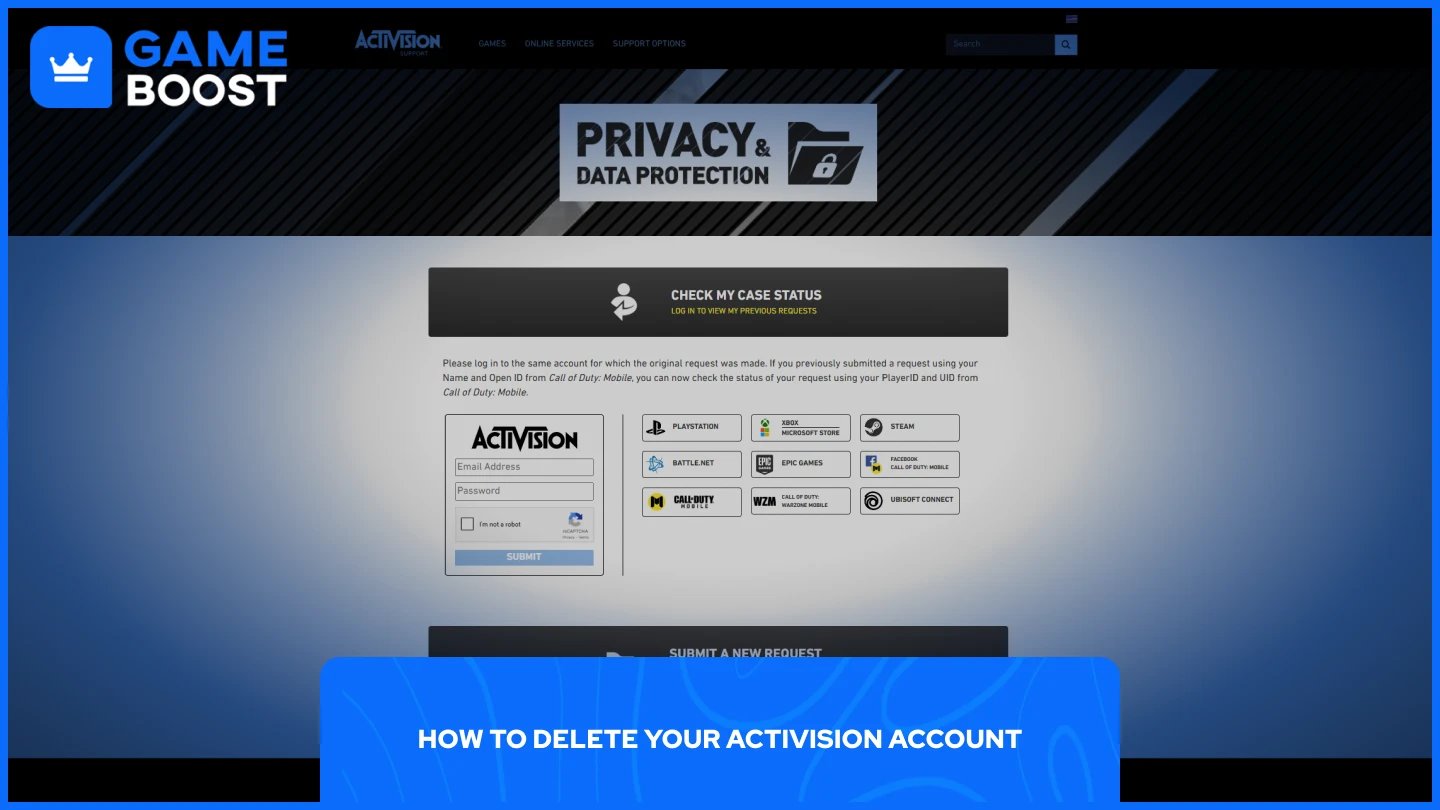
The deletion process goes through Activision's Privacy Portal. There's no direct delete button on your profile, you submit a data erasure request instead. Here's how:
Go to Privacy & Data Protection.
Click Submit a New Request.
Follow the on-screen prompts, accept the terms, complete the CAPTCHA, and confirm the request.
It can take up to 30 days for Activision to process the deletion request. You'll receive a confirmation email once it's done.
Also Read: How to Log Out of Your Account in Call of Duty
If you're not fully committed to leaving, there are a few alternatives worth thinking about before going through with the deletion.
The first option is simply unlinking individual platform accounts. You can unlink individual platform accounts from your Activision account once every 12 months, which lets you separate your PlayStation or Xbox profile without losing everything attached to your Activision account permanently.
It's also worth considering that you can make your account anonymous by logging into your profile settings and replacing your personal information, rather than deleting it entirely. This removes your data from the account without triggering an irreversible erasure request.
If you're taking a break from Call of Duty but think you might return, deletion is the wrong move. If you delete your account and later decide to play an Activision game again, you won't be able to recover any progress, in-game items, or virtual currency. There's no grace period or undo option once the process starts.
Also Read: How to Change Your Activision Account Email
Deleting your Activision account is a one-way decision. Everything tied to it, including your progress, purchases, and linked platforms, goes with it, and Activision won't bring any of it back. If you're certain you're done with Call of Duty, follow the steps through the Privacy Portal and give it up to 30 days to process.
If you're on the fence, unlinking your platforms or anonymizing your account are cleaner alternatives that don't burn everything down. Either way, make sure you've thought it through before hitting confirm. If you're looking to sell your account before deleting it, GameBoost is a reliable marketplace to do that safely.
“ Mustafa Atteya has been writing about gaming and esports since 2023, specializing in competitive game content and player improvement guides. At 25, he brings both hands-on gaming experience and professional SEO writing expertise to the GameBoost team.”