

•Filip Premuš• 4 min read
Brawl Stars
Brawl Stars is a free-to-play mobile game developed by Supercell, offering fast-paced multiplayer battles with a roster of unique Brawlers. Since its global release in December 2018, the game has built a massive player base across iOS and Android.
At some point, you may decide it's time to move on, either by starting fresh with a new account or quitting the game entirely. The process isn't as straightforward as hitting a delete button, since Brawl Stars doesn't offer a direct account removal option. Instead, the deletion goes through Supercell's support system, and it's worth knowing exactly what you're getting into before you proceed, as the action is permanent and irreversible.
In this article, we'll explore the steps to delete your Brawl Stars account, what you'll lose in the process, and a few things to consider before making the final call.
Also Read: Brawl Stars' Brawlentines Event Explained
Deleting your Brawl Stars account is permanent. Once the process is complete, everything tied to that account is gone, including your Brawlers, trophies, gems, Brawl Pass progress, and any purchases you've made. None of it can be recovered, regardless of how much you spent or how long you played.
The deletion process itself isn't instant either. After submitting your request through Supercell's support, it can take anywhere from several days to a few weeks for the account to be fully removed from their servers.
During that window, avoid logging back in, as doing so may interrupt or cancel the deletion entirely. There is no grace period, no undo button, and Supercell will not make exceptions once the account is deleted.
Also Read: How to Get Gems in Brawl Stars
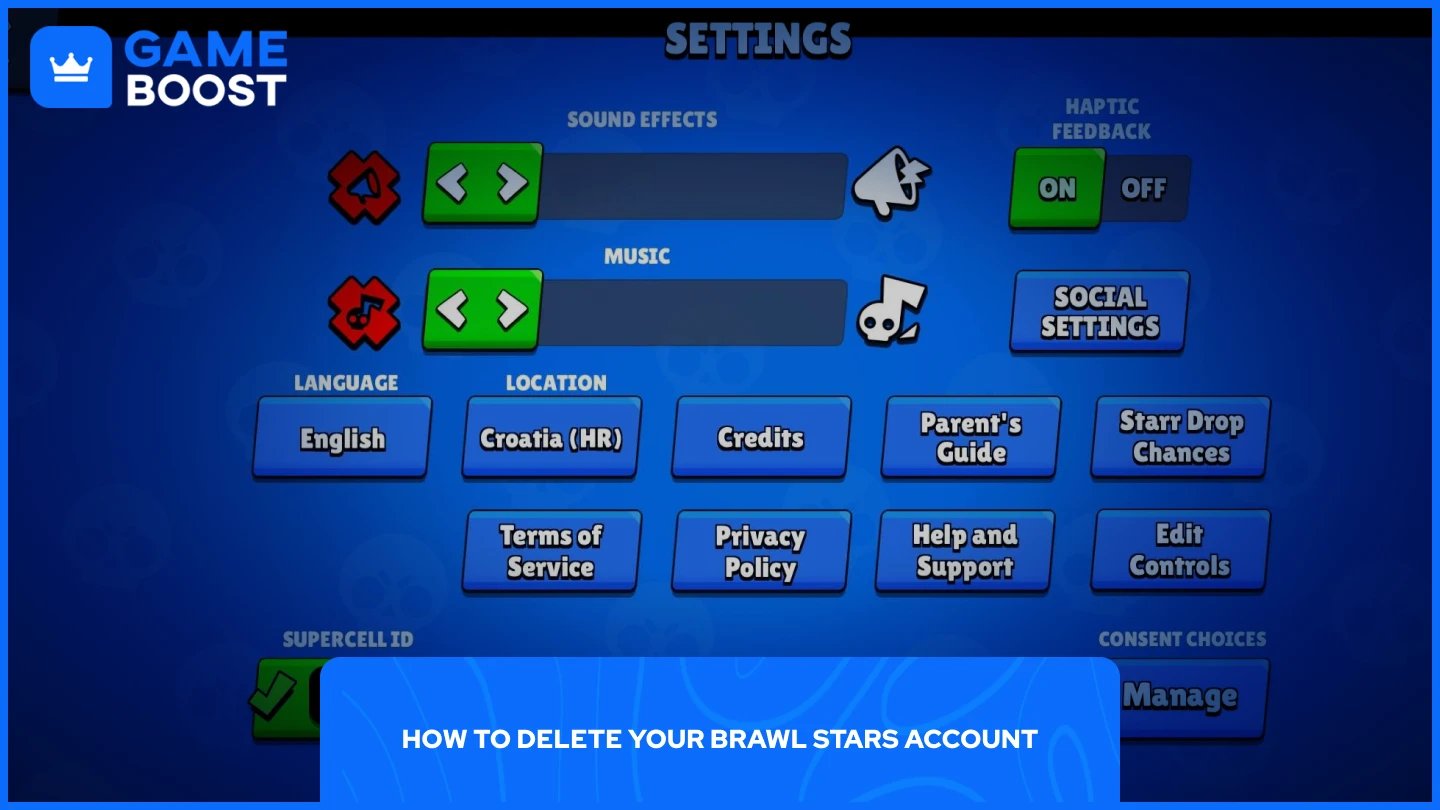
Brawl Stars doesn't have a built-in delete account button, so the only way to do it is by going through Supercell's in-game support. Here's how:
Open Brawl Stars and tap the menu icon in the top-right corner.
Go to Settings, then scroll down and tap Help and Support.
Tap “Account”, select the chat icon in the top-right corner, and then select “Leave a Message”.
From the options, choose “Request or Delete My Data” and confirm by selecting “Delete My Data”.
A support window will open. Follow any additional prompts or instructions from the support team to finalize the request.
If your account isn't linked to a Supercell ID, the process is slightly different. You'll need to contact Supercell support manually through the same Help and Support section, send a message explaining your request, and provide the necessary account details for verification.
Once the deletion is processed, you'll permanently lose:
All Brawlers and their upgrades
Gems, Coins, and any other in-game currency
Brawl Pass progress and any purchased rewards
Club membership and social data
Any skins or cosmetics tied to the account
None of this is recoverable, so make sure you've considered this before confirming the request.
Also Read: How Many Brawlers Are in Brawl Stars
If you're looking for a fresh start rather than a permanent exit, deleting your account may not be necessary. Brawl Stars allows you to create and switch between multiple accounts using Supercell ID, meaning you can start a brand new account without losing your current progress.
To do this, link your existing account to a Supercell ID if you haven't already, then log out and create a new account under a separate Supercell ID. Both accounts remain intact, and you can switch between them at any time from the settings menu.
This is worth considering if you're frustrated with your current account or want to try a different playstyle from scratch, rather than permanently deleting years of progress you might regret losing later.
Deleting your Brawl Stars account is a straightforward process, but it's not one you can walk back. Before contacting Supercell support, make sure you've weighed what you're giving up. If you're just looking for a fresh start, switching to a new account through Supercell ID is a much safer option that keeps your options open.
Brawl Stars Account
Buy Brawl Stars Gems
Brawl Stars Boosting
View all GameBoost Accounts
View all GameBoost Boosting Services
View all GameBoost Currencies
View all GameBoost Game Keys
View all GameBoost Gift Cards
View all GameBoost Top Ups
View all GameBoost Items
Buy CS2 Skins
“ Mustafa Atteya has been writing about gaming and esports since 2023, specializing in competitive game content and player improvement guides. At 25, he brings both hands-on gaming experience and professional SEO writing expertise to the GameBoost team.”