

•Hamza Rashid• 8 min read
Fortnite

Fortnite's Battle Pass is one of the best ways to get the most out of a season, offering exclusive skins, emotes, V-Bucks, and a range of other cosmetics that free-to-play players simply don't have access to. If a friend hasn't grabbed it yet, Epic Games actually lets you buy it for them directly through the game.
The process is quick, but there are a few requirements and limitations worth knowing before you go ahead. In this article, we'll explore exactly how to gift the Battle Pass in Fortnite, what it costs, and what you need to keep in mind before completing the purchase. And if you're looking for a gift that goes beyond a single season, buying a Fortnite account loaded with rare skins and cosmetics is another option worth considering.

Before gifting the Battle Pass in Fortnite, your account needs to meet a few conditions. Here's what Epic Games requires:
Two-Factor Authentication (2FA) must be enabled.
Your account must be at least Level 2.
The recipient must be on your friends list for at least 2 days.
The recipient can't have a negative V-Bucks balance.
Battle Pass gifting is disabled near the end of each season.
Gifts are limited to 5 per day.
One important thing to note is that the Battle Pass gift cannot be purchased with V-Bucks. It requires a real-money transaction, and all gifts are non-refundable once sent.
Also Read: Best Hide and Seek Fortnite Map Codes
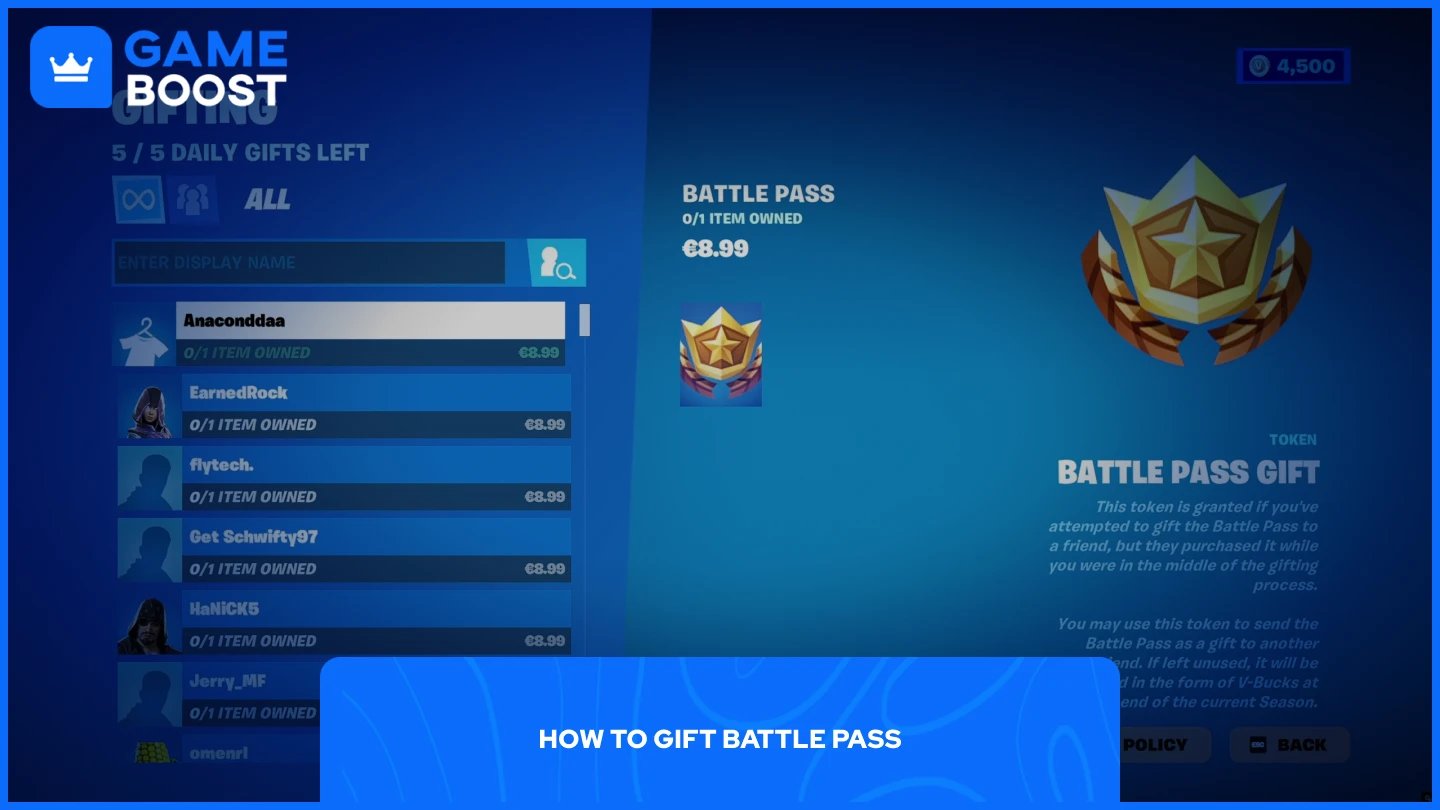
Gifting the Battle Pass in Fortnite is straightforward. Follow these steps:
Launch Fortnite and log in to your account.
Go to the Passes tab at the top of the screen.
Click the Gift Battle Pass button.
A list of your friends will appear. Select the recipient you want to send the Battle Pass to. Make sure you're choosing the right person, as gifts are non-refundable.
Choose your gift wrap options and click Continue.
Complete the payment. Since the Battle Pass gift requires real money and can't be purchased with V-Bucks, you'll be redirected to enter your payment details or use the funds connected to your platform account.
Click Continue to finalize the gift.
They must log into Fortnite to receive a Battle Pass gift, and if the pass doesn’t arrive after they log in, you can resend the gift without being charged again as long as the original gift token hasn’t been used yet.
Also Read: All Fortnite Cat Skins: Prices and Release Dates
Gifting the Battle Pass in Fortnite is a simple process as long as you meet the requirements beforehand. Make sure your 2FA is enabled, your friend has been on your list for at least 2 days, and you have a valid payment method ready since V-Bucks won't work here. Once everything checks out, the whole process takes under a minute.
Buy V-Bucks
Buy Fortnite Items
Fortnite Accounts For Sale
View all GameBoost Accounts
View all GameBoost Boosting Services
View all GameBoost Currencies
View all GameBoost Game Keys
View all GameBoost Gift Cards
View all GameBoost Top Ups
View all GameBoost Items
Buy CS2 Skins
“ Mustafa Atteya has been writing about gaming and esports since 2023, specializing in competitive game content and player improvement guides. At 25, he brings both hands-on gaming experience and professional SEO writing expertise to the GameBoost team.”