

•Hamza Rashid• 10 min read
Genshin Impact
The Blessing of the Welkin Moon is widely considered the best-value purchase in Genshin Impact. At $4.99, it grants 300 Genesis Crystals upfront and 90 Primogems per daily login over 30 days, adding up to roughly 3,000 Primogems worth of value in total.
The issue is that Genshin Impact has no built-in gifting feature. You can't send the Welkin directly through the game, which leaves most players unsure of how to actually get it to someone else's account. In this article, we'll explore exactly how to gift Welkin in Genshin Impact, step by step, along with what you need from the recipient and what to watch out for during the process.
Also Read: How Many Characters Are in Genshin Impact?

Genshin Impact has no built-in gifting feature, so Welkin can only be sent through top-up platforms like GameBoost
You need two things from the recipient before purchasing: their UID and their server region
The UID is a 9 to 10-digit number found in the bottom-right corner of the screen or under their profile in the Paimon Menu
Server region can be identified by the first digit of the UID: 6 for North America, 7 for Europe, 8 for Asia, and 9 for TW/HK/Macau
Welkin activates directly on the recipient's account after payment, with 300 Genesis Crystals delivered instantly and 90 Primogems available per daily login for 30 days
Multiple Welkins can stack, but the total duration cannot exceed 180 days
Always verify the UID before paying, since the transaction cannot be reversed after confirmation
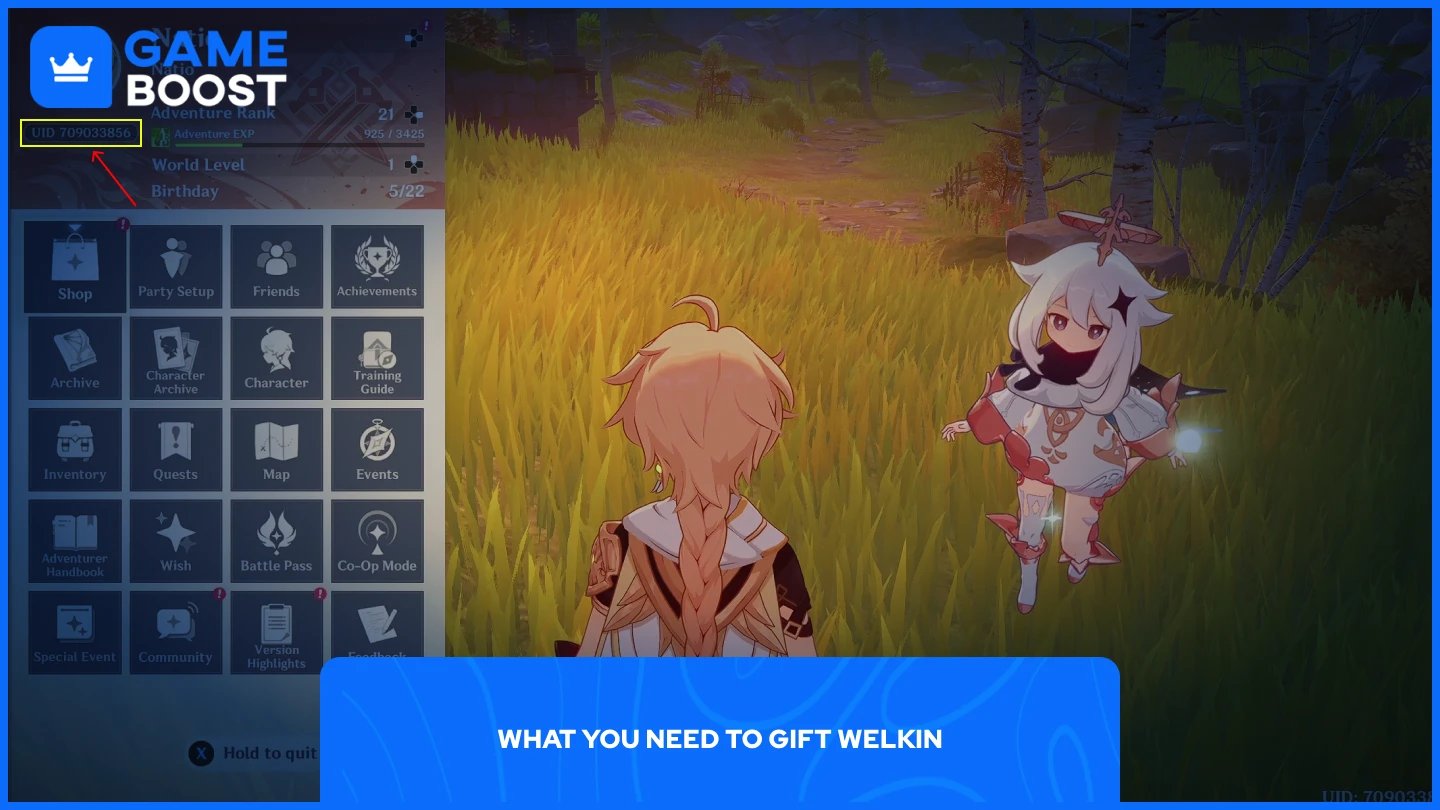
Before making any purchase, you need two pieces of information from the person you're gifting to. You need their:
UID
Server region
Neither requires them to share their account credentials, so the process is straightforward on both ends. The UID is a 9 to 10-digit number that serves as a unique identifier for every Genshin Impact account. The recipient can find it in the bottom-right corner of the screen during gameplay, or by opening the Paimon Menu and checking their profile. Have them send it to you directly to avoid any errors when entering it at checkout.
The server region tells the top-up platform where to deliver the purchase. The recipient's server is actually identifiable from the first digit of their UID. A UID starting with 6 belongs to the North America server, 7 means Europe, 8 is Asia, and 9 covers the TW, HK, and Macau server. That said, it's still worth confirming the server with the recipient directly, since delivering Welkin to the wrong server means it won't reach the intended account.
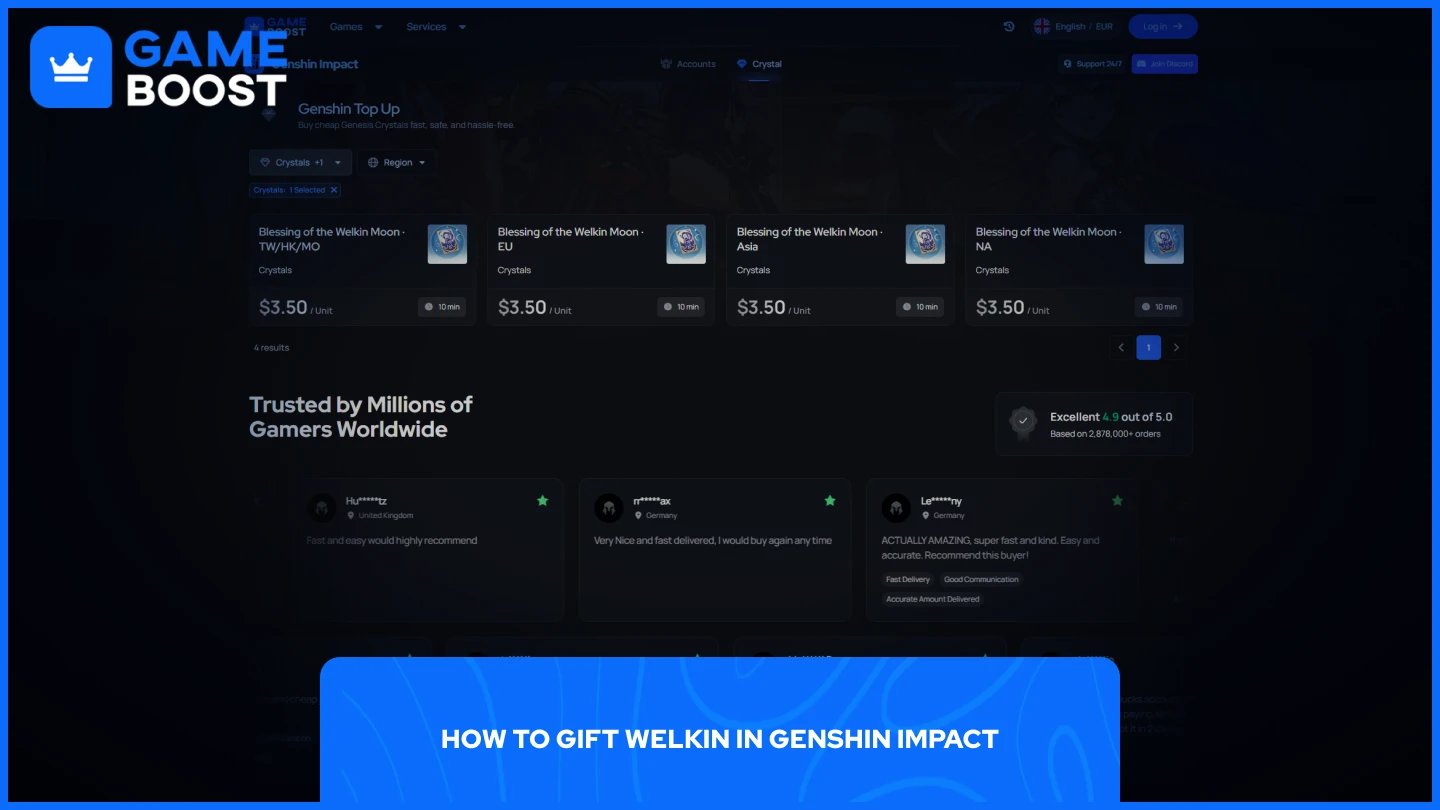
GameBoost is the recommended platform for gifting Welkin. The process only takes a few minutes and doesn't require you to log into the recipient's account at any point.
Go to the Genshin Impact top-up page on GameBoost.
Select the region.
Enter the recipient's UID.
Choose your preferred payment method and complete the transaction.
Once payment goes through, the Welkin activates directly on the recipient's account. They'll receive 300 Genesis Crystals immediately and can start claiming 90 Primogems per daily login from that point forward. Delivery is typically instant, though it can occasionally take a few minutes to reflect in their in-game mail.
Also Read: How Much is My Genshin Account Worth?
A few things are worth noting before you complete the purchase.
Welkin subscriptions stack, meaning the recipient can have multiple active at the same time. However, the total duration cannot exceed 180 days. If they already have Welkin active and your gift would push them past that limit, the purchase will still go through, but the extra duration won't be added, and they'll receive 330 Genesis Crystals as a refund instead.
Double-check the UID before paying. Once the transaction is confirmed, it can't be reversed if the Welkin gets delivered to the wrong account. Have the recipient send you their UID directly rather than typing it from memory.
If you’re sending a gift to a friend, the recipient won't automatically know who sent it. If you want it to feel like a proper gift, let them know separately once the transaction is done.
Also Read: How to Sell Your Account in Genshin Impact
Gifting Welkin in Genshin Impact is a simple process once you have the recipient's UID and server region. Head to GameBoost, enter their details, select the Blessing of the Welkin Moon, and complete the payment. Just make sure the UID is correct before confirming, since there's no way to reverse the transaction after the fact.
Genshin Impact Accounts
Genshin Top Up
View all GameBoost Accounts
View all GameBoost Boosting Services
View all GameBoost Currencies
View all GameBoost Game Keys
View all GameBoost Gift Cards
View all GameBoost Top Ups
View all GameBoost Items
Buy CS2 Skins
“ Mustafa Atteya has been writing about gaming and esports since 2023, specializing in competitive game content and player improvement guides. At 25, he brings both hands-on gaming experience and professional SEO writing expertise to the GameBoost team.”