

•Kristina Horvat• 7 min read
Grow a Garden 2
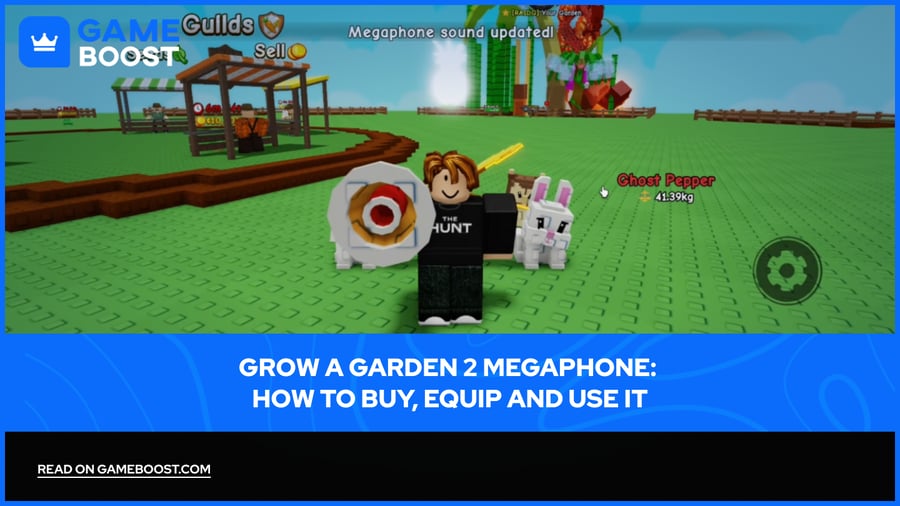
Grow a Garden 2 Megaphone is one of the few items in the game that has nothing to do with farming. Added in Update 1 alongside the Player Magnet and Pet Server Teleporter, it is a novelty gear that lets you play sounds from the Roblox sound library across the entire server. Every player in your session hears it the moment you trigger it.
Here, you'll find how to buy Grow a Garden 2 Megaphone, how to load and play sound IDs step by step, and a tested list of the best Roblox audio codes to use in Grow a Garden 2.
Grow a Garden 2 Megaphone Info | |
  | |
Cost | 8,000 Sheckles / 49 Robux, permanent one-time purchase |
Function | Plays any valid Roblox audio ID server-wide |
Where to Buy | Gear Shop, George NPC |
Best Use | Fun, distraction, warnings, server presence |
Sound ID Limit | One active at a time, free to switch anytime |
Sound ID Failures | Happen when Roblox removes or moderates the audio asset |
Not the Same As | GaG2 promo or redeem codes |
Effect on Farming / Pets | None |
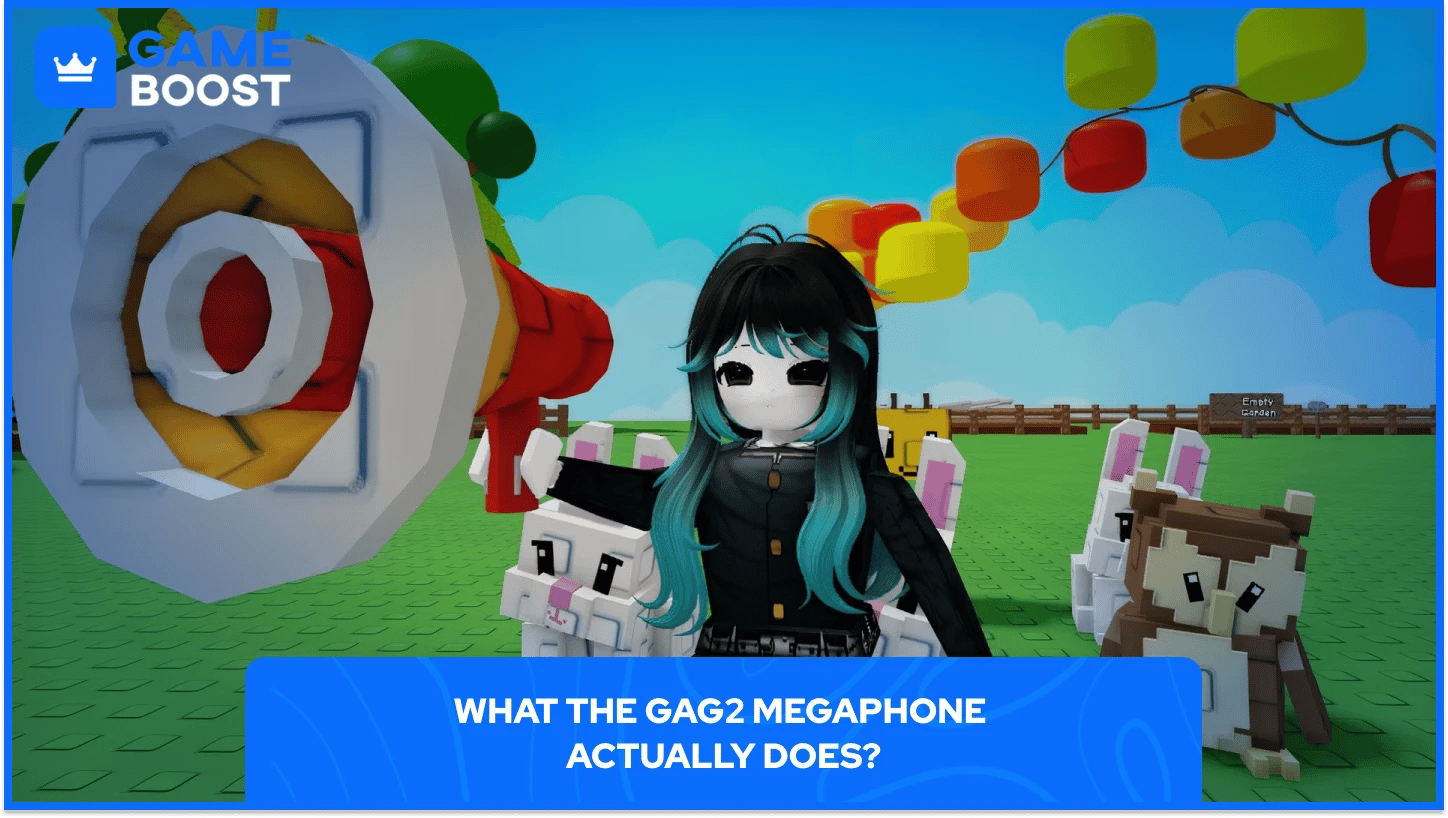
Grow a Garden 2 Megaphone is a purely social gear item with no effect on farming, crops, pets, or Sheckle earnings. For 8,000 Sheckles, you get a permanent item that blasts custom Roblox audio across the entire server, heard by every player in the lobby. Players most commonly use Megaphone to react to crop thieves, set a vibe while farming, or just cause chaos in public sessions.
Stock availability follows the same RNG system as every other shop in GaG2. Rare items appear more frequently than higher-tier gear, but every time you check George's shop.
Also Read: How to Get and Use the Wheelbarrow in Grow a Garden 2
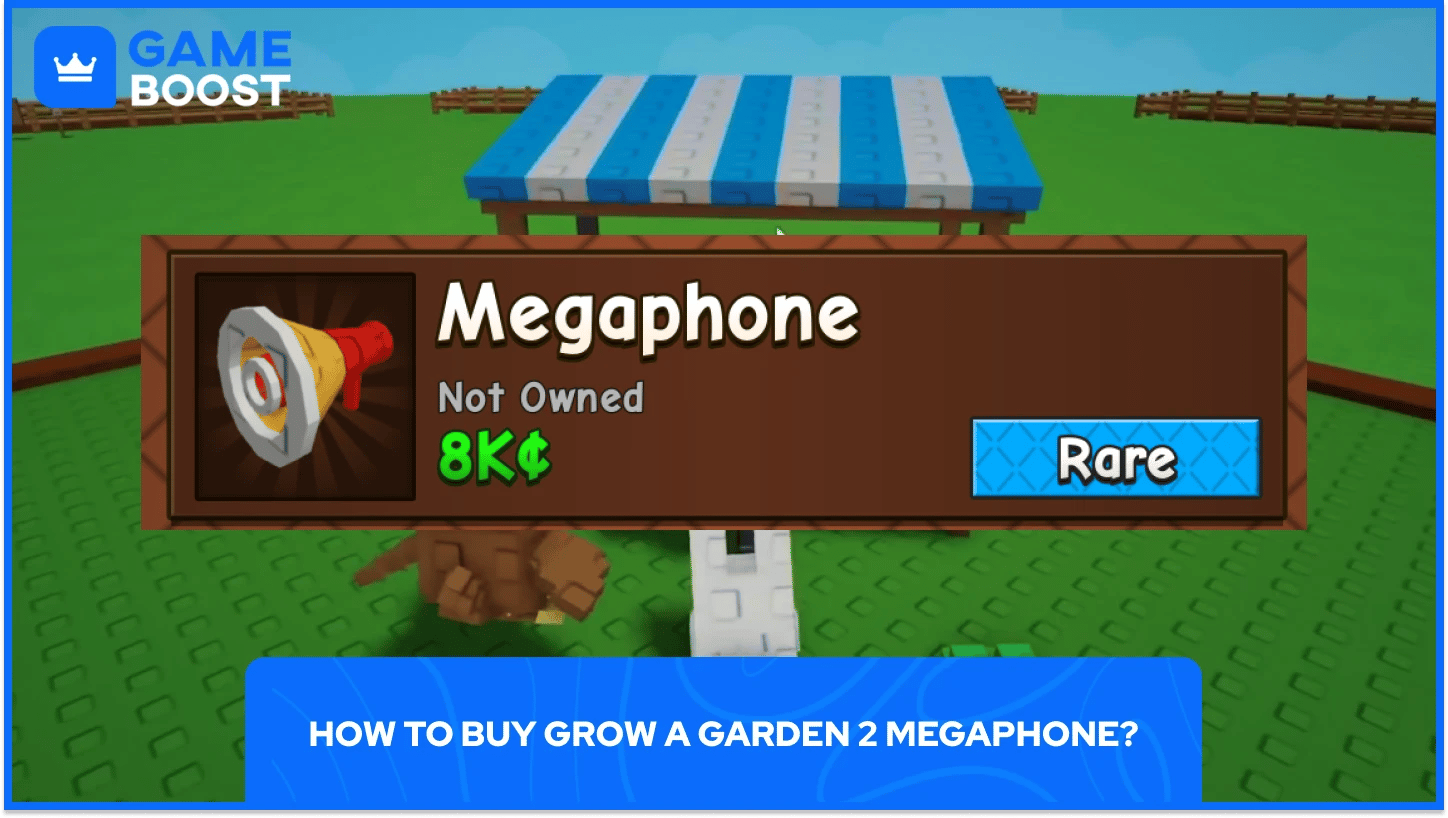
Getting Megaphone in Grow a Garden 2 is a short process, press the Sell button to go to the center part of the map, head towards the Gear Shop, and interact with the George NPC to open the gear list. Scroll through until you find the Megaphone, then spend 8,000 Sheckles or 49 Robux to purchase it permanently.
A couple of things to keep in mind:
The Megaphone may not appear immediately in the shop, and you may need to wait for it to be restocked before purchasing.
The Gear Shop is available 24/7, so you can grab it at any point without waiting for a specific event.
After you buy Grow a Garden 2 Megaphone, equip it from your inventory or through the Gear Shop's equip button directly.

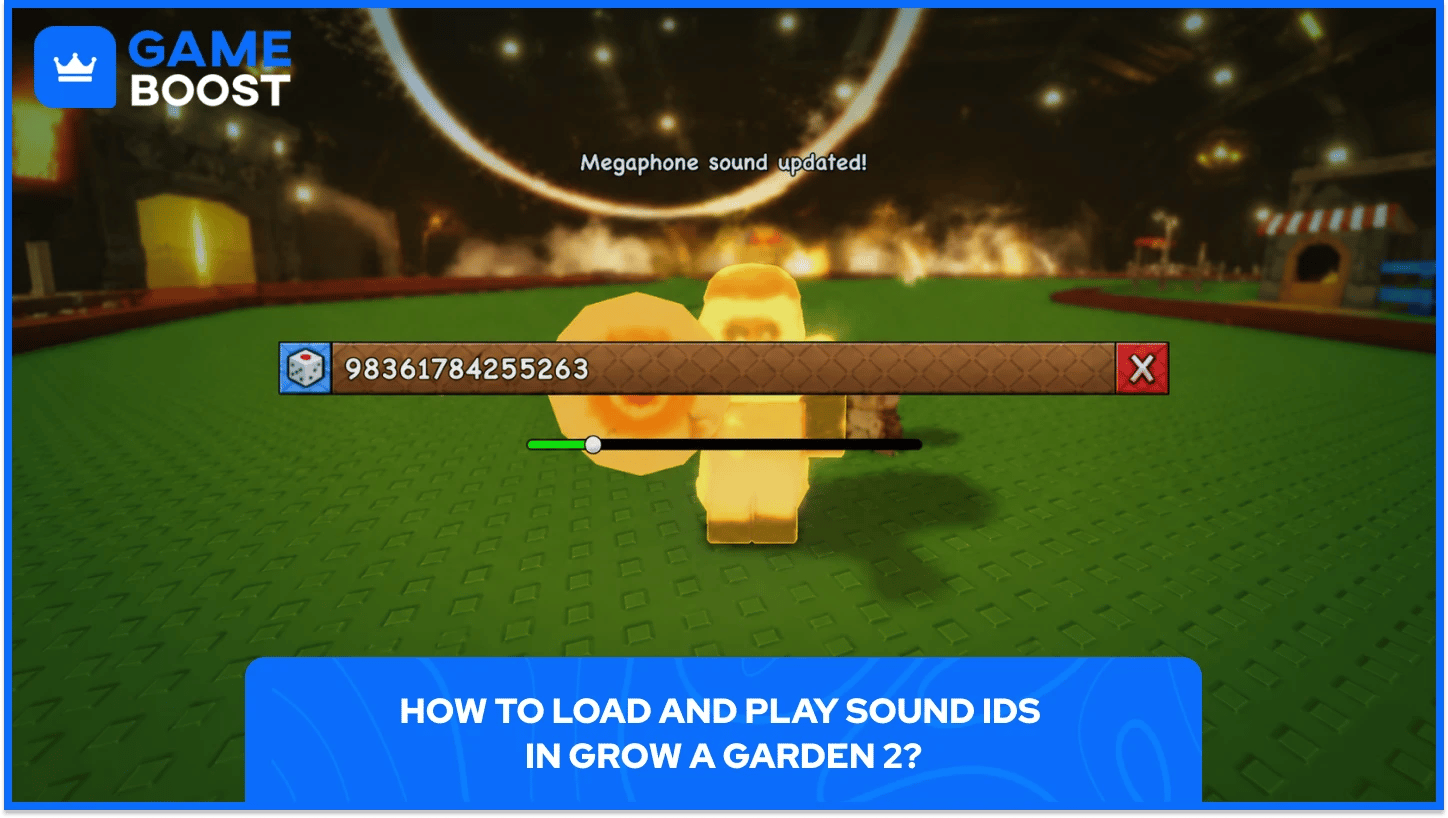
Using a sound ID in Grow a Garden 2 takes under a minute once you have the Megaphone equipped. Here is how to load and play a sound ID in Megaphone in Grow a Garden 2:
Equip the Megaphone from your inventory or the Gear Shop.
Click the gear/settings icon that appears on the right side of your screen.
Paste a Roblox audio ID into the song ID field.
Press Enter to confirm.
The selected track will immediately begin playing for every player on the server.
Adjust the volume from the same menu or through the main game settings.
Keeping volume at a moderate level makes more sense in public lobbies, where blasting audio at full volume tends to get old fast for everyone around you.
GaG2 Megaphone supports any valid Roblox audio asset ID, so your options go well beyond any fixed community list. For sounds outside the popular picks, you can pull IDs directly from the Roblox Creator Store by opening the Audio tab, finding a track, clicking the three dots, and selecting "Copy Asset ID" to paste straight into the Megaphone menu.
Since you can check whether an asset is still public before using it, this method is more reliable than pulling from older code lists that may contain removed audio.
Here are the best Roblox Sound IDs players instantly recognize sorted by the situation they suit best:
Sound | Roblox ID | Situation |
|---|---|---|
Ara Ara | 8233569802 | Anime reaction |
Backseat | 94560286217320 | Casual pop vibe |
Bloody Phonk | 136350225160627 | Intense PvP / stealing moment |
Bombardiro Crocodilo | 107128147864287 | Current brainrot meme moment |
Brainrot Phonk: Tralalero Tralala | 138118304933431 | Phonk / brainrot mix |
Britney Spears – Gimme More | 108644354556878 | Pop / party vibe |
Brr Brr Patapim | 126271266950979 | Funny brainrot sound |
Button Click | 6042053626 | UI click / menu sound |
California Love | 95002349594321 | Chill farming / lobby music |
Cowbell God | 16190760005 | Server chaos |
Crab Rave | 5410086218 | Celebration / funny win moment |
Cutscene | 127515921586975 | Transition / story moment |
Dark Phonk Damage | 105529482486905 | Dark combat moment |
Escanor’s Pride | 107092329783924 | Anime power-up moment |
Fake Drake | 1665926924 | Meme rap moment |
Foghorn | 130802578468469 | Quick attention grab |
Fortnite Death Sound | 6932519682 | Fail / death moment |
Frog Laughing | 140055886382926 | Reaction after someone fails |
Ghostblade Phonk | 90441404910975 | Aggressive action moment |
Grow a Garden Notification | 124769473122070 | Garden notification |
Juice WRLD – Rockets | 85368211691553 | Sad / emotional hip-hop vibe |
Michael Jackson | 84447559765675 | Classic pop moment |
Normal Tick | 82966767543133 | Pack opening tick |
Oof | 79348298352567 | Classic Roblox reaction |
Planting | 139229782932442 | Farming action |
Pokémon Centre Healing | 138123827 | Healing / reward moment |
Poop on Grandma | 101510065632643 | Absurd comedy moment |
Rainbow Reward | 115967348422331 | Rare reward moment |
Rainbow Tick | 102174134709231 | Rare pack opening tick |
Raining Tacos | 142376088 | Best overall classic Roblox sound |
Raw Phonk Energy | 135549022646779 | High-energy chase moment |
Reward | 71983146788880 | Reward moment |
Robo Phonk | 136932193331774 | Futuristic / robotic vibe |
Scaredy Cat | 104951648600895 | Night defense / tense moment |
Shigaraki’s Laugh | 129275129948289 | Anime villain moment |
Skibidi Toilet | 109829522404772 | Meme chaos / younger audience |
SpongeBob Laugh | 111605929167392 | Funny fail / mocking moment |
Street Fighter – K.O. | 845287176 | Fight ending / knockout |
Sukuna Die | 140203442694519 | Anime fight / rage moment |
Tekken You Win | 93896046549901 | Victory moment |
The Final Phonk | 14145620056 | Dramatic final moment |
Thorfinn’s Rage | 126312025554900 | Anime rage moment |
Troll Laugh | 7816195044 | Trolling / joking with friends |
Tung Tung Sahur | 128096405862126 | Chaotic brainrot moment |
Ultimate Brainrot | 110789178293428 | Extreme brainrot moment |
Who’s That Pokémon? | 130767090 | Reveal / guessing moment |
You Are An Idiot | 3200130016 | Classic troll insult |
You Have Been Trolled | 112626671704099 | Trolling / pranking players |
💡 Timing matters more than the sound itself. A foghorn after someone gets caught stealing lands completely differently than the same sound playing on loop. Use the dice icon in the Megaphone settings to generate random tracks from the built-in one-liner pool when you want something quick without searching for an ID.
When a sound ID stops working in Grow a Garden 2, the problem is almost never the Megaphone gear itself. Roblox moderates and removes audio assets regularly, meaning an ID that played fine last week may have since been taken down, set to private by its uploader, or flagged due to a copyright claim on the original track.
Region restrictions can also prevent certain GaG2 Megaphone sound IDs from playing depending on your location. If you are entering IDs manually rather than pasting them, a single wrong digit is enough to cause the sound to fail silently with no error message in the Megaphone menu.
GaG2 Megaphone sound IDs are not the same as Grow a Garden 2 promo or redeem codes. Sound IDs are Roblox audio asset numbers you paste into the Megaphone to play audio server-wide, while redeem codes are entered through the game's code redemption system and grant in-game items like Sheckles or gear.
Also Read: All Active Grow a Garden 2 Codes
A: Grow a Garden 2 Megaphone costs 8,000 Sheckles or 49 Robux and is a permanent one-time purchase from the Gear Shop. After buying it, the item stays in your inventory across all sessions and never needs to be repurchased.
A: Equip the Megaphone from your inventory, click the cog icon that appears on the right side of your screen, and enter the sound ID you want to play in the box that opens. Pasting the ID rather than typing it avoids errors from mistyped digits, which cause sounds to fail silently.
A: Any valid Roblox audio ID works in Grow a Garden 2 Megaphone. Some IDs may stop working if Roblox moderates or removes the original audio. When a code stops playing, the audio asset has been removed or made private on Roblox's end, not the Megaphone itself.
A: Megaphone is a purely novelty item whose usage does not impact your farm or pets in any way. Players looking for gear that directly improves crop output should prioritize sprinklers, watering cans, and growth-boosting tools before spending Sheckles on the Megaphone.
At 8,000 Sheckles for a permanent item, GaG2 Megaphone is one of the cheaper Rare gears in the shop. It will not improve your harvest or help you outpace another player in the market, but it does something no farming tool manages: it makes a whole server react to you in real time. That has its own kind of value, especially in public lobbies where most players are doing the exact same planting-and-selling loop.
If your garden is already generating stable income and you have your core gear covered, picking up Grow a Garden 2 Megaphone is an easy call. If you are still building your Sheckles base, focus on tools that move your earnings first.
Grow a Garden 2 Accounts For Sale
Grow a Garden 2 Sheckles For Sale
“ Kristina joined GameBoost in 2024 as an SEO specialist and quickly became the go-to writer for third-person shooter and competitive games. She covers titles like Fortnite, Valorant, League of Legends, GTA 5, and Roblox, focusing on how-to guides, practical tips, and updates.”