.webp?v=1790584071)
.png)

•Hamza Rashid• 9 min read
FC 27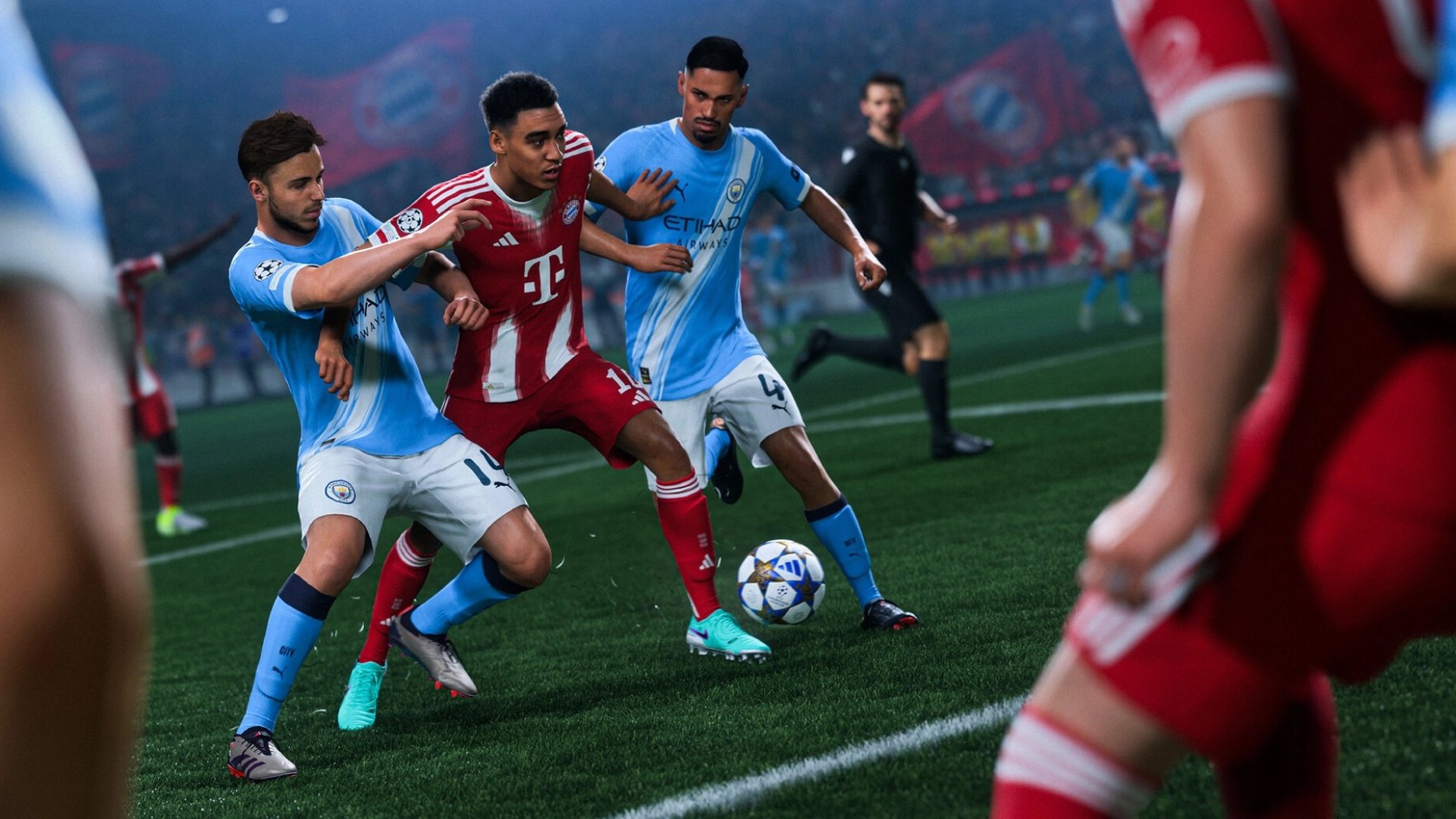

EA Sports FC 27 builds its online football around FUT, where players assemble squads, complete objectives, and spend FC Points on packs and store items. Every FUT club starts empty in each edition, and FC Points are the one currency that can follow a player from one game to the next.
Players who want to transfer FC Points from FC 26 to FC 27 get a one-time prompt to do it, and players cannot reverse the answer. Logging in with the wrong account or platform leaves the balance behind in FC 26. Exact prompt steps, platform limits, and fixes for a wrong balance all come next.
FC Points are the only currency that carries over from FC 26 to FC 27. Coins, players, and packs stay in FC 26.
The transfer happens once through an in-game prompt on the first FUT login, and players cannot reverse it.
The same EA Account and the same platform family have to match, so PlayStation points stay on PlayStation, Xbox points on Xbox, and PC points on PC.
The Web App and Companion App cannot run the transfer. Only the full game on console or PC can.
Players who pick Remind me later see the prompt again on a future login.
Wrong or partial balances call for a restart, a server status check, and a support request with purchase details.
Eligible pre-season rewards from FC 26 reach the FC 27 club separately from the points.
FUT resets at the start of every edition, so almost nothing from an FC 26 club reaches FC 27. FC Points sit outside that reset and become the one balance worth planning around.
Each type of FUT content follows its own rule once FC 27 starts.
Content | Outcome in FC 27 |
|---|---|
FC Points | Transfer once through the in-game prompt |
FUT Coins | Stay in FC 26 |
Player items and packs | Stay in FC 26, including unopened packs |
Evolution progress | Stays in FC 26 |
Objectives and SBC progress | Do not carry over |
With coins reset, the FC Points balance becomes the main head start a returning player can bring along. Every club builds its FC 27 coins total from zero, and Transfer Market trading starts from the same empty position.
Eligible rewards earned during FC 26 pre-season campaigns follow a separate path into the FC 27 club. The exact list varies by edition, and the FC 27 launch rewards cover each one.
The prompt only appears when the account, platform, and install all match the FC 26 setup. A mismatch on any condition leaves the balance untouched in FC 26.
Each requirement carries its own reason and its own way to go wrong.
The FC 26 balance has to sit on the same EA Account used in FC 27: the game finds leftover points through that login, so a second account shows nothing to move.
The platform family has to match: PlayStation 4 and PlayStation 5 count as one family, Xbox One and Xbox Series X/S count as another, and PC stays with PC.
The transfer runs from the full game on console or PC: the Web App and Companion App cannot run the prompt, so opening FUT on a phone or in a web tab does not count.
The points have to be unspent in FC 26: only the remaining balance moves across, so points spent on packs beforehand stay spent.
Players on more than one platform keep a separate FUT club and balance on each. Every platform shows its own prompt, so a PlayStation balance moves on PlayStation and a PC balance moves on PC.
An account that never played FC 26 FUT has no balance to move, so the prompt never appears there. Returning players who switched accounts between games should log into FC 27 with the original account before touching anything else.
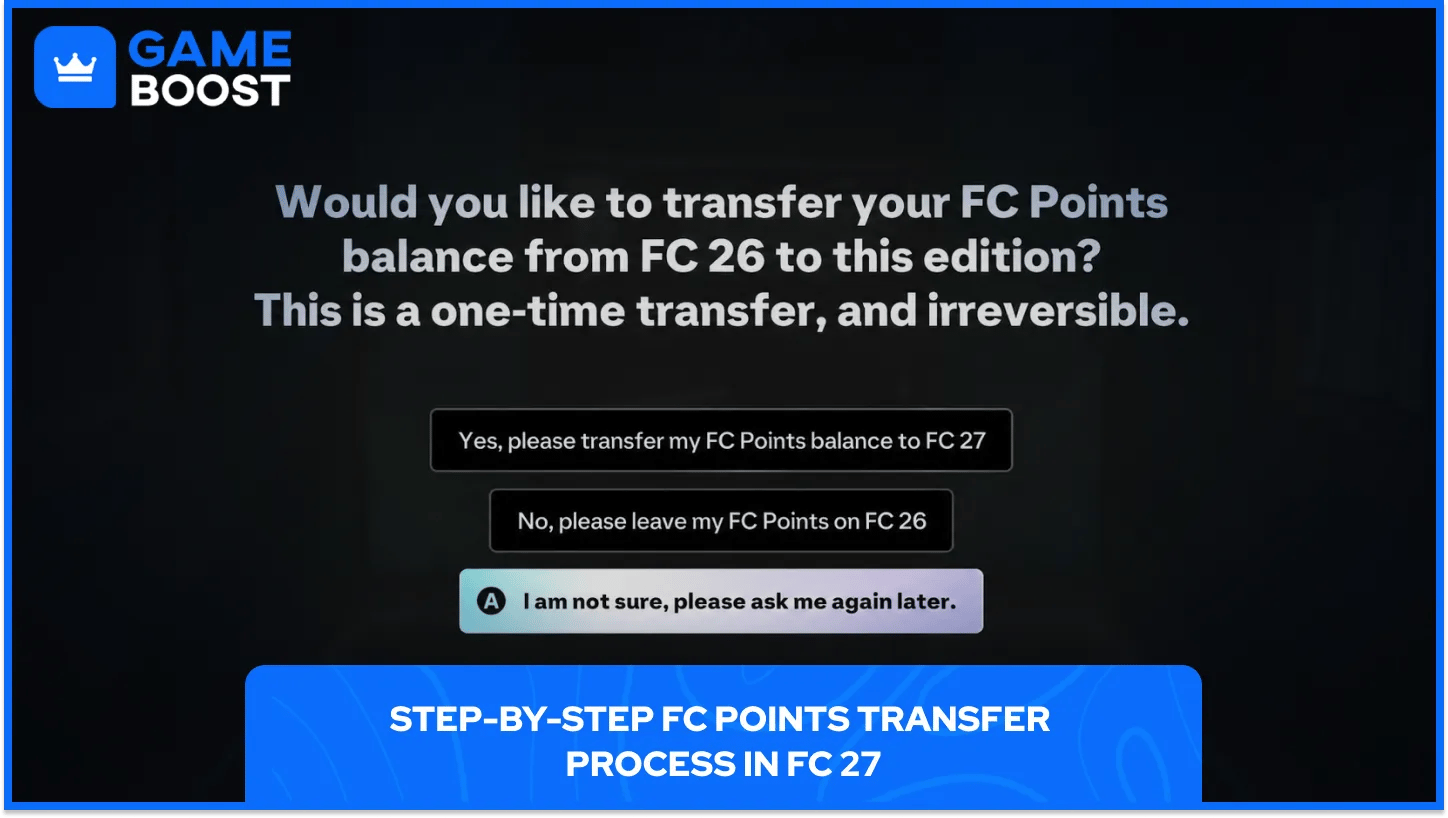
The transfer runs through a single in-game prompt that shows up on the first FUT login with a matching account. Players who enter through early access see the same prompt on that first login, so the process does not wait for the full release.
The sequence applies to every supported console and to PC.
Players open FC 26 and check the FC Points balance: the store should show the full leftover amount before anything else happens.
Players launch FC 27 on the matching console or PC: the login has to use the same EA Account that holds the FC 26 points.
Players enter the FUT mode for the first time: the transfer prompt appears on that first entry and mentions an outstanding FC 26 balance.
Players read the message and select the transfer option: the prompt names the FC 26 balance and warns that the transfer happens only once.
Players confirm the transfer and check the FC 27 store: the moved points show up in the balance once the transfer completes.
The prompt lists Yes, No, and Remind me later. Yes starts the transfer, No leaves the FC 26 points untouched, and Remind me later brings the message back on a future login.
The move takes the points out of FC 26 and players cannot reverse it. A balance check before confirming matters more than speed, since the same prompt does not repeat after a completed transfer. Points bought in FC 26 after a completed transfer stay in FC 26.
Transferring keeps the full balance usable in FC 27, where a club starts with an empty inventory and every pack or store item counts from the first session. The FC 26 store stays the only place to spend points left behind.
Players moving to a different platform family face a fixed limit, since PlayStation, Xbox, and PC balances cannot cross over. Spending the points inside FC 26 is the only way to use them before the move. Players who stay on one platform family face no such limit, so the transfer comes down to a single confirmed prompt.
Some player reports describe only part of a balance arriving in FC 27 after the prompt. Reports point to FC 26 purchases that had not finished loading when the transfer ran as one cause.
The same checks EA lists for missing FC Points apply to a transfer that comes up short.
Players check the transaction history on the platform where the points were bought: a completed purchase in the history confirms the points belong to the account.
Players restart the game and check the balance again: a restart reloads the store and the balance shown there.
Players check the server status for their platform: active server issues can hold back points, and a later check shows the corrected figure.
Players check the EA SPORTS FC Direct Communication channel on X: EA posts known issues that hold back points there.
A balance that stays wrong after 24 hours calls for a request to EA support. The request needs proof of purchase, the persona name on the platform, the platform itself, the purchase time, and the exact number of points missing.
A screenshot of the FC 26 balance, taken before confirming, gives support a fixed figure to compare against the FC 27 result. Support agents can then check the exact shortfall instead of working from memory.
Consistency matters more than any single trick in this process. Players who keep one EA Account and one platform family across editions keep every carryover option open, and that habit costs nothing.
For the FC 27 transfer, the plan comes down to a checked balance, a matching login, and one careful answer at the prompt. Players who follow that order start the FC 27 club with the full FC 26 balance behind it and no support requests to file.
FC 27 Accounts For Sale
Buy Cheap FC 27 Coins
Buy FC 27 Points
Buy FC 26 Items
Buy FC 26 Coins
Buy FC 26 Accounts
View all GameBoost Accounts
View all GameBoost Boosting Services
View all GameBoost Currencies
View all GameBoost Game Keys
View all GameBoost Gift Cards
View all GameBoost Top Ups
View all GameBoost Items
“ Hamza is your average video game enthusiast who’s always looking for his next game to play. Whether he’s diving into a competitive multiplayer match, exploring a massive open world, or getting completely hooked on a new release, gaming has always been one of his favorite ways to spend his time. Over the years, his love for games has grown into a passion for understanding and sharing everything about them. Through his articles, Hamza aims to help gamers discover new games, improve their skills, stay up to date with the latest gaming news, and get the most out of their favorite titles.”