

•Filip Premuš• 4 min read
GTA 5

GTA Online gives players full control over how their character looks, and clothing is a big part of that. From casual streetwear to tactical gear, the game offers a wide range of outfits that let you tailor your appearance however you like.
Changing clothes isn't complicated, but there are a few different ways to do it depending on where you are in the game. In this article, we'll explore every method available for changing clothes in GTA Online, so you can keep your character's look fresh without any hassle.

Clothing stores are the main place to buy and try on new items in GTA Online. There are several spread across Los Santos, including Ponsonbys, Suburban, and Binco, each carrying different styles at different price points. Ponsonbys stocks the higher-end stuff, while Suburban and Binco lean more towards streetwear.
To change clothes at a store, follow these steps:
Enter any clothing store in Los Santos.
Approach a clothing rack or shelf to start browsing.
Try on any item before committing to a purchase.
Buy the items you want.
Save your favorite combinations as outfits directly from the store for faster switching later.
Also Read: How to Change GTA Online Character Gender
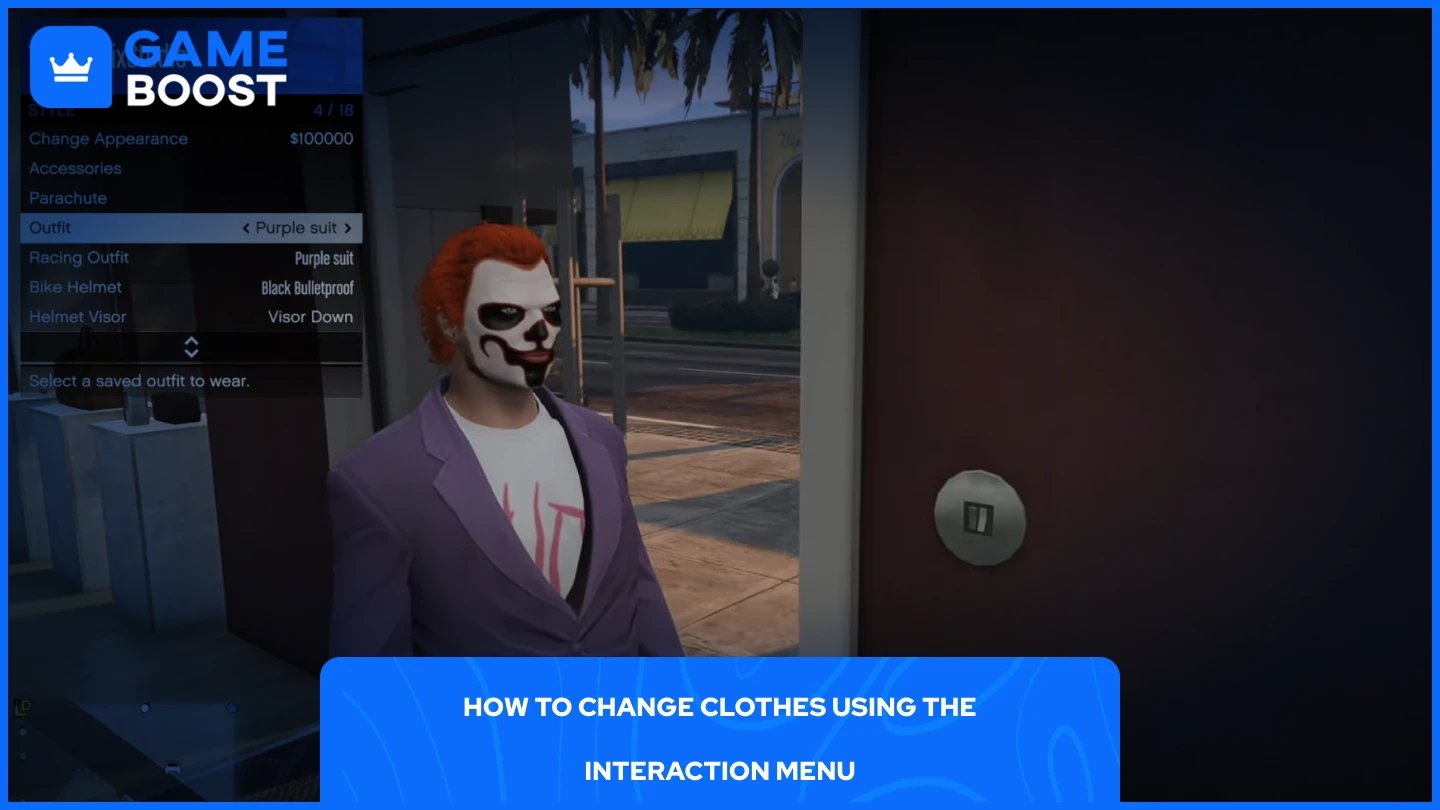
The Interaction Menu lets you swap outfits without going anywhere, making it the quickest option when you're already in a session. To do it, follow these steps:
Hold M on PC, hold the touchpad on PlayStation, or hold the View button on Xbox to open the Interaction Menu.
Navigate to Style, then Outfit.
Select whichever saved outfit you want to equip.
Keep in mind, this only works with outfits you've already saved. If you haven't set up any yet, head to a clothing store or your apartment wardrobe first to build and save a few looks.
Also Read: How to Reset Your GTA Online Character: Step-by-Step Guide
Modded outfits are clothing combinations that use glitches to achieve looks not normally possible through standard customization. These include things like invisible torsos, galaxy-textured clothing, and merged outfit pieces that can't be obtained through regular store browsing. They're extremely popular in the GTA Online community among players who want a more unique appearance.
The most common method for getting modded outfits involves the transfer glitch, which requires two characters on the same account. The process generally involves saving a specific outfit on one character, then transferring clothing pieces across during the character swap screen before the game fully loads.
If you'd rather skip the trial and error, you can buy a GTA Online account with modded outfits already set up through GameBoost. It's a straightforward option for players who want the look without going through the glitch process themselves.
Also Read: How to Appeal a Rockstar Ban: Step-by-Step Guide
Changing clothes in GTA Online is straightforward once you know your options. Clothing stores are the best place to browse and build new outfits, while the Interaction Menu makes switching between saved looks quick and easy from anywhere in the session. If you want something beyond what the game offers through normal means, modded outfits are worth looking into, whether through the transfer glitch or a pre-modded account from GameBoost.
GTA 5 Key
GTA 5 Enhanced Key
Buy GTA 5 Items
GTA 5 Accounts For Sale
View all GameBoost Accounts
View all GameBoost Boosting Services
View all GameBoost Currencies
View all GameBoost Game Keys
View all GameBoost Gift Cards
View all GameBoost Top Ups
View all GameBoost Items
Counter-Strike 2 Skins
“ Mustafa Atteya has been writing about gaming and esports since 2023, specializing in competitive game content and player improvement guides. At 25, he brings both hands-on gaming experience and professional SEO writing expertise to the GameBoost team.”