

•Filip Premuš• 4 min read
GTA 5
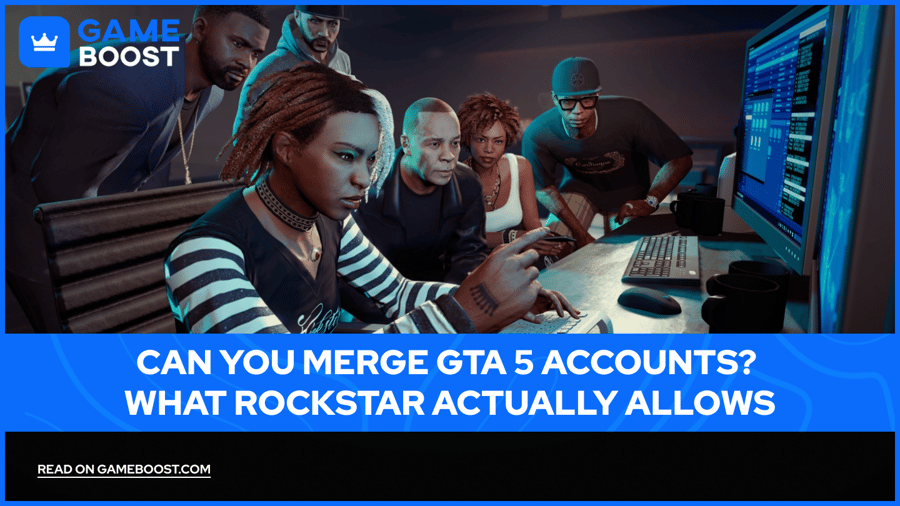
GTA Online has been running since 2013, and with over a decade of updates, properties, and grinding behind it, it's no surprise that many players end up with progress spread across multiple accounts or platforms. Moving from a PS4 to a PS5, picking up the game again on PC, or simply having an old account collecting dust are all situations millions of players have found themselves in.
Rockstar's rules around this are stricter than most players realize, and understanding them upfront saves a lot of wasted time.
When players talk about merging GTA 5 accounts, they usually mean one of two things: combining progress from two separate Rockstar Social Club accounts into one, or moving a GTA Online character from one platform to another. These are two very different requests, and Rockstar treats them completely differently.
Rockstar has no account merge feature, and that's not changing anytime soon. If you have two separate Rockstar Social Club accounts with progress on each, there's no official way to pull that progress together into one place. You can link multiple platform accounts like PlayStation Network, Xbox Live, or Steam to a single Rockstar Social Club account, but that's purely for login convenience. It doesn't combine characters, money, properties, or any in-game progress from those separate accounts.
Moving progress between platforms is a separate situation entirely. Rockstar does support transferring a GTA Online profile from an older console to a newer one, specifically from PS4 or Xbox One to PS5 or Xbox Series X|S. That said, this is a one-way migration of a single profile, not a merge. If you happen to have progress on both a PS4 and an Xbox One, you still have to pick one. There's no option to combine them or bring both over at the same time. On top of that, cross-brand transfers between PlayStation and Xbox are not supported, and neither is moving a console profile to PC.
Also Read: Where to Buy GTA 5 Accounts?

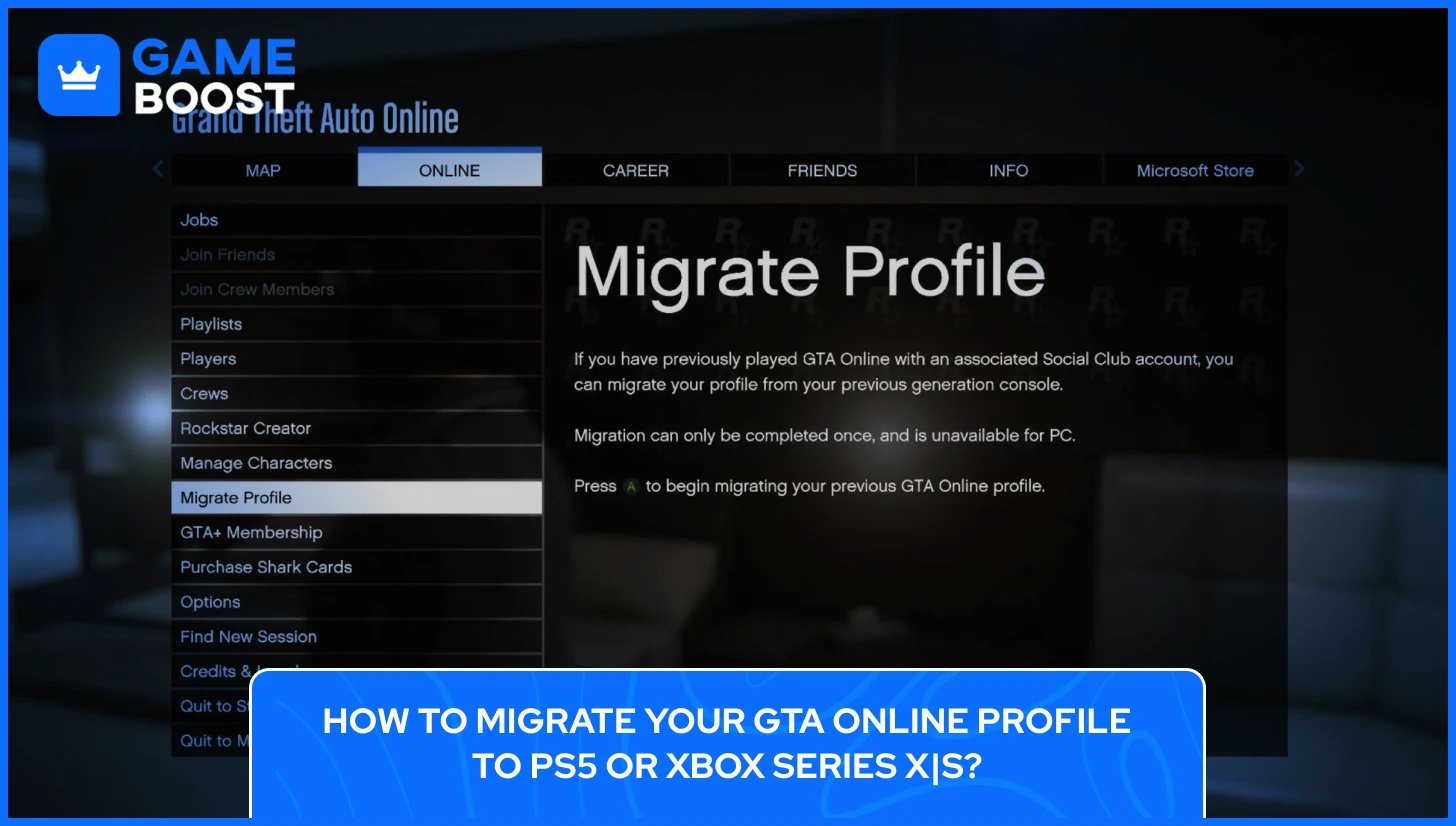
If you're moving from PS4 to PS5 or Xbox One to Xbox Series X|S, the migration process is simple. The key requirement is that both consoles are linked to the same Rockstar Social Club account. Once that's confirmed, here's how to migrate your GTA profile to PS5 or Xbox Series X|S:
Load up GTA Online on your PS5 or Xbox Series X|S
A Migrate Profile prompt should appear automatically on the landing page
Select the profile you want to transfer from your last-gen console
Read through the confirmation alert and confirm the migration
Wait for the process to complete, then choose to continue with your existing character or start a new one via Career Builder
If you don't get the prompt during your first login, you can trigger it later through the Pause Menu by selecting Online, then Migrate Profile.
A few important things to know before starting. The migration is a one-time process and cannot be undone or repeated on the same console. Migrating from PS4 or Xbox One to PS5 or Xbox Series X|S no longer removes your GTA Online data from the last-gen console, meaning you can still play on the older platform. Any future progress after migration will not sync across platforms. Also, some profiles may not be eligible for migration if the account is suspended or banned, or has illegitimate or insufficient progress.
Also Read: How to Link Your Social Club Account With Steam, Xbox, and PS
PC players who have been playing on GTA V Legacy and want to move to GTA V Enhanced have their own migration path. Note that this process only works within PC, meaning transfers between PC and console in either direction are not supported.
Here's how to migrate your GTA V Legacy profile to GTA V Enhanced:
Launch GTA V Enhanced on PC and make sure you're logged into the correct Rockstar account
Select Online from the landing page and enter as if it's your first time
A Migrate Profile screen will appear, showing your Legacy profile
Select the profile and press Migrate, then confirm the alert
Wait for the migration to finish, then select your character on the Review Character screen to continue
If you have already played GTA Online Enhanced before attempting the migration, you'll need to start the process through the Pause Menu instead, by selecting Online then Migrate Profile.
One important note on the Review Character screen: do not press Overwrite Character unless you intend to replace your existing character with a new one. That action cannot be undone. Your GTA Online profile and progress in GTA V Legacy will be retained after migration, but progress will not sync between the two versions going forward.
Knowing exactly what carries over before starting a migration saves a lot of frustration. The good news is that most of your in-game progress makes it through. Cash, vehicles, weapons, and properties all transfer over, so years of grinding don't go to waste, as well as your rank, stats, and outfits.
The money situation is a bit more specific. All GTA$ earned through gameplay transfers regardless of platform family, but not all money is treated the same way. Unspent GTA$ from the PlayStation Plus monthly bonus can only transfer within the PlayStation family, meaning PS4 to PS5. If you're moving to an Xbox Series X|S instead, that bonus cash won't come with you.
Purchased Shark Card GTA$ follows different rules depending on the migration type. Unspent Shark Card balance is not eligible for transfer across platforms, meaning PS4 to Xbox Series X|S or Xbox One to PS5. To keep that balance intact, you need to stay within the same console family, such as PS4 to PS5 or Xbox One to Xbox Series X|S.
PC players migrating from Legacy to Enhanced have one more thing to watch out for. Migrating your Legacy progress will remove any unspent GTA$ already sitting in your Enhanced balance. If you've been playing on Enhanced and built up some cash there, that balance gets wiped when the Legacy profile comes over. It's worth keeping that in mind before hitting confirm.
Also Read: GTA 5 Shark Cards Explained: Prices, Types & Value
Rockstar has never officially explained why account merging isn't a feature, but the reasons aren't hard to figure out. GTA Online runs on separate databases for each platform, and each one operates as its own independent ecosystem. Combining progress from two of those systems into a single account would require infrastructure that simply doesn't exist in the game's current setup, and retrofitting it into a live service that's been running for over a decade would be an enormous undertaking.
Additionally, GTA Online has dealt with cheating, money duplication glitches, and modded accounts for years, and allowing players to merge accounts would open up significant opportunities for abuse, such as stacking wealth or inflated stats from multiple profiles onto one. Rockstar's existing migration system already blocks accounts with illegitimate progress from transferring, so a full merge feature would be even harder to police and far easier to exploit.
PlayStation, Xbox, and PC each run their own separate GTA Online ecosystems, with different server infrastructure, economies, and platform-specific agreements in place. Merging across those boundaries isn't purely a Rockstar policy decision; it's a technical and contractual reality that goes well beyond what a simple account system update could address, which is why the feature has never existed and shows no signs of being introduced.

Rockstar does not offer any account merge feature. There is no official way to combine progress, money, properties, or characters from two separate Rockstar Social Club accounts into one, regardless of platform.
Players on PS4 can migrate their GTA Online profile to PS5 through the Migrate Profile option on the GTA Online landing page or via the Pause Menu. Both consoles need to be linked to the same Rockstar Social Club account for the process to work. The migration is a one-time process and cannot be reversed.
No, console-to-PC migrations are not supported. Rockstar permanently ended cross-platform transfers between consoles and PC in 2017. PC operates as its own standalone ecosystem, meaning progress on PlayStation or Xbox cannot be moved over.
GTA$ earned through gameplay transfers regardless of platform. Purchased Shark Card balance only transfers if you stay within the same console family, such as PS4 to PS5. Moving across brands, for example, PS4 to Xbox Series X|S, means any unspent purchased GTA$ stays behind.
PC players can migrate their Legacy profile to GTA V Enhanced through the Migrate Profile screen on the landing page or via the Pause Menu. The process only works within PC and cannot be done between PC and console in either direction. It's a one-time migration, and progress between the two versions will not sync after it's complete.
Account merging in GTA Online has never been on Rockstar's roadmap, and based on how the game is built, it's unlikely to change with GTA 6 on the horizon. Each platform runs its own economy and infrastructure, and Rockstar has consistently prioritized keeping those ecosystems separate rather than bridging them.
If you have progress spread across multiple GTA Online accounts, the realistic path forward is picking the one with the most valuable progress and focusing on it. For console players, that means making use of the migration system while it's still available, since Rockstar has shown in the past that these transfer windows don't stay open forever.
PC players on Legacy should consider moving to Enhanced sooner rather than later, as new content and updates are increasingly centered around the Enhanced version.
At the end of the day, GTA Online rewards long-term investment in a single account. Splitting time and resources across multiple profiles works against that, so consolidating your focus early makes the experience significantly more rewarding over time.
GTA 5 Key
GTA 5 Enhanced Key
Buy GTA 5 Items
GTA 5 Accounts For Sale
View all GameBoost Accounts
View all GameBoost Boosting Services
View all GameBoost Currencies
View all GameBoost Game Keys
View all GameBoost Gift Cards
View all GameBoost Top Ups
View all GameBoost Items
Counter-Strike 2 Skins
“ Kristina joined GameBoost in 2024 as an SEO specialist and quickly became the go-to writer for third-person shooter and competitive games. She covers titles like Fortnite, Valorant, League of Legends, GTA 5, and Roblox, focusing on how-to guides, practical tips, and updates.”