

•Patrik Mršnik• 6 min read
Games

Deadlock settings look very different since the City Never Sleeps update landed on September 29, 2026. Valve redesigned the health bars and the Deadlock HUD, reworked pings and the shop, and added a long list of Deadlock accessibility options. A lot of it helps in fights, and a few pieces are easy to switch off if your screen feels crowded.
Valve's City Never Sleeps update page sums up the patch, and a hotfix right after launch added more ways to trim the health bars. Below, you'll find what each change does and which options we'd keep, tweak, or turn off.
Health bars now flag Ultimate status, Rejuvenator, stamina, and critical health for allies and enemies.
Turn on ally health numbers (off by default) and set names above bars to Hero name or None if fights feel crowded.
Deadlock pings now cover Troopers, ziplines, the Rift, bridge buffs, shop items, and ability cooldowns, with 15,000+ new or updated voice lines.
Popular Items in the shop show what players buy on your hero and when.
Turn on reduced camera shake, and test Auto Move, Auto Fire, and Auto Mantle in the Sandbox first.
Share codes copy your reticle and control settings, with preview and undo.
The redesigned bars put a fight's key reads in one strip above each hero. An eye icon next to the bar shows Ultimate status (open means ready, closed means on cooldown), and an icon in the top-right corner flags an available Rejuvenator. Both appear on allies and enemies.
Stamina sits on top of the bar as chevrons. Enemy stamina shows for only a few seconds after they spend it in your vision, so watch for it right after they dash. Low enemies get a Critical label under the bar, and enemies below 50% health also get an Assassinate marker when you play Vindicta, whose ult deals bonus damage in that range.
Indicator | What it tells you | Who it shows on |
|---|---|---|
Eye icon | Ultimate ready or on cooldown | Allies and enemies |
Top-right icon | Rejuvenator available | Allies and enemies |
Chevrons | Remaining stamina | Enemies briefly, allies longer |
Total HP number | Exact health after damage | Enemies; off by default for allies |
Critical label | Critically low health | Enemies |
Want a cleaner bar without losing information? Turn ally health numbers on, then set the name above health bars to Hero name or None. If the flashing text on low targets distracts you, switch off Critical health effects, and try cumulative damage on Real-time or Final total only.
Buy Deadlock Accounts on Gameboost
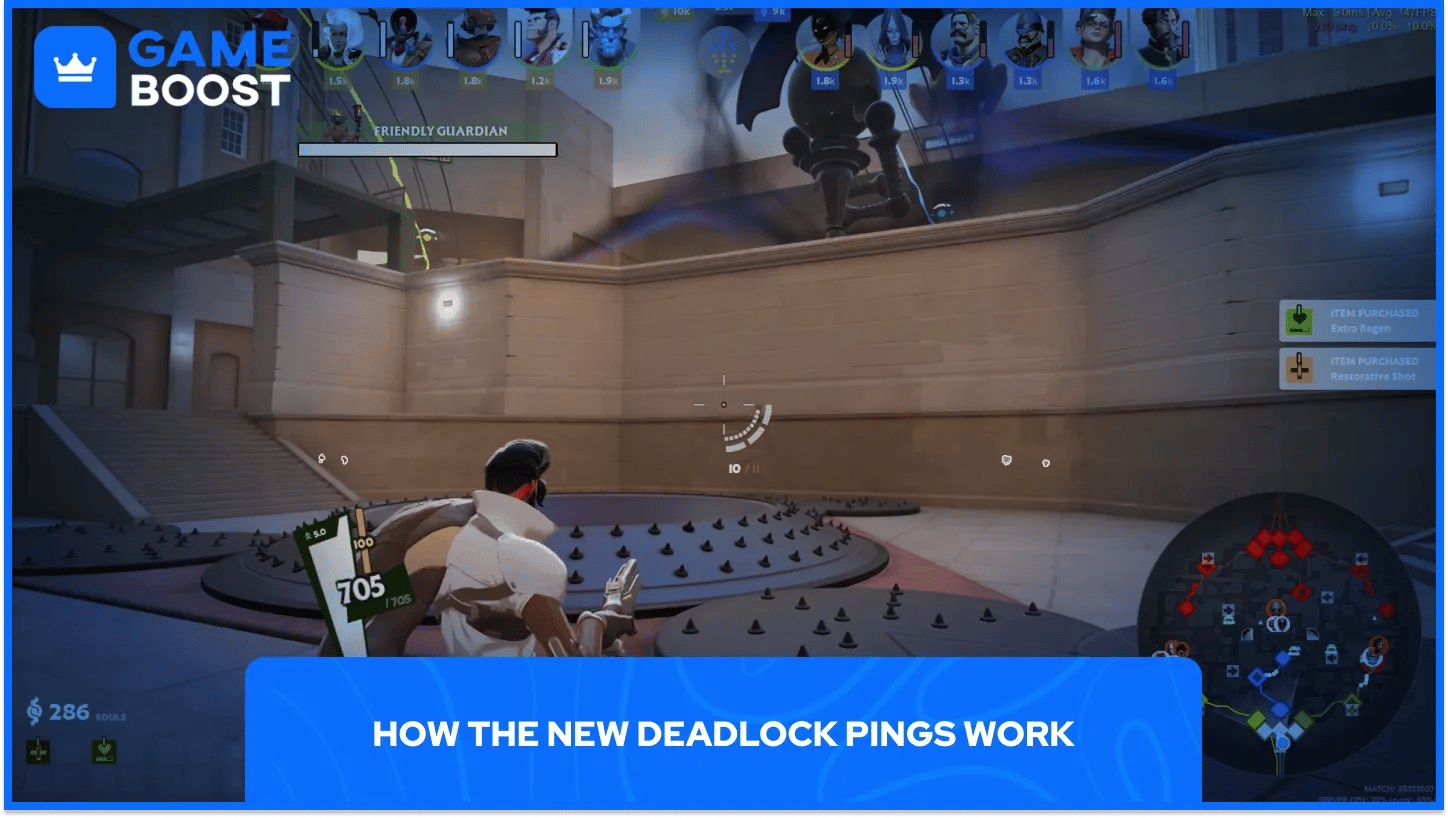
Deadlock pings now reach almost anything on the map. The patch notes add Troopers, neutrals, ziplines, the Rift, bridge buffs, and the shop as targets. The minimap ping wheel gets more options, and the top bar lets you share hero information.
Ability pings can show cooldowns, so your team knows how long your ult is down. Enemy pings can mark a target as critically low, dead, or close to respawning, and a cluster of enemies on the minimap shows a count. Valve also added or updated more than 15,000 ping voice lines.
A typing indicator now tells teammates, and opponents where relevant, that you're writing in chat. A quick ping does the same job and gives nothing away.
The shop now has a Popular Items section built from what players buy on the hero you've selected. Hover an item and the tooltip shows how often players buy it and at what point in a match. For a hero you haven't played much, it's the quickest starting build.
Item filters now cover stats and modifiers, and you can stack several at once. Keys 1 through 6 switch shop tabs by default, and the build browser adds previews plus copy and paste for builds.
Your kill feed and chat stay visible while the shop is open, and you can pull up the scoreboard from there too. You can also ping an item to tell your team you plan to buy it or already own it.
The new Deadlock accessibility options cover visuals, audio, and controls. Enemy UI Color sets the color of enemy UI on its own, and reticle fill and outline colors are now separate. VO Subtitles come with adjustable size, text color, background color, and font.
Auto Move starts when you double-tap forward and stops when you press forward or back. Auto Mantle climbs ledges as you move forward or backward on the ground; no Jump press needed. Auto Fire keeps shooting until you press Fire, and a second press resumes it.
Reduced camera shake tones down the shake from hits and explosions, and we'd turn it on for almost everyone. Players on 21:9 screens also get an Inset HUD option.
Share codes export your control and reticle settings, and the reticle also has its own simpler code in Reticle settings. You can preview an imported code and undo it afterward, so trying a pro's setup costs nothing.
The Settings menu also picked up a Keybind Map showing bound keys, free keys, and what each one does. Changed options carry a marker, sliders show their default value, and each changed setting has its own reset button.
Hold TAB inside Settings to highlight options that support per-hero values, then pick a hero from the Hero Selector in the nav bar.
Start lean. Spend one Sandbox session turning things off, then add back only what you missed in a real match.
The ping system will likely matter more than any single toggle. Cooldown and enemy status pings cover most of what solo queue players used to type out mid-fight.
Deadlock is still in active development, and Valve was already adjusting the new health bars within a day of launch. Your settings save to the cloud, but keep your reticle and control code somewhere handy so you can roll back if a future patch changes your binds.
Buy Deadlock Accounts on GameBoost
View all GameBoost Game Keys
View all GameBoost Accounts
View all GameBoost Boosting Services
View all GameBoost Currencies
View all GameBoost Gift Cards
View all GameBoost Top Ups
View all GameBoost Items
“ A former sports journalist and editor, Patrik joined Gameboost SEO team in 2026. He has spent most of his life playing Football Manager, but his sphere of interests spreads through whole gaming universe.”