


•Hamza Rashid• 7 min read
Fortnite
Fortnite has been one of the most-played battle royale games since it launched back in 2017, and with over 650 million registered accounts and a player base that keeps growing every season, the competition is as stiff as it's ever been.
Epic Games keeps the game fresh with constant map changes, new mechanics, and seasonal content that resets the meta regularly, which means your performance can shift a lot from one chapter to the next.
Tracking your stats is one of the best ways to understand where you're actually at as a player, and there are every method you can use to do so.
Since stats reflect time, experience, and progression, they play a key role in how accounts are valued. Some players choose to buy Fortnite accounts to start with stronger stats and established progress.
Through the in-game Career tab, Epic Games records a few Fortnite stats like total wins, total kills, K/D ratio, matches played, top 25 and top 10 placements (in Solo mode), and your win rate percentage. Score per match is also included in those Fortnite stats, working as a rough composite that factors in both kills and final placement.
However, in those stats, there's no shot accuracy, no average damage per match, no match history breakdown, and no per-weapon performance data recorded natively. For most players, those numbers cover the basics, but anyone looking to pinpoint specific weaknesses won't get far with the Career tab alone.
Fortnite also tracks stats separately by game mode. Your Solo numbers stay completely independent from Duos and Squads, so if you rotate between modes regularly, each one builds its own record. That separation makes it easier to identify which format you're actually performing well in versus where you're consistently getting outplayed.

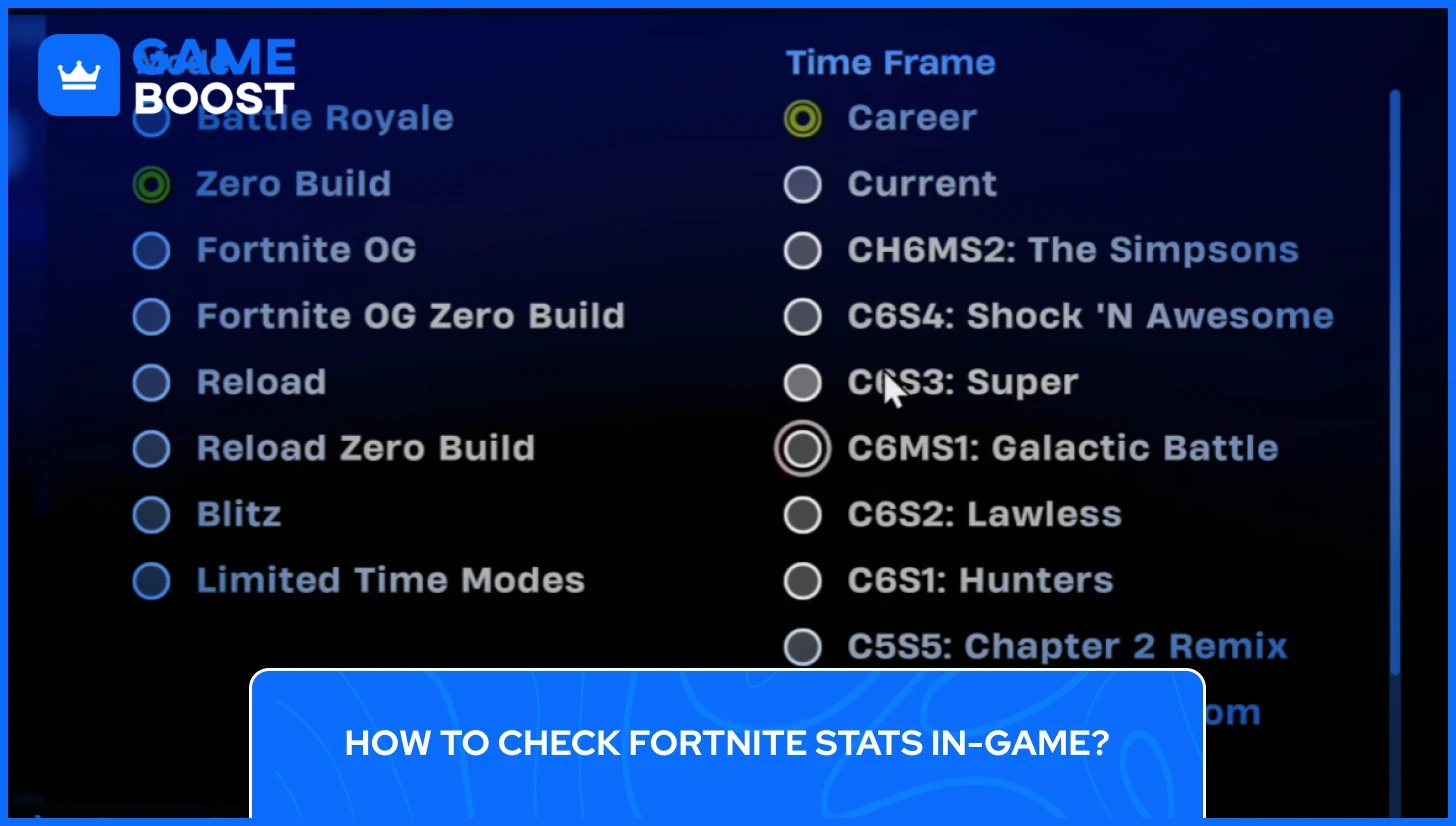
Checking your Fortnite account stats in-game starts from the main lobby, where you'll find the Career tab at the top of the screen. From there, Stats Options gives you a filtering menu with three categories:
Game mode: Battle Royale, Zero Build, Fortnite OG, Reload, and more
Rank type: Ranked or Unranked
Party size: Solo, Duos, Trios, or Squads
Time Frame
Once you press Apply, the Career tab updates to reflect your selections. According to Epic's official support page, stats can take up to 15 minutes to update after a match, so if your numbers look off right after a game, give it a few minutes before assuming something's wrong.
Also Read: How to Find Out How Much Your Fortnite Account Is Worth?
Fortnite Tracker at tracker.gg is the most widely used third-party stat tool for the game, currently tracking over 107 million player profiles. In order to check your Fortnite stats online, head to the tracker.gg/fortnite, type in your Epic Games username, and your profile will load with a full breakdown of your performance, covering lifetime stats, current season stats, per-mode breakdowns, kill streaks, and your TRN Rating, which is Fortnite Tracker's own skill ranking system. No account registration is needed for basic access here, only thing that is required is for your Epic Games profile to be set to public for third-party trackers to pull your data. If your stats aren't showing up, that's usually the reason.
Fortnite.GG works the same way as Tracker.gg, but takes a more visual approach to presenting your data. Beyond the standard kills, wins, and K/D breakdown, it includes an interactive map with heatmaps showing popular drop spots and rotation patterns pulled from real match data. It also makes it easy to compare your current season stats against your all-time history through built-in filters.
Also Read: How to Link Your Fortnite Account to Different Platforms
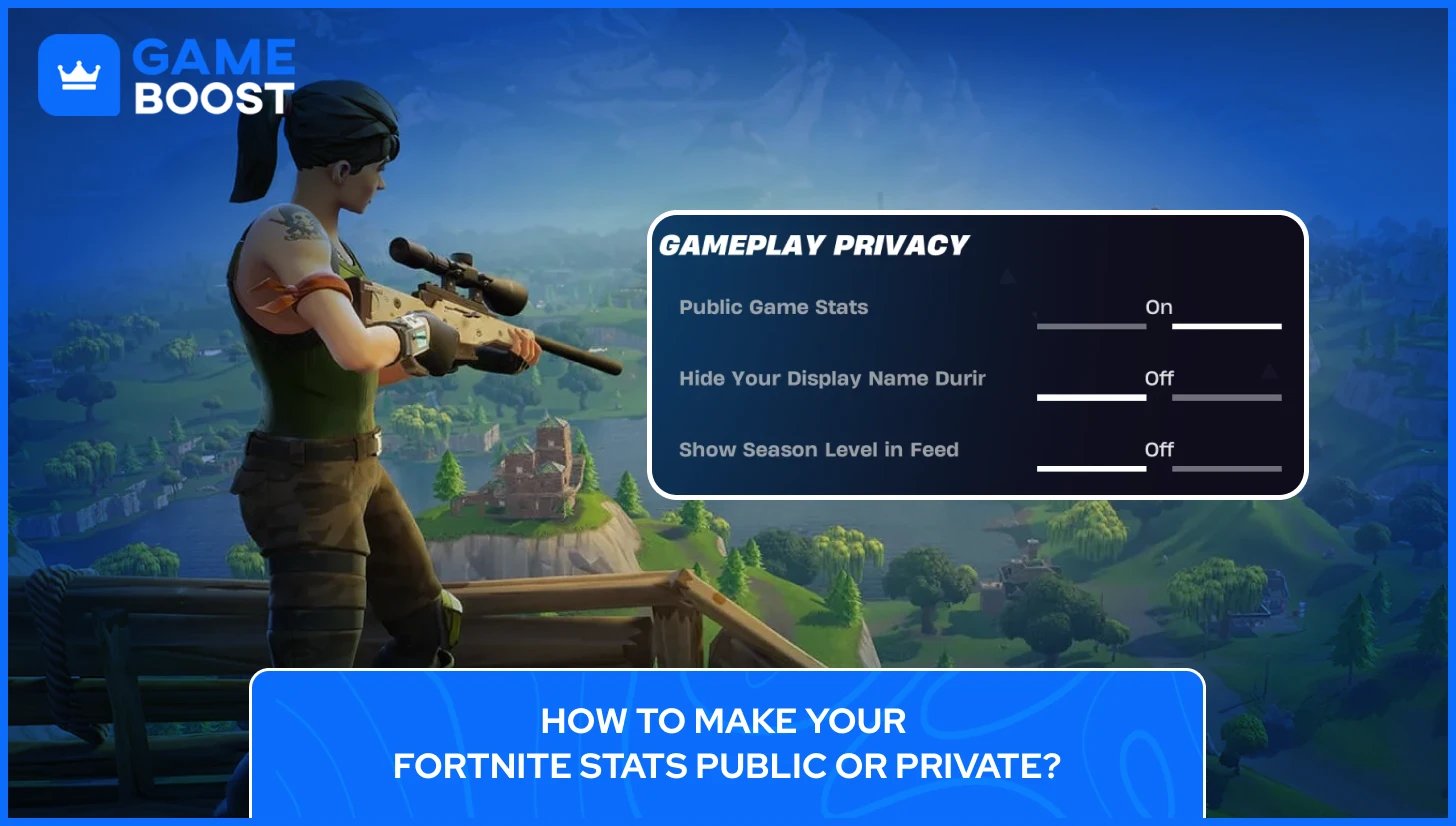
Third-party trackers like Fortnite Tracker and Fortnite.GG can only pull your data if your profile is set to public. By default, some accounts have this turned off, which is why your stats sometimes don't show up when someone searches your username.
Here's how to change Fortnite Stats Public or Private:
Open Settings in-game
Navigate to the Account and Privacy tab
Scroll down to Gameplay Privacy
Toggle Public Game Stats on or off
Switching it on makes your stats visible to any tracker that uses Epic's public API. Switching it off hides them. One important note directly from Epic: if your stats still appear on a third-party site after turning the setting off, Epic has no control over that. You'd need to contact the tracker site directly to request data removal.
However, if the date of birth on your Epic Games account shows you're under 13, third-party trackers won't be able to retrieve your stats regardless of your privacy setting. That would need to be corrected on the Epic account itself.
Also Read: Can You Play Fortnite Cross-Platform?
If your Fortnite stats aren't appearing on a third-party tracker or even in the Career tab, there are a few common reasons behind it. The most frequent one is a private profile setting, which is covered in the section above.
Beyond that, here's what else can cause Fortnite stats not showing up:
Stats take time to update. Epic doesn't refresh data immediately after a match. The in-game Career tab can take up to 15 minutes, and third-party trackers may lag behind by several hours in some cases
New accounts need more match history. Freshly created accounts sometimes don't populate on trackers until a minimum number of matches have been played
Your Epic Games account age is set below 13. Third-party trackers cannot retrieve stats for accounts registered under that age, regardless of privacy settings
Epic API issues. On occasion, Epic's own backend has outages that cause stats to roll back, show incorrect K/D values, or stop updating entirely. This isn't something you can fix on your end and requires Epic to address it directly
Username typos. Searching the wrong capitalization or a slightly different display name on a tracker will return no results
If your stats are showing incorrectly on a third-party site after you've already fixed your privacy settings, contact that tracker's support team directly. Epic has no control over data already stored by external platforms.
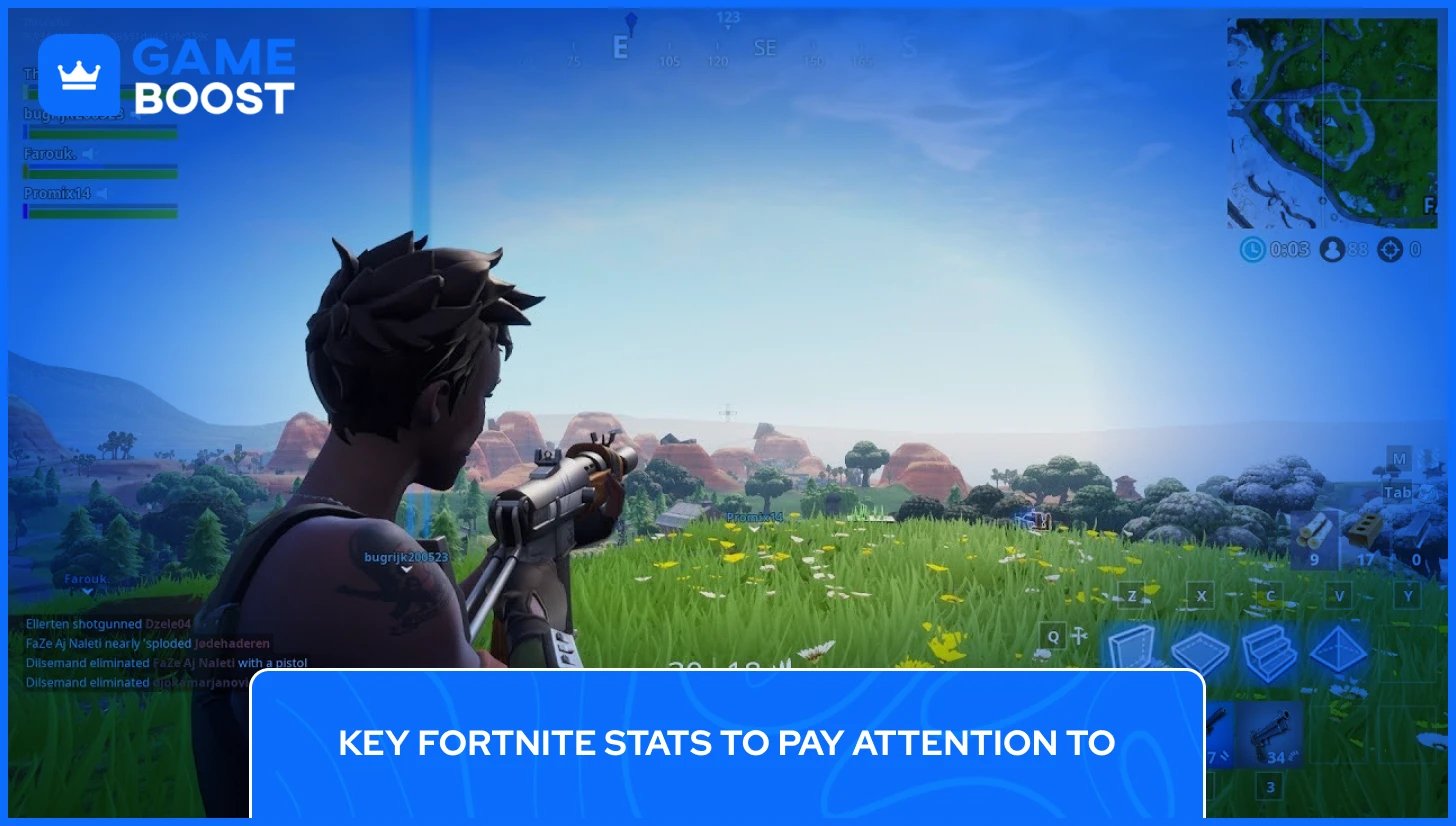
Once you have your Fortnite account stats in front of you, knowing what the numbers actually mean makes them a lot more useful. The K/D ratio is calculated by dividing your total eliminations by the number of times you've been eliminated. The average across the player base sits at 1.0, meaning one kill per death. A K/D between 1.5 and 2.0 puts you comfortably above average, and anything above 3.0 is territory held mostly by experienced competitive players.
Win rate is harder to inflate because only one player or team wins each match. A win rate of around 5% is considered average, given that 100 players drop into every game. Hitting 10% is solid, and anything above 15% consistently reflects a high level of play. Keep in mind that the win rate in Squads is naturally harder to read since it depends on four players performing well together, not just you.
Matches played matter more than most players expect. A K/D of 4.0 across 20 games tells you very little. The same ratio across 500 games is a much more reliable picture of where you actually stand.
Your stats across different modes won't look the same, and that's completely normal. Solo stats reflect your individual performance most accurately since there are no teammates affecting the outcome. Duos and Squads introduce variables you can't control, so a dip in win rate across those modes doesn't necessarily mean your game has gotten worse.
If you're using your stats to identify areas to improve, Solo mode gives you the cleanest data to work with. Comparing your Solo numbers over time is the most straightforward way to measure actual progress.
Also Read: Best Fortnite XP Maps to Level Up Quickly

You can check someone’s Fortnite stats as long as their Epic Games account is set to public. Just enter their Epic username into any third-party tracker like Fortnite Tracker or Fortnite.GG and their profile will load the same way yours does.
Fortnite stats don't disappear, but third-party trackers and the in-game Career tab both let you filter by current season versus all-time. Each new season starts a fresh record, so your lifetime numbers stay intact while your seasonal stats reset.
Fortnite Tracker and Fortnite.GG are safe as they only require your Epic username to pull data, so there's no login or account access involved. They use Epic's public API, which means no personal account information is shared with these platforms.
Checking your Fortnite stats is simple once you know where to look and what each number actually reflects. The in-game Career tab covers the basics and works well for a quick session check, but it won't give you the depth needed to seriously analyze your performance. Third-party trackers fill that gap, and between Fortnite Tracker's ranking system and Fortnite.GG's visual tools, there's enough data available to understand your game from multiple angles.
Buy V-Bucks
Buy Fortnite Skins
Fortnite Accounts For Sale
View all GameBoost Accounts
View all GameBoost Boosting Services
View all GameBoost Currencies
View all GameBoost Game Keys
View all GameBoost Gift Cards
View all GameBoost Top Ups
View all GameBoost Items
Buy CS2 Skins
“ Kristina joined GameBoost in 2024 as an SEO specialist and quickly became the go-to writer for third-person shooter and competitive games. She covers titles like Fortnite, Valorant, League of Legends, GTA 5, and Roblox, focusing on how-to guides, practical tips, and updates.”