


•Hamza Rashid• 9 min read
Roblox

Players add trusted friends in Roblox after completing age estimation, then use a live QR scan, the Contacts importer, an invite link, or a profile opt-in depending on their age group. Once the friend accepts, a Trusted indicator shows up next to their username.
Players aged 12 or under can still pick their own trusted friends, with a parent approving each request before it reaches the friend. Requirements, teen and adult methods, parent approval, and trusted friend management all follow below.
Age estimation on both accounts comes before any trusted friend option appears, and availability varies by country
Teens aged 13 to 17 add trusted friends through the Contacts importer, a live QR scan, or an invite link
Players who are both 16 to 17 or both 18+ may also use a mutual opt-in from the profile menu
Invite links expire after 30 days, and scanning a screenshot of a QR code only adds a regular friend
Adults can add teens only through contacts, live QR scans, or invite links
Parents approve child requests by email or through Pending requests, and each request expires after 24 hours
Remove trusted friend returns someone to regular friend status without ending the friendship
Roblox only shows trusted friend options to accounts that meet a couple of basic conditions. Missing either one keeps the options hidden from the profile menu and the Add Friends screen.
Both players need the following in place.
Age checks on both accounts: age estimation has to be done on each account before any trusted friend option becomes visible.
Access in the player's country: trusted friend availability varies by country, so some regions don't show the options at all.
All age-checked users are eligible to become trusted friends, and the methods available depend on the player's age group.
Some regions extend parent approval to older teenagers, so teen accounts in those countries go through a parent as well.
Roblox says teens aged 13 to 17 add other age-checked players through the Contacts importer, a live QR scan, or an invite link. Players who are both 16 or 17 may also get a direct opt-in from the profile menu.
The contacts, QR, and invite link steps work the same way for adults who add a teen.
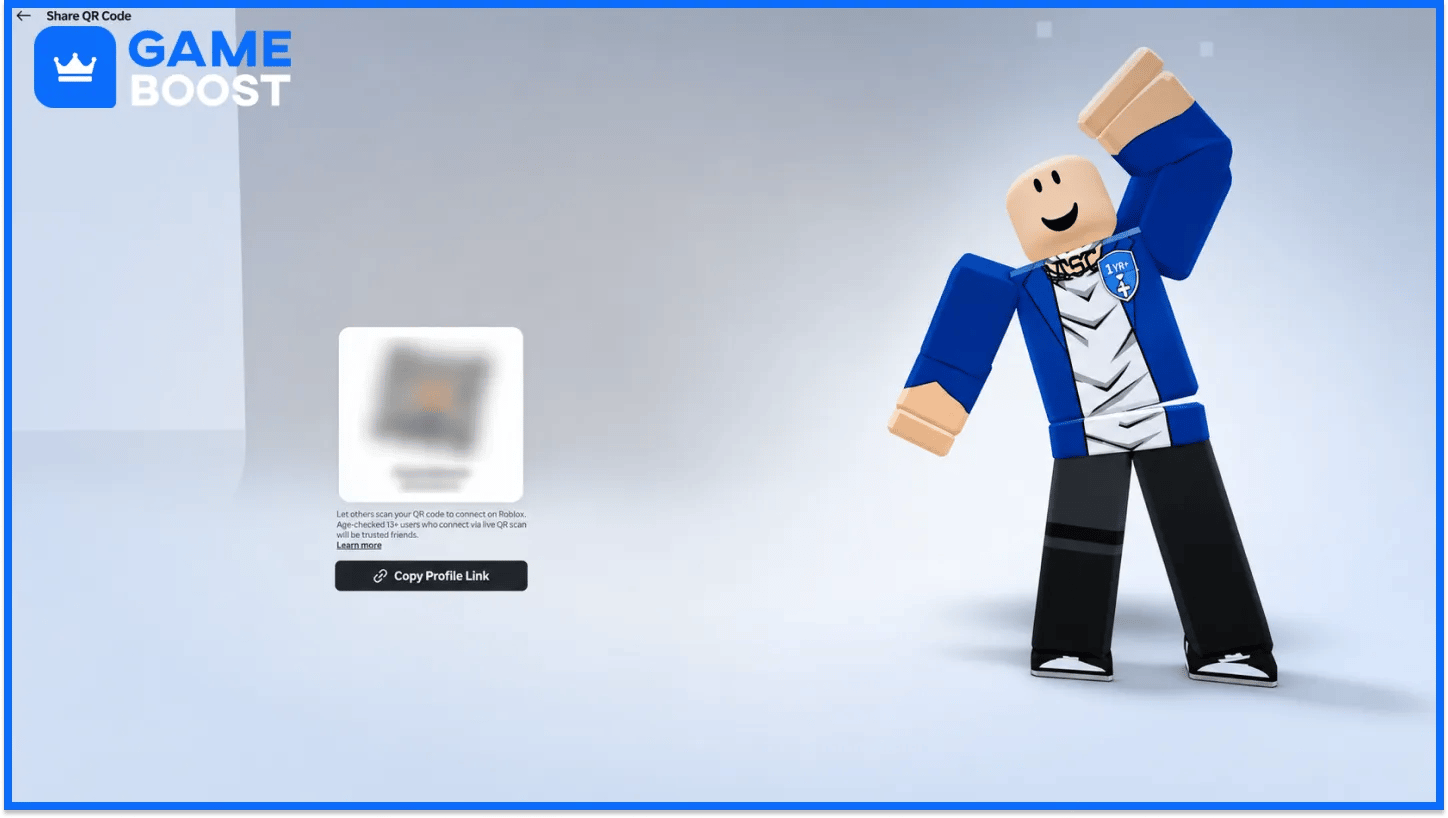
The QR route needs both players together, since the code only counts when scanned live on the spot.
Follow these steps to add a trusted friend by QR code.
Open Home in the Roblox mobile or desktop app.
Select the Add Friends (+) icon and choose My QR.
Scan the friend's code with the device camera or the camera scanner icon on the upper right of the My QR page.
Players who are already regular friends get a prompt to make the friendship trusted after scanning the code live.
Scanning a screenshot of the code or using a shared profile link only adds the other player as a regular friend.
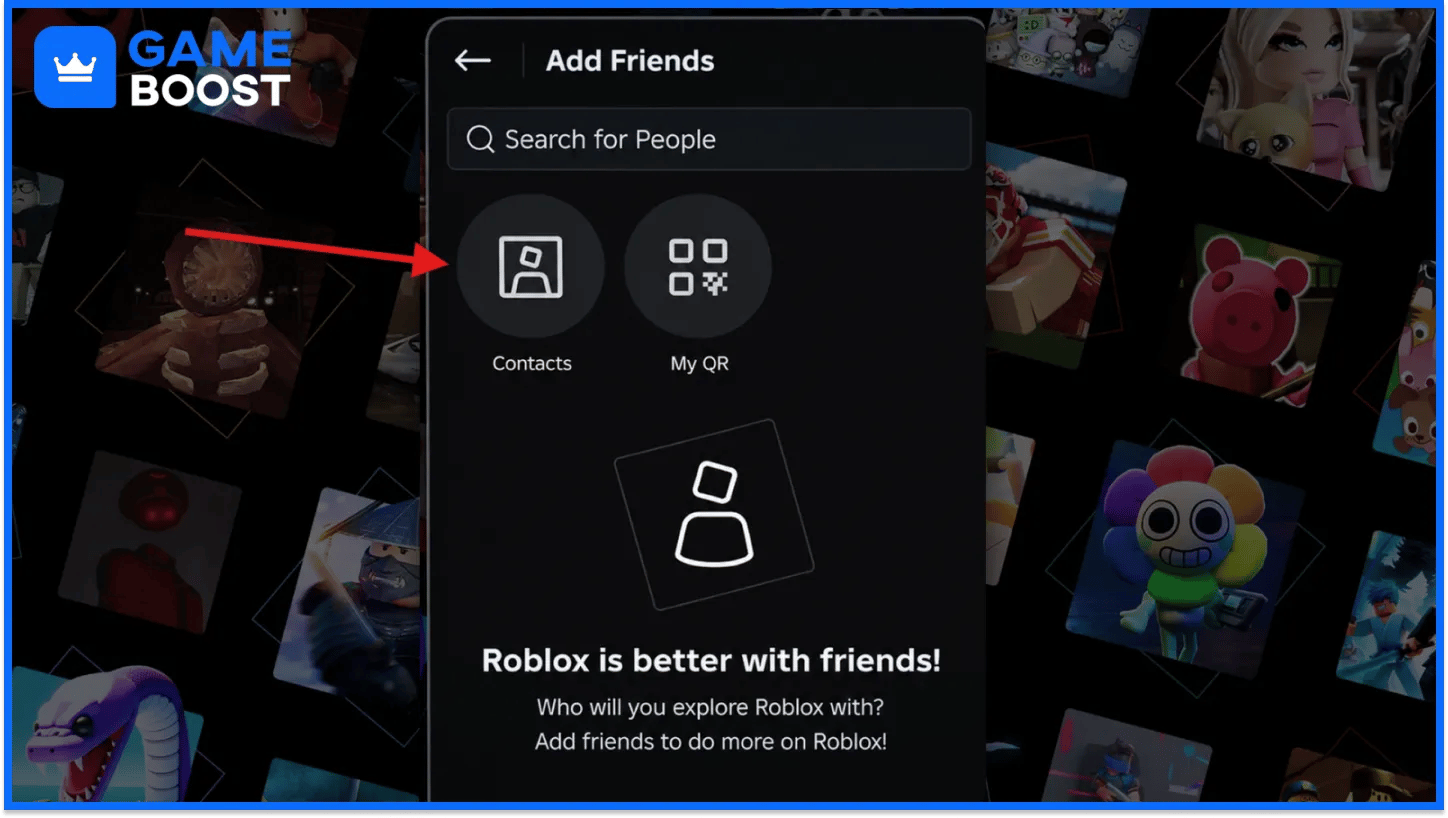
The Contacts importer pulls people straight from a phone's contact list and works in the mobile app only.
Use these steps to add a trusted friend from contacts.
Go to Home in the Roblox mobile app.
Select the Add Friends (+) icon at the top.
Choose Contacts and add the person from the phone's list.
Players can also accept requests from friends who added them through their own contacts.
Players on desktop need a live QR scan or an invite link instead, since the Contacts option stays on mobile.
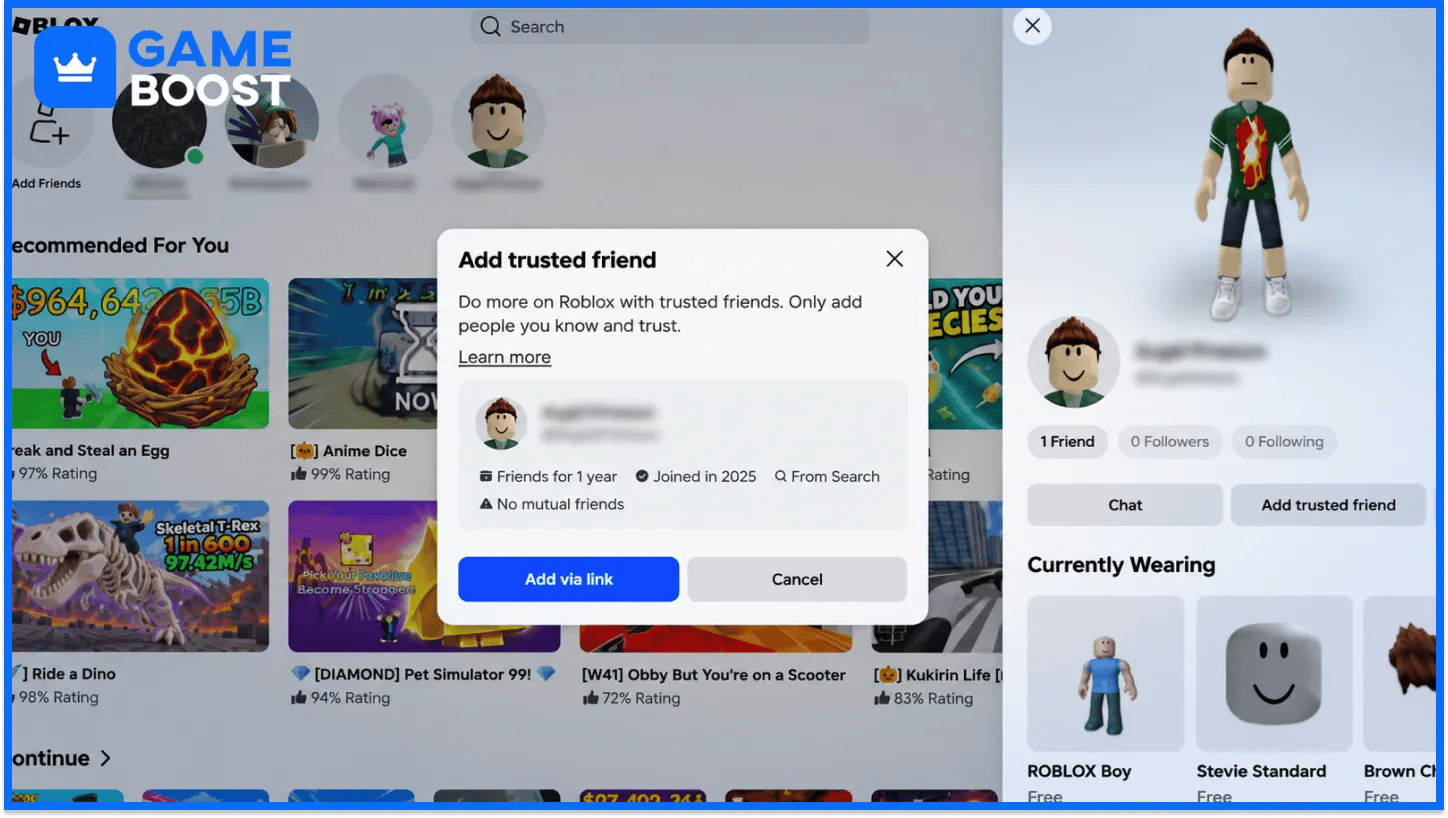
The invite link works when both players are age-checked and 13 or older, and it gets shared off-platform through any app.
Send a trusted invite link with these steps.
Open the friend's profile and tap the three-dot menu.
Select Add trusted friend from the menu options.
Select Add via link and share the link outside Roblox.
Each invite link expires after 30 days, so an unused one needs replacing with a fresh link.
The trusted status becomes final once the friend accepts the request through the link.
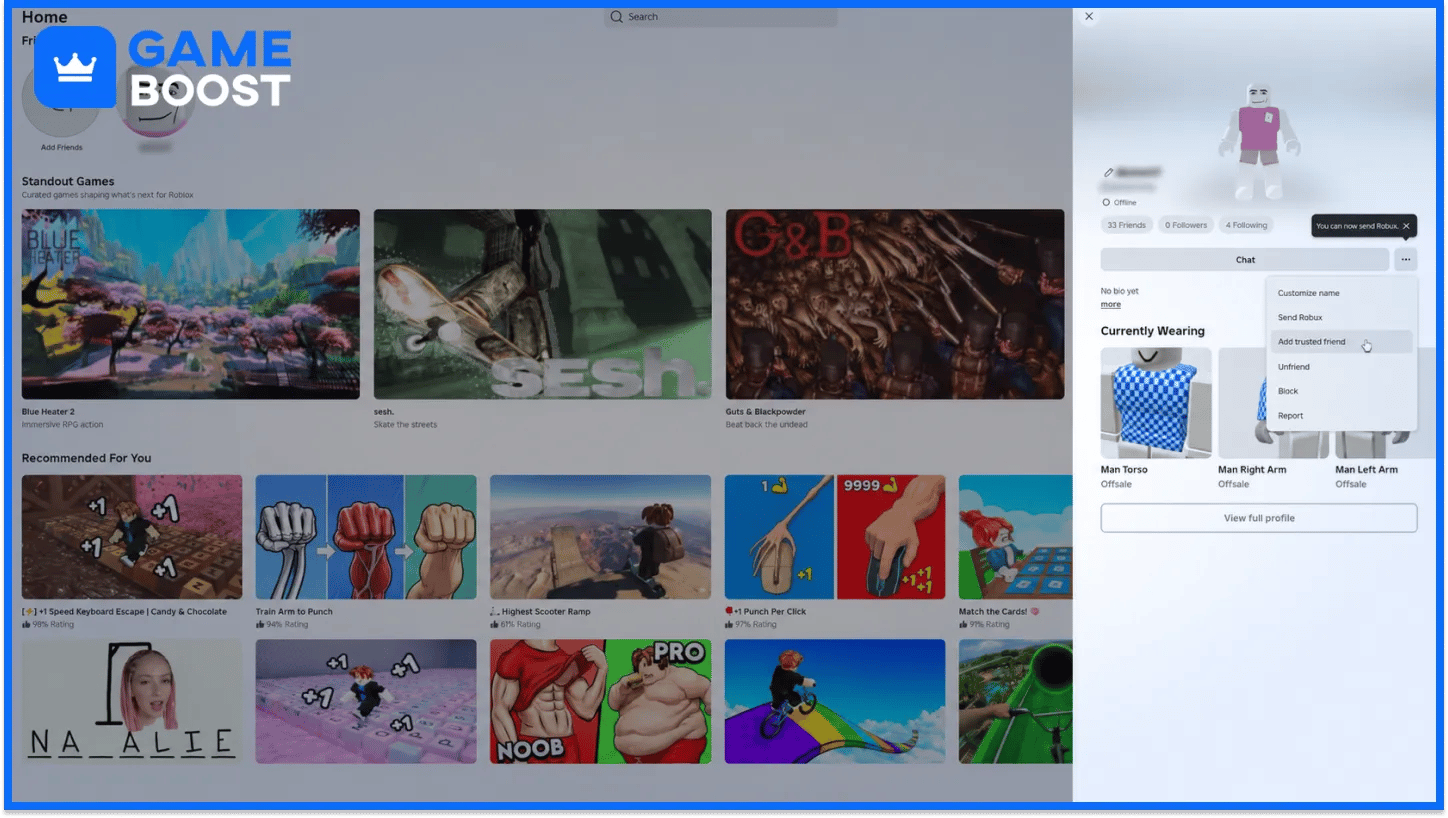
Teens who are both 16 or 17 may get a direct opt-in from the profile menu, and availability varies between users.
Send a profile opt-in with these steps.
Open the friend's profile and tap the three-dot menu.
Select Add trusted friend to send the request.
Have the friend accept from their notifications or the sender's profile.
Teens aged 13 to 15 don't get this route and use contacts, a live QR scan, or an invite link.
A 16 or 17 account without the direct option can still send an invite link from the same menu.
Adults pick a method based on the friend's age. The profile opt-in steps from the teen section also cover two age-checked adults.
The methods for each friend age look like this.
Friend's Age | Method Available to Adults |
|---|---|
18 or older | Mutual opt-in from the profile menu |
13 to 17 | Contacts importer, live QR scan, or invite link |
Under 13 | Request from the child's profile through the three-dot menu and Add Trusted Friend |
Roblox limits adult and teen pairs to these routes to confirm real-life familiarity between the two players. A child who gets a request from an adult needs parental approval before accepting it.
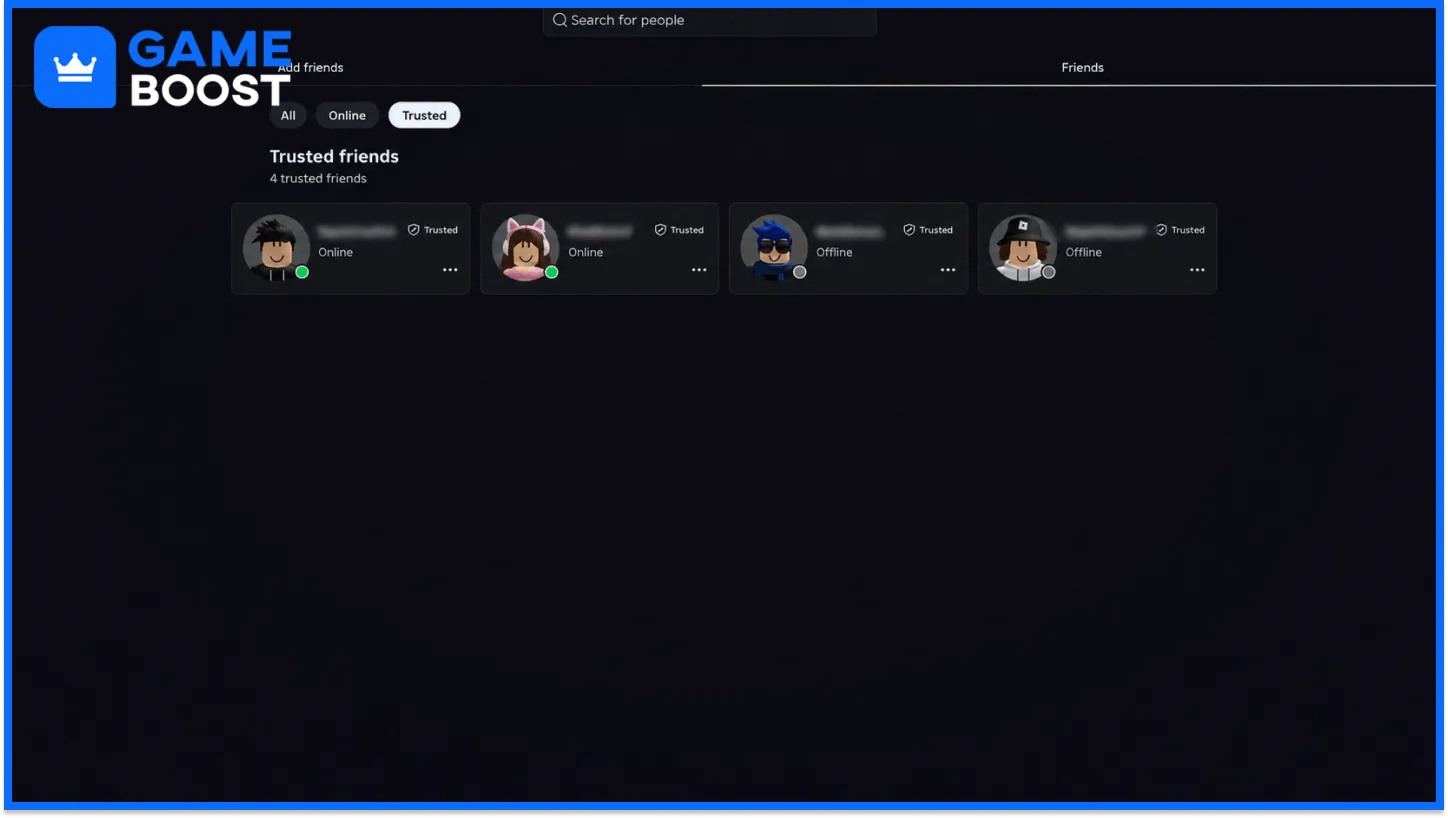
A Trusted indicator sits next to the username of every trusted friend, on their profile and inside Experience Chat and Friends chat.
Players manage trusted friends with these options.
The Friends tab has a Trusted filter: selecting Trusted narrows the list down to trusted friends only.
Remove trusted friend returns someone to a regular friend: the option sits in the friend's profile menu and keeps the friendship.
Remove friend takes someone off the list completely: the same profile menu removes the friendship entirely.
Players keep full control over the list and can change trusted friends at any time.
Trusted groups who want to play away from strangers can also set up a private server for their sessions.
Players aged 12 or under choose their own trusted friends, and a parent must approve each request before it moves forward.
Children send a trusted request with these steps.
Open the friend's profile and tap the three-dot menu.
Select Add trusted friend, review the context about the other person, and select Add.
Select Ask now to request parent permission.
Enter the parent's email and select Send email if no parent account is linked.
After the parent approves, a friend under 13 needs their own parent's approval too, and a friend aged 13 or older can accept directly. Linked parents select Review in the request email or open Pending requests in their settings, then choose Allow or Don't Allow.
Parents can review the child's list through the Friends > Trusted filter, alongside the rest of the parental controls on the account.
Trusted friends work best as a small list of people players know offline, like family, classmates, and close friends. Groups that regularly play games with friends get the most from setting up trusted status together, since the indicator then shows up for everyone in chat.
“ Hamza is your average video game enthusiast who’s always looking for his next game to play. Whether he’s diving into a competitive multiplayer match, exploring a massive open world, or getting completely hooked on a new release, gaming has always been one of his favorite ways to spend his time. Over the years, his love for games has grown into a passion for understanding and sharing everything about them. Through his articles, Hamza aims to help gamers discover new games, improve their skills, stay up to date with the latest gaming news, and get the most out of their favorite titles.”