


•Hamza Rashid• 8 min read
Clash of Clans

Clash of Clans is a free-to-play mobile strategy game developed by Supercell, available on iOS and Android. The game has players building and managing villages, training troops, and raiding other players for resources.
Linking your Clash of Clans account to a Supercell ID is the primary way to protect your progress and carry it across devices. The process is straightforward, but many players also need to unlink their accounts at some point. In this article, we'll explain how to link and unlink your Clash of Clans account, and what you should know before making any changes.
Also Read: How to Protect Your Account in Clash of Clans
Linking your Clash of Clans account is done through Supercell ID, which ties your village to an email address and lets you access it on any device.
To link, go to Settings, tap "Disconnected" under Supercell ID, enter your email, and verify with the code sent to your inbox.
There is no unlink button. To change your linked email, tap "Open" in Supercell ID settings, select "Change Email," and verify the new address.
Changing your Supercell ID email applies across all Supercell games, including Clash Royale, Brawl Stars, and Hay Day.
Your village, progress, and purchases are not affected by changing your linked email.
If you lose access to your account, contact Supercell support through Settings > Help & Support > Lost Village and provide your village name, Town Hall level, and clan name.
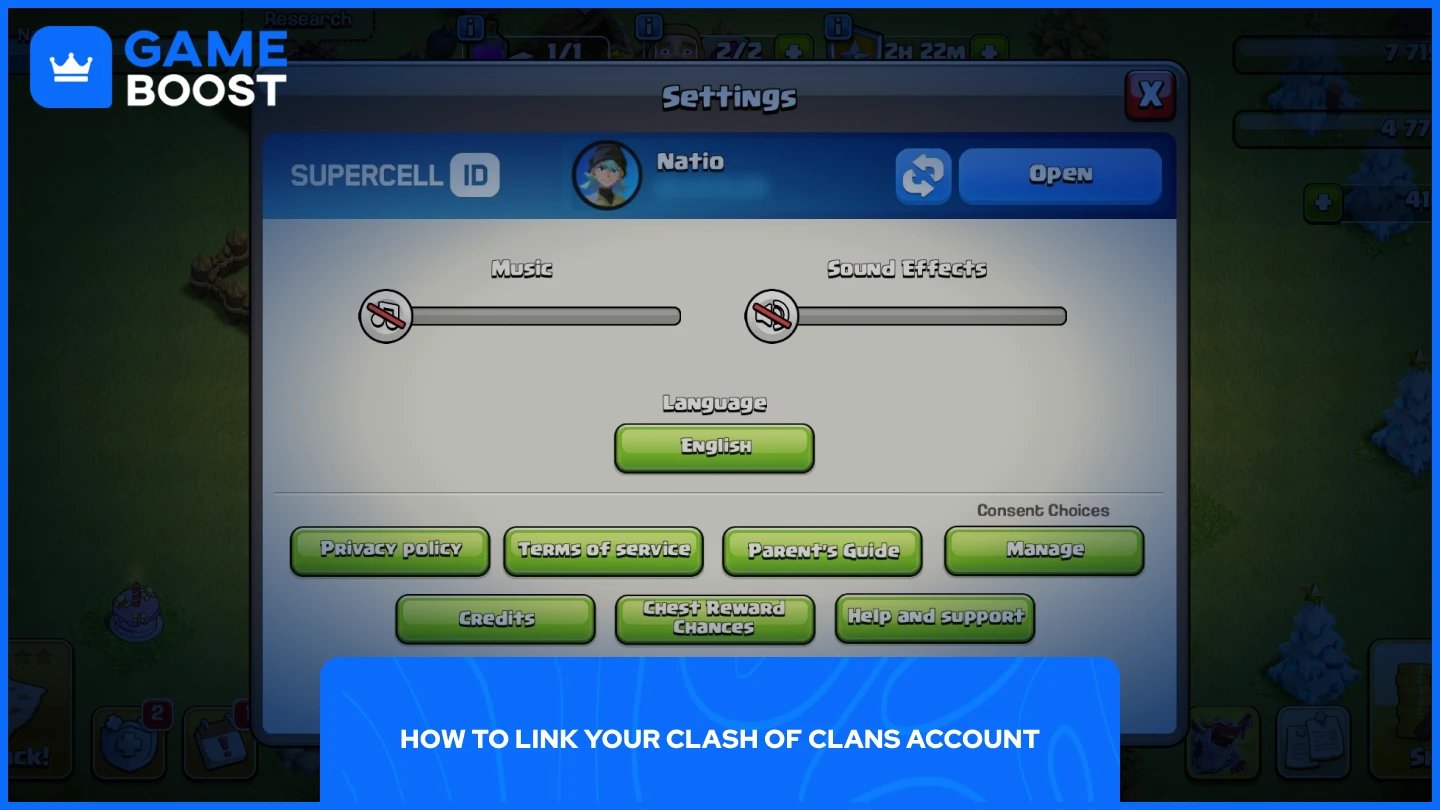
Linking your Clash of Clans account is done through Supercell ID, which is Supercell's official account system. It ties your village to an email address, letting you access it on any device without relying on Google Play or Game Center. Here's how to set it up:
Open Clash of Clans and tap the Settings icon in the bottom-right corner.
Find the Supercell ID section and tap "Disconnected."
Enter your email address and tap "Send Code."
Check your inbox for the verification code and enter it in-game.
Your account is now linked to your Supercell ID.
Once linked, you can log in to your village on any device using the same email and a verification code. It also works across other Supercell games, so the same Supercell ID covers your Brawl Stars, Clash Royale, and Hay Day accounts as well.
There is no direct "unlink" button in Clash of Clans. To change the email linked to your Clash of Clans account, you need to update it directly through your Supercell ID settings. Here's how:
Open Clash of Clans and tap the Settings icon in the bottom-right corner.
Tap "Open" next to the Supercell ID section.
Tap "Change Email" next to your current email address.
Enter the new email address and confirm.
Check your new inbox for a verification code and enter it in-game.
Once confirmed, your account is now tied to the new email. Keep in mind that since Supercell ID works across all Supercell titles, this change applies to every game linked to that account, including Clash Royale, Brawl Stars, and Hay Day. Your village, progress, and purchases are not affected.
Also Read: Clash of Clans: Account Bans, Durations, and Appeals
Changing your Supercell ID email does not affect your village or any progress. Your base, troops, resources, and purchases all stay intact. The only thing that changes is the email address you use to log in. Since Supercell ID covers all Supercell games, the new email becomes your login for every title tied to that account, not just Clash of Clans.
If you ever lose access to your account and can't log in, you can contact Supercell's support team through Settings > Help & Support > I’ve Lost Access to My Account. Select "Open Support Ticket" and provide your village name, Town Hall level, and clan name to verify ownership.
Also Read: Clash of Clans: How to Fix a Locked or Disabled Account
Linking your Clash of Clans account to a Supercell ID is the simplest way to keep your village safe across devices. If you ever need to change the email tied to your account, the process is straightforward and takes just a few minutes directly from the in-game settings. Just remember that any email change applies to all your Supercell games, so make sure the new address is one you have full access to and plan to keep using.
Buy CoC Account
CoC Clans For Sale
Clash of Clans Top Up
View all GameBoost Accounts
View all GameBoost Boosting Services
View all GameBoost Currencies
View all GameBoost Game Keys
View all GameBoost Gift Cards
View all GameBoost Top Ups
View all GameBoost Items
Counter-Strike 2 Skins
“ Mustafa Atteya has been writing about gaming and esports since 2023, specializing in competitive game content and player improvement guides. At 25, he brings both hands-on gaming experience and professional SEO writing expertise to the GameBoost team.”