


•Filip Premuš• 6 min read
Gift Cards
PlayStation Gift Cards are prepaid digital vouchers issued by Sony Interactive Entertainment that add credit to your PlayStation Network (PSN) wallet. This balance can be used to purchase games, downloadable content (DLC), in-game items, movies, music, and subscriptions directly from the PlayStation Store.
These cards offer a convenient way to fund your account without linking a credit card, making them a secure payment alternative. However, not all players are familiar with the redemption process, which can vary slightly depending on the device you're using.
In this article, we'll explore the exact steps for redeeming PlayStation Gift Cards across different platforms, including PS4, PS5, and web browsers.
Also Read: Everything to Know About Razer Gift Cards
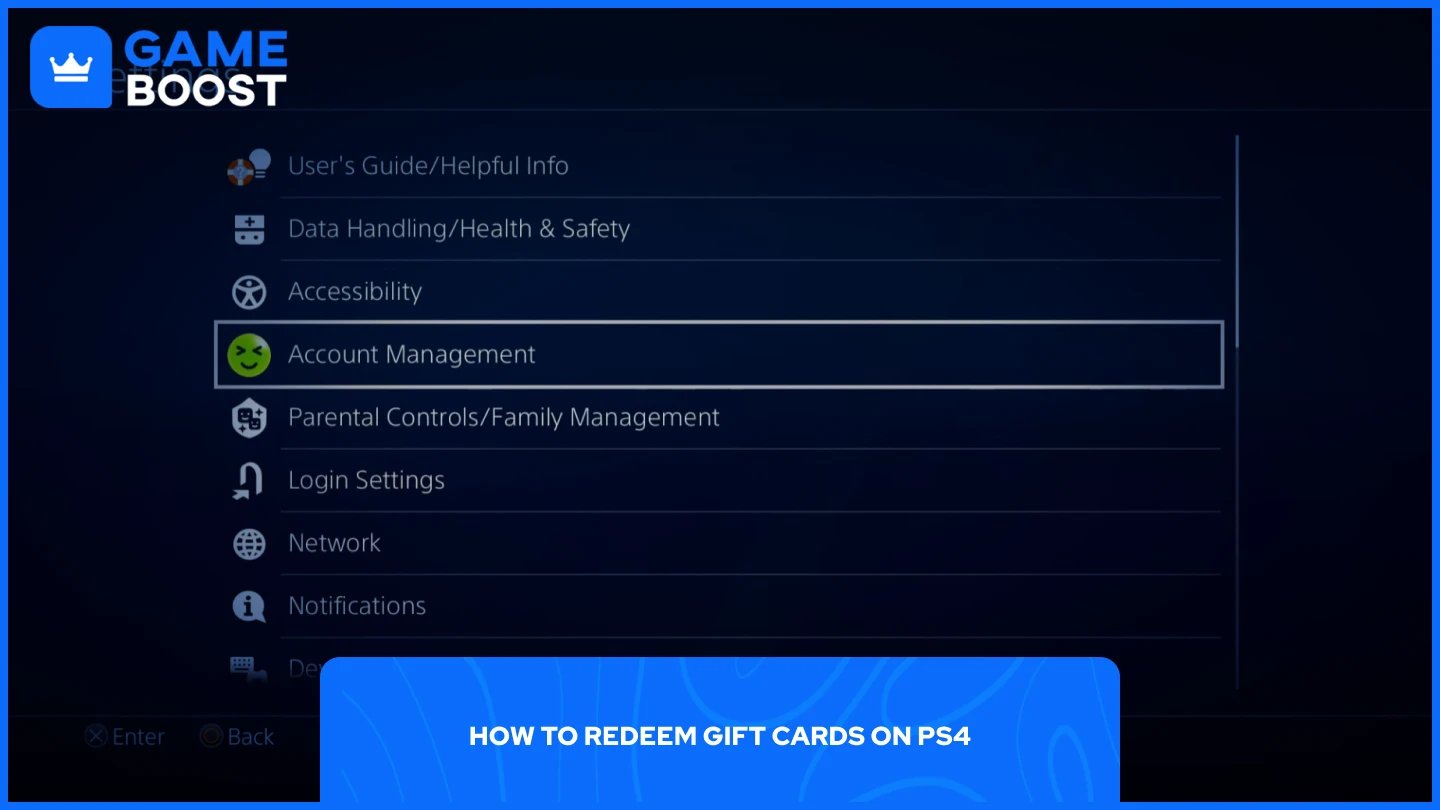
There are two methods for redeeming PlayStation Gift Cards on PS4. Both work perfectly fine, so choose whichever feels more convenient for you.
Launch your PS4 and go to Settings.
Navigate to "Account Management."
Select "Account Information."
Go to "Wallet."
From the list, select "Add Funds."
Click on "Redeem Codes and Gift Cards."
Enter the 12-digit code from your gift card.
Click "Continue."
Once you confirm that you'd like to redeem the code, the funds will immediately be added to your wallet balance.
Launch your PS4 and go to the PlayStation Store.
On the side panel, scroll all the way down until you find "Redeem Codes."
Enter the 12-digit code.
Click "Continue."
This method follows the same concept but with fewer steps. If you're already browsing the PlayStation Store and want to add funds quickly, this approach saves you some time compared to navigating through the settings menu.
Also Read: Where to Buy Amazon Gift Cards - Online and In Stores
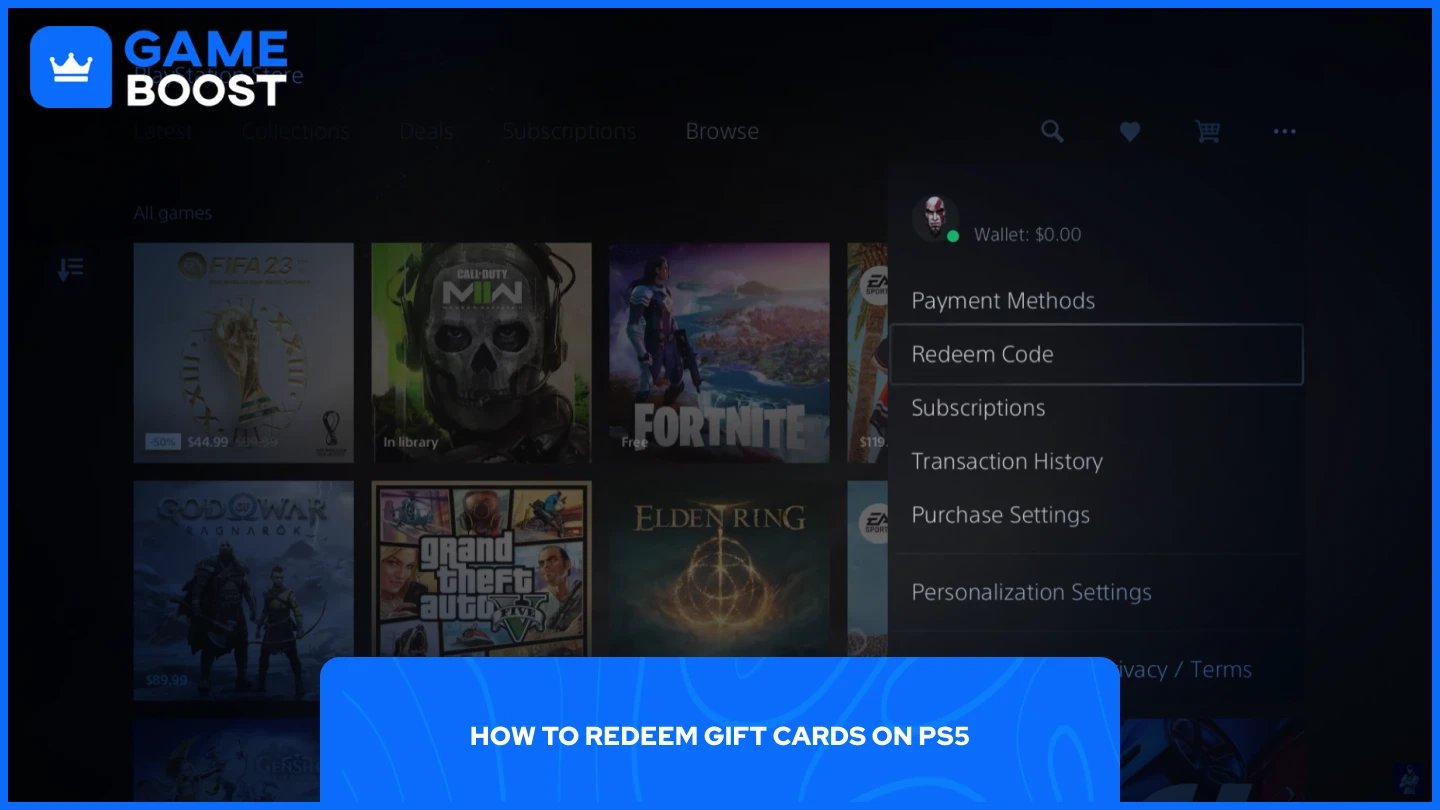
The process of redeeming gift cards is more straightforward on PS5 compared to the PS4. Here's how to do it:
Launch your PS5 and go to the PlayStation Store.
Click on the three dots in the top right corner.
Scroll down and select "Redeem Code."
Enter the 12-digit code from your gift card.
Select "Redeem."
After hitting the redeem button, the funds will be added to your balance immediately and can be used whenever you want.
Also Read: Where to Buy Steam Wallet Codes at the Best Prices
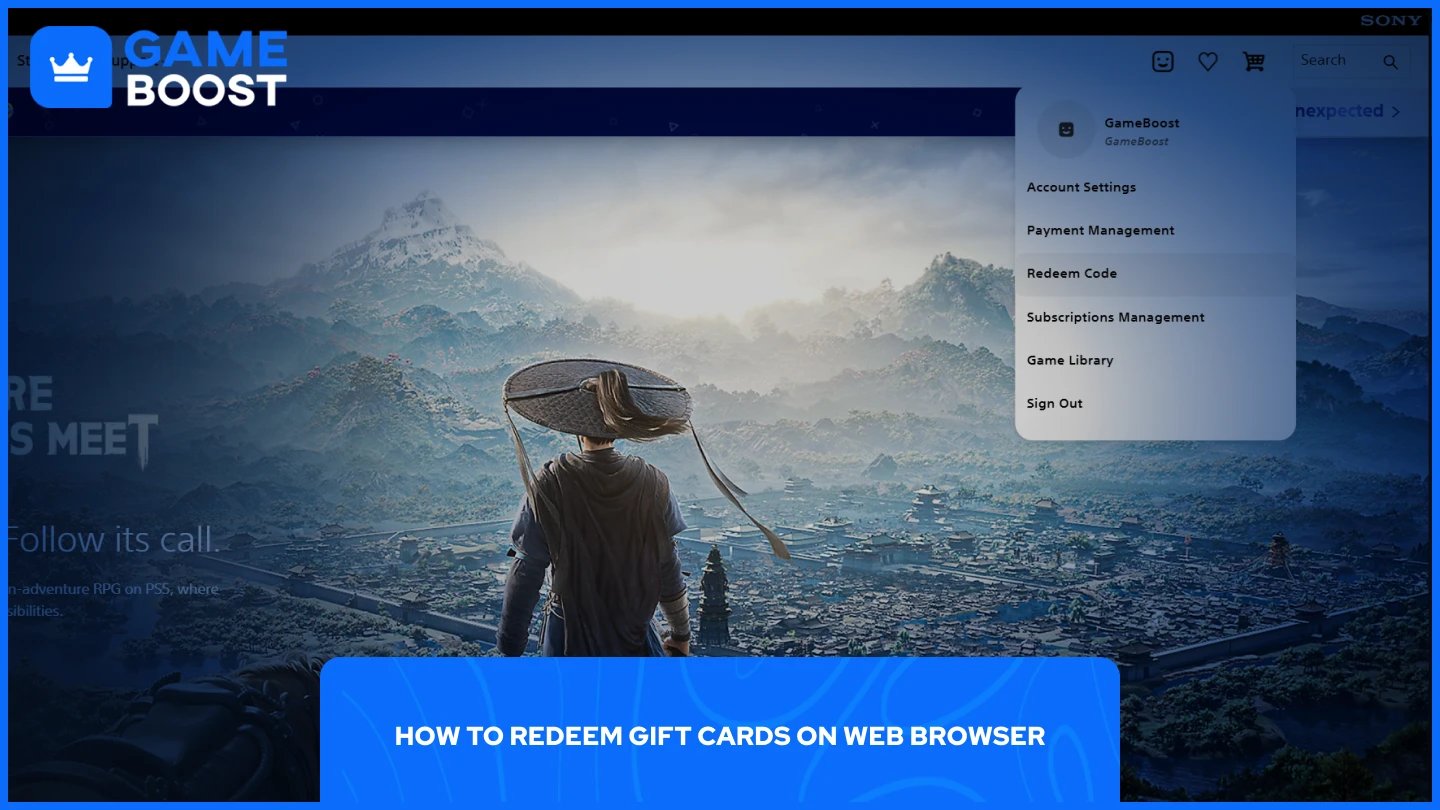
For those who don't know, you can redeem PlayStation Gift Cards directly through your browser. This method works on both PC and mobile devices. Here's how to do it:
Go to the PlayStation official website.
Sign in to your account.
Click on your profile icon in the top right corner.
Select "Redeem Code" from the dropdown list.
Enter the 12-digit code from your gift card.
Click "Continue."
Once confirmed, the funds will be added to your PSN wallet and synced across all your linked devices automatically.
Redeeming PlayStation Gift Cards is a quick and simple process on any platform. The steps only take a minute to complete through your console settings, the PlayStation Store, or your web browser. Once redeemed, your funds are available immediately and can be spent on games, DLC, subscriptions, or any other content available on the PlayStation Store.
How to Redeem Fortnite Gift Cards
How to Redeem Microsoft Gift Cards
View all Entertainment Gift Cards
“ Mustafa Atteya has been writing about gaming and esports since 2023, specializing in competitive game content and player improvement guides. At 25, he brings both hands-on gaming experience and professional SEO writing expertise to the GameBoost team.”