


•Hamza Rashid• 8 min read
Clash of Clans
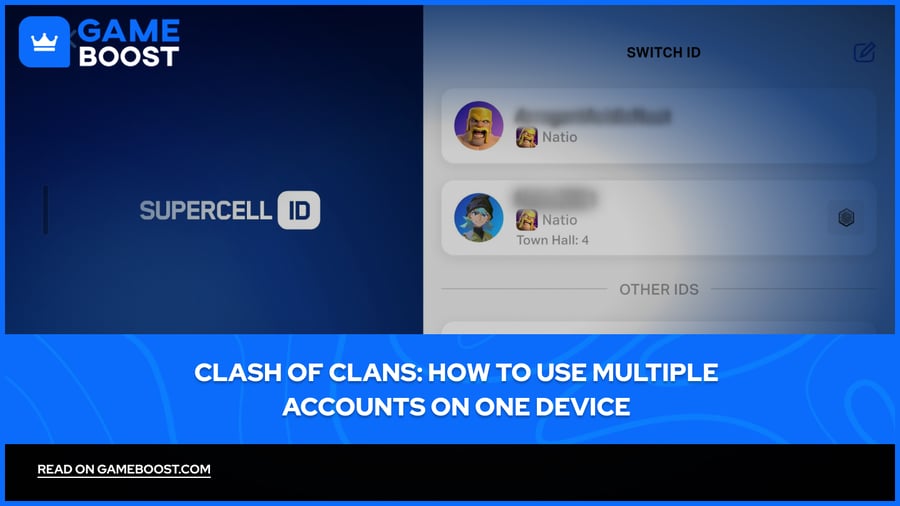
Clash of Clans officially supports multiple accounts on a single device through Supercell ID, making it easier than ever to manage more than one village without needing extra hardware. Players run multiple accounts for all kinds of reasons. Either testing different base layouts, keeping up with donations across clans, or simply starting fresh while holding onto a maxed-out main account.
The setup process differs slightly between Android and iOS, and there are also third-party tools that make simultaneous use more convenient. Knowing which method works best for your situation saves you a lot of back-and-forth.
In this article, we'll explore the different ways to set up and switch between multiple Clash of Clans accounts on one device, covering both the built-in Supercell ID method and alternative options.
Also Read: Clash of Clans: How to Link and Unlink Your Account
Multiple Clash of Clans accounts on one device are fully allowed by Supercell, as long as each account is linked to its own Supercell ID and unique email address
To switch between accounts, open Settings, tap the Swap Accounts button, and select the account you want to load. Tick "Remember me on this device" to skip verification codes on future switches
For simultaneous use on Android, Parallel Space lets you run two separate instances of the game at the same time without logging in and out
iOS does not natively support app cloning, so the Supercell ID swap method is the most reliable option for iPhone users
Account sharing, which means giving another player access to your account, is against Supercell's Terms of Service and can result in a ban across all related accounts
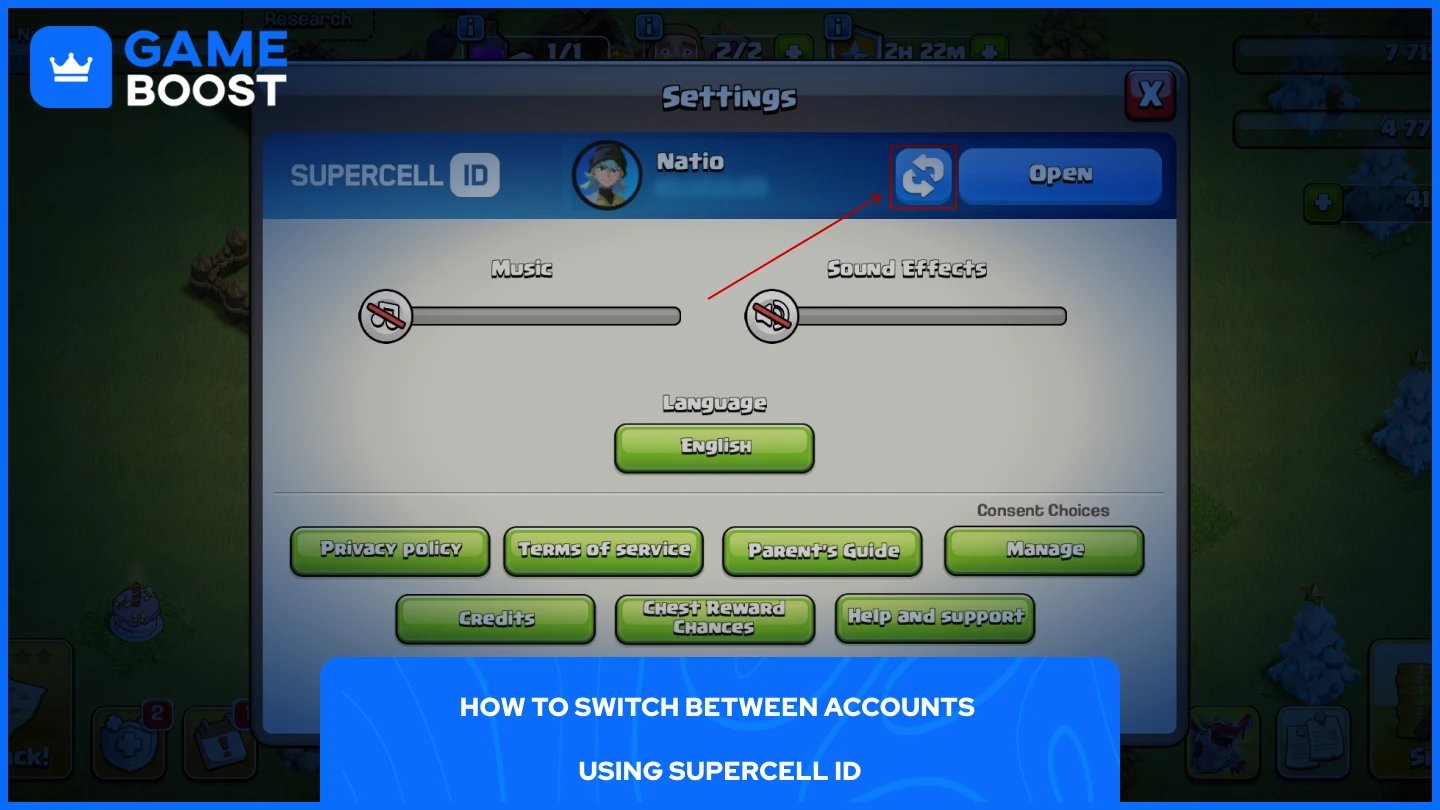
Supercell ID is the built-in method for managing multiple accounts, and it's the most straightforward option available. Each account needs to be linked to a separate email address and its own Supercell ID. Once that's set up, switching takes just a few taps:
Open Clash of Clans and tap the Settings icon (gear icon) in the bottom right corner.
Tap the Swap Accounts button, shown as two curved arrows next to your Supercell ID.
There, you can view all Supercell IDs saved on your device.
Tap the account you want to switch to. If it's not listed, tap "Log in to Supercell ID" and enter the email linked to that account.
Check your email for a verification code, enter it in-game, and the account will load.
To avoid entering a verification code every time, tick "Remember me on this device" when logging in. This saves the account locally, so future switches are instant. You can save up to 50 Supercell IDs on a single device, which is more than enough for most players.
Switching through Supercell ID works fine for most players, but if you want both accounts running at the same time without logging in and out, you'll need a third-party cloning app. Parallel Space is the most widely used option on Android and is available on the Google Play Store. Here's how to set it up:
Download and install Parallel Space from the Google Play Store.
Open the app and tap the "+" button to add a new application.
Select Clash of Clans from the list and add it.
Open the cloned version of Clash of Clans inside Parallel Space.
Log in to your second account using its Supercell ID credentials.
You'll now have two separate instances of the game running on one device, each tied to a different account. The original app stays connected to your main account, while the cloned version inside Parallel Space runs the second one independently.
iOS doesn't natively support app cloning the same way, so simultaneous use on iPhone is more limited. The cleanest option there is still the Supercell ID swap method.
Also Read: How to Protect Your Account in Clash of Clans
Multiple accounts are fully allowed in Clash of Clans. Supercell has no rule against it, and you can run as many accounts as you want across one device or multiple devices without risking a ban.
The one thing Supercell does flag is account sharing, which means handing your account over to another player to manage or push trophies on your behalf. That can result in a ban across all related accounts. Running your own separate accounts is a completely different situation and falls within the game's Terms of Service.
Each account needs to be linked to its own Supercell ID using a unique email address. As long as every account is yours and registered properly, there's nothing to worry about.
Also Read: Clash of Clans: Account Bans, Durations, and Appeals
Using multiple Clash of Clans accounts on one device is straightforward once your Supercell IDs are set up correctly. Make sure every account is linked to a separate email and saved on your device to switch quickly. If you want to skip the back-and-forth entirely, Parallel Space on Android gives you both accounts running at the same time. The key is getting the setup right from the start so you're not chasing lost progress or locked accounts down the line.
CoC Clans For Sale
Clash of Clans Top Up
Clash of Clans Accounts For Sale
View all GameBoost Accounts
View all GameBoost Boosting Services
View all GameBoost Currencies
View all GameBoost Game Keys
View all GameBoost Gift Cards
View all GameBoost Top Ups
View all GameBoost Items
Counter-Strike 2 Skins
“ Mustafa Atteya has been writing about gaming and esports since 2023, specializing in competitive game content and player improvement guides. At 25, he brings both hands-on gaming experience and professional SEO writing expertise to the GameBoost team.”