


•Hamza Rashid• 9 min read
Valorant
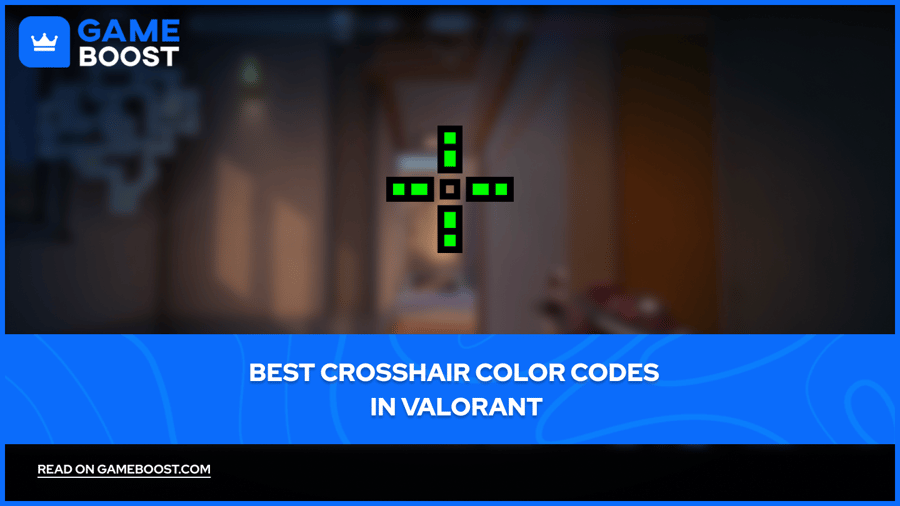
Your crosshair is the small aiming reticle at the center of your screen that shows exactly where your shots will land. Valorant, like most shooters, lets you fully customize it through the game's settings, including its shape, thickness, opacity, size, and color.
You can even fine-tune the exact color by entering a specific color code. In this article, we'll break down exactly what crosshair color codes are, the best color codes to use, and how to change your crosshair color in Valorant.
Also Read: All Released Valorant Bundles
There's no single best crosshair color that works for every situation. Each map in Valorant has its own color palette, so a color that stands out on one map might completely blend into the background on another. That said, cyan and its variants are widely considered the most versatile option, as they contrast well against most map environments. Bright greens, hot pink, and neon colors are also popular picks among both casual players and pros.
Here are some of the most popular crosshair color codes you can use in Valorant:
Crosshair Color | Color Code | Color |
|---|---|---|
Cyan | #00FFFF |  |
Baby Blue | #00B5FF |  |
Sky Blue | #00BFFF |  |
Light Blue | #00E0FF |  |
Royal Blue | #0000FF |  |
Dark Blue | #000080 |  |
Deep Blue | #005BFF |  |
Dark Navy | #0078FF |  |
Neon Green | #00FF00 |  |
Lime Green | #39FF14 |  |
Dark Green | #008000 |  |
Forest Green | #228B22 |  |
Khaki Green | #6B8E23 |  |
Jade | #00A36C |  |
Turquoise | #008080 |  |
Neon Cyan | #00FFDF |  |
Aqua | #00A1FF |  |
White | #FFFFFF |  |
Light Grey | #C0C0C0 |  |
Dark Grey | #808080 |  |
Gunmetal Grey | #778899 |  |
Black | #000000 |  |
Red | #FF0000 |  |
Auburn | #8B0000 |  |
Maroon | #800000 |  |
Burgundy | #800020 |  |
Ruby Red | #E0115F |  |
Hot Pink | #FF1493 |  |
Coral Pink | #F88379 |  |
Salmon | #FA8072 |  |
Lavender | #6A5ACD |  |
Purple | #800080 |  |
Dark Purple | #3F00FF |  |
Indigo | #542F97 |  |
Gold | #FFD700 |  |
Amber | #FFBF00 |  |
Copper Gold | #F4A460 |  |
Yellow | #FFFF00 |  |
Bright Orange | #FF4500 |  |
Lotus Red | #FF6347 |  |
Pearl Red | #FF1D00 |  |
Icebox Green | #2AFF00 |  |
Also Read: What Ranks Can Play Together in Valorant? Complete Guide
Changing your crosshair color in Valorant is a quick process that takes less than a minute. Here's how to do it:
Launch Valorant and open the Settings menu by pressing ESC or clicking the gear icon in the top right corner.
Click on the Crosshair tab.
Navigate to the Primary tab.
Click on the dropdown menu next to Crosshair Color.
Select the Custom option.
Type or paste your chosen color code into the input box.
Press Enter to confirm and save your changes.
Your crosshair will update instantly, and you can switch between different color codes at any time. It's worth testing a few options in a practice range before jumping into a ranked match to make sure the color is clearly visible in different lighting conditions across maps.
Picking the right crosshair color comes down to visibility and personal comfort. Cyan and its variants work well across most maps, but don't hesitate to experiment with different codes depending on the map you're playing. With over 16 million possible hex codes to choose from, there's no reason to stick with a color that doesn't work for you. Test a few options in the practice range, find what feels natural, and adjust from there.
Valorant Accounts For Sale
Buy Valorant Points
Valorant Boosting Service
View all GameBoost Accounts
View all GameBoost Boosting Services
View all GameBoost Currencies
View all GameBoost Game Keys
View all GameBoost Gift Cards
View all GameBoost Items
View all GameBoost Top Ups
Counter-Strike 2 Skins
“ Mustafa Atteya has been writing about gaming and esports since 2023, specializing in competitive game content and player improvement guides. At 25, he brings both hands-on gaming experience and professional SEO writing expertise to the GameBoost team.”