

•Hamza Rashid• 8 min read
Fortnite
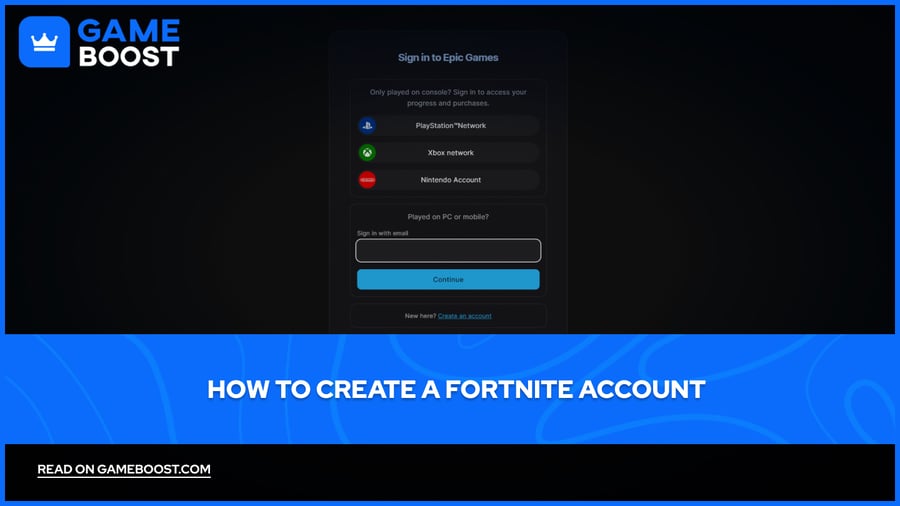
Fortnite is a free-to-play battle royale developed by Epic Games, and it remains one of the most played games globally, with regular updates, collaborations, and seasonal content keeping its player base active year after year. To play Fortnite, you don't create a Fortnite account directly, you create an Epic Games account, which gives you access to Fortnite across all platforms, including PC, PlayStation, Xbox, Nintendo Switch, and mobile.
Once set up, your progress, purchases, and Battle Pass rewards sync across every device you play on. In this article, we'll walk you through how to create a Fortnite account step by step, covering everything from registration to platform linking.

Creating a Fortnite account is done through Epic Games' website. The process takes just a few minutes:
Go to epicgames.com/register
Enter your email address or choose to sign up through an external account such as Google, PlayStation, Xbox, or Nintendo.
Fill in the required details, including your name, display name, and password.
Agree to the terms of service and click Continue.
Check your inbox for a verification email from Epic Games and confirm your account.
Your Epic Games account is now ready. Download the Epic Games Launcher, log in, and install Fortnite to start playing. Some people also buy Fortnite accounts to skip the hassle of creating new ones.
Also Read: How To Sell Your Fortnite Account: Step-by-Step Guide
Yes, your Epic Games account works across all platforms, including PC, PlayStation, Xbox, Nintendo Switch, and mobile. All your purchases, skins, and Battle Pass progress are stored in the cloud and carry over regardless of which device you're playing on.
Console players need to link their platform account to their Epic Games account to enable this. Once linked, you'll automatically log into Fortnite using your console credentials, and crossplay will be enabled by default, meaning you can join lobbies with players on other platforms. If you prefer not to play cross-platform, you can disable crossplay in the settings on both PlayStation and Xbox.
Also Read: How to Gift Battle Pass in Fortnite
Creating a Fortnite account is a straightforward process that takes just a few minutes. Once your Epic Games account is set up, you can play across any platform and keep all your progress synced in one place. Make sure to enable two-factor authentication after registering to keep your account secure.
Buy V-Bucks
Buy Fortnite Skins
Fortnite Accounts For Sale
View all GameBoost Accounts
View all GameBoost Boosting Services
View all GameBoost Currencies
View all GameBoost Game Keys
View all GameBoost Gift Cards
View all GameBoost Top Ups
View all GameBoost Items
Buy CS2 Skins
“ Mustafa Atteya has been writing about gaming and esports since 2023, specializing in competitive game content and player improvement guides. At 25, he brings both hands-on gaming experience and professional SEO writing expertise to the GameBoost team.”