

•Mario Juričević• 14 min read
Raid Shadow Legends

Plarium doesn't make it obvious how to walk away from Raid Shadow Legends. Depending on the platform you're on, the process of deleting the account differs, and the decision carries consequences that can't be undone. This article covers every method available to delete your Raid Shadow Legends player account, what gets removed, and what to consider beforehand.
Deleting a Raid Shadow Legends account removes all game progress, purchase history, champions, artifacts, and virtual items permanently, with no refunds on real money spent
The Delete Account button works across all platforms using the same steps, with PC players having an additional option through the Plarium website
Deletion affects every Plarium game tied to the same Plarium ID, not just Raid Shadow Legends
After submitting a deletion request, Plarium sends a recovery link via email that can be used to reverse the decision before it finalizes
Raid Shadow Legends accounts inactive for over three years are automatically deleted by Plarium under GDPR compliance
Players looking for a fresh start don't need to delete their account, as creating a new Plarium profile is an option on both mobile and PC
Uninstalling the app or using device screen time controls are viable alternatives for players who aren't ready to permanently close their account
Deleting a Raid Shadow Legends account has consequences that go beyond closing the game. Once Plarium verifies you as the account holder, their team permanently deletes or anonymizes all personal data stored under that account, covering everything from account information and game progress to purchase history, virtual items earned or unspent, and any other data tied to it.
Every champion built, every artifact farmed, and every gem saved is gone permanently. Any real money spent on Raid Shadow Legends is non-refundable at that point. Information stored outside the account, such as message history, is not affected by the deletion.
Raid Shadow Legends runs through Plarium's ecosystem, which means your in-game profile is tied to a Plarium ID. Submitting a Raid Shadow Legends account deletion request removes all personal information stored under that account, and this affects every Plarium game connected to the same Plarium ID.
If you play other Plarium titles under the same ID, those accounts go down with it too. A lot of players don't realize this until it's too late, so its important to check what else is linked to your Plarium ID before submitting any requests.
Raid Shadow Legends Accounts For Sale
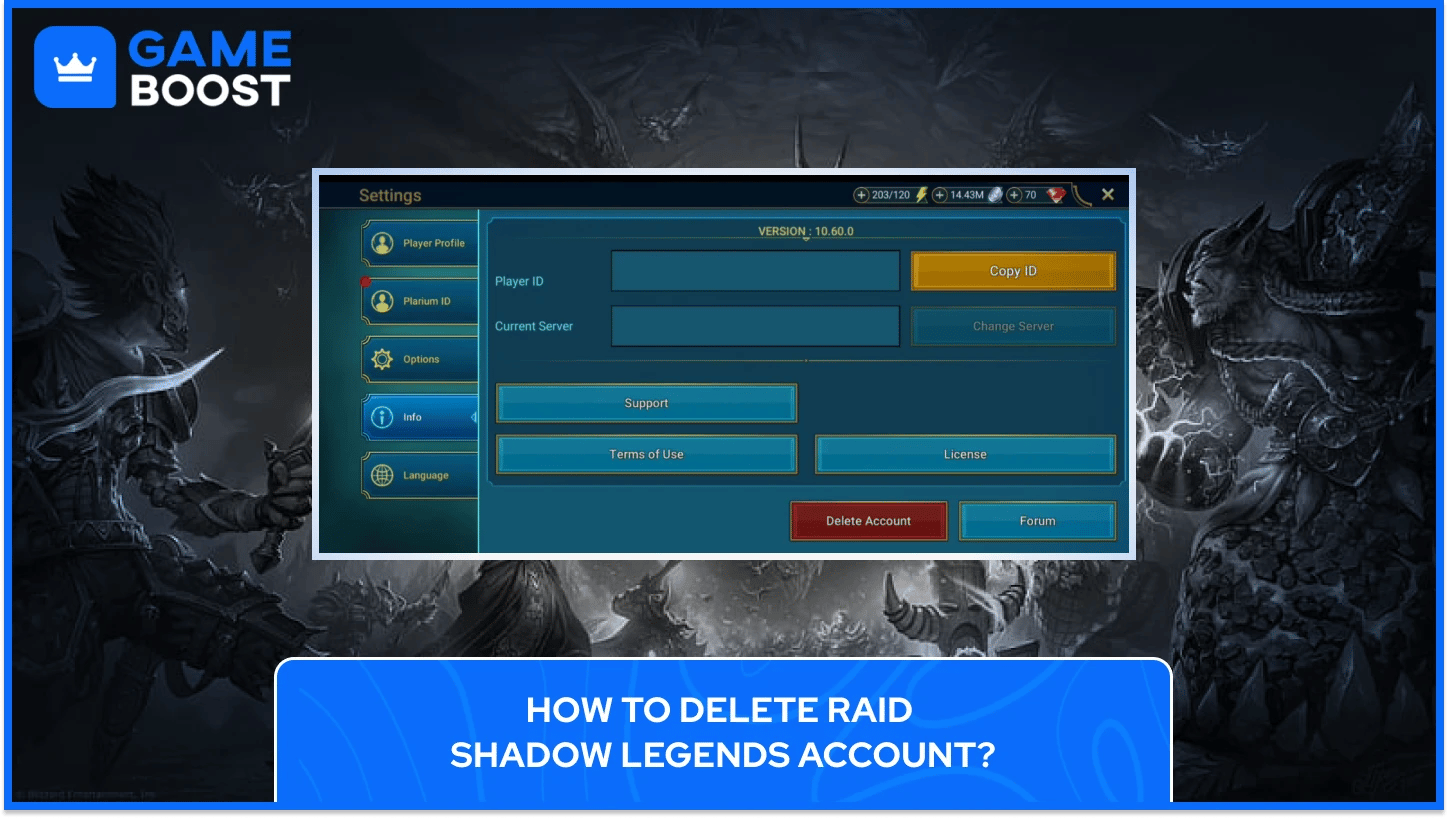
Plarium added the Delete Account button specifically to give players the option to request removal of their personal data, and the same steps apply across mobile and PC.
To delete your Raid Shadow Legends account, follow these steps:
Open Raid Shadow Legends and go to your profile settings
Go to the Info section and tap the Delete Account button
Select the reason for deleting your Raid Shadow Legends account
Complete the deletion form
Provide the requested verification information to the support agent when prompted
The deletion process does not begin until Plarium verifies you as the account holder. Once identity is confirmed, Plarium's team processes the request, and the account becomes permanently inaccessible. Keep an eye on the email address linked to your Raid Shadow Legends account after submitting, as that's where the verification request will be sent.
PC players have an additional route through the Plarium website. To delete Raid Shadow Legends this way, log in at plarium.com and navigate to your profile, then open the Profile tab and go to the Profile Information section. From there, click Edit next to your nickname, and the Delete Account option will appear in the form below. Select it and follow the prompts to submit your Raid Shadow Legends account deletion request.
If the website isn't working, the same result can be achieved by opening a support ticket from inside the game, clicking your profile picture, selecting Info, and tapping the Support button to contact Plarium directly.
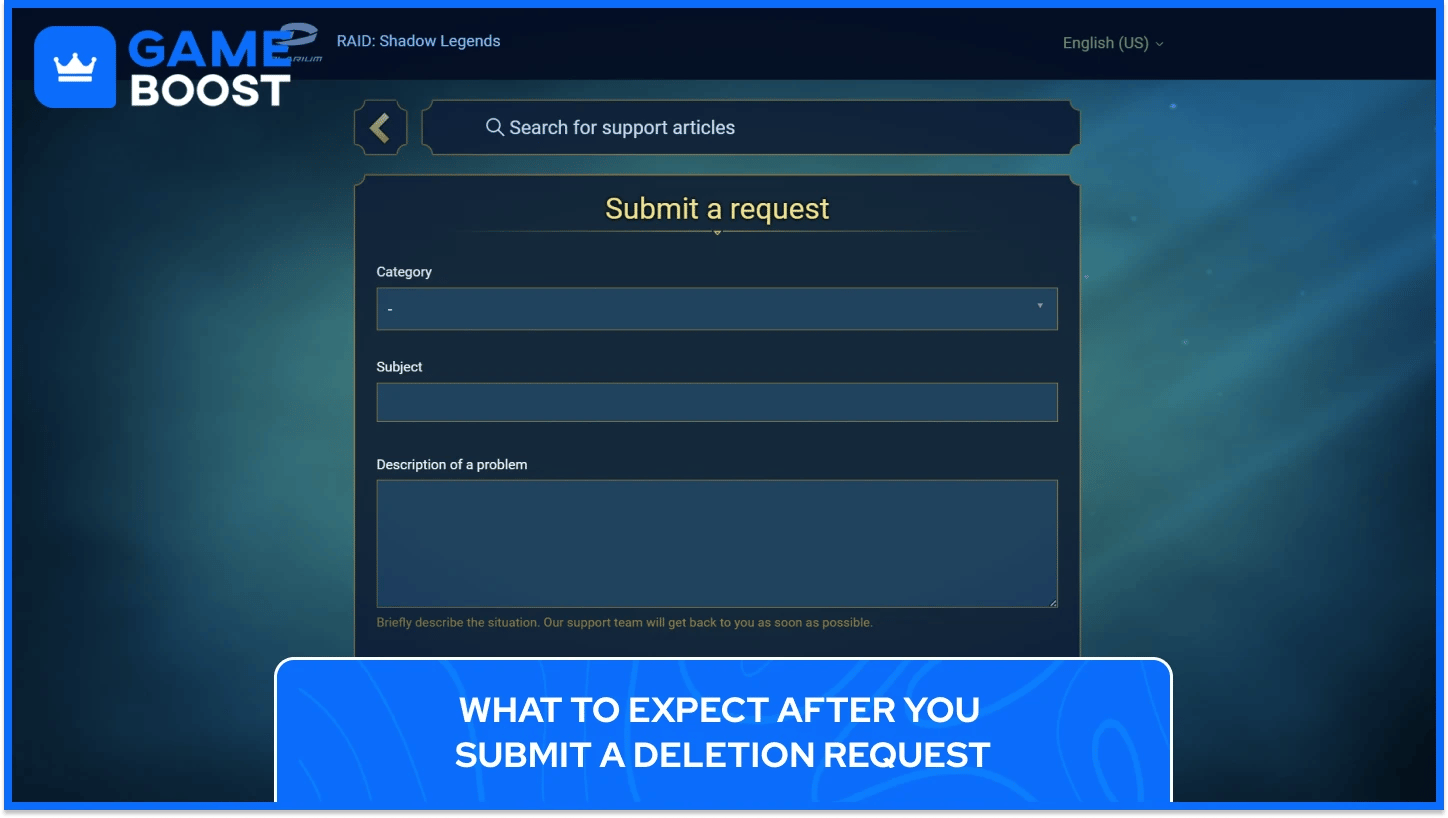
Submitting a request to delete the Raid Shadow Legends account doesn't result in an immediate deletion. Once the Plarium ID deletion is initiated, the system sends an email containing a recovery link that can be used at any time to restore the deleted account. That recovery window exists for players who change their mind after submitting, so the decision isn't completely locked in the moment you hit confirm.
If you no longer have access to the email containing the recovery link, a ticket can be submitted to Plarium's Game Account Access category with the email address associated with the deleted Raid Shadow Legends account.
For players who have simply walked away from Raid Shadow Legends without formally requesting deletion, Plarium handles that on their end over time. Under the EU General Data Protection Regulation, any Raid Shadow Legends account that has been inactive for over three years is subject to deletion. So an abandoned account won't sit on Plarium's servers indefinitely, regardless of whether a formal request was ever made.
Also Read: Raid Shadow Legends: Recovering a Locked or Hacked Account
Not every reason players look into deletion actually requires going through with it. There are a few options that achieve a similar outcome without permanently deleting a Raid Shadow Legends account:
Starting fresh: Starting a new game in Raid Shadow Legends doesn't require deleting your current account. On PC, you can preserve your current account and create a new Plarium Play profile by selecting Add Account in the account management menu. On mobile, logging out and signing up with a different email address creates a brand new profile while leaving the original untouched.
Uninstalling the app: Removing Raid Shadow Legends from your device stops the game from being accessible without affecting any account data. Progress stays saved on Plarium's servers, and everything will be exactly where you left it if you reinstall later.
Setting time limits: Both iOS and Android have built-in screen time controls that allow daily limits on specific apps. For players who feel the game is consuming too much time rather than wanting out permanently, this keeps the account intact while reducing how often it gets opened.
Deletion makes the most sense when the goal is specifically to remove personal data from Plarium's servers. For everything else, one of the above options likely covers what's needed without the permanent consequences that come with a formal account deletion request.

Any game linked to the same Plarium ID will be affected by the deletion request. If you have active accounts in other Plarium titles, those will be removed along with your Raid Shadow Legends progress once the deletion is processed.
Plarium removes account information, game progress, purchase history, and virtual items as part of the deletion. External data, such as message history, sits outside the account and is not covered by the deletion process.
Plarium sends a recovery link via email after a deletion request is submitted, and the account remains recoverable during that window. The full deletion only completes after identity verification and once you haven't used the recovery link to reverse it.
There's no official in-game option to delete a single game profile while keeping the Plarium ID active. For players managing multiple accounts, the practical workaround is to change the email address on an unwanted account to a disposable one, effectively detaching it from any active email you use.
Plarium automatically deletes accounts that have been inactive for over three years to comply with GDPR. If you're a returning player who hasn't logged in for an extended period, there's a chance your account may already be gone.
For players who are genuinely done with the title, the request route through in-game support or the Plarium website is the clearest path towards deleting the Raid Shadow Legends Account. For everyone else, the ability to create a second profile or simply step away without formally deleting anything makes the nuclear option worth reconsidering.
“ Kristina joined GameBoost in 2024 as an SEO specialist and quickly became the go-to writer for third-person shooter and competitive games. She covers titles like Fortnite, Valorant, League of Legends, GTA 5, and Roblox, focusing on how-to guides, practical tips, and updates.”