
•Filip Premuš• 6 min read
Gift Cards
Minecraft is one of the most popular sandbox games worldwide, with two main editions: Java Edition and Bedrock Edition. The franchise also includes spinoff games like Minecraft Dungeons and Minecraft Legends. Players build, explore, and survive in blocky procedurally-generated worlds across multiple platforms, including PC, Xbox, PlayStation, Nintendo Switch, iOS, and Android.
Gift cards for Minecraft serve different purposes depending on the type. Some cards unlock the base game itself, while others provide Minecoins, the in-game currency used exclusively in the Minecraft Marketplace.
Most Minecraft gift cards require a Microsoft account for redemption since Microsoft acquired Mojang Studios. In this article, we'll explore the different types of Minecraft gift cards, explain the redemption process, and identify where to purchase them.
Also Read: Zalando Gift Cards: Everything to Know
Minecraft offers several distinct gift card categories, each designed for specific purchases within the Minecraft ecosystem.
Minecraft Game Cards unlock access to the full game.
Minecoins Cards provide virtual currency for the Minecraft Marketplace. Minecoins work only in Minecraft: Bedrock Edition and cannot be used in Java Edition. The currency purchases skin packs, texture packs, worlds, mash-up packs, and adventure maps created by the Minecraft community.
Minecraft Realms Plus Subscription Cards provide server hosting for multiplayer worlds.
Minecraft Shop eGift Cards work exclusively for physical merchandise like apparel, accessories, and collectibles. These cards cannot purchase in-game content, Minecoins, or the game itself.
Each card type serves a distinct function, so verify the card description before purchasing to ensure it matches your intended use.
Also Read: How to Redeem GameStop Gift Cards: Step-by-Step Guide
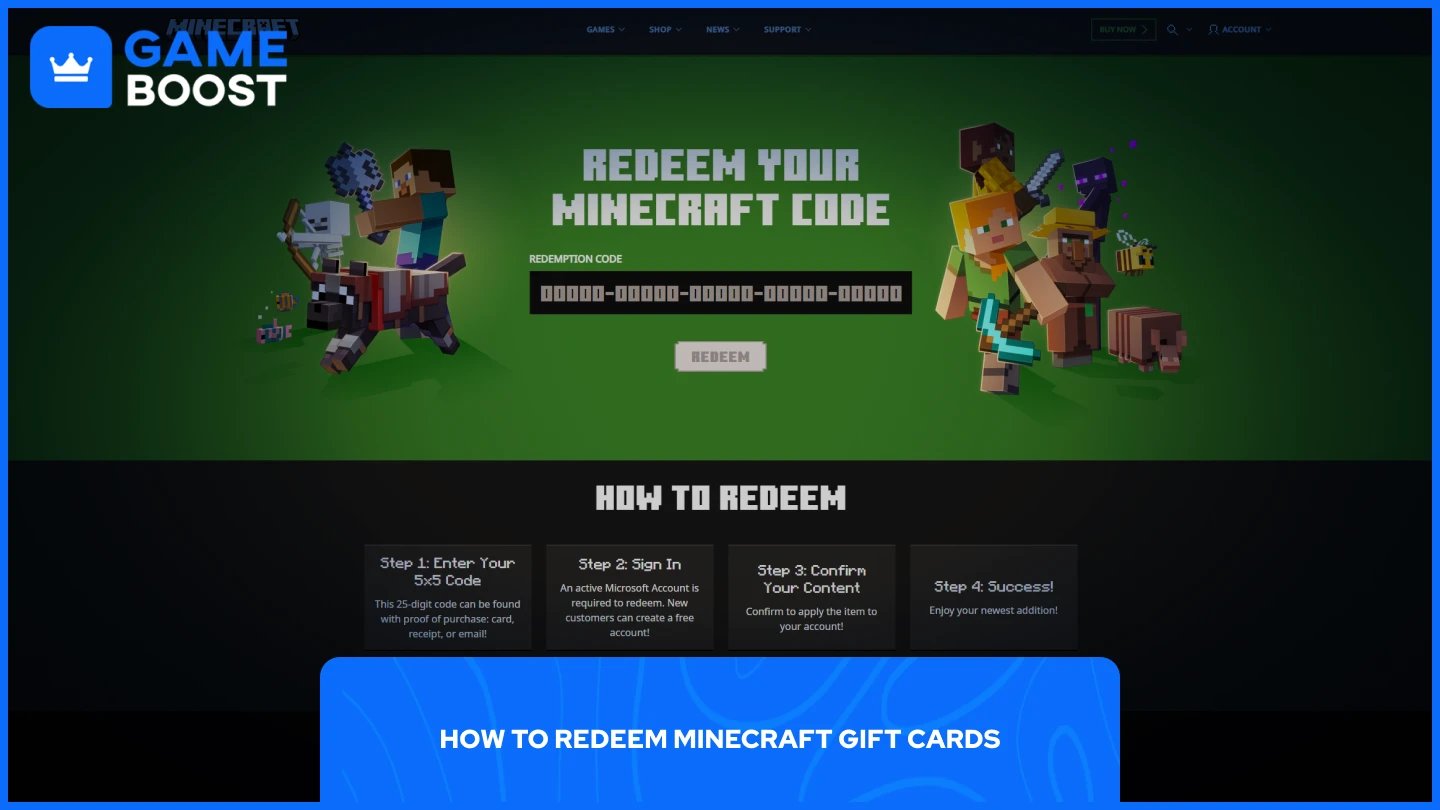
Redemption methods vary by card type and platform. Most cards use the official Minecraft redemption portal:
Visit minecraft.net/redeem and sign in to your Microsoft account.
Enter your 25-digit code exactly as shown on your card. Some promotional codes use a 5x5 format instead.
Click the “Redeem” button to process the code.
Check your email for download instructions if you purchased a game, or verify your Minecoin balance in the Minecraft Marketplace.
Minecoins appear immediately in your account balance after redemption. Access the Marketplace through any device running Minecraft: Bedrock Edition to see your available coins.
Microsoft accounts are mandatory for all redemption processes. Cards purchased before December 2020 for Java Edition specifically may require contacting Minecraft Player Care for assistance if standard redemption fails.
Microsoft Store sells Minecraft gift cards directly through their online platform and Xbox storefronts. Digital codes deliver instantly after purchase, while the Microsoft Store website offers the complete selection of Minecraft products, including game downloads, Minecoins, and Realms subscriptions.
Physical retailers stock Minecraft cards at major outlets. Walmart, Target, Best Buy, and GameStop carry physical cards in various denominations for both game purchases and Minecoins. These cards typically hang in the gift card section alongside other gaming products and require activation at checkout.
Amazon offers both physical and digital Minecraft gift cards with Prime shipping options for physical deliveries. The platform stocks Minecoins packs ranging from 320 to 8,800 coins, plus full game download codes for different Minecraft versions.
GameBoost offers Minecraft gift cards below standard retail pricing. We deliver codes instantly and provide 24/7 support with cashback rewards that reduce costs even further. With competitive pricing that undercuts traditional retailers and a 4.4 Trustpilot rating from 15,000+ reviews, GameBoost combines affordability with reliability for gamers seeking the best value on gift cards.
Minecraft gift cards are split into distinct categories: game downloads, Minecoins for marketplace purchases, Realms subscriptions, and merchandise shop credits. Each serves a specific purpose within the Minecraft ecosystem. Redemption requires a Microsoft account regardless of which card type you purchase. Most cards use the minecraft.net/redeem portal, with codes processing instantly once entered correctly.
How to Redeem Microsoft Gift Cards
How to Redeem Xbox Game Pass and Gift Cards
How to Redeem Fortnite Gift Cards
Where to Buy Roblox Gift Cards
View all Entertainment Gift Cards
“ Mustafa Atteya has been writing about gaming and esports since 2023, specializing in competitive game content and player improvement guides. At 25, he brings both hands-on gaming experience and professional SEO writing expertise to the GameBoost team.”