
.png)

•Hamza Rashid• 10 min read
League of Legends
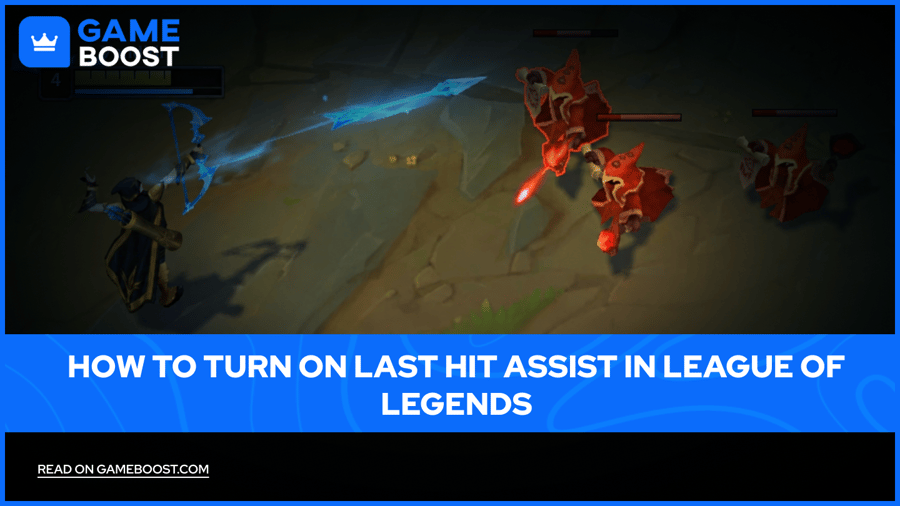
In League of Legends, farming minions cleanly separates strong laners from players who fall behind early. Last Hit Assist is a client setting that marks a minion's health bar the moment a basic attack will kill it, turning a guess into a clear visual signal.
The toggle sits inside the interface menu rather than the default view, so most accounts never see it active without looking for it. This piece covers what the feature does, the exact steps to turn it on, where it currently works, and how to get the most out of it.
Last Hit Assist marks minion health bars the moment a basic attack will secure the kill
The toggle sits under Settings, Interface, Health and Resource Bars, labeled Show Last Hit Assist
Existing accounts start with it off. Accounts created after its release have it on automatically
Calculations cover permanent damage like base AD and on-hit effects, not active spell damage or crit chance
Azir's W and Graves fall outside current support
The feature works only in select non-competitive queues, not ranked or standard draft
Last Hit Assist places a visual marker on minion health bars. Once a minion's health drops low enough for a single basic attack to kill it, the bar changes color to flag that threshold.
The system reads permanent damage sources, such as base attack damage from leveling and items, along with most on-hit effects the game already tracks. Active spell damage and critical strike chance stay outside the calculation, and a few champions with unusual attack patterns, including Azir's W and Graves, sit outside current support.
Buy League of Legends Accounts
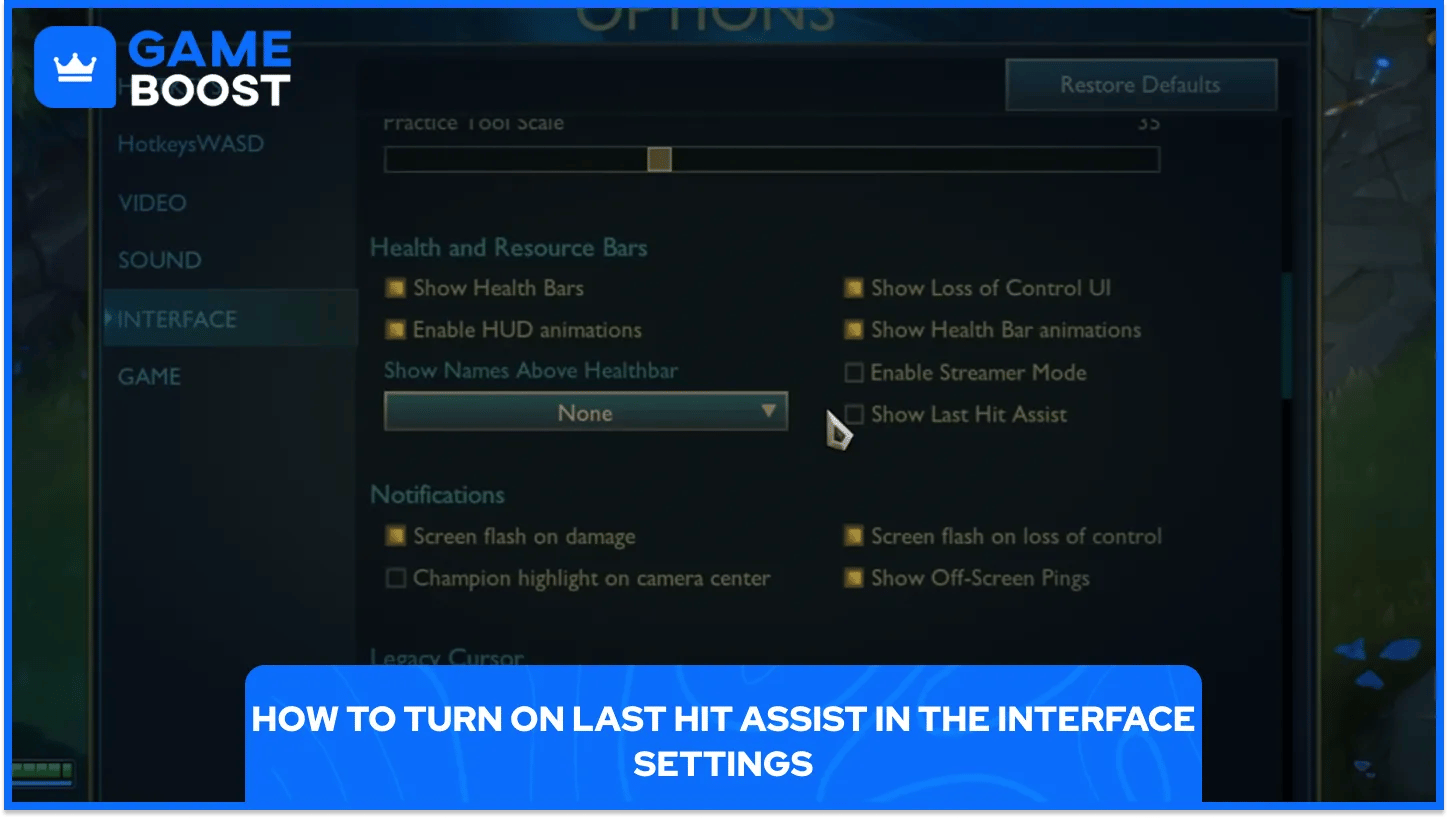
Turning on the option takes a short trip through the client menu, and the steps stay the same on every account.
Open the client and select Settings
Click into the Interface tab
Scroll to Health and Resource Bars
Toggle on Show Last Hit Assist
Close the menu to save the change
The setting saves per account, so it stays active until switched off again. Existing accounts start with it disabled. Accounts created after the feature's release have it on by default.
Players coaching newer accounts or reviewing their own farming can flip the toggle at any point, since it carries no match restriction or cooldown.
The feature does not run everywhere. Riot limited it to queues where newer players spend most of their time, keeping ranked skill expression untouched for now. The supported queues are:
Queue | What It Covers |
|---|---|
Co-op vs. AI | Matches against bots |
Tutorials | The guided onboarding flow |
Swiftplay | Matchmade games |
Custom Games | Private lobbies |
Practice Tool | Solo reps against a static wave |
Rotating Game Modes | Limited-time modes on Summoner's Rift |
Ranked queues and standard draft sit outside this list for now, so players still build last-hit timing without the visual aid once they queue into those modes. Practice Tool and Co-op vs. AI give the most room for repetition, since both allow the same lane scenario more than once.
Turning the setting on solves half the problem, since reading the cue well still takes repetition.
Drill in Practice Tool against a static wave to build timing
Watch the bar color, not just the minion model, for a faster read
Pre-fire on ranged champions, since active damage and crit chance sit outside the calculation
Turn the assist off later to confirm the habit holds without it
Pairing the indicator with deliberate reps in Co-op vs. AI or Practice Tool builds a stronger base than leaving it on in casual games alone.
Players aiming for ranked, where the tool does not yet appear, get the most value by treating it as a training aid rather than a long-term crutch.
Last Hit Assist works best as a bridge between guesswork and instinct, since the cue disappears once a player queues into ranked. Building steady last-hit timing in Practice Tool or Co-op vs. AI, with the indicator on, creates a habit that holds up once the assist gets switched off. Treating the tool as a training aid early, then leaning on a personal read of minion health later, gets the most long-term value out of it.
Buy LoL Skins
Buy Riot Points
League of Legends Boosting Service
LoL Accounts for Sale
View all GameBoost Accounts
View all GameBoost Boosting Services
View all GameBoost Currencies
View all GameBoost Game Keys
View all GameBoost Gift Cards
View all GameBoost Top Ups
View all GameBoost Items
“ Hamza is your average video game enthusiast who’s always looking for his next game to play. Whether he’s diving into a competitive multiplayer match, exploring a massive open world, or getting completely hooked on a new release, gaming has always been one of his favorite ways to spend his time. Over the years, his love for games has grown into a passion for understanding and sharing everything about them. Through his articles, Hamza aims to help gamers discover new games, improve their skills, stay up to date with the latest gaming news, and get the most out of their favorite titles.”