

•Hamza Rashid• 8 min read
Fortnite

Fortnite Crew is a monthly subscription that gives you access to exclusive cosmetics, in-game passes, and a set amount of V-Bucks every billing cycle. For most players, it's a reliable way to stay stocked without buying V-Bucks separately. Players who need more in the meantime can also look at V-Bucks on GameBoost.
That said, missing V-Bucks after a renewal is a more common issue than you'd expect. Several factors can cause them not to show up, and the fix isn't always obvious. In this article, we'll explore the most common reasons your Fortnite Crew V-Bucks aren't showing up and what you can do to fix each one.
Also Read: How to Redeem V-Bucks on Xbox: Step-by-Step Guide

The Crew Pack and V-Bucks are delivered on different schedules. The Crew Pack drops on the last day of the month, while V-Bucks arrive on your billing date.
V-Bucks can take up to 72 hours to appear after your billing date. Logging out and back in can help trigger them.
A failed payment or lapsed renewal can stop V-Bucks from being granted, even if the Crew Pack still shows as active.
You can check your subscription status through the Epic Games Launcher, the in-game Battle Pass tab, or your platform's account management page.
If V-Bucks are still missing after 72 hours, contact Epic Games support or your platform's support team depending on where you subscribed.
This is one of the most common points of confusion with Fortnite Crew. The Crew Pack and the V-Bucks are delivered on different schedules. The Crew Pack is distributed at approximately 8 PM EDT on the last day of each month. The V-Bucks, on the other hand, are added to your account on your billing date, which can fall on any day of the month depending on when you originally subscribed.
So if you subscribed on the 15th, your V-Bucks will arrive on the 15th of each month, not at the end of the month alongside the Crew Pack. It can also take up to 72 hours for the V-Bucks to appear after your billing date. If they still haven't shown up after that window, try logging out and back in.

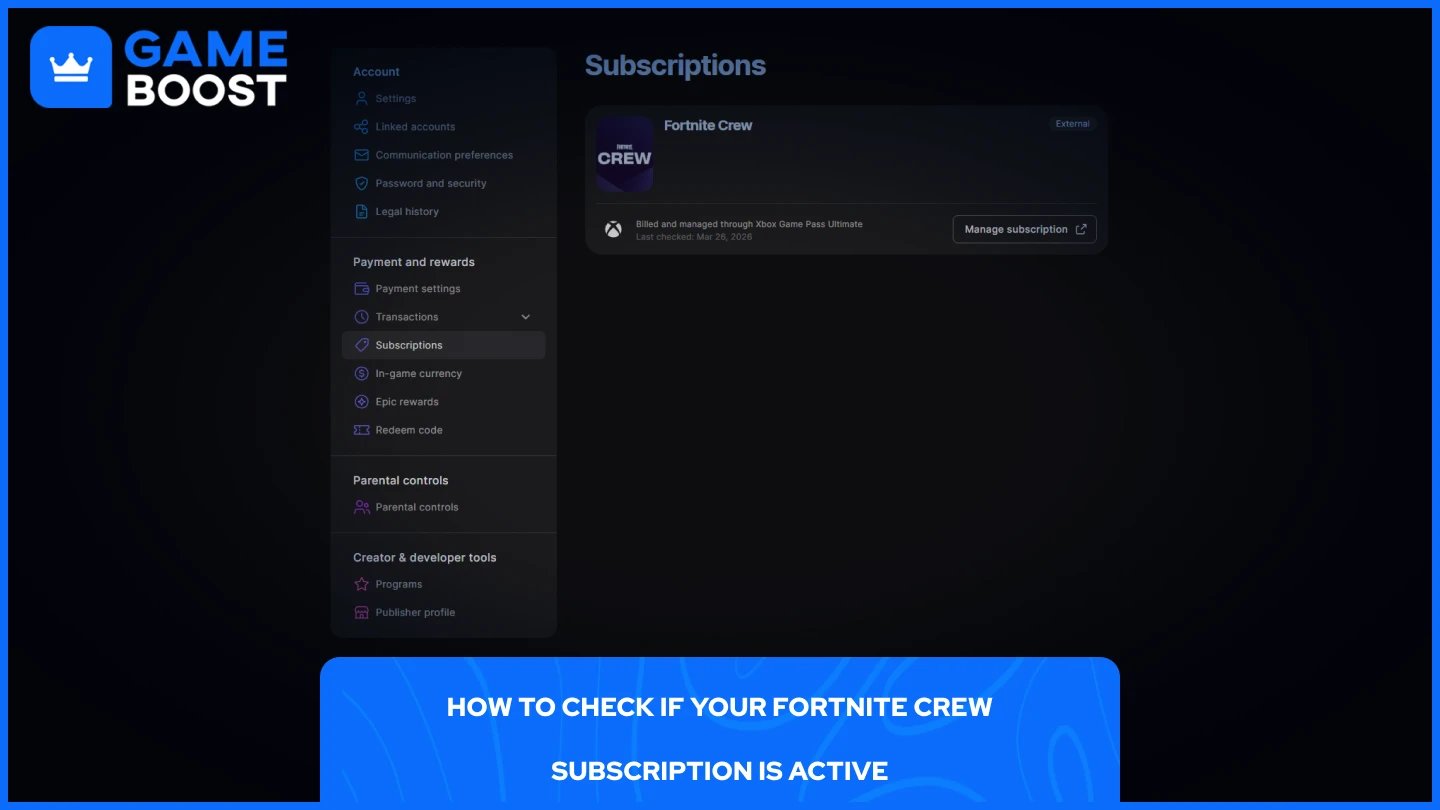
If your V-Bucks are missing and the 72-hour window has passed, the next step is to confirm your subscription is actually active. A failed payment or lapsed renewal can cause V-Bucks to stop arriving without any obvious notification. A separate article breaks down what Fortnite Crew includes.
You can check your billing date and subscription status directly through the Epic Games Launcher by signing in, hovering over your display name, clicking Account, and then selecting Subscriptions from the left-hand menu.
You can also check from within the game itself:
Launch Fortnite.
Navigate to the Battle Pass tab.
Locate the Fortnite Crew tile, usually in the bottom left corner.
Click on it to view your subscription status and next billing date.
If you subscribed through PlayStation, Xbox, or Nintendo Switch, you'll need to manage and verify your subscription through each platform's respective account management page.
Also Read: How to Redeem V-Bucks on Nintendo Switch
If you've confirmed your subscription is active, your billing date has passed, and more than 72 hours have gone by, there are a few things you can try before contacting support.
First, log out of Fortnite completely and log back in. This refreshes your account data and often triggers the V-Bucks to appear. Make sure you're logging into Fortnite on the same platform where the subscription was purchased, as V-Bucks are platform-specific.
If that doesn't work, double-check that your payment went through successfully. A declined charge can leave your subscription in a state where the Crew Pack still shows as active, but the V-Bucks aren't granted.
If the issue persists, contact Epic Games support directly. For purchases made through external platforms like PlayStation or Xbox, you'll need to reach out to the respective platform's support team instead.
Missing V-Bucks from Fortnite Crew usually comes down to a billing date mismatch, a short delivery delay, or a subscription issue that's easy to overlook. In most cases, logging out and back in after your billing date resolves it. If it doesn't, checking your subscription status through the Epic Games website or your platform's account page will point you in the right direction. Persistent issues are best handled through Epic Games support or your platform's support team directly. If the subscription is no longer worth keeping, a separate guide explains how to cancel it.
Buy Fortnite Skins
Fortnite V-Bucks Top Up
Fortnite Accounts For Sale
View all GameBoost Accounts
View all GameBoost Boosting Services
View all GameBoost Currencies
View all GameBoost Game Keys
View all GameBoost Gift Cards
View all GameBoost Top Ups
View all GameBoost Items
Buy CS2 Skins
“ Mustafa Atteya has been writing about gaming and esports since 2023, specializing in competitive game content and player improvement guides. At 25, he brings both hands-on gaming experience and professional SEO writing expertise to the GameBoost team.”