

•Patrik Mršnik• 16 min read
Game Keys
Ubisoft is a major force in the video game industry, both developing and publishing titles that millions enjoy worldwide. The company operates its own dedicated launcher, Ubisoft Connect, which functions similarly to Rockstar Games' platform, allowing players to access and manage their game library. While Ubisoft games remain available on popular platforms like Steam and Epic Games, some players choose to use Ubisoft Connect directly.
Redeeming game codes on Ubisoft Connect doesn't need to be complicated. In this article, we’ll provide a straightforward guide to activating Ubisoft games you've purchased. We'll walk through each step of the redemption process to ensure you can start playing your games without unnecessary delays.
Ubisoft activation codes are alphanumeric strings, typically 16 or 19 characters long, that unlock games on Ubisoft Connect. They cover Ubisoft's biggest series, and you can find them in our Assassin's Creed games collection, Far Cry games collection, and Tom Clancy games collection. These codes function identically to other game activation keys in the digital marketplace.
Players can obtain these codes through various channels. Many purchase them from third-party retailers like GameBoost, which specializes in selling cheap Ubisoft Connect keys at competitive prices. Another common scenario involves owning a game on a different platform, such as Steam, then using the associated activation key to redeem it on Ubisoft Connect.
This dual-platform activation offers a significant advantage, the ability to play your purchased games across multiple platforms without buying them twice. For instance, if you've already purchased a Ubisoft title through Steam, you can use its activation code to add the game to your Ubisoft Connect library, giving you access to the game through either launcher.
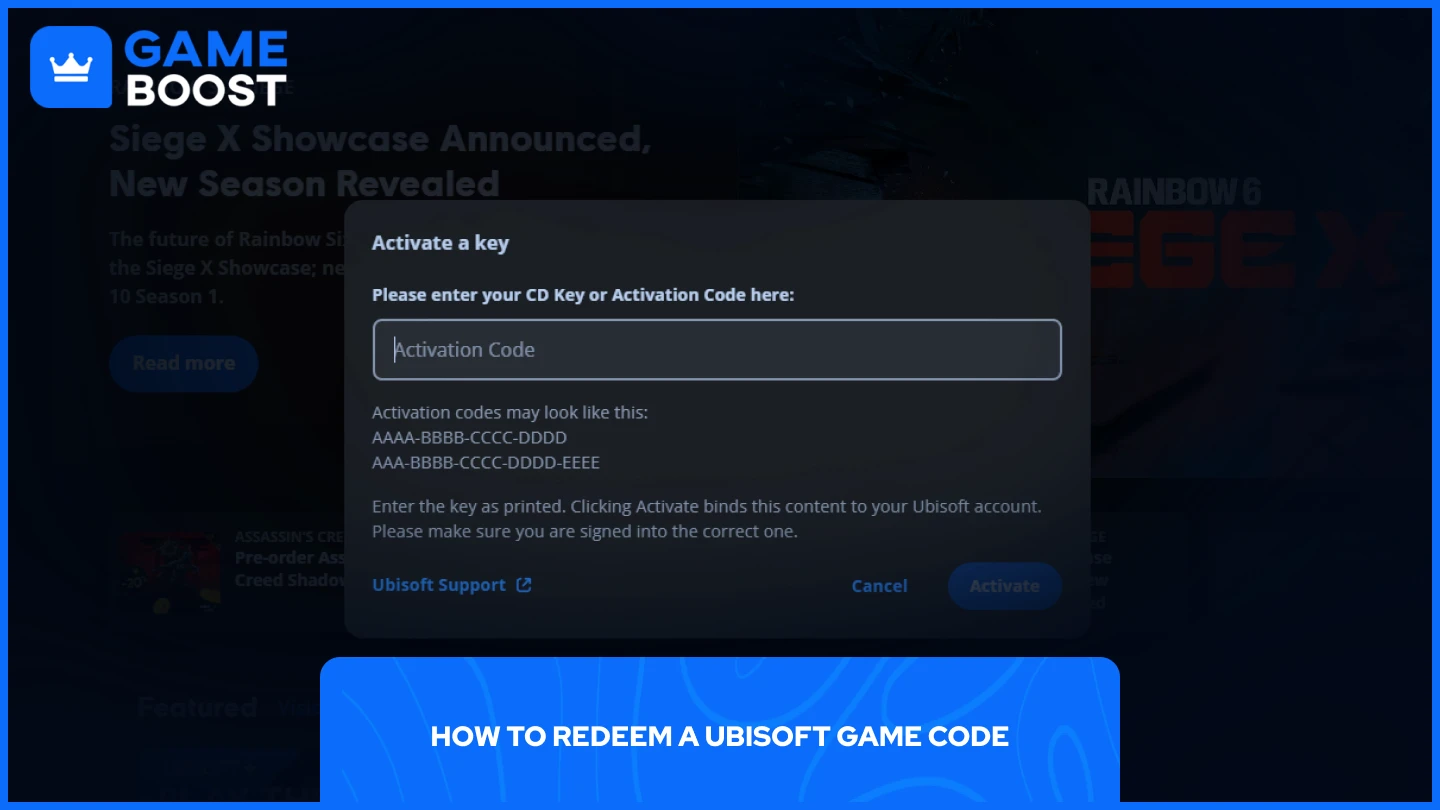
Redeeming your Ubisoft game code takes just a few steps. The process works the same whether you purchased the code from Ubisoft directly or from a third-party retailer.
Download and install Ubisoft Connect from the official website
Log in to your account (or create one if you don't have it yet)
Click on your Avatar at the top left corner of the application
Select "Key Activation" from the dropdown menu
Enter your key and click "Activate"
After activation, the game automatically links to your Ubisoft account. You can access it immediately through your Library section within Ubisoft Connect. The game will remain in your collection permanently, even if you uninstall and reinstall the Ubisoft Connect launcher later.
No, you can't redeem codes on the mobile version. Codes are only redeemed through the Ubisoft Connect PC application. The mobile app doesn't include the key activation feature found in the desktop version, so you'll need access to a computer to add new games to your library using activation codes.
Ubisoft codes can only be redeemed through the Ubisoft Connect PC application. Open the app, click your avatar in the top left corner, and select "Key Activation" from the dropdown menu. Enter your code in the provided field and click "Activate."
Redeeming Ubisoft codes is straightforward once you know where to look. Remember that all code activations must happen through the desktop Ubisoft Connect application, not the website or mobile app. With your games properly activated, you'll have permanent access to them in your Ubisoft library, ready to download and play whenever you want.
Still looking for a code? See the best websites to buy Ubisoft Connect keys.
View all Ubisoft Connect Keys
View all GameBoost Game Keys
View all GameBoost Accounts
View all GameBoost Boosting Services
View all GameBoost Currencies
View all GameBoost Gift Cards
View all GameBoost Top Ups
View all GameBoost Items
“ Mustafa Atteya has been writing about gaming and esports since 2023, specializing in competitive game content and player improvement guides. At 25, he brings both hands-on gaming experience and professional SEO writing expertise to the GameBoost team.”


