

•Mario Juričević• 14 min read
Raid Shadow Legends
Early decisions in Raid Shadow Legends carry a lot of weight, and once you realize you've burned resources on the wrong champions or built yourself into a dead end, starting over becomes a real option worth considering. The problem is that the game doesn't make the reset process obvious, and it works differently depending on the platform you're on. This article covers every method available to reset your Raid Shadow Legends progress, what you'll lose in the process, and what's worth thinking about before you make the call.
Raid Shadow Legends has no built-in reset option — starting fresh means creating a completely new account, with all existing progress locked to the old profile
Resetting wipes everything, including collected champions, gear, artifacts, Gems, Silver, Shards, campaign progression, and event rewards
On mobile, the reset runs through the Plarium ID tab in your Profile, with a separate process for players who want to reuse the same email address
On PC, Plarium Play's "Add Account" option lets players run a second profile without touching the original account at all
Epic skill tomes wasted on weak champions in the first week or two is one of the strongest cases for resetting
Players who have been grinding for more than a month or have spent real money are generally better off continuing on the same account
Raid Shadow Legends benefits the least from rerolling among gacha RPGs, making each reset attempt more time-consuming than in most comparable games
Raid Shadow Legends does not have a built-in button to reset your Raid Shadow Legends account. It is currently impossible to reset in-game progress on an existing account. The only way to start fresh is to create a new account entirely, which means your current champions, gear, resources, and progress stay locked to the old profile. The process works differently on mobile and PC, but the core idea is the same across both platforms.
However, before touching anything, you need to know that resetting means losing all your champions, resources, gear, and progress. More specifically, resetting your Raid Shadow Legends account includes losing:
All collected champions, including any Epics or Legendaries you've pulled
Gear and artifacts you've farmed and upgraded
In-game currency, including Gems, Silver, and Shards
Campaign progression and dungeon unlocks
Limited-time event rewards and monthly login bonuses accumulated on the account
Any limited-time events, monthly login rewards, and accumulated Daily Quests will reset, which can be a significant setback. If real money was spent on the account, that investment does not carry over to a new profile either.
Buy Raid Shadow Legends Accounts
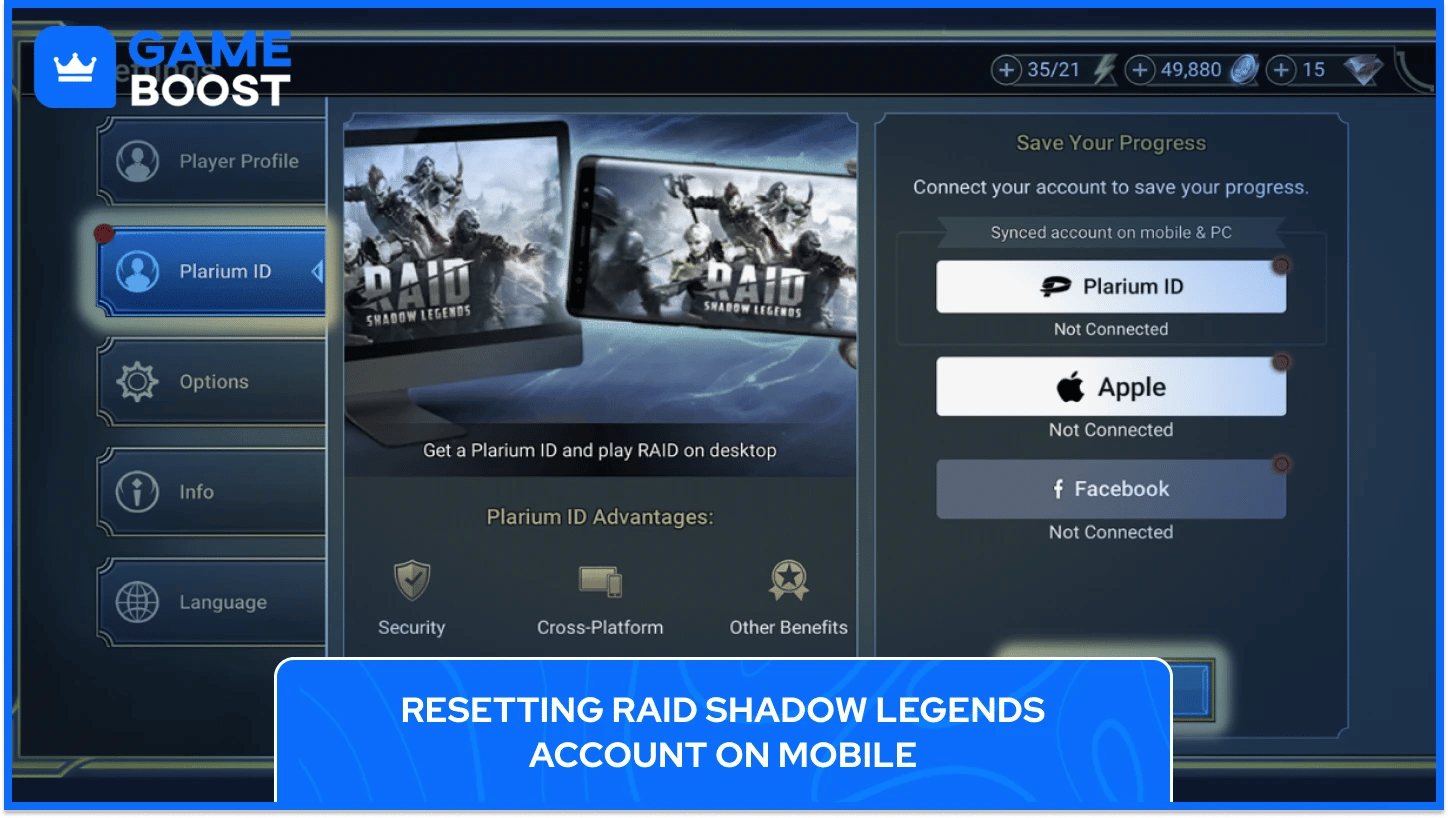
On mobile, the reset process of the Raid Shadow Legends account runs through your Plarium ID, and the steps differ slightly depending on your email situation. Players who want to reuse their current email on the new Raid Shadow Legends account need to swap it out on the old profile first before logging out.
To log out of your current Raid Shadow Legends account and start fresh, follow these steps:
Open your Profile
Navigate to the Plarium ID tab
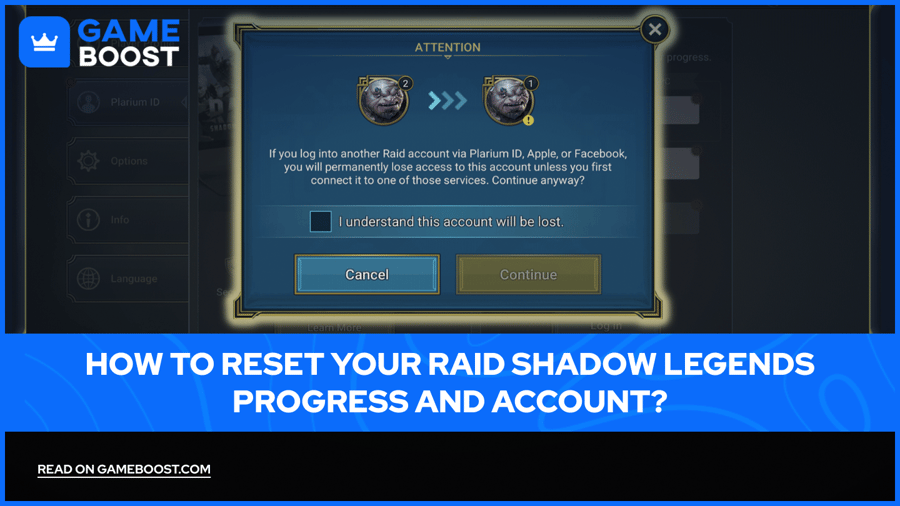
Read the warning window, check the "I understand this account will be lost" box, and tap Continue
If reusing the same email address on the new account is the goal, the current profile needs a placeholder email assigned to it first. Here's how to change the email on your existing Raid Shadow Legends account:
Open your Profile page
Go to the Plarium ID tab
Tap Manage your Plarium ID
Open the Account Info tab in the top right corner
Click Manage next to your email address
Change the email to a different one
Once the email swap is done, logging out of the current account frees up the original address for a brand new Raid Shadow Legends profile. The old account itself won't be deleted, but without the Plarium ID credentials tied to it, recovering that progress later won't be an option.
Also Read: How to Delete a Raid Shadow Legends Player Account?
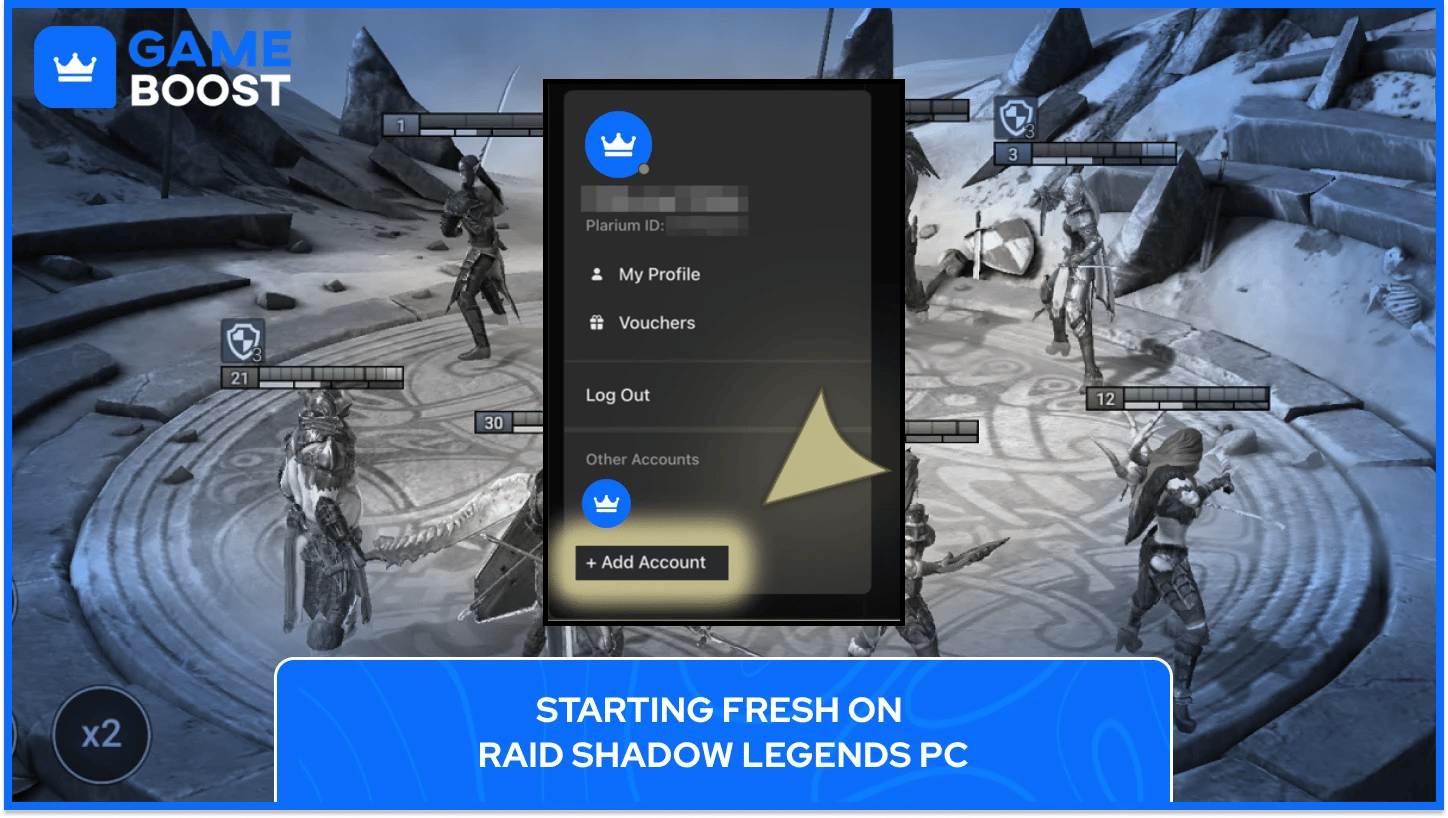
Starting over on PC follows a similar logic to mobile, just with fewer steps involved. Logging out of the current Plarium Play profile and creating a new one is all it takes to get a fresh Raid Shadow Legends account up and running.
If you want to reuse the same email address on the new account, update it on the existing profile before logging out:
Open your Profile page on Plarium Play
Switch to the Settings tab
Go to Account Settings
Change the current email address to a placeholder one
After logging out, the original email is free to register a brand-new Raid Shadow Legends account from scratch.
There's also a second option for players who want to keep their current Raid Shadow Legends progress untouched. Plarium Play lets you add a completely separate profile alongside the existing one, without interfering with any champions, gear, or resources already on the original account. To do that, select "Add Account" in the account management menu and set up the new Plarium Play profile from there.
This approach works well for players who want to test a fresh start on PC without permanently abandoning their current Raid Shadow Legends progression. Both profiles stay accessible and can be switched between at any time.
Starting over in Raid Shadow Legends is a real-time investment, so it only makes sense in specific situations. Players who have upgraded multiple weak champions and burned through Silver or energy early on will find it genuinely difficult to recover on that same account. The same goes for Epic skill tomes spent on the wrong champions, as those resources are among the hardest to come by in the entire game, and losing them in the early stages can stall Raid Shadow Legends progression for weeks.
Not every rough patch justifies wiping a Raid Shadow Legends account, though. Players who have been grinding regularly for more than a month, especially those who have spent real money on champions, gear, or resources, are better off pushing forward. There's also a middle ground, creating a second Plarium ID to run a fresh account alongside the original. That way, the existing champions, artifacts, and progress stay completely untouched, and the new account can be tested without any permanent consequences.
One more thing to keep in mind before pulling the trigger on a full reset: Raid Shadow Legends is one of the gacha RPGs that benefits the least from rerolling. The game has no built-in reroll system and doesn't hand out summoning materials generously in the early stages, which makes each reset attempt more drawn-out compared to other titles in the genre. A full Raid Shadow Legends account wipe should be a last resort, not a first reaction to a bad run of pulls.
Plarium support handles account recovery for lost or compromised accounts, but the team does not perform manual progress resets on request.
Uninstalling the app only removes it from your device. If you haven't connected your progress to a Plarium ID and have no desire to save your current progress, closing the game, uninstalling, and reinstalling will start you from scratch. If the account is linked to a Plarium ID, the progress is saved and will load again once you log back in.
Plarium permits multiple accounts, but running an excessive number carries risk. Based on community reports, accounts associated with more than a handful of profiles can attract attention from moderation systems, so keeping the number reasonable is the safer approach.
Resetting a Raid Shadow Legends account is a bigger commitment than it looks on the surface, mainly because the game gives you no shortcuts through the early grind the second time around. For players deep into their accounts’ progress, the multi-profile option through Plarium ID is the smarter path since it lets you experiment without permanently closing the door on existing progress. For anyone still in the early stages with a misbuilt account, a clean slate with better decision-making behind it can absolutely pay off.
“ Kristina joined GameBoost in 2024 as an SEO specialist and quickly became the go-to writer for third-person shooter and competitive games. She covers titles like Fortnite, Valorant, League of Legends, GTA 5, and Roblox, focusing on how-to guides, practical tips, and updates.”