


•Mustafa Atteya• 4 min read
Clash Royale

A lot of Clash Royale players end up wanting more than one account, and for good reason. Testing new deck builds without risking your main trophy count, managing different clan responsibilities, or simply starting fresh while keeping your original progression are all solid reasons to run multiple accounts on the same device.
The game supports this natively through its Supercell ID system. Each account is linked to a separate email address, and switching between them is straightforward once everything is set up. The process works on both Android and iOS, though the steps differ slightly depending on your platform.
In this article, we'll explore exactly how to use multiple Clash Royale accounts on one device, walking you through the full setup process for both Android and iOS.
Also Read: How to Link and Unlink Your Account in Clash Royale

Clash Royale supports multiple accounts natively through Supercell ID, no third-party apps required.
Each account needs its own unique Supercell ID linked to a separate email address.
To create a second account, log out of your current Supercell ID, complete the tutorial, then register a new Supercell ID with a different email.
You can save up to 50 Supercell IDs on one device, making it easy to manage multiple profiles without re-entering credentials each time.
There is no limit on how many accounts you can create, but each one requires its own email and independent progression.
Also Read: Where to Buy Clash Royale Accounts
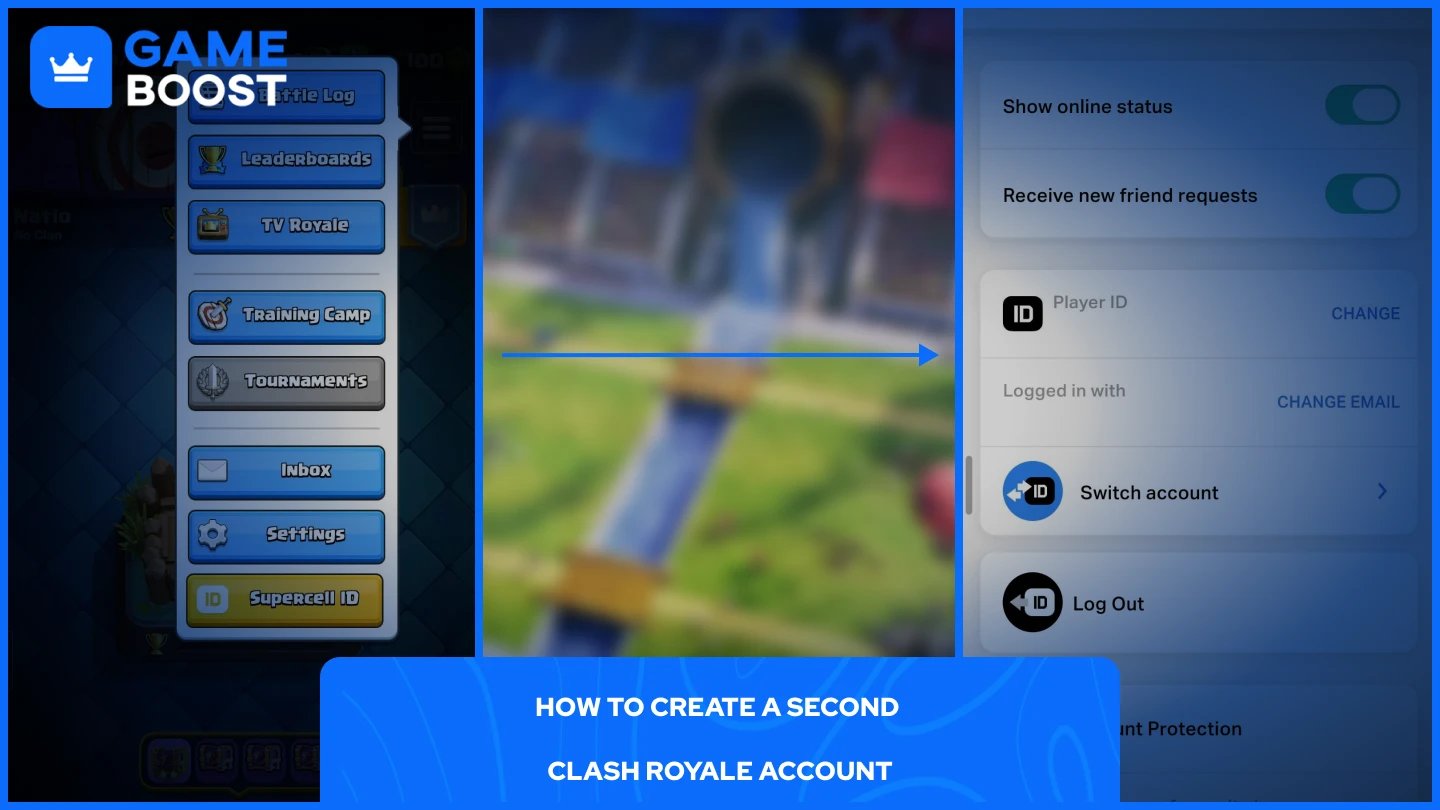
The recommended way to manage multiple accounts is through Supercell ID, which securely saves your progress and lets you log in across devices without losing anything. Each account requires its own unique email address. Here's how to set one up:
Open Clash Royale and go to Settings.
Tap your Supercell ID and select "Log Out," then confirm.
The game will restart. When prompted, select "Play without Supercell ID."
Complete the short tutorial to generate a new account.
Go back to Settings, tap Supercell ID, and select "Register."
Enter a new email address you haven't used for Clash Royale before.
Check that inbox for a verification code and enter it in-game.
Your second account is now active and linked to its own Supercell ID. Repeat this process for any additional accounts you want to create.
Switching accounts works the same on both Android and iOS once your accounts are linked to Supercell IDs.
Open Clash Royale and tap the menu icon (☰) in the top right corner.
Go to Settings and tap your Supercell ID.
Select "Switch account" and choose “Log in to Supercell ID.”
Enter the email for your other account.
Enter the verification code sent to that email.
Your other account loads automatically after verification. You can save your account on your device so you won't need to enter a verification code on every login.
Also Read: Clash Royale: Account Bans, Durations, and Appeals
There is no hard cap on how many accounts you can create. Each account requires its own unique Supercell ID tied to a separate email address, and you can save multiple accounts on a single device. In practice, most players stick to two or three accounts since each one requires its own progression, card upgrades, and clan commitments. Creating more accounts than you can realistically maintain will leave most of them sitting idle with no meaningful progress.
Running multiple Clash Royale accounts on one device is fully supported through Supercell ID, and the process is straightforward once you understand how it works. Each account needs its own email address and Supercell ID, but after that, switching between them only takes a few taps from the Settings menu.
The in-game saved accounts list makes jumping between profiles quick and reliable, without needing any third-party tools. Just make sure every account is properly linked to a Supercell ID before you switch, as unsaved progress will be lost.
Buy Clash Royale Gems
Clash Royale Accounts For Sale
View all GameBoost Accounts
View all GameBoost Boosting Services
View all GameBoost Currencies
View all GameBoost Game Keys
View all GameBoost Gift Cards
View all GameBoost Top Ups
View all GameBoost Items
Buy CS2 Skins
“ Mustafa Atteya has been writing about gaming and esports since 2023, specializing in competitive game content and player improvement guides. At 25, he brings both hands-on gaming experience and professional SEO writing expertise to the GameBoost team.”