


•Hamza Rashid• 9 min read
Valorant

Valorant purchase history isn't in the game, so checking it means signing in on Riot's support site with the same Riot account used to play. Once logged in, players get a list of every Valorant Points purchase made with real money, along with the date, price and payment method.
Riot's list only covers buying VP, though. Skins, bundles and other items bought with those points don't show up, which matters for anyone trying to work out where their VP went or which purchases still qualify for a refund.
Valorant purchase history lives only on Riot's support site, not inside the game client, so players need a browser to see it.
Players sign in with their Riot account and click Get My Purchase History to load the list.
Each entry shows the date, Valorant Points amount, payment method and price paid.
Skins, bundles and Battle Passes bought with VP don't appear in the purchase history at all.
Adding up the price of every entry gives the total amount spent on Valorant, since each VP purchase lists what it cost.
Riot only refunds unused VP and unused content bought within the last 14 days.
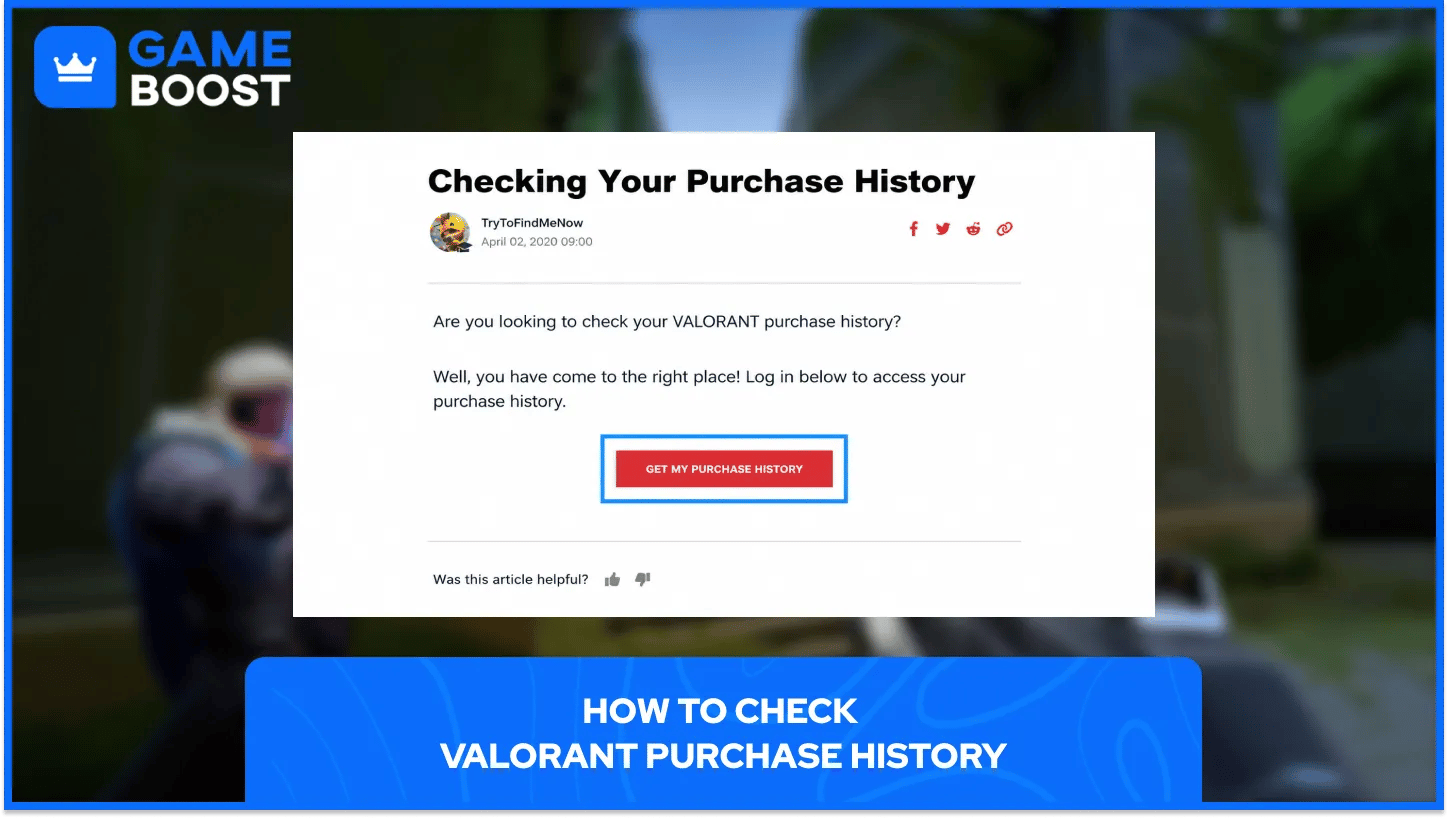
Riot keeps purchase records on its Player Support website, so the check happens in a web browser on a phone or computer. Checking Valorant purchase history takes these steps:
Open a browser and go to Checking Your Purchase History page on Riot's Valorant support site.
Click Log In and sign in with the Riot account used for Valorant, then type in the two-factor code if the account has one turned on.
Click Get My Purchase History once the page loads again, so the list of VP purchases appears on screen.
Go through each line to check the date, VP amount, payment method and price of every purchase.
Players with more than one Riot account need to sign in with the one they bought VP on, since each list only covers a single account. Anyone locked out can recover their Valorant account first and then come back to the page.
Riot's page tracks money spent on Valorant Points, the currency used for everything in the store. Every entry in the list includes the following details:
Each purchase comes with the exact date and time it was made.
Every line shows how many Valorant Points the purchase added to the account.
Riot lists the payment method used, such as a card or a gift card code.
Each entry shows the price paid in real money, in the currency used at checkout.
Items are a different story. Skins, bundles, Battle Passes and agents bought with VP never appear in the purchase history, since Riot treats spending VP as an in-game action, not a payment. Players who want to see what they own can open the Collection tab in the game, which lists every skin on the account but doesn't show prices or purchase dates.
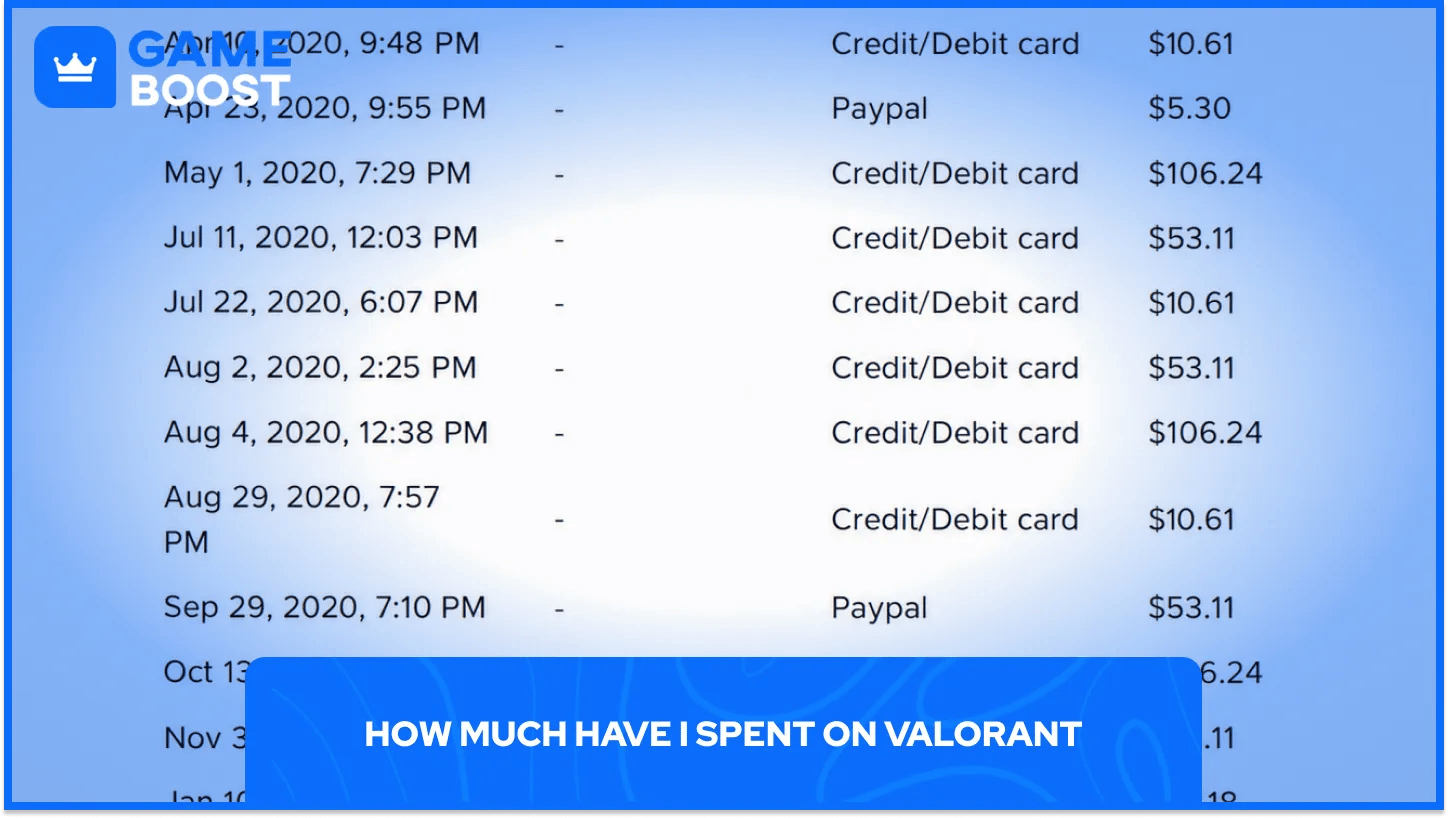
Riot's purchase history is also the easiest way to answer how much money has gone into the game. Since every real-money VP purchase is listed with its price, adding up the price of each entry gives the total spent on the account.
Store spending past that point is harder to track. Players who want a rough idea of what their VP turned into can compare their skins with how many skins are in Valorant and what each collection costs, and there's a separate way to check total money spent on Valorant step by step.
Only Riot's own website shows real purchase history. Third-party sites that ask for a Riot username and password to "calculate spending" put the account at risk, so it's safer to do the math from Riot's list.
Purchase history comes in handy when asking for a refund, since it shows the exact date and amount of each VP purchase. Riot uses those dates to decide what still qualifies, and its refund policy follows these rules:
Riot only refunds unused VP and unused content bought within the last 14 days.
Content counts as used once a player reaches a match loading screen with it equipped, in any mode, custom and practice games included.
Used or upgraded skins, Battle Passes, agents, Radianite Points and anything bought with Kingdom Credits can't be refunded.
Players refund unused VP through a ticket to Riot Player Support, and unused skins through Riot's refund page after logging in.
Valorant purchase history sits on Riot's support site and covers every real-money VP purchase, which makes it the go-to place for tracking spending and checking refund dates. Skins bought with VP stay off the list, so the Collection tab is the place to see those.
“ Mustafa Atteya has been writing about gaming and esports since 2023, specializing in competitive game content and player improvement guides. At 25, he brings both hands-on gaming experience and professional SEO writing expertise to the GameBoost team.”