



•Hamza Rashid• 7 min read
Roblox

Roblox stands out as a platform where millions of players jump between games, build virtual worlds, and hang out with friends in real time. The platform brings together players of all ages who create games, explore virtual worlds, and connect with others across millions of user-generated experiences. What makes Roblox special is that you're rarely playing alone.
With so many players interacting in the same spaces, communication becomes essential. Sometimes you need to coordinate strategies with teammates, share secrets about hidden locations, negotiate trades, or simply have a conversation without broadcasting it to an entire server. That's where private chat comes in. Knowing how to message someone privately gives you control over who sees your conversations and helps you connect with friends in a more personal way.
This guide covers every method for private chatting in Roblox, from in-game whispers to messaging friends outside of games.
In-game whispers use the /w command to send private messages in Roblox visible only to specific players in the same server
Direct messaging works outside games through friend profiles on the website and app
Party chats let up to 6 users aged 13+ to group up, play together, and communicate across experiences
Privacy settings control who can contact you through Experience chat, direct messages, and Party features
Users under 13 cannot message outside games and have stricter chat filters with hashtags blocking more words
Whispers fail when players block you, disable their direct chat settings, or when game developers turn off the feature
Parents have controls to manage children's communication settings, monitor friends lists, and set screen time limits
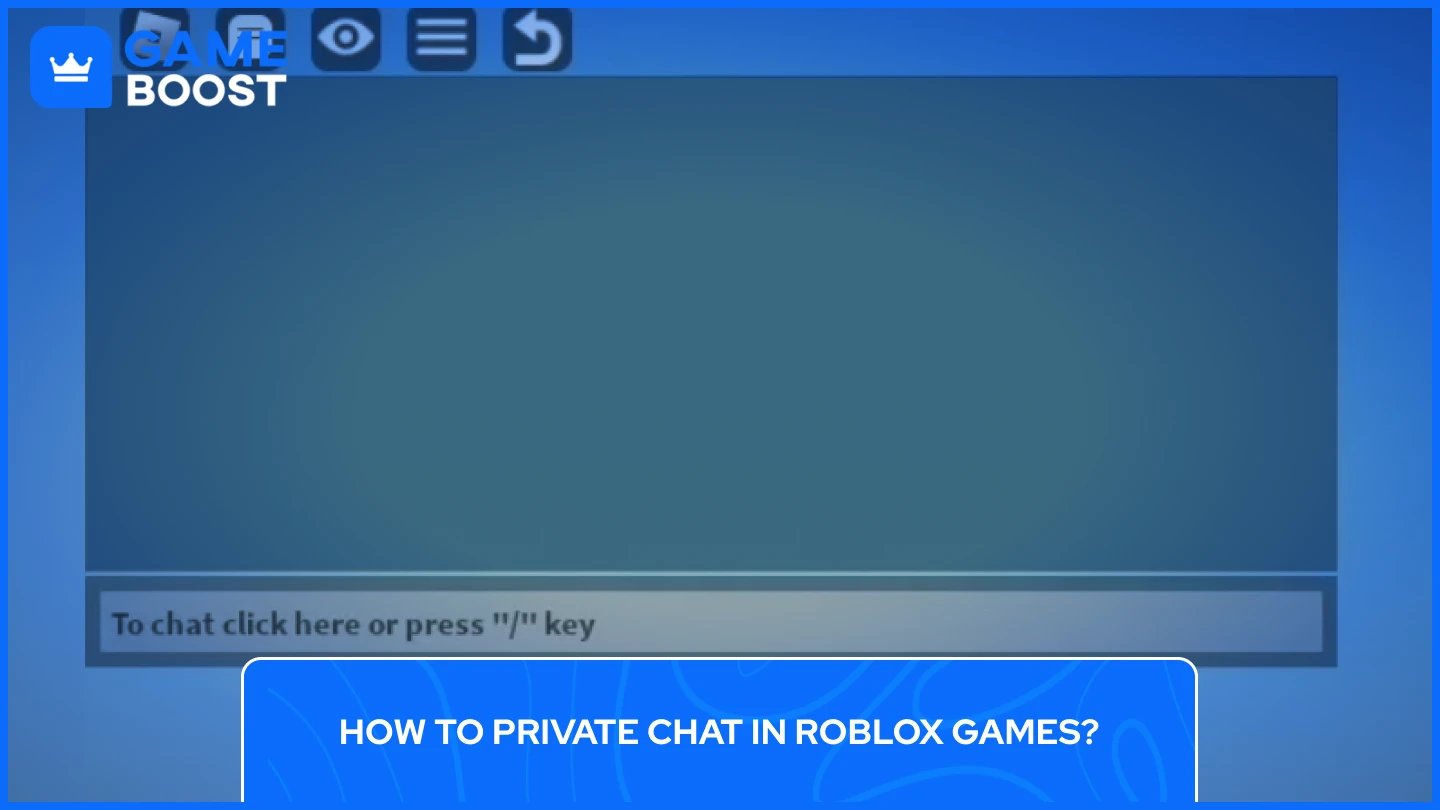
Whispering lets you send private messages in Roblox to specific players while you're inside the game. These messages are visible only to the person you're messaging, keeping your conversation private from everyone else on the server. The whisper feature works in most Roblox experiences, though some developers choose to disable it for gameplay reasons.
The fastest way to whisper is through the /w command. To start using private chat in Roblox, open the chat box by pressing the "/" key on your keyboard or tapping the chat icon on mobile. In the chat box, type /w followed by a space, then the player's username, another space, and your message. For example: /w GameBoost Hey, want to team up?
The chat will automatically recognize the command and display [To PlayerName] in purple text before you send the message. This confirms you're in whisper mode. Only the player you specified will see what you write. You can also use /whisper instead of /w if you prefer the full command, though both work identically.
Roblox helps you avoid typos by auto-completing usernames as you type. After entering /w and starting to type someone's name, the chat suggests matching players from your current server. Make sure you spell the username exactly right, including capital letters and numbers, because an incorrect name means your message won't be delivered.
You can skip typing usernames entirely by clicking on them instead. To do so, open the chat box and scroll through recent messages until you find a message from the player you want to contact. In order to start to private chat in Roblox, click directly on their username in the chat, and the system automatically enters whisper mode with [To Username] appearing in the text field. Now you can type your message and press Enter to send it.
This method works great when you're already having a conversation in public chat and want to switch to private messaging. It saves time and eliminates the risk of misspelling someone's name. You can also press the Tab key to view the player list for your current server, making it easier to find specific usernames.
Once you're in whisper mode and use private chat in Roblox, every message you send goes privately to that same player until you exit the mode. To switch back to public chat, simply press Backspace to clear the [To Username] tag from your text field. Your next message will be visible to everyone on the server again.
Keep in mind that whisper messages don't appear in the public chat window, but they might still show up as text bubbles above your character's head in some games. This means nearby players could potentially read your private messages by looking at the speech bubbles. For completely hidden conversations, direct messaging outside of games offers better privacy.
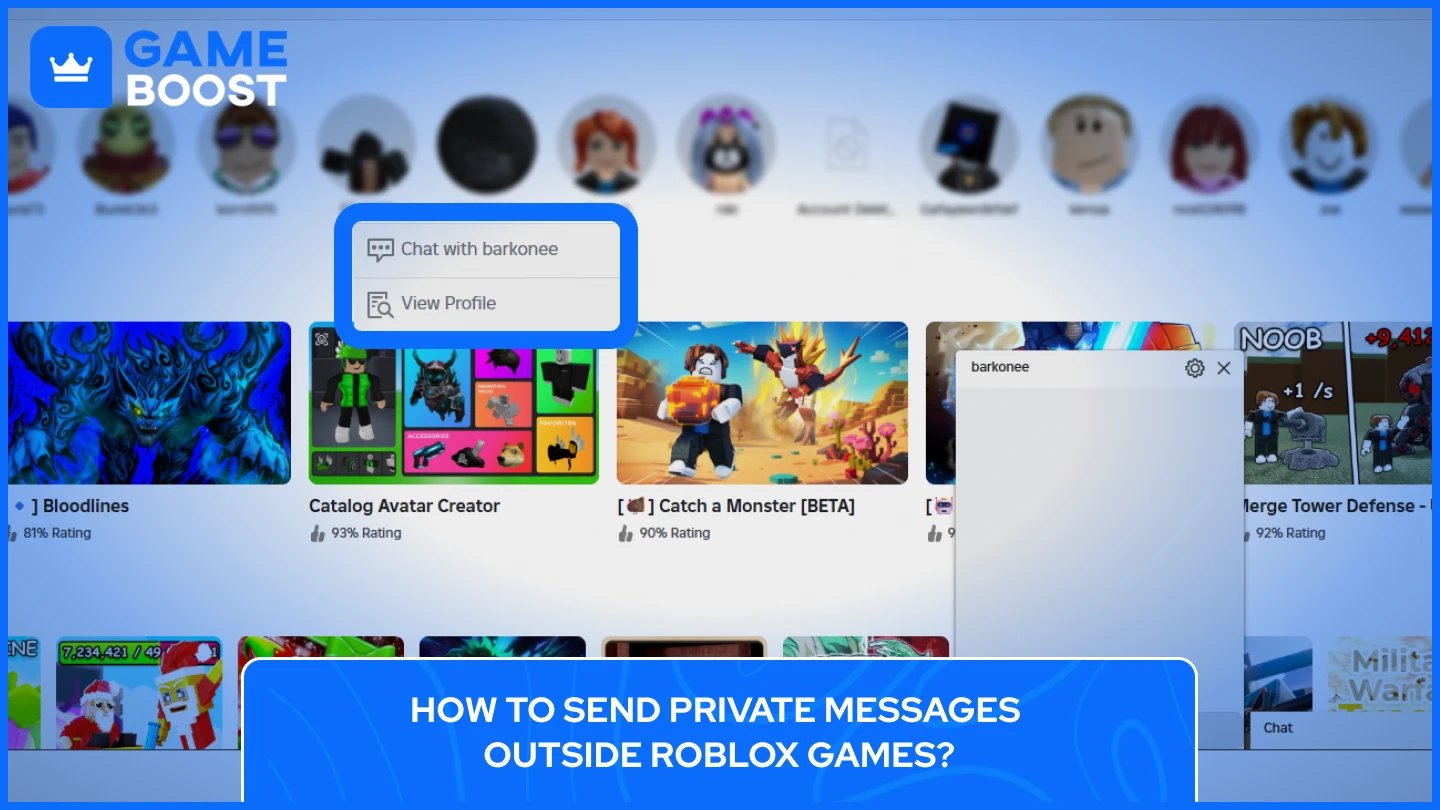
You don't need to join a game to chat with friends on Roblox. The platform offers messaging features that work directly from the website or app, letting you send private messages anytime without loading into an experience.
To message a friend outside of games, log into your Roblox account and navigate to your Friends section on the left side of the home screen. Hover over the friend you want to contact, which takes you to their profile page. Look for the "Chat" or "Message" button next to their username and click it. A chat window opens at the bottom-right corner of your screen where you can start typing.
Type your message in the text box and press Enter to send it. The conversation stays active even after you close your browser or app, so you can pick up where you left off next time you log in. This chat window lets you message multiple friends at once by opening separate conversations for each person.
On mobile devices, the process works similarly. Open the Roblox app, tap the three dots menu, select Friends, choose who you want to message, and tap the chat icon on their profile. The messaging interface appears at the bottom of your screen, where you can send private texts back and forth.
Also Read: How to Block and Unblock Users on Roblox (Step-by-Step)
Roblox restricts messaging to friends only for safety reasons, so you'll need to send a friend request before you can chat with someone. Use the search bar at the top of any Roblox page and type the person's exact username. Select "Search [username] in People" from the dropdown options.
Click on their profile from the search results and look for the "Add Friend" button. Once you send the request, they'll receive a notification and can choose to accept or decline. If they accept, you'll both appear on each other's Friends lists and can start sending private messages immediately.
Some users adjust their privacy settings to prevent messages from non-friends or even from everyone. If you can't find a Message button on someone's profile, their settings likely block communication.
Important note: As of November 2024, Roblox no longer allows users under 13 to send messages outside of games, regardless of parental permission. This restriction aims to improve child safety on the platform. Users 13 and older can still message friends freely through the website and app.
Roblox introduced Party as a way for friends to group up and stay connected across different games. This feature combines group play with built-in chat, making it easier to coordinate without leaving the platform or using external apps like Discord.
Party lets you form groups of up to six people who can chat and play together. To start a Party, open the Roblox app and go to the Party tab. Click the "+" button to add friends from your connections list, then hit the Join button to create the group. Once everyone joins, you can pick a game to play together, and the system automatically puts all Party members on the same server.
Party chat supports text messaging for all users 13 and older. Voice chat is also available in Party, but you need to be age-verified and connected with other verified users to access it. The chat stays active even when you switch between different Roblox experiences, so you can keep the conversation going without interruption. If someone has to leave temporarily, they can rejoin the Party later and jump back into the same game with everyone else.
You can also create group chats on the Roblox website by clicking the "Create Group" button at the top of your chat list. Select which friends you want to include, give the group a name if you want, and start messaging. These group conversations work just like regular chats, but let you talk to multiple people at once instead of sending individual messages.
The main difference between Party and regular group chats is simple. Party is built for gaming sessions where you want to jump into experiences together and stay coordinated. Regular group chats work better for just talking. Party automatically handles matchmaking so your group spawns in the same location and stays on the same team. Group chats don't have these gaming features, but they're perfect for messaging people anytime. Your messages save and appear next time everyone logs in.
Both Party and group messaging are only available for users aged 13 and older. Younger players can still use Party to join games with friends, but they won't have access to the chat features. Parents can adjust these settings through parental controls to limit or disable Party access entirely if needed.
Also Read: How to Change Your Birthday on Roblox
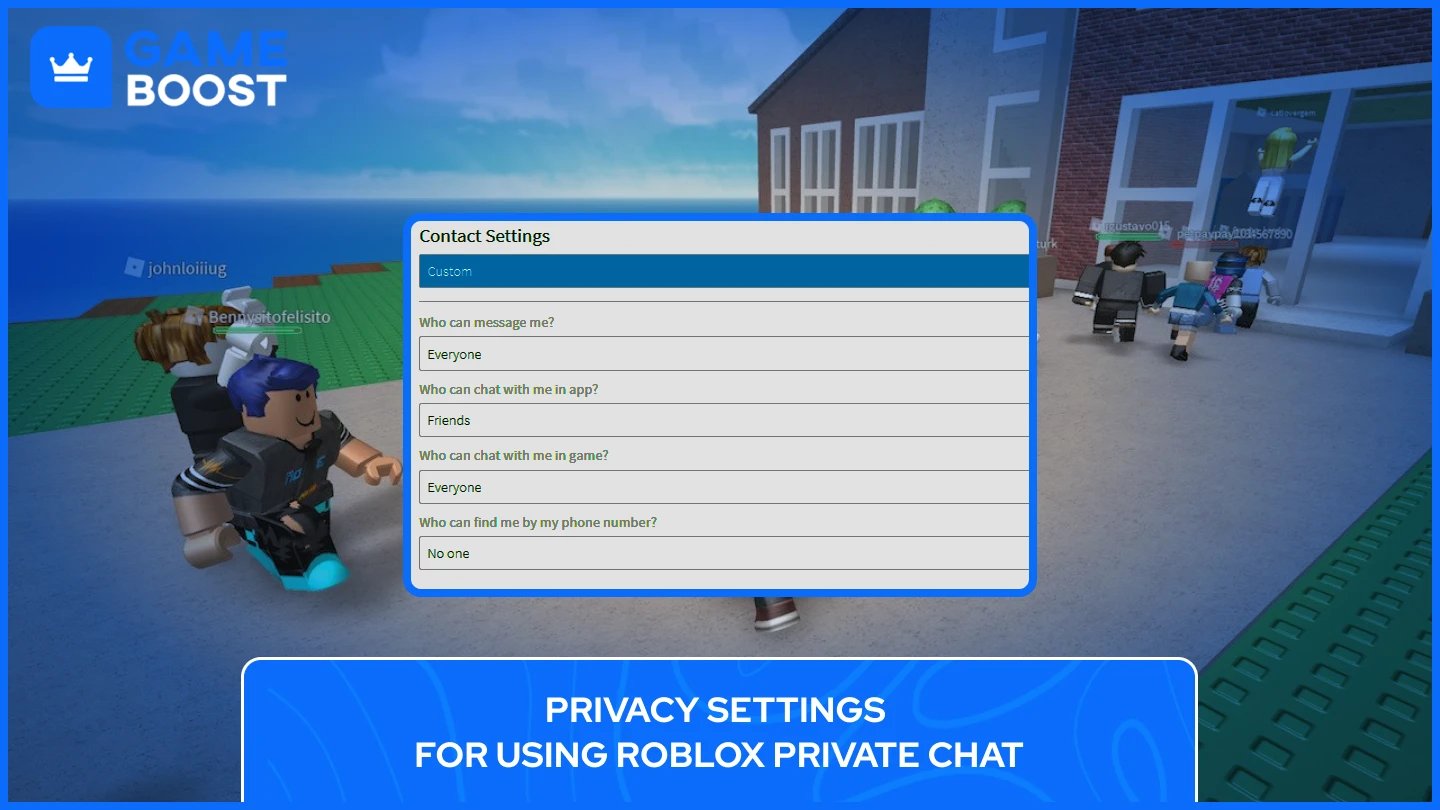
Roblox gives you control over who can message you and how you communicate on the platform. These settings help protect your privacy and let you customize your chat experience based on your comfort level.
Experience chat controls who can talk to you inside Roblox games. To adjust these settings, go to Settings by clicking the gear icon in the top-right corner, then navigate to Privacy & content restrictions > Communication > Experience chat.
Here are the two main chat settings you'll find in Experience chat controls:
Experience Chat | Experience Direct Chat |
|---|---|
|
|
Keep in mind that if you turn off Experience chat, you automatically lose access to whispers too. The /w command only works when chat is enabled. Although some games have their own built-in chat systems that ignore these Roblox settings entirely.
Outside of games, Roblox lets you control who can send you private messages through profiles and Party chats. These settings can be found in the same Communication section under Privacy & content restrictions.
The "Who can message me" setting determines who can contact you through direct messages on the Roblox website or app. Your options include Everyone, Friends, or No one. Setting this to Friends means only people on your Friends list can send you messages, which offers a good balance between staying connected and avoiding unwanted contact.
Party settings control group messaging features. You can choose who can add you to Parties by selecting between Connections (friends) or No one. There's also a Group Party setting that works the same way. If you set Party to "No one," Group Party automatically gets disabled as well.
Roblox implemented major changes to protect younger users in November 2024. Users under 13 can no longer send or receive private messages in Roblox outside of games, even with parental permission. This restriction applies to all direct messages through profiles and Party chats.
Younger users can still communicate inside games through public chat and whispers, as long as their parents allow Experience chat in the settings. All messages from users under 13 go through Roblox's strictest content filters, which block inappropriate language and any attempts to share personal information.
Parents of users under 13 now have enhanced parental controls that let them monitor their child's Friends list, set screen time limits, and see weekly activity reports. These controls require parents to verify their own age using a credit card or government ID before linking to their child's account.
The filtering system for younger users is very strict, which means you'll often see hashtags (####) replacing certain words. This happens because Roblox prioritizes safety over convenience for children's accounts.
Also Read: How to Change Your Name on Roblox
Whispers fail for a few common reasons. The person you're messaging might have blocked you, or they could have their Experience direct chat turned off in privacy settings. Sometimes players go offline right as you're trying to message them, which creates a temporary glitch where whispers won't deliver.
Some game developers disable whispers on purpose, especially in competitive games where they don't want players coordinating secretly. If the /w command works fine in other experiences but not a specific one, the developer probably turned it off.
If you're unable to chat in games at all, head to Settings > Privacy & content restrictions > Communication > Experience chat and make sure both options are set to "Everyone”. For users under 13, parents need to adjust this through parental controls instead. When your settings look correct but chat still won't work, try restarting the Roblox app or reinstalling it completely to clear out any glitches.
Hashtags (####) appear when Roblox's filter blocks words it thinks might be inappropriate or personal information. The system is way stricter for accounts under 13, so younger users will see tons of normal words get blocked. If you're trying to share legitimate game info and it keeps getting filtered, rephrase your message or add spaces between numbers.
Roblox offers several ways to send private messages. You can use the /w command to whisper to players inside games, send direct messages to friends through their profiles on the website or app, or create Party chats with up to 6 people. Users under 13 can only use in-game whispers, as messaging outside of games was restricted in November 2024 for safety reasons.
To wisper to someon in Roblox, first open the chat box by pressing "/" and type /w [username] [message]. For example, /w GameBoost hey there. The chat will show [To PlayerName] in purple to confirm you're in whisper mode. You can also click on someone's username in the chat to automatically start whispering to them. Press Backspace to exit whisper mode and return to public chat.
Common reasons you can’t private chat in Roblox include:
the person blocked you,
they have Experience direct chat disabled in privacy settings, y
ou're under 13 trying to message outside games (
the game developer disabled whispers.
Check Settings > Privacy & content restrictions > Communication > Experience chat to make sure both options are set to "Everyone."
Hashtags in ROblox appear when Roblox's filter blocks words that might be inappropriate or look like personal information (phone numbers, addresses, emails). The filter is much stricter for accounts under 13 and will block many normal words. Try rephrasing your message or adding spaces between numbers if legitimate game information keeps getting filtered.
You can whisper to anyone in the same game using the /w command, even if they're not your friend. However, you cannot send direct messages outside of games to non-friends. Roblox requires you to be friends with someone before you can message them through profiles or the chat system on the website and app.
Private chatting on Roblox gives you flexibility in how you communicate with other players. You can whisper to someone in the middle of a game, message friends directly from their profiles, or create group chats through Party to coordinate with your squad.
Privacy settings let you control who can contact you, which is especially important for younger players. Parents have tools to manage their child's communication and monitor who they interact with online.
The key is knowing which chat method works best for your situation. In-game whispers are perfect for quick coordination during gameplay, while direct messages work better for longer conversations outside of experiences. With the right settings and a bit of troubleshooting knowledge, you can stay connected with friends across the entire Roblox.
“ Kristina joined GameBoost in 2024 as an SEO specialist and quickly became the go-to writer for third-person shooter and competitive games. She covers titles like Fortnite, Valorant, League of Legends, GTA 5, and Roblox, focusing on how-to guides, practical tips, and updates.”