


•Hamza Rashid• 8 min read
Roblox

Roblox names picked years ago don't always fit anymore, especially once friends, groups and favorite games start seeing them every day. Roblox lets players change two different names, and each one works a little differently.
Before changing anything, it helps to know which name other players actually see, which one is used to log in and which change costs Robux, since only one of them is free.
Roblox accounts have two names: a unique username and a display name that other players can share.
Changing a Roblox username costs 1,000 Robux every time, even for small changes like capital letters.
Display names are free to change once every 7 days.
Both names are changed under Settings, then Account Info, on a browser or in the Roblox app.
Old usernames stay visible to other players on the profile and in People search.
Usernames need 3 to 20 characters, using letters, numbers and at most one underscore.
Roblox shows two names on every account, and they don't do the same job. These are the main differences:
Name | Username | Display Name |
|---|---|---|
What it's for | Logging in and finding the account | Name shown in games and on the profile |
Unique | Yes, no two accounts share one | No, many players can use the same one |
Cost to change | 1,000 Robux | Free |
How often | Every change costs Robux | Once every 7 days |
Most players only need to change their display name, since it's what others see in experiences. Changing the username makes sense when the login name itself needs to go, for example an old name with a real first name or birth year in it.
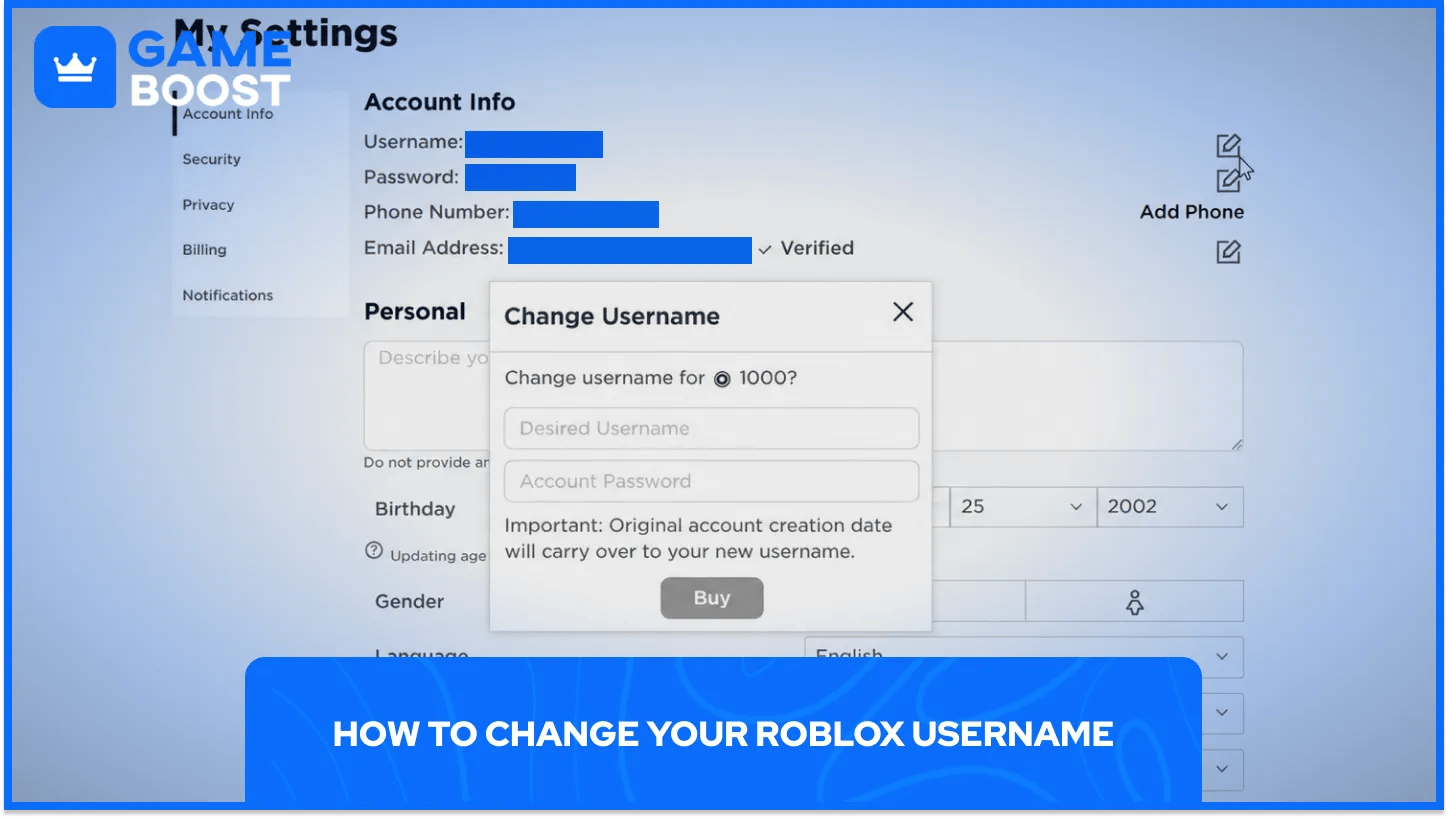
Changing a Roblox username costs 1,000 Robux, and the account needs that amount before the change can go through. Roblox's own steps are the same on a computer and on a phone, with only the first menu changing:
Log in to Roblox on a browser or in the Roblox app.
Open Settings: on a browser, click the gear icon in the top-right corner, and in the app, tap the three-dot More icon, then Settings.
Select the Account Info tab.
Click the Change Username button, which shows a pencil-and-paper icon.
Type the new username, then enter the current Roblox password.
Select Buy to pay the 1,000 Robux and confirm the change.
New usernames work for logging in straight away, together with the same password as before. If the account doesn't have enough Robux, Roblox shows an insufficient funds message instead of finishing the change, and Robux can be added in the app or with a Roblox gift card.
Every new username has to pass a few checks before Roblox accepts it:
Length: 3 to 20 characters.
Characters: Letters, numbers and no more than one underscore, with no spaces.
Unique: The name can't belong to another account, so popular names are often taken.
Since usernames have to be unique, short names like 4-letter usernames are hard to find. Roblox also doesn't allow swapping usernames with an alt account, and changing back to an old username costs the full 1,000 Robux again.
Old usernames don't disappear completely, either. Previous names show up on the account's profile and settings pages and in People search, while the original account creation date carries over to the new username.
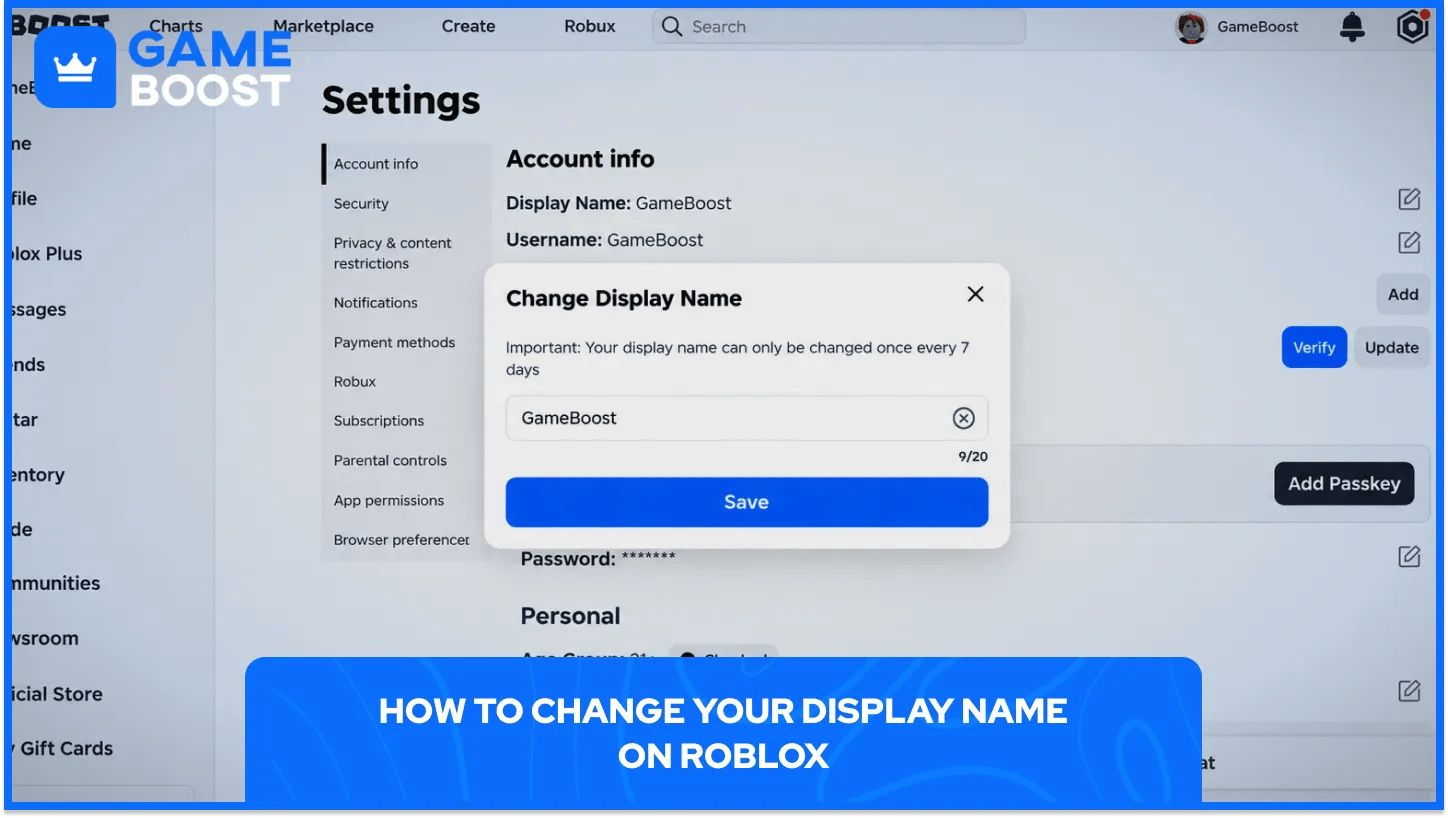
Display names are free to change, which makes them the easiest way to show a new name in games. Roblox lists these steps:
Log in to Roblox on a browser or in the Roblox app.
Open Settings: click the gear icon on a browser, or tap the three-dot More icon and then Settings in the app.
Select the Account Info tab.
Click the Change Display Name button with the pencil-and-paper icon.
Enter the new display name and click Save.
After saving, refreshing the page shows the new display name on the profile. From then on, it's the name other players see in experiences, while the username stays the same in the background.
Display names can only be changed once every 7 days, so it's worth picking carefully. It also has to follow Roblox's Community Rules, and names that break them can be reset to the username.
When the Change Display Name button doesn't work, one of these is usually the reason:
7-day cooldown: Display names can only be changed once every 7 days, so a recent change blocks the next one.
Rule-breaking names: Names that break Roblox's Community Rules won't be accepted and can be reset to the username.
Feature availability: Roblox calls display names a beta feature that isn't available on every account, and some accounts see the option labeled "Name" instead.
Changing a name on Roblox comes down to which name needs to change. Display names are free, quick and the one other players see in games, so they cover most cases. Username changes cost 1,000 Robux and leave the old name visible in the account's history, which makes it worth saving for names that really need to go.
“ Mustafa Atteya has been writing about gaming and esports since 2023, specializing in competitive game content and player improvement guides. At 25, he brings both hands-on gaming experience and professional SEO writing expertise to the GameBoost team.”