


•Hamza Rashid• 9 min read
Games
Valheim worlds grow out of a seed, and each seed lays out its own coastline, spawn, and path to the next boss. Our Valheim review argued these worlds are worth rerolling, and 1.0 makes a fresh map even more tempting. A few Valheim seeds show how much one start can differ from another.
Below, you'll find what seeds and world modifiers change and what happens to old saves.
As for the download, copy the world's entire folder out of worlds_local, on your PC or on the server.
Every seed builds a different map. Sharing one copies the layout and nothing you built or killed.
Valheim world modifiers run from Casual to Hardcore, with sliders for combat, death penalty, resources, raids and portals.
Old worlds still load in 1.0. New content only lands in areas no player has come within roughly 500 metres of.
The Valheim save location is worlds_local, and since 1.0 each world is a folder you copy whole.
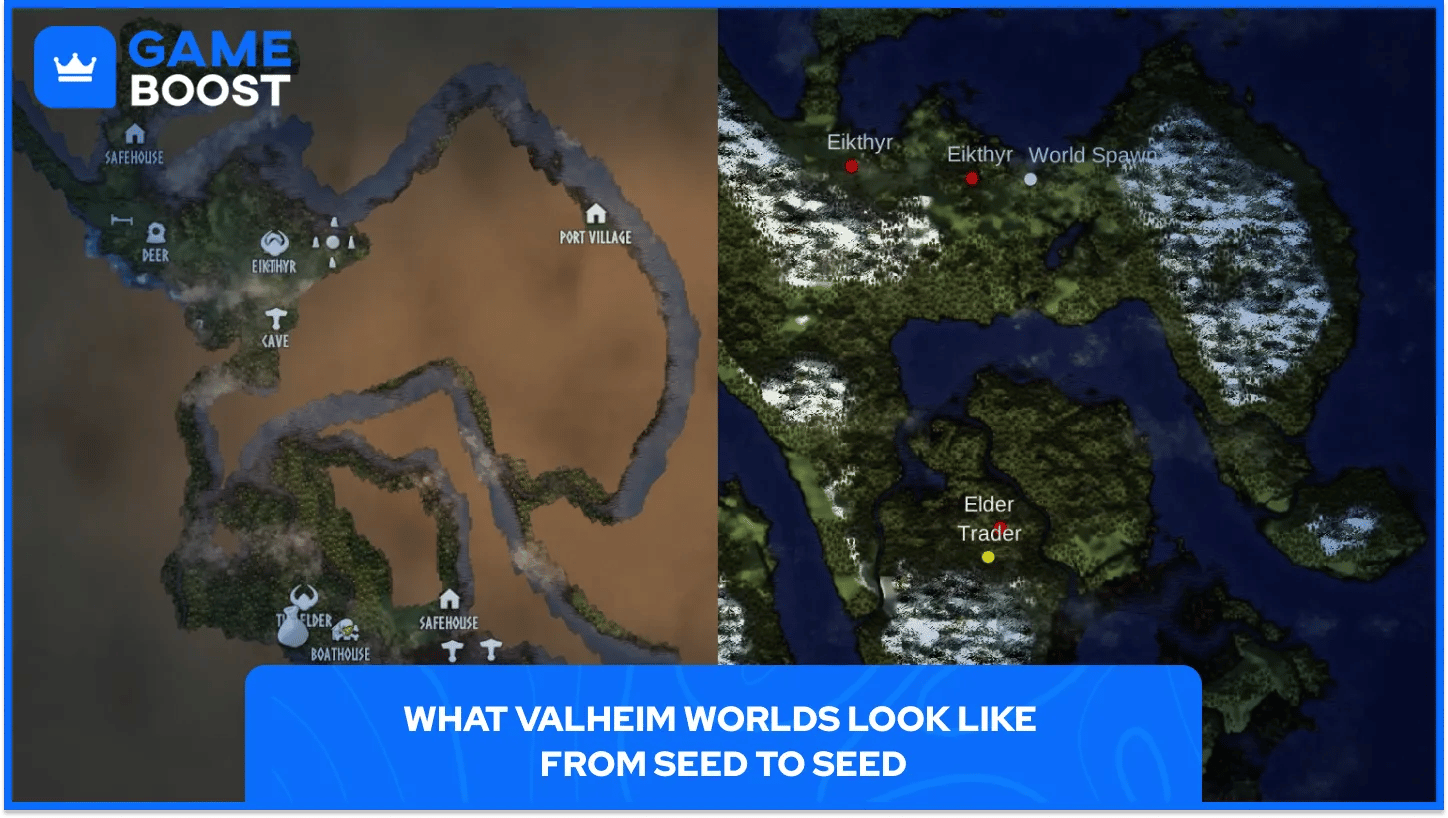
Type a seed or take a random roll, name the world, and the game lays out islands and biomes around the starting stones. A friend who enters the same seed on the same game version gets your map, minus the buildings and boss kills.
Seed luck matters. In our review, a fresh 1.0 world dropped the Swamp right beside spawn and made the first week nasty. A friend's seed put the Mountains a short walk away. Swamp next to spawn? Reroll, or tough it out.
Version 1.0 also adds alternate versions of existing biomes and fills in the Deep North at the top of the map. Players report the variants scattered through the world, more of them the farther you sail from the centre.
Rerolling costs less than it seems. Your character isn't tied to one world, so skills and whatever sits in your inventory travel with you. Chests and the base stay behind.
Valheim world modifiers change how a world plays without mods. Presets run Casual, Easy, Normal, Hard and Hardcore, plus Immersive and Hammer. Iron Gate's dedicated server guide lists every slider.
Modifier | Settings |
|---|---|
Combat | Very easy to very hard |
Death penalty | Casual to hardcore |
Resources | Much less to most |
Raids | None to much more |
Portals | Casual to very hard |
Checkbox extras add no build cost, player events, passive mobs and no map, and that last one turns every trip home into a test of memory.
You can change most settings later, so a punishing Hard start isn't a lost save. Dedicated servers set them through launch arguments, where a preset overwrites earlier modifiers.
Old saves still load in 1.0. Iron Gate's Valheim 1.0 FAQ says you can keep playing them, and the studio still recommends a fresh world for the best experience.
The game writes an area into your save the first time a player comes near it. The main Valheim FAQ explains that new content only lands where no player has set foot, counting a radius of about 500 metres, so hugging a coast by boat counts too.
A world that already scouted the far north keeps its old empty snowfield, so the finale can be partial or missing. Achievements only start tracking once you install 1.0, so earlier boss kills won't count, which nudges achievement hunters toward a new map.
You download a Valheim world by copying its folder from worlds_local. The Valheim save location depends on where you play.
Where you play | World folder |
|---|---|
Windows (Steam) | AppData\LocalLow\IronGate\Valheim\worlds_local |
Linux | ~/.config/unity3d/IronGate/Valheim/worlds_local |
Rented server (most hosts) | .config/unity3d/IronGate/Valheim/worlds_local |
Xbox or Microsoft Store | No copyable folder |
A Steam Cloud world has to move first. Open Manage Saves, pick the world and choose Move to Local, and the folder appears in worlds_local.
Since 1.0, each world folder holds .fwl2 and .db2 files, many .chunk files and an .ok marker confirming the save finished. Copy all of it. Pre-1.0 backups still use a .db and .fwl pair with the world's name, and you need both.
To pull a world off a server, stop it so the last save is written, open the file manager or SFTP and grab the folder named after your world. Unpack it into your own worlds_local to play solo. Uploading works the same way, with the server's world name matching the folder exactly.
A world is the one thing in Valheim you can't rebuild from memory. Your base lives in a single folder, so back it up before any big patch or server move.
The 1.0 format ends the old habit of grabbing two files. When a restored world refuses to load, check for missing chunk files or the .ok marker first.
Roll a few seeds, check where the Swamp and Mountains sit, and settle the world modifiers before the first night, since a no-map Hardcore run feels nothing like a Casual weekend build.
Valheim Game Key
View all GameBoost Game Keys
View all GameBoost Accounts
View all GameBoost Boosting Services
View all GameBoost Currencies
View all GameBoost Gift Cards
View all GameBoost Top Ups
View all GameBoost Items
“ A former sports journalist and editor, Patrik joined Gameboost SEO team in 2026. He has spent most of his life playing Football Manager, but his sphere of interests spreads through whole gaming universe.”


