



•Filip Premuš• 9 min read
Call of Duty

Call of Duty has been one of the biggest names in competitive gaming for over two decades, and with titles like Black Ops 6, Warzone, and Black Ops 7 building on each other's progression systems, the account behind it all carries serious weight. Your Activision account is what ties your stats, unlocks, and playtime together across every platform you play on, so getting it set up properly from the start matters more than most players realize. This article covers everything from the basic sign-up requirements to platform linking and account security.
An Activision account and a Call of Duty account are the same thing, used interchangeably across all Activision platforms and in-game menus
Creating a Call of Duty account requires a Display Name, valid email address, password, region selection, and date of birth
Accounts can be registered through the Activision website at profile.activision.com/signup or directly in-game before accessing online features
As of July 16, 2025, all Call of Duty players must submit their full date of birth as part of a mandatory age verification system
Players identified as minors need parental consent to keep their account active, or risk permanent deletion after a four-month grace period
Xbox, PlayStation, Steam, Blizzard, Nintendo, and Ubisoft accounts can all be linked to one Activision account for cross-progression
Your Activision ID follows the format GameBoost#1234567 and can be changed using a Username change token issued every six months
An Activision account is the unified profile that holds everything tied to your Call of Duty experience. Your stats, unlocks, friends list, game settings, and progression across every title all live on this account, so losing access to it means losing everything attached to it.
An Activision account and a Call of Duty account are the same thing, with Activision using both terms interchangeably across their support pages and in-game menus. When the game prompts you to sign in to your Call of Duty account, it is asking for your Activision login. There is no separate system running behind the scenes.
Your Activision ID, also called your Display Name, is the name other players see in lobbies and on the friends list. It follows the format GameBoost#1234567, with a unique number attached that allows multiple players to share the same base name without conflicts.
Before you can register, Activision needs a few things from you. The Call of Duty account requirements are the same across all platforms and all current Call of Duty titles, so it does not matter if you are playing on PS5, Xbox, or PC.
The account creation screen requires a Display Name, a valid email address, and a password. You also need to set your region and decide on email preferences before confirming the account.
Each of these Call of Duty account registration fields affects how your Activision account is set up and secured:
Display Name is the username that appears in-game across all Call of Duty titles linked to your account. It does not need to be unique because of the number system attached to every Activision ID, but it still has to follow Activision's naming rules. Names that include offensive, vulgar, or impersonating language are filtered out automatically.
Email address needs to be one you actively have access to. Activision sends a verification code to confirm account ownership, and if you ever need to recover your Call of Duty account or reset your password, that same email is the only reliable path back in.
Password is set during account creation and can be changerd any time through the Basic Info section of your Activision profile.
Region affects matchmaking and server routing across Call of Duty titles, so selecting the one that reflects where you actually play from is the right call.
You can also register using an existing gaming account from PlayStation, Xbox, Steam, or Blizzard. When registering through one of these platforms, you are taken to that platform's website to verify your credentials, and the accounts are linked automatically during registration.
Call of Duty titles carry a Mature rating from the ESRB, meaning the content is intended for players aged 17 and older due to blood and gore, strong language, mature themes, and in some titles, drug use.
As of July 16, 2025, Activision requires all Call of Duty players to submit their full date of birth as part of a mandatory age verification system. Activision introduced the change as part of ongoing efforts to deliver a positive community experience in line with the Call of Duty Code of Conduct, and the submitted birthday becomes permanently linked to each player's Activision account.
Players who are identified as minors after submitting their birthdate are required to obtain parental consent to keep their account active. Those who do not provide a valid birthdate or secure parental consent risk having their Call of Duty account permanently deleted after a four-month grace period. Activision does not currently require proof of age beyond the date entered, so the system operates on the information players provide.
Activision's Terms of Use state that users must be adults of the legal age of majority in their country or state of residence. If you are creating a new account today, your date of birth is collected as part of the standard registration process rather than as a separate step.
Also Read: Complete List of Call of Duty Games in Release Order
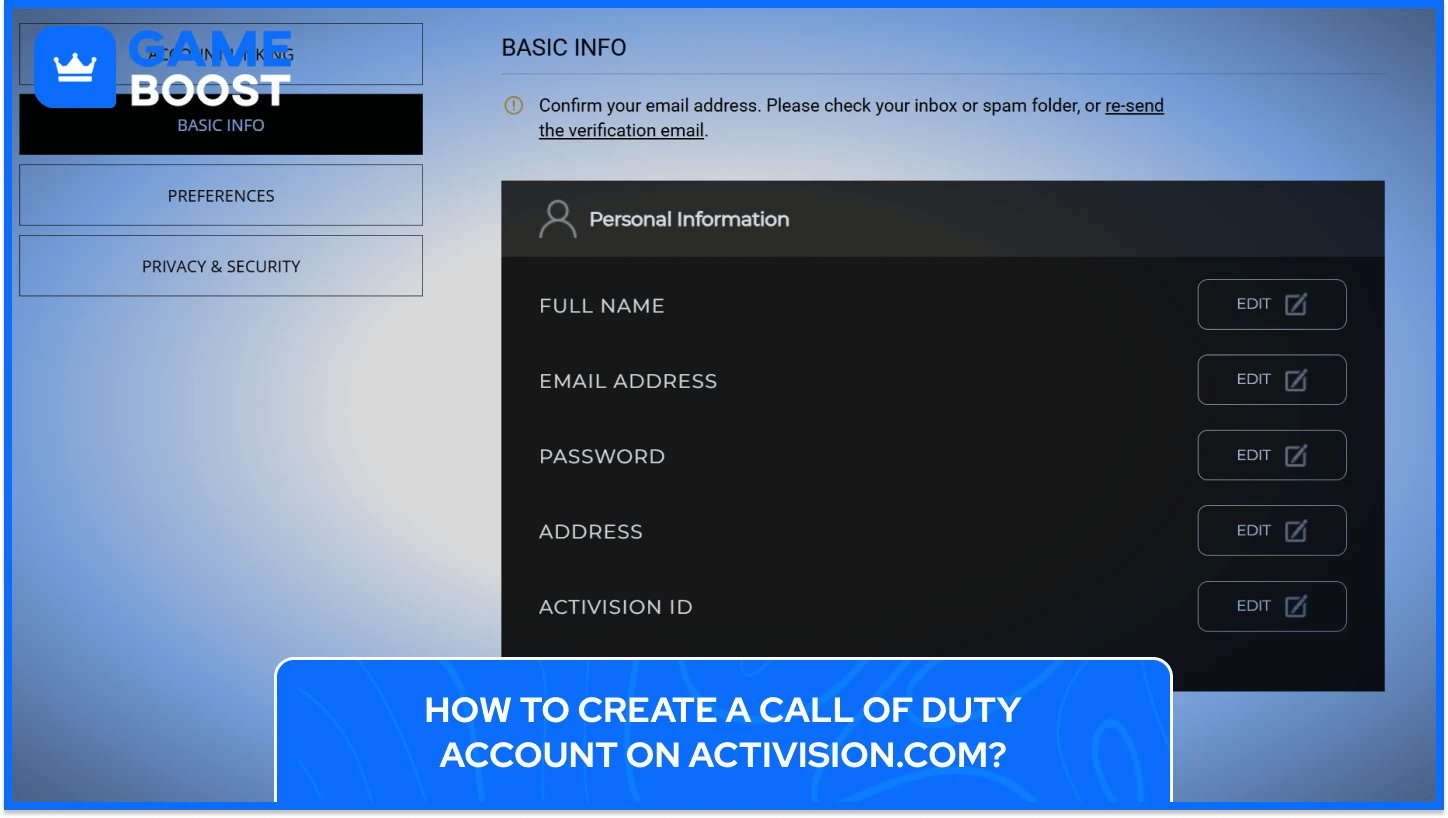
Creating your Activision account through the website before launching the game is the most reliable approach. You have more time to fill in your details accurately, you can verify your email immediately, and everything is ready to go the moment you load up a Call of Duty title.
To create a Call of Duty Account on the Activision Website, follow these steps:
Head to profile.activision.com/signup to get started
Add your date of birth and select your region
Enter your email address and confirm it by typing it a second time
Choose your Activision ID that will be applied across all Call of Duty titles
Enter your First and Last name
Create a password for your Activision account and retype it
Enter your Display Name, which becomes your Activision ID across all Call of Duty titles
Check the box to accept Activision's Terms of Use and acknowledge reading its Privacy Policy
Once you submit, Activision sends a verification email to the address you provided. Confirming that email fully activates your account, and your Account Summary page will then display your Activision ID along with the unique number appended to your Display Name.
If you prefer to register using an existing platform account, you can use PlayStation, Xbox, Steam, or Blizzard credentials. Selecting one of these options redirects you to that platform's site to verify your login, and the accounts are linked automatically as part of the registration process.
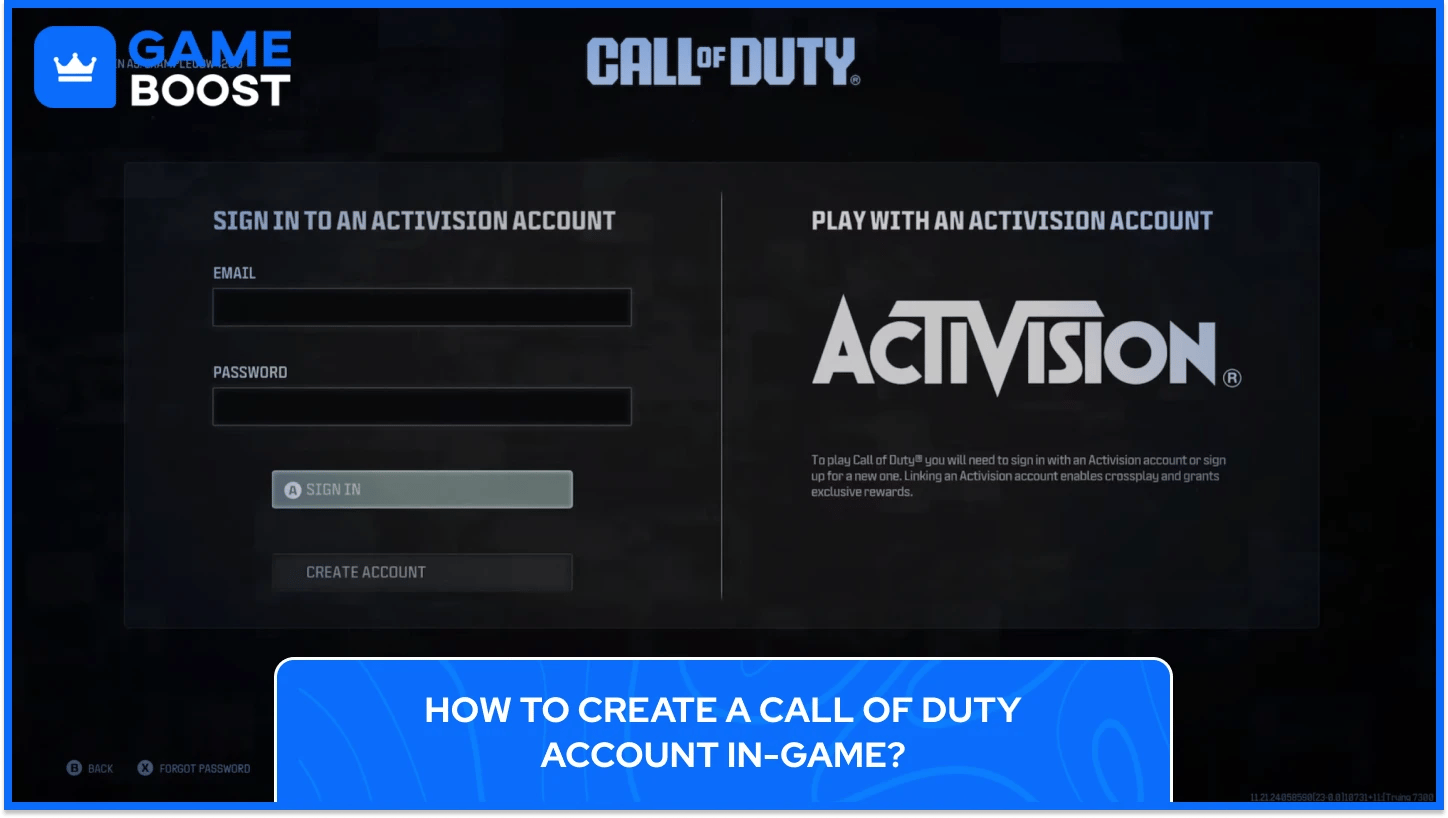
If you launch a Call of Duty title without an existing Activision account, the game walks you through registration automatically before you can access any online features. The process covers the same information as the website, just presented within the game interface.
The in-game registration flow works as follows:
Launch your Call of Duty title on your platform of choice
On the main screen, select Create Account when prompted to sign in
Enter your Display Name, email address, and password
Set your region and date of birth
Accept the Terms of Service and Privacy Policy
Select Confirm to complete your Activision account registration
Your Account Summary appears on screen once registration is complete, showing your full Activision ID. From that point, your Call of Duty progression is stored on the account and carries across any platform you link to it. If you created an Activision account during a Call of Duty beta, that same account works at full launch, and switching to a different account means forfeiting any beta participation rewards tied to the original one.
Creating the account through the Activision website ahead of time tends to be faster on game launch days, since in-game registration servers can slow down significantly when a large volume of new players are signing up at the same time.

Activision and Call of Duty use the terms interchangeably across all their platforms, and one registration covers access to every current Call of Duty title, including Warzone and Black Ops 6.
What happens if you use the wrong email during Call of Duty account registration? You will not receive the verification email needed to confirm ownership, which removes your ability to recover the account or reset your password later. Always register with an active email address you can access before signing up.
How many platforms can be linked to one Activision account for Call of Duty cross-progression? Xbox, PlayStation, Steam, Blizzard, Nintendo, and Ubisoft accounts can all be linked to a single Activision account, though only one account per platform provider is allowed at any time.
Can a Call of Duty account be shared between two players in the same household? Activision does not recognize the transfer of accounts and explicitly prohibits purchasing, selling, lending, or otherwise transferring any account or its associated content. Each player needs their own registered Activision account.
How do you change your Activision ID after creating your Call of Duty account? Name changes require a Username change token. Activision issues a new token every six months, and players can hold a maximum of two at any time. Changes can be made through the Basic Info section of your Activision profile online or directly in-game through the Account tab.
What happens to a Call of Duty account if the age verification deadline is missed? Players who do not submit a valid birthdate or obtain parental consent within the required timeframe risk permanent deletion of their Activision account and all progression, unlocks, and content tied to it.
Your Activision account is what makes Call of Duty progression actually mean something across platforms and titles. Without it set up correctly from the start, everything you unlock, every rank you climb, and every operator skin you collect has no stable home. The registration process itself takes a few minutes, but getting the details right, especially your email and age verification, protects access to everything you build over time. With crossplay and cross-progression now standard across all major Call of Duty releases, that single account connects every platform you play on under one unified profile.
“ Kristina joined GameBoost in 2024 as an SEO specialist and quickly became the go-to writer for third-person shooter and competitive games. She covers titles like Fortnite, Valorant, League of Legends, GTA 5, and Roblox, focusing on how-to guides, practical tips, and updates.”