

•Filip Premuš• 9 min read
Call of Duty

Call of Duty operates through a central Activision account that connects to your gaming platforms, including PlayStation, Xbox, Steam, and Battle.net. This system is what keeps your progress, purchases, and unlocks tied to a single profile across devices.
A common issue players run into is linking the wrong platform account, switching to a new console, or simply wanting to manage what's connected to their profile. Activision allows you to unlink individual platform accounts, but only once every 12 months, so it's worth understanding the process and its limitations before making any changes.
In this article, we'll explore how to link and unlink accounts in Call of Duty, what to expect when managing your connections, and the important restrictions you need to keep in mind.

Linking and unlinking accounts in Call of Duty is done through the Call of Duty website, not in-game.
You can link platforms, including PlayStation, Xbox, Steam, and Battle.net, to a single Activision account.
Unlinking is limited to once every 12 months per platform account.
Accounts under active enforcement may be restricted from unlinking.
You cannot link two Activision accounts together or transfer progress between them.
Game progress is stored on your Activision account, not your platform account, so it won't be lost when unlinking.
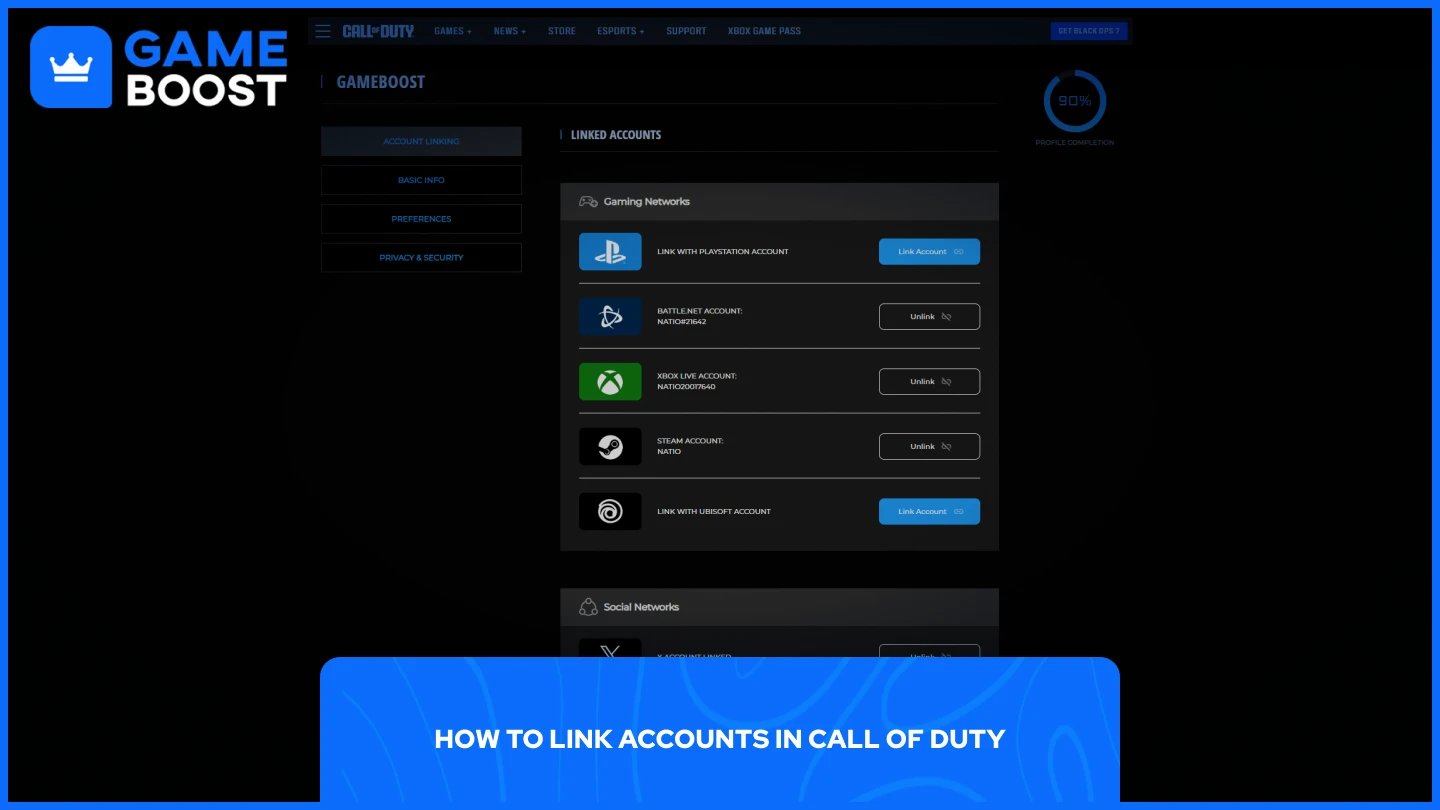
Linking a platform account to your Activision profile is done through the Call of Duty website, not through the game itself. The process is straightforward and only takes a few minutes:
Go to the Call of Duty website and sign in to your account.
Go to your profile
Find the platform you want to link and select "Link Account."
Enter the verification code sent to the email address on your Activision account.
Select "Link Account" again to confirm.
You will be redirected to the platform's website to complete the process.
Activision accounts can only have one account linked per manufacturer, so make sure you're linking the correct platform before confirming.
Also Read: How to Recover Your Account in Call of Duty
The unlinking process follows the same route through the CoD website. Here's how to do it:
Go to the CoD website and sign in to your account.
Go to your profile
Find the account you want to unlink and select "Unlink."
Check the confirmation box and select "Continue."
Accounts with an active enforcement may be restricted from unlinking. Additionally, requests to unlink may be denied if suspicious login or unlinking attempts are identified.
Also Read: Black Ops 7 Season 2 Battle Pass Guide: Tiers and Rewards
Before making any changes to your linked accounts, there are a few restrictions worth knowing. You can only unlink individual platform accounts once every 12 months. This means if you unlink an account today and change your mind later, you will have to wait a full year before you can unlink it again.
You can only link platforms such as PlayStation, Xbox, Steam, and Battle.net to your Activision account. You cannot link another Activision account to your existing one, and progress cannot be transferred between two separate Activision accounts. They are treated as two entirely independent profiles.
This is the most important thing to understand before unlinking. Game progress is stored on your Activision account, not on your platform account. If you link your platform account to a different Activision account, your progress will not carry over.
Your progress is not permanently lost, however. If you relink the platform account back to its original Activision account, you can continue your progression and access your owned content. The key is making sure you remember which Activision account your progress is tied to before making any changes.
Also Read: How to Get Arclight Camo in Black Ops 7
Linking and unlinking accounts in Call of Duty is a simple process, but the 12-month restriction on unlinking means you need to be careful before making any changes. Always double-check which platform you're linking to and make sure it's connected to the right Activision account. Your progress is tied to your Activision profile, so as long as you keep track of that, switching platforms or relinking accounts won't cost you anything.
“ Mustafa Atteya has been writing about gaming and esports since 2023, specializing in competitive game content and player improvement guides. At 25, he brings both hands-on gaming experience and professional SEO writing expertise to the GameBoost team.”