


•Hamza Rashid• 5 min read
League of Legends
League of Legends is one of the most popular MOBAs in the world, but not every player sticks around forever. Some want a clean break from the game, others are trying to cut back on screen time, and some simply no longer find it enjoyable. Whatever the reason, deleting your account is a permanent decision that comes with consequences worth knowing before you proceed.
Deleting a League of Legends account doesn't just remove your LoL progress, it deletes your entire Riot account, taking your VALORANT, Wild Rift, and Legends of Runeterra accounts with it. In this article, we'll explore how to delete your League of Legends account, what the process looks like, and what you should consider before making that final call.

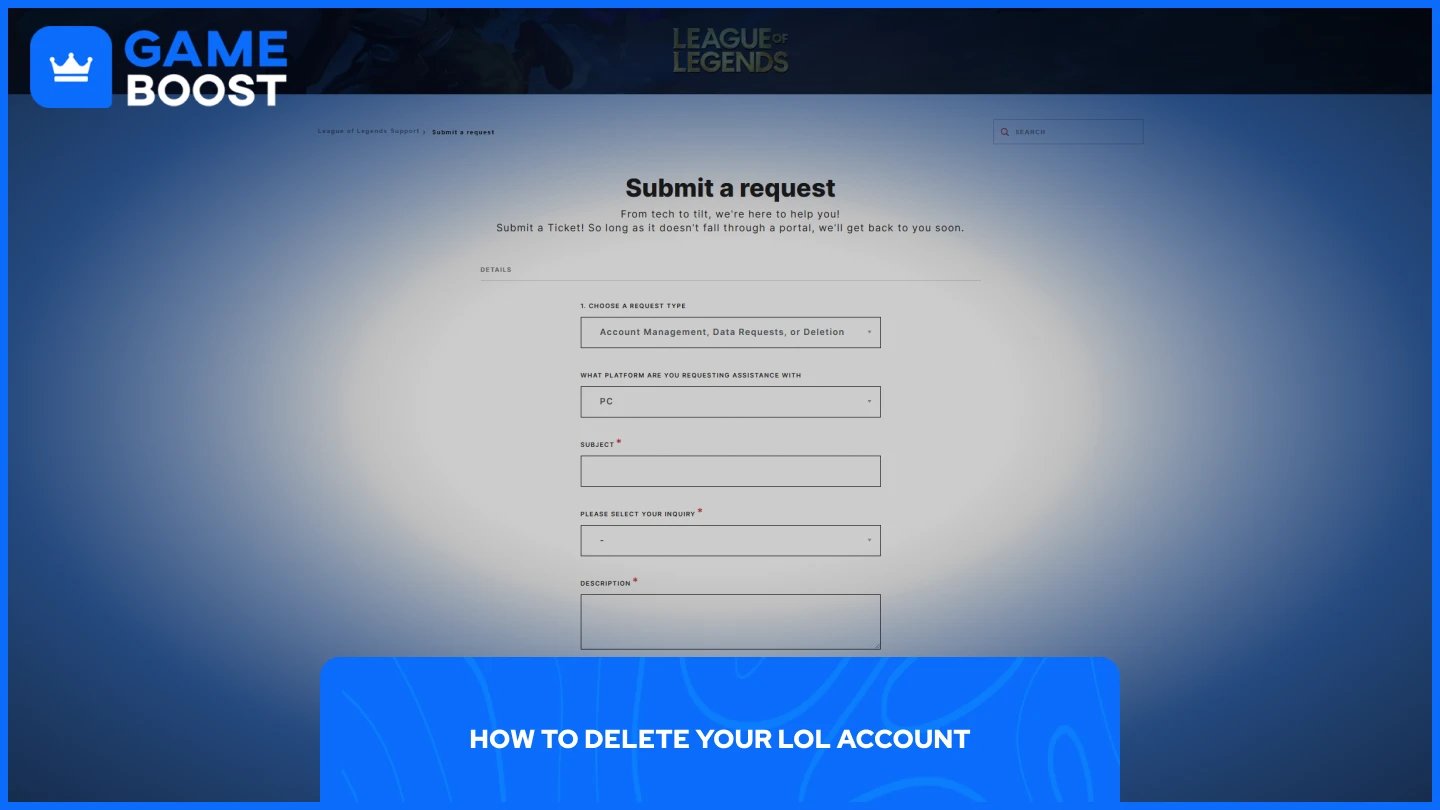
Deleting your League of Legends account is handled entirely through Riot's support system. There's no in-client option, so the process requires you to submit a ticket manually and verify your identity before anything moves forward.
All purchases tied to the account, including champions, skins, RP, Blue Essence, and ranked history, are permanently removed once the deletion is finalized. There are no refunds. Here's how to do it:
Go to the Riot Games support page and log in to your account.
Click "Submit a Ticket."
Under the request type, select "Account Management, Data Requests, or Deletion."
Select the platform and choose "Account Deletion" in the inquiry section.
In the description box, state that you want your account deleted.
Provide the following details to verify ownership:
Account name (your login username)
Summoner name
The server you play on
The email address used to register
Payment methods used for RP purchases, if any
Submit the ticket.
Once the request is submitted and approved, your account will be queued for deletion. The process takes 30 days to complete, and you won't be able to access the account during this period.
Also Read: Don't Share Your League of Legends Account for These Reasons
If you're not completely sure about a permanent deletion, Riot offers a middle ground worth considering. Account deactivation restricts access to your account without deleting any of your data. No one can log in while it's deactivated, but all your information stays on Riot's servers. This process is reversible at any time by submitting another support ticket.
Before requesting deactivation, Riot recommends removing any payment information tied to your account first. Deactivation makes sense if you want to take a long break, avoid temptation during a busy period, or simply step away without permanently losing your skin collection and progress.
If you ever decide to come back, you can reactivate the account by contacting support again and requesting reactivation. Simply uninstalling the game is also an option if you just want the client off your machine without touching your account. Your account stays intact, and you can reinstall anytime.
Also Read: How to Download and Install the League of Legends Client
Submitting a deletion request isn't the point of no return, you have a window to change your mind. After a deletion request is submitted, you have 30 days to cancel it by replying to the automated email sent to your registered address. If you don't notify Riot at least five days before the deletion date, the account cannot be saved.
Cancellation can also be done through the same ticket system used to submit the original request. You'll need to verify account ownership again before Riot processes the reversal. Once the 30-day window closes with no cancellation request, the deletion is final. All account data is permanently erased from Riot's systems, and even Riot support cannot restore it after that point.
Also Read: How to Create an Account in League of Legends
Deleting your League of Legends account is a straightforward process, but it's permanent. Before submitting the request, make sure you've removed any saved payment information and considered deactivation as an alternative. If you change your mind after submitting, act quickly because you only have a 30-day window, but Riot needs at least five days' notice before the deadline to process the cancellation.
Buy LoL Skins
Buy Riot Points
League of Legends Boosting Service
LoL Accounts for Sale
View all GameBoost Accounts
View all GameBoost Boosting Services
View all GameBoost Currencies
View all GameBoost Game Keys
View all GameBoost Gift Cards
View all GameBoost Top Ups
View all GameBoost Items
Counter-Strike 2 Skins
“ Mustafa Atteya has been writing about gaming and esports since 2023, specializing in competitive game content and player improvement guides. At 25, he brings both hands-on gaming experience and professional SEO writing expertise to the GameBoost team.”