


•Hamza Rashid• 6 min read
Roblox

Roblox has a built-in system that holds your earned Robux before adding them to your spendable balance. If you've recently sold a game pass, a UGC item, or any other asset on the platform, you've likely noticed this as a separate "Pending Robux" figure in your account.
This is an anti-fraud and anti-abuse measure designed to protect users from scams and other malicious activity on the platform. It also gives Roblox a window to review transactions and reverse any that turn out to be fraudulent, before the Robux ever reaches your balance. In this article, we'll explore what pending Robux means, how long you can expect to wait, and what affects the timeline.

Pending Robux is a temporary hold Roblox places on earnings before they become spendable.
It exists as an anti-fraud measure, giving Roblox time to verify transactions and reverse fraudulent ones.
Smaller transactions typically clear in 3 to 5 days, while larger ones can take up to 30 days.
UGC items specifically have a hold period of 14 to 30 days.
Factors like sale amount, account history, sale type, and platform traffic all affect how long the hold lasts.
You can check your pending balance on desktop via the Incoming Robux tab, or on mobile through the Robux balance section in the app.
Pending Robux can take anywhere from 3 to 5 days for smaller transactions, and up to 30 days in some cases. The 30-day cap is Roblox's official stance, though most sellers report their Robux clearing well before that. For UGC specifically, the hold period runs between 14 and 30 days.
The holding period has changed several times over the years. Originally, it was three days, then extended to 3 to 7 days in October 2020, and later pushed up to 30 days as of April 2022. If your Robux haven't cleared after 30 days, that's when you should contact Roblox Support.
Also Read: How to Check Your Robux Purchase History
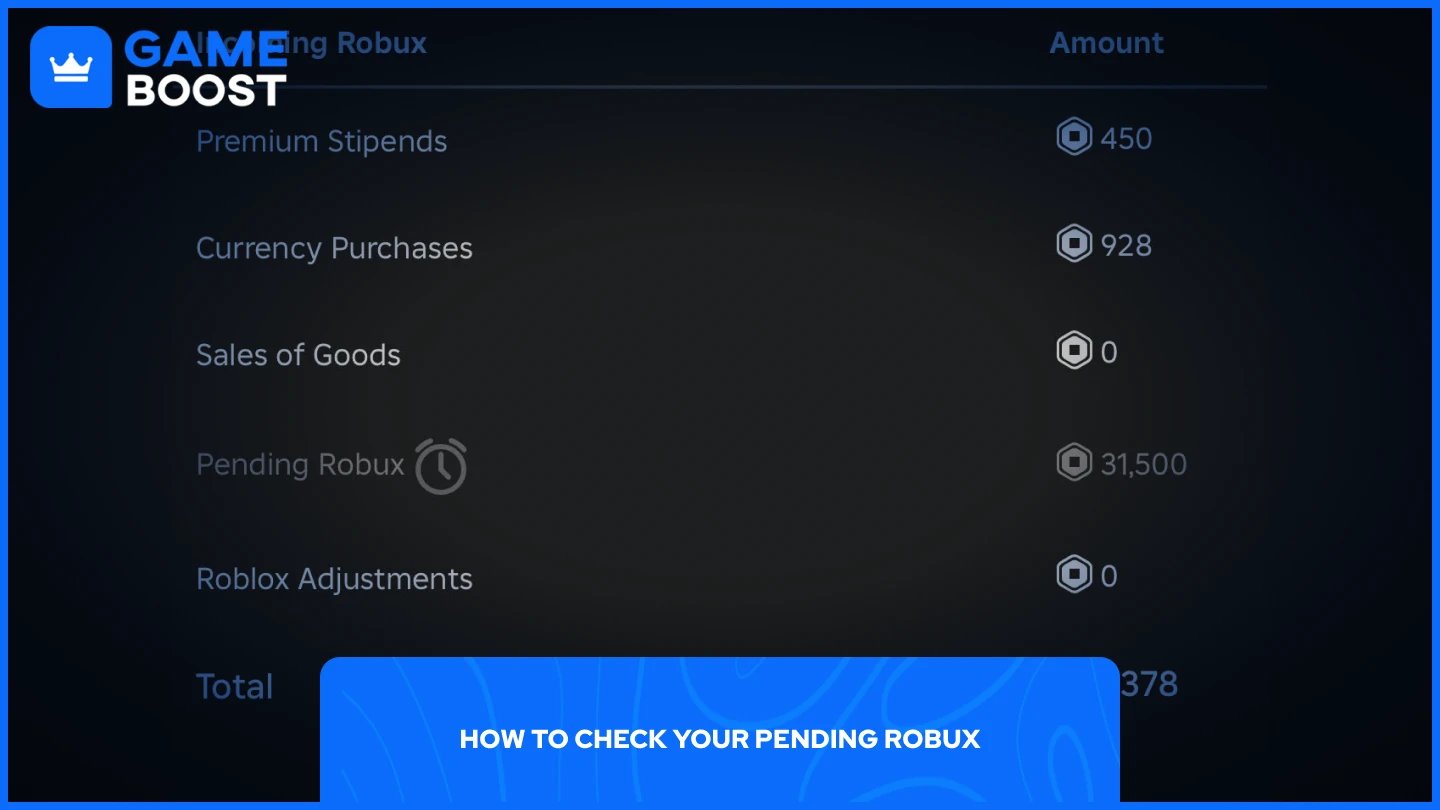
You can view your pending balance directly from your Roblox account on both desktop and mobile.
On desktop:
Go to Roblox and log in.
Click your Robux balance in the top-right corner.
Scroll down to find the "Pending Robux" section in the "Incoming Robux" tab.
On mobile:
Open the Roblox app and log in.
Tap the Robux icon at the top of the screen.
Tap your Robux balance to expand the details.
Your pending balance will be listed there.
Each transaction has its own release date, which you can also track through the Roblox Creator Dashboard under the earnings or transactions section.
Also Read: How Much Does Robux Cost? Every Package Price
Not every transaction takes the same amount of time. A few factors influence how long your Robux stay pending:
Sale amount: Larger transactions tend to trigger longer review periods.
Account history: Newer accounts are more likely to get flagged, which can extend the hold.
Type of sale: Experience Passes often go through longer pending periods than small avatar item sales.
Platform traffic: During peak periods with high activity, processing times can slow down across the board.
Account standing: Accounts flagged for suspicious activity may experience longer holds compared to accounts with a clean history.
Also Read: How to Unlink Roblox Account from PS4 & PS5 (Step-by-Step)
Pending Robux is a standard part of selling on Roblox, not a sign that something has gone wrong. Most transactions clear within a few days, though the official window stretches up to 30 days depending on the sale type and your account history.
Keeping track of your pending balance through the Creator Dashboard helps you plan ahead, especially if you're relying on those earnings for DevEx or further investment into your games.
“ Mustafa Atteya has been writing about gaming and esports since 2023, specializing in competitive game content and player improvement guides. At 25, he brings both hands-on gaming experience and professional SEO writing expertise to the GameBoost team.”