
Apple Gift Cards
Gift Card • Shopping • €0,39 – €167,16
Select Region
Choose your region to see available gift card options




















Available Offers
Select an offer to view details and purchase
Instant Delivery
24/7 Support








Buy Apple Gift Cards Online - Buyer Protection & Live Chat Support

Apple Gift Cards for Sale - Secure Checkout & Fast Delivery
Buying an Apple gift card online starts with choosing the region tied to your Apple Account, since that determines which denominations and pricing appear. From there, selecting an amount and completing checkout with a card, digital wallet, or cryptocurrency finishes the purchase.
Apple gift card denominations typically run from $10 up to $200 or more per card, with pricing varying slightly by seller and region. Whether sales tax applies at the point of purchase depends on the US state, since many states tax only the item bought with the balance rather than the gift card itself.
GameBoost delivers the code to your dashboard the moment payment clears, cutting out the trip required at stores that sell Apple gift cards in person. Every seller completes identity verification before any Apple Gift Cards for Sale listing goes live, so the code comes from a confirmed source rather than an unverified third party.
Once you buy an Apple gift card, buyer protection stays with your order after checkout, and 24/7 human support is always on hand to help with anything you need.
Using and Redeeming Apple Gift Cards
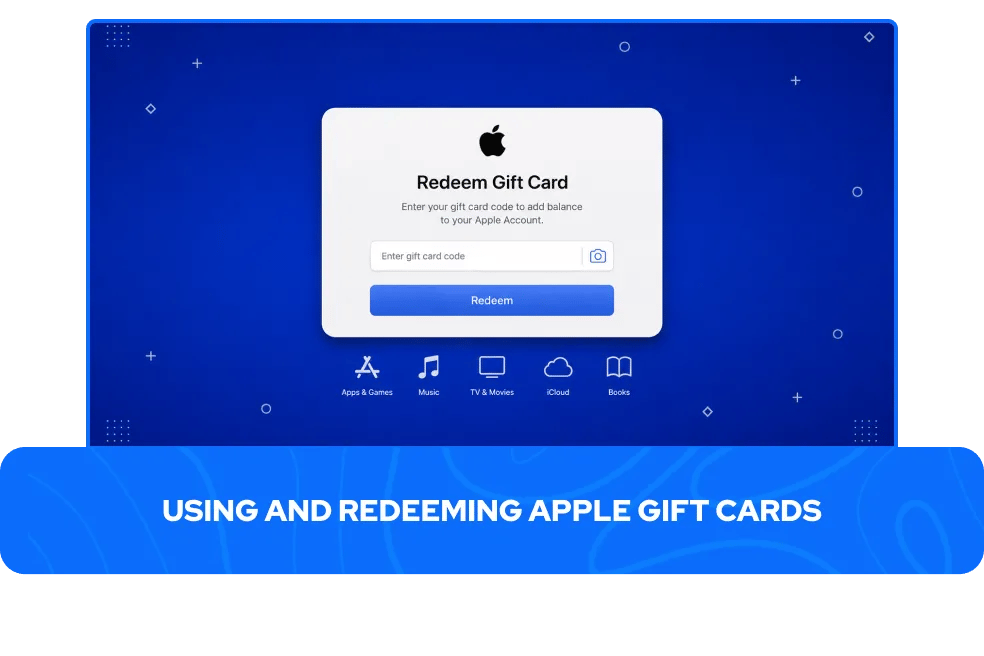
Redeeming an Apple gift card works the same way across iPhone, iPad, Mac, and Apple TV. Opening the App Store, tapping the profile icon, and selecting Redeem Gift Card brings up a field where the code can be typed manually or scanned with the camera. Once applied, the balance links to whichever Apple Account was signed in at the time.
From there, Apple Gift Card balance functions as a single fund across several categories:
App Store apps, games, and in-app purchases
Apple Music, Apple TV+, and Apple Arcade subscriptions
iCloud+ storage plans
Eligible third-party app subscriptions billed through Apple
Movies, shows, and books purchased digitally
The balance syncs automatically into the Apple Account card inside the Wallet app, which doubles as the easiest place to check your Apple gift card balance. Checking it there before a purchase confirms whether the remaining amount covers the full order, avoiding any surprise at checkout.
Two restrictions apply regardless of how the balance is used. It cannot be loaded directly into Apple Pay, though it still applies automatically first when Apple Pay is chosen at checkout on Apple's own platforms, and it cannot be used to buy additional Apple gift cards.
Older iTunes gift cards and current Apple gift cards run on the same underlying balance system, so either label still covers the full range of purchases available today. Apple Cash, by contrast, remains a completely separate system, and funds loaded from a gift card cannot move into an Apple Cash balance for peer-to-peer payments or debit spending.
Apple Gift Card Regions, Transfers, and Refunds
Apple gift card purchased for one country only redeems on an Apple Account registered in that same country, with no currency conversion or region switching available afterward. This means matching the card's region to the account it will be used on matters before buying, not after.
Physical purchases are only supported in select regions. In countries where they are, the balance extends beyond digital content to hardware and accessories bought on apple.com, in the Apple Store app, or in an Apple retail store. Buyers outside those regions should expect the balance to stay limited to App Store, subscription, and digital media purchases.
Once redeemed, that balance stays tied permanently to the Apple Account it was applied to, even between family members on the same Family Sharing plan, and it cannot be exchanged, resold, or reloaded once spent. Refunds follow a similarly strict pattern.
However, Apple does not issue cash refunds for Apple gift cards except where required by law, and any return on a purchase made using gift card funds gets credited back to the Apple Account balance rather than paid out separately.
Gift Cards & GameBoost Products
Buy Gaming Gift Cards
Buy Entertainment Gift Cards
Buy Shopping Gift Cards
Buy Food Gift Cards
Buy Mobile Gift Cards
Buy Travel & Transport Gift Cards
View all GameBoost Currencies
View all GameBoost Game Keys
View all GameBoost Accounts
View all GameBoost Top Ups
View all GameBoost Items
Apple Gift Cards FAQs
Apple gift cards for sale are available through Apple directly, physical retail stores, and verified marketplaces like GameBoost, which delivers the code digitally instead of requiring a store visit.
No, Apple gift cards are not reloadable once the balance runs out. Each new card is redeemed separately, and once applied, the value adds to whatever balance already sits on the Apple Account.
Apple gift cards cannot be redeemed for cash except where required by law, and the balance cannot be exchanged, resold, or transferred to another format once applied.
Apple gift card balance is separate from Apple Pay. The balance cannot be loaded into Apple Pay directly, though it still applies automatically first when Apple Pay is selected at checkout on Apple's own platforms.
Buying Apple gift cards online is safe when the seller is verified and the transaction is protected. On GameBoost, every seller is vetted before listing, and buyer protection covers each purchase.
Yes, Apple gift cards and older iTunes gift cards run on the same underlying balance system, so either one covers the full range of purchases available through Apple today.