





PUBG Mobile Top Up
Buy PUBG Mobile UC from verified sellers and get it delivered straight to your Player ID.

PUBG Mobile UC for Sale
UC is PUBG Mobile's paid currency, so regular matches don't give you any. Royale Pass ranks and Bonus Challenges hand out a little now and then, but not enough to pay for an Elite Pass each season. Buying PUBG UC fills that gap: you can upgrade the Royale Pass on day one, spin a limited crate while it's live, or unlock outfits for a new PUBG Mobile account.
Almost every PUBG top up on GameBoost only needs your Player ID. You share it when you buy, the seller sends the UC to that ID, and many offers are delivered automatically within minutes.
Ways to Receive Your UC
Sellers deliver UC in one of three ways
Player ID: Used by most offers. UC goes straight to your ID with no login involved.
Redeem code: You receive a code and enter it on Midasbuy, PUBG Mobile's official top-up site, after linking your Player ID.
Login: A few sellers sign in and buy the UC in the game. Change your password once it arrives.
Redeem codes are also sold on their own as PUBG Mobile gift cards.
Account Checks Before Buying
Two account details matter more than anything else:
Game version: UC offers are for the global version of PUBG Mobile. They don't work on the China, Japan, Korea, Taiwan or Vietnam versions, which run on separate servers.
Player ID: UC sent to a wrong Player ID usually can't be refunded, so copy it straight from your profile instead of typing it.
How to Top Up PUBG Mobile
Topping up outside the game works because UC is tied to your Player ID, not to your phone or app store account. Any seller with your ID can add UC, so you get to choose whose price suits you. PUBG top up takes four steps:
Copy your Player ID from your in-game profile.
Pick a UC pack, from 60 up to 8,100 UC.
Enter your Player ID and pay.
Reopen the game to see the UC in your balance.
What Is UC in PUBG Mobile
UC is the currency PUBG Mobile sells for real money. It's separate from AG, which comes from events and missions, and most premium items in the shop are priced in UC.
Everything UC buys is cosmetic or pass-related, so it never makes you stronger in a match. It goes toward a long list of extras, mainly:
Royale Pass Elite: UC upgrades the seasonal Royale Pass to Elite or Elite Plus for premium rewards.
Outfits and skins: Character outfits plus skins for guns, vehicles and parachutes.
Crates and spins: Lucky draws with a chance at rare and limited items.
UC Packs and Bonus UC
PUBG Mobile builds its official packs from base UC plus bonus UC, and each pack's name already shows the total you get. This breakdown shows how each one adds up:
Pack | Base UC | Bonus UC |
|---|---|---|
60 UC | 60 | 0 |
325 UC | 300 | 25 |
660 UC | 600 | 60 |
1,800 UC | 1,500 | 300 |
3,850 UC | 3,000 | 850 |
8,100 UC | 6,000 | 2,100 |
How to Get Free UC in PUBG Mobile?
PUBG Mobile free UC exists, but only in small amounts, through:
Royale Pass ranks: Some rank rewards include UC, mostly on the paid Elite track.
Bonus Challenge: Entry tokens can win UC, though big wins are rare.
Tournaments and custom rooms: Creators and organizers often give out UC as prizes.
None of these pays out on a schedule you can plan around. Players who need UC for a specific pass or crate usually buy it instead.
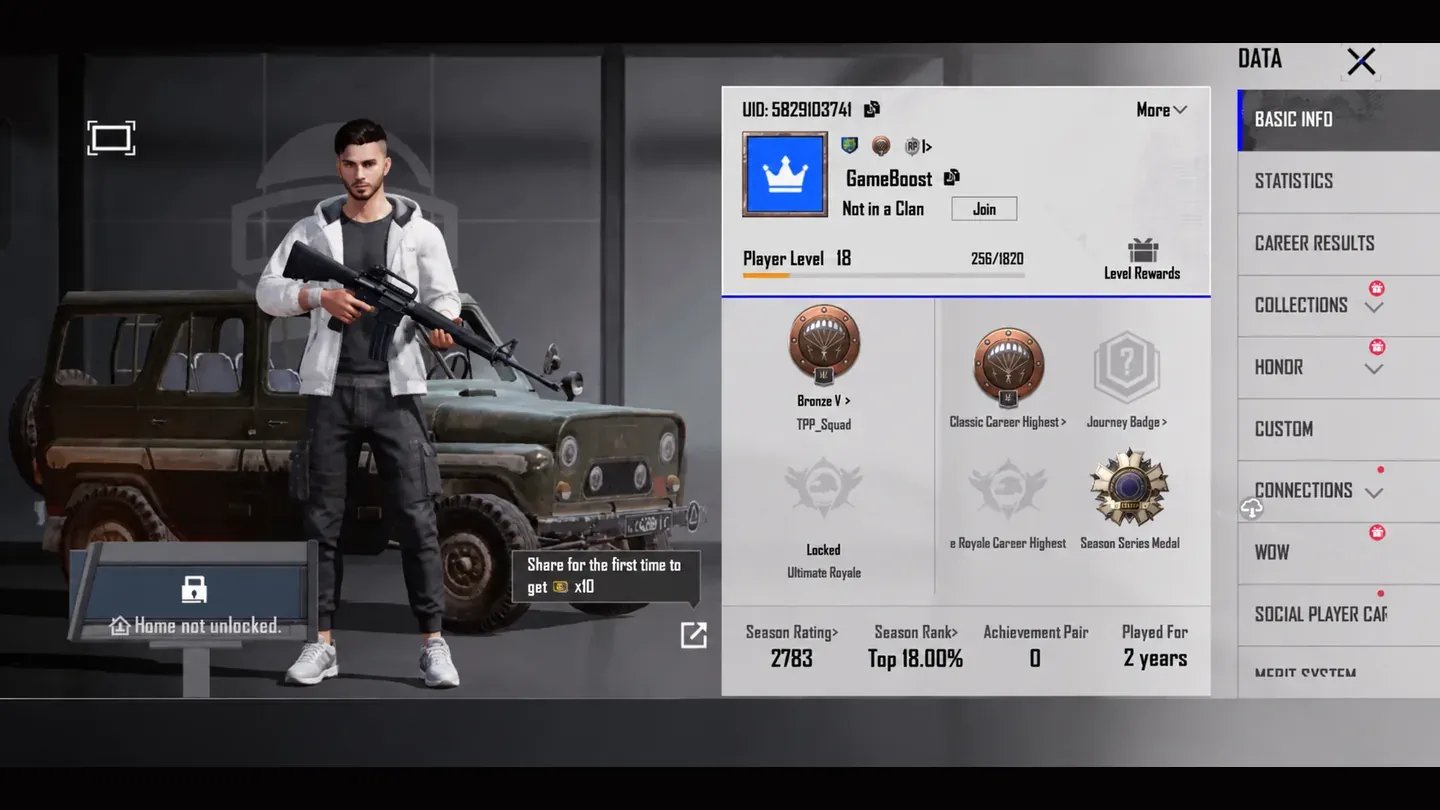
How to Find Your PUBG Mobile Player ID
Sellers can't send UC to an in-game name, since names can be changed. Every top-up goes to your Player ID instead, and it only takes a few taps to find:
Open PUBG Mobile and tap your avatar in the lobby.
Find your Player ID on the profile screen, next to your name.
Tap the copy icon beside it.
Why Buy PUBG Mobile UC on GameBoost?
Elite Pass seasons, collab crates and limited outfits all run on a timer in PUBG Mobile. With automatic Player ID delivery, UC can be in your account before an event wraps up.
A PUBG Mobile purchase on GameBoost includes:
Three Delivery Options: Player ID, redeem code or login, picked with one filter.
Every Standard Pack: All six official UC packs, from 60 to 8,100.
KYC-Checked Sellers: Identity checks happen before anyone can sell.
Protected Payments: Checkout runs entirely on GameBoost.
Fast Turnaround: Many offers are delivered automatically.
Cashback: 3% back in GB Coins on every purchase.
Live Support: Real people answer any time of day.
Several sellers offer each UC pack at their own price, which makes it simple to compare them and buy cheap PUBG UC. All sellers pass KYC verification and every payment goes through GameBoost's secure checkout, so buying PUBG UC on GameBoost is safe.
You can reach the support team anytime by opening a support ticket or joining the GameBoost Discord.
How to Buy PUBG UC on GameBoost
Checkout and delivery both happen on GameBoost, and each step shows up in your buyer dashboard as it happens. Most Player ID offers finish within minutes.
Starting at gameboost.com, the purchase goes in this order:
Open gameboost.com and set your language and currency.
Head to Top-Ups and choose PUBG Mobile.
Pick a UC pack and filter by delivery method.
Compare prices and seller notes, then choose an offer.
Enter your Player ID
Press “Buy now” button, and choose your perfered payment method