

.png)
•Filip Premuš• 9 min read
Call of Duty: Modern Warfare 4

Call of Duty: Modern Warfare 4 combines a story campaign, 6v6 Multiplayer, and DMZ under one online login. Every online session runs through your Activision account, which stores weapon progress, camos, and rank across linked platforms.
2FA on COD Modern Warfare 4 adds a security code to that login, so an email and password alone stop short of opening the account. The code arrives through an authenticator app, a text message, or an email, and Activision recommends the app. Method differences, exact setup steps for each option, backup code storage, and recovery fixes follow in order.
Activision supports authenticator app, SMS, and email 2FA, and one account can run more than one method at once.
Accounts receive email 2FA automatically after email verification, and Activision does not let an account remove it.
Setup for every method starts at the Privacy & Security tab of the Activision account profile.
The authenticator app route ends with ten single-use backup codes that deserve storage away from the phone.
SMS setup adds a text-enabled phone number to the account, and free-to-play PC players face a separate SMS requirement.
A primary method sets the default login prompt, and a replaced phone calls for a quick disable and re-enable of the authenticator method.
The Activision account owns the 2FA settings, so every Call of Duty title that uses the account follows the same rules. Authenticator app, SMS, and email codes all work, and an account can run more than one method at the same time.
Code delivery and removal rules differ for each method.
Method | Code Delivery | Turn Off Later |
|---|---|---|
Authenticator App | Codes appear inside the app | Yes |
SMS | Text message to the registered mobile number | No |
Message to the address on the account | No |
Activision recommends the authenticator app for its 30-second code refresh, which removes the need to request another code. Authy, Duo Mobile, Google Authenticator, and Microsoft Authenticator all count as supported apps.
Email 2FA switches on without any setup. Verifying the email address during account creation turns it on, and existing accounts join the moment the holder verifies the email to change an account detail. Accounts on email 2FA can still add an authenticator app or SMS alongside it.
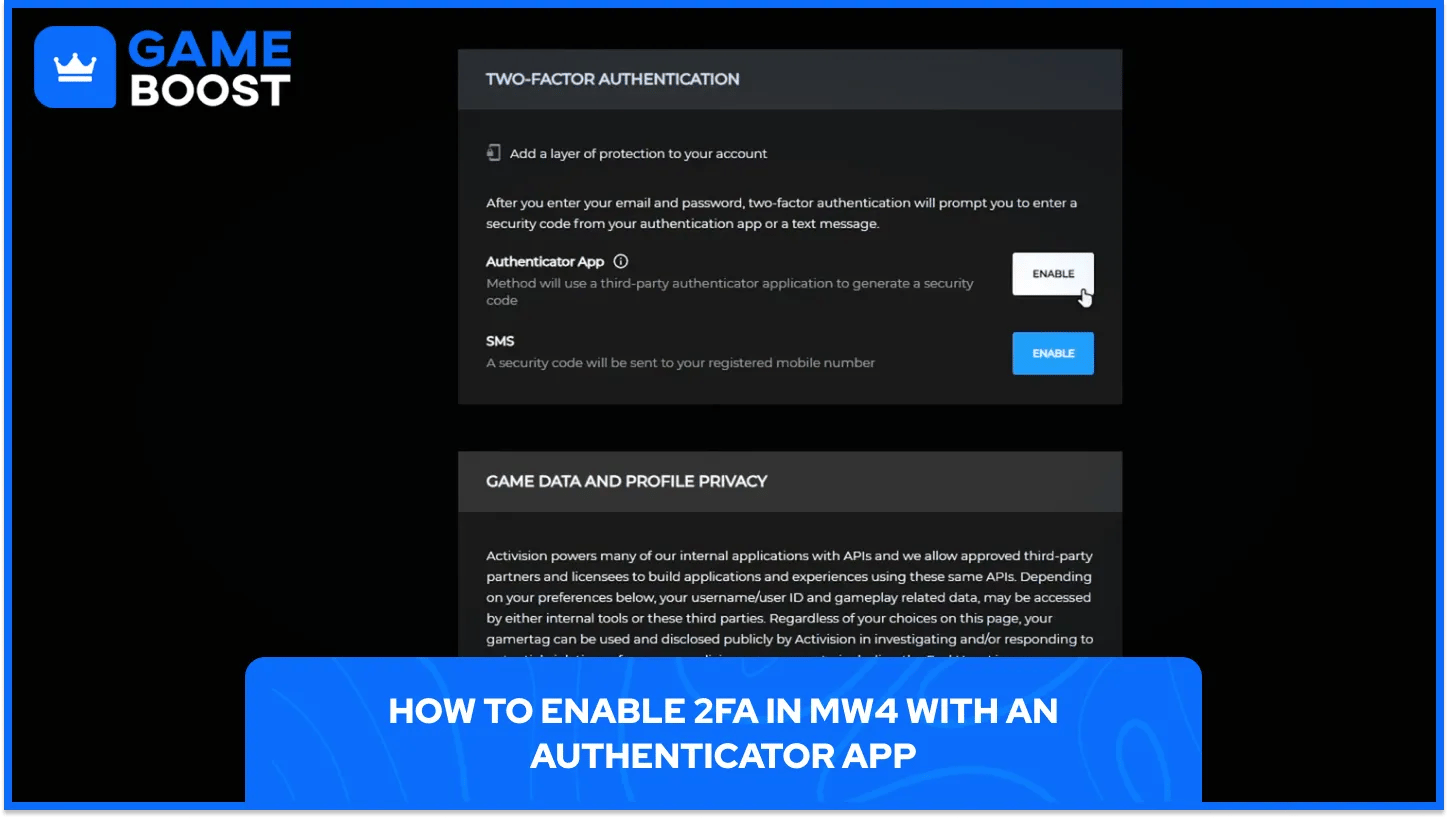
Setup runs through the Activision account profile, and the phone needs a supported authenticator app first. Everything a player earns in MW4, from weapon camos to Double XP tokens, sits on that same account, so the few minutes of setup protect all of it.
The authenticator app route follows these steps in order.
Install a supported authenticator app: The phone needs the app ready before the pairing step starts.
Log in to the Activision account: Enter the email address and password, then finish any code prompt that appears.
Open the Privacy & Security tab: The Two-Factor Authentication section lives inside that tab.
Select Enable in the Authenticator App row: The row starts the pairing process for the app.
Verify account ownership if Activision asks: Select Send Code, enter the six-character code from the inbox email, and select Verify.
Add the account to the authenticator app: Open the app and follow its on-screen instructions to link the Activision account.
Enter the 6-digit code and password: Return to the account page, type the code that appears under Activision, and add the account password.
Select Activate to finish setup: Activision then provides the backup codes and the authenticator method goes live.
Activision supplies ten backup codes once setup finishes, and each code works a single time. The codes belong somewhere other than the phone that holds the authenticator app, since one lost phone would remove both at once.
A copy of the backup codes also lands in the account inbox under the subject Two-Factor Authentication Enabled. Backup codes cover emergencies such as a lost or broken phone and never replace the app for daily logins.
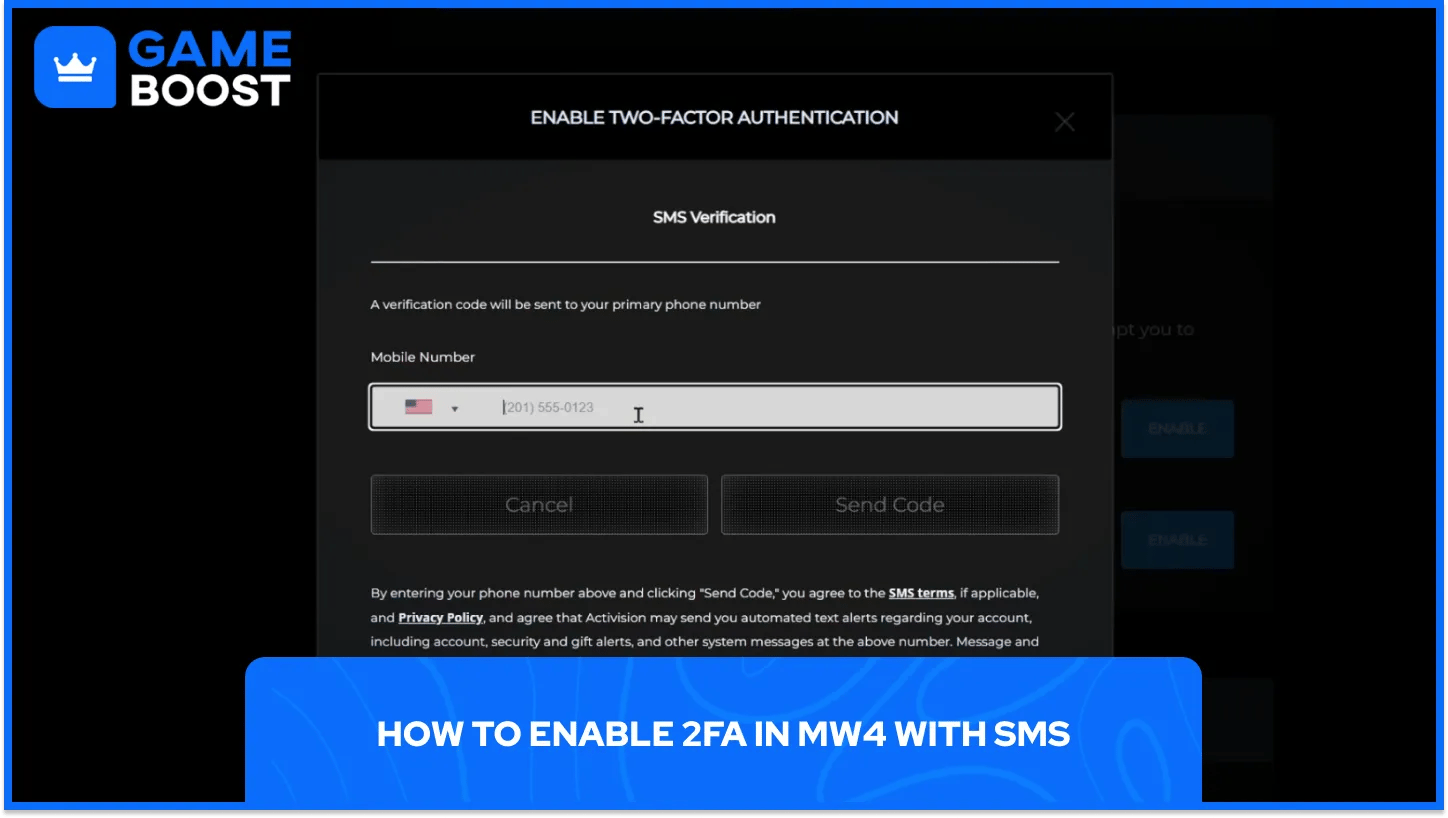
SMS 2FA ties the account to a mobile number, which suits players who prefer text messages to a separate app. The same Privacy & Security route applies, and the number must come from a country that Activision supports.
SMS setup follows these steps in order.
Open the Two-Factor Authentication section: Log in, select the Privacy & Security tab, and go to that section.
Select Enable in the SMS row: Complete the email code verification if Activision asks for it.
Enter the mobile number and select Send Code: Activision texts a verification code to that number.
Enter the 6-digit code and password: Type the code and the account password on the profile screen.
Select Confirm to finish setup: Confirming activates the SMS method on the account.
Texts can take several minutes depending on region and carrier, and some carriers apply rate limits. The spam folder in the text messaging app deserves a check, found through its Filter or Settings menu. Resend Code sends a fresh text, and Back lets the player fix a mistyped number. Repeated send attempts can trigger a rate limit lock, and the on-screen message shows the wait time.
Free-to-play PC players follow a separate SMS rule. Any PC platform account without a Call of Duty title that came out within the last two years must verify a text-enabled phone number, and the prompt appears the first time Warzone launches. The rule applies to each platform account on its own, so the prompt can reach one account and skip another.
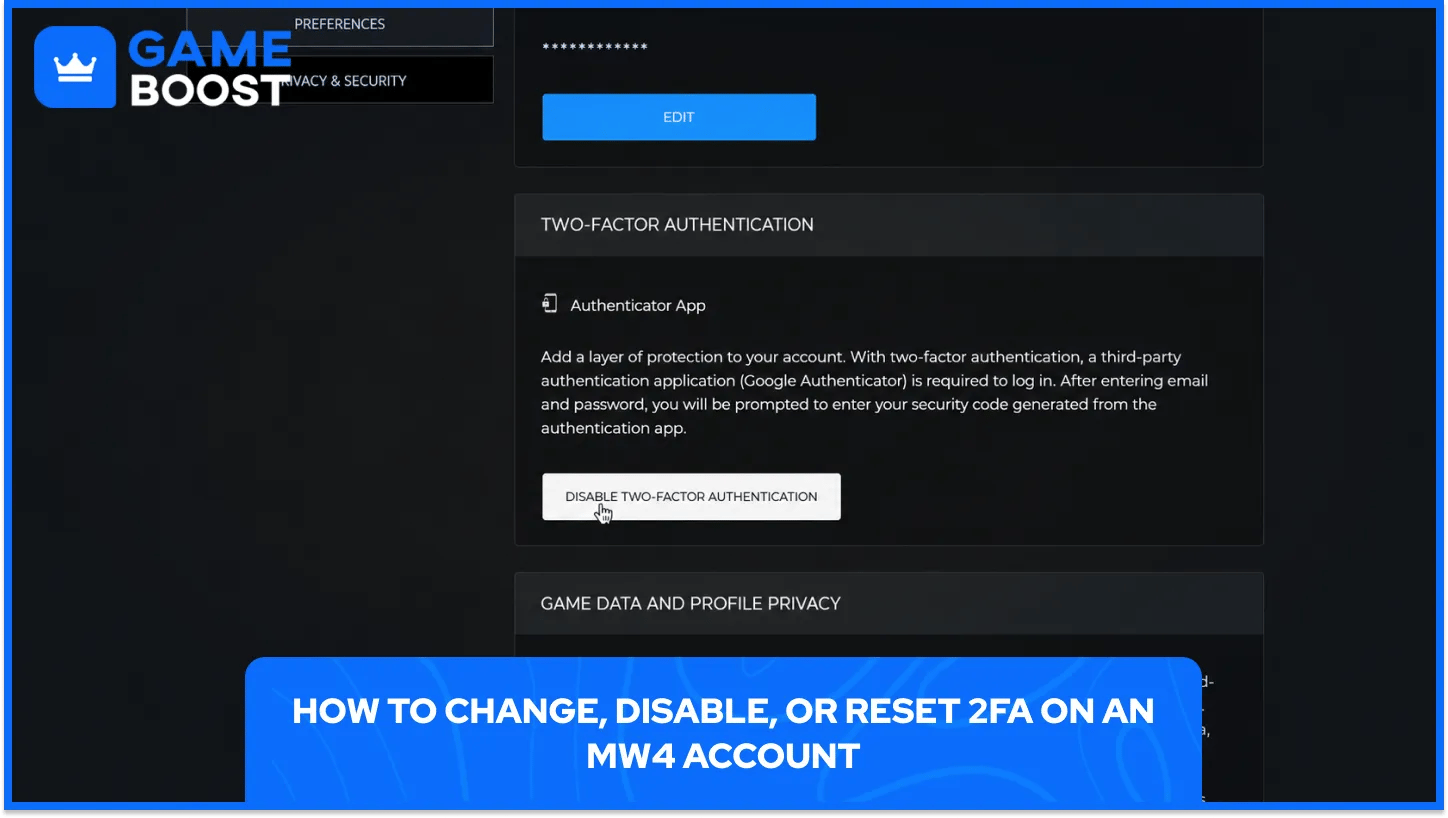
Accounts with more than one method running need a primary method, which decides the default prompt at login. Changing it takes only a few taps on the account profile.
Switching the primary method follows these steps in order.
Reach the Two-Factor Authentication section: Log in to the profile, open the Privacy & Security tab, and scroll to that section.
Select the three dots in the preferred method row: The menu holds the actions available for that method.
Select Set As Primary Method: A later switch to another method repeats the same steps.
Disabling a method uses the same three dots menu. Choose Disable Method, enter the account password, and select Confirm.
A phone swap calls for a reset whenever the authenticator data cannot transfer. Log in with a backup code in place of the app code, then disable the Authenticator App method from the three dots menu and run the authenticator setup again on the new phone. Activision issues ten fresh backup codes at the end of that reset.
A 2FA setup protects more than one game mode, since Multiplayer, MW4 DMZ, and campaign rewards all draw on the same Activision account. The recovery details decide how smooth any later phone swap or email change feels, so backup codes that live away from the phone and an email address under the player's control carry the most weight.
Cross-platform play adds another reason for care. Progression follows the Activision account to any linked platform, so a secured account keeps the same protection after a switch from console to PC or the reverse.
Cheap Call of Duty Game Keys
Buy Cheap Call of Duty MW4 Accounts
Buy CoD Modern Warfare 4 Items
Buy Call of Duty Accounts
CoD Items for Sale
Cheap Call of Duty Points
View all GameBoost Game Keys
View all GameBoost Accounts
View all GameBoost Boosting Services
View all GameBoost Currencies
View all GameBoost Gift Cards
View all GameBoost Top Ups
View all GameBoost Items
“ Hamza is your average video game enthusiast who’s always looking for his next game to play. Whether he’s diving into a competitive multiplayer match, exploring a massive open world, or getting completely hooked on a new release, gaming has always been one of his favorite ways to spend his time. Over the years, his love for games has grown into a passion for understanding and sharing everything about them. Through his articles, Hamza aims to help gamers discover new games, improve their skills, stay up to date with the latest gaming news, and get the most out of their favorite titles.”


