
Nintendo Gift Cards
Gift Card • Gaming • $4.84 – $190.06
Select Region
Choose your region to see available gift card options











Available Offers
Select an offer to view details and purchase
Instant Delivery
24/7 Support








Buy Nintendo eShop Gift Cards – Fast Delivery & Secure Transactions

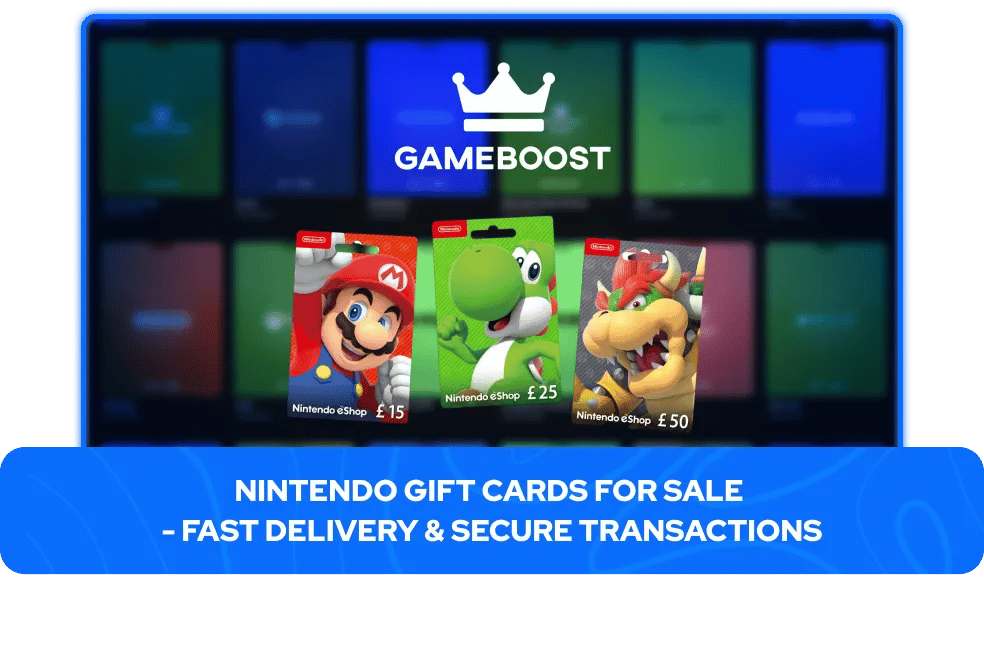
What Is a Nintendo Switch Gift Card?
A Nintendo Switch gift card, also called a Nintendo eShop card, is a digital code that adds funds to a Nintendo Account. Once redeemed, the balance works like store credit in the Nintendo eShop, the official digital store for Switch consoles. The code is delivered digitally, so there's no physical card involved, you receive the code and redeem it directly on your account or console. A digital card and a physical card do exactly the same thing once redeemed; the only difference is that a digital code arrives quickly by email or in your dashboard, with nothing to wait on in the mail. The balance stays in your Nintendo Account until you spend it.
If you are looking for a specific title rather than store credit, GameBoost also stocks Nintendo game keys for Switch and Switch 2 at competitive prices with instant delivery.
Does a Nintendo Switch Gift Card Work on Nintendo Switch 2?
Yes, the same Nintendo eShop card works on both the original Nintendo Switch and the Nintendo Switch 2. There isn't a separate gift card for each console. The funds are added to your Nintendo Account rather than to a specific system, so the balance can be spent through the eShop on either console tied to that account.
What Can You Buy With a Nintendo Switch Gift Card?
Nintendo eShop funds cover almost everything sold through the eShop. You can use the balance for full-price and discounted digital games, downloadable content and expansions, in-game content and add-ons, pre-orders of upcoming titles, and Nintendo Switch Online memberships.
The funds work only within the Nintendo eShop, so they can't be spent outside Nintendo's own store, but within it they behave like cash and can be spent all at once or across several smaller purchases.
Is It Safe to Buy Nintendo Cards from GameBoost?
Absolutely, purchasing Nintendo cards through GameBoost is completely secure. The platform holds a 4.5 Trustpilot rating from over 18,000 verified customer reviews, showcasing dependable service quality and strong customer satisfaction.
GameBoost delivers digital codes moments after your payment is confirmed. You won’t have to wait for shipping or worry about any order delays. The codes activate immediately upon redemption on your Nintendo account.
The platform provides 24/7 live chat support to help with any issues that may occur during your transaction or redemption. If you experience problems with your code or have questions about region compatibility, the support team is available around the clock.
GameBoost includes a cashback program that rewards you for purchases. This feature adds extra value to every transaction, helping you save money when you return for more codes.
How to Buy Nintendo Gift Cards at GameBoost
Obtaining Nintendo gift cards involves just a few simple steps. The entire purchase process completes in less than a minute:
Select your account region
Select the amount
Click "Buy Now"
Select your payment method
Receive your code immediately after payment confirmation
GameBoost sends codes to your account immediately once payment is processed, with most transactions completing within minutes. Digital delivery means you skip physical shipping entirely and can start spending your funds right away.
How to Redeem a Nintendo Switch Gift Card
Redeeming Nintendo gift card takes about two minutes from start to finish. You can complete the process directly on your Switch console, through a web browser, or using the Nintendo mobile app.
On your Nintendo Switch or Switch 2 console:
Make sure your console has an internet connection and the latest system update
From the HOME Menu, select the Nintendo eShop icon
Select Enter Code
Enter your code and select OK to add the funds to your account
Using a web browser:
Sign in to your Nintendo Account on Nintendo's official website
Go to the redemption page and select Enter Code
Enter the code to add the balance to your account
The funds are added to your Nintendo Account balance instantly once the code is accepted.
Nintendo Switch Gift Card Region and Currency Rules
Nintendo eShop cards are region-locked, meaning a card is tied to the country it was issued for and can only be redeemed on a Nintendo Account set to that same country. A US card, for example, will only work on a US account. The country set in your Nintendo Account is what matters here, not the console's language or your physical location.
A region mismatch is the most common reason a code won't redeem, and Nintendo doesn't replace, exchange, or refund a card bought for the wrong region, so it's important to match the card to your account's country before buying.
Gift Cards & GameBoost Products
Buy Gaming Gift Cards
Buy Entertainment Gift Cards
Buy Shopping Gift Cards
Buy Food Gift Cards
Buy Mobile Gift Cards
Buy Travel & Transport Gift Cards
View all GameBoost Currencies
View all GameBoost Game Keys
View all GameBoost Accounts
View all GameBoost Top Ups
View all GameBoost Items
Nintendo Switch Gift Cards FAQs
Yes, the same Nintendo eShop card works on both the original Nintendo Switch and the Nintendo Switch 2. The funds are tied to your Nintendo Account rather than a specific console, so the balance can be spent on either system linked to that account.
Yes, you can. The eShop balance from a gift card can be used to pay for a Nintendo Switch Online membership, along with games, DLC, and other content in the eShop.
No, once the code is redeemed, the funds are added to your Nintendo Account and don't expire. The balance stays available until you spend it.
No, Nintendo eShop cards are region-locked. A card issued for one country will only redeem on a Nintendo Account set to that same country, so the card needs to match your account's region.
Both add the same eShop balance to your Nintendo Account and are redeemed the same way. The only difference is delivery, a digital card arrives as a code by email or in your dashboard, while a physical card is a card you receive with a code on the back.
Yes, once a card is redeemed, your remaining eShop balance is shown in the top corner of the Nintendo eShop screen on your console, and can also be viewed through your Nintendo Account.