
Apex Legends Accounts
Instantly buy Apex Legends accounts with rare skins.
Popular searches:



Popular Categories:

What is Apex Legends?
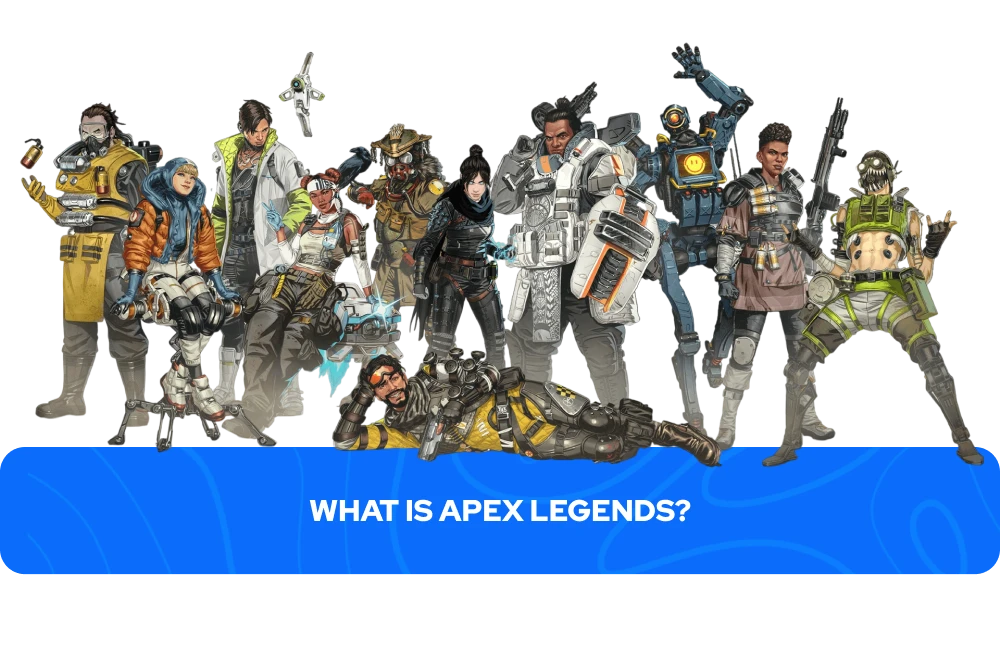
Apex Legends is a free-to-play battle royale developed by Respawn Entertainment, released in February 2019 on PlayStation, Xbox, and PC, with a Nintendo Switch version arriving in March 2021. In Apex, players compete in squads of three across large, evolving maps that shrink over time as a ring closes in, forcing squads into closer combat until one team remains. Each player picks a Legend before the match, and every Legend comes with three distinct abilities.
The game is fully free to download, but characters beyond the starting six and nearly all cosmetics have to be earned or purchased separately, which is where progression becomes a long-term commitment for most players.
All progress, cosmetics, and currency in Apex Legends are tied to an EA Account rather than a specific device. Since Season 19, Apex Legends cross-progression has been active, allowing players to carry their content across any platform linked to that same EA Account. What cross-progression does not do is merge separate Apex Legends accounts. EA has confirmed that progress and content cannot be transferred between different EA Accounts, meaning if a player has two separate Apex accounts, those will always remain independent regardless of which platforms they play on.
How to Buy Apex Legends Accounts?
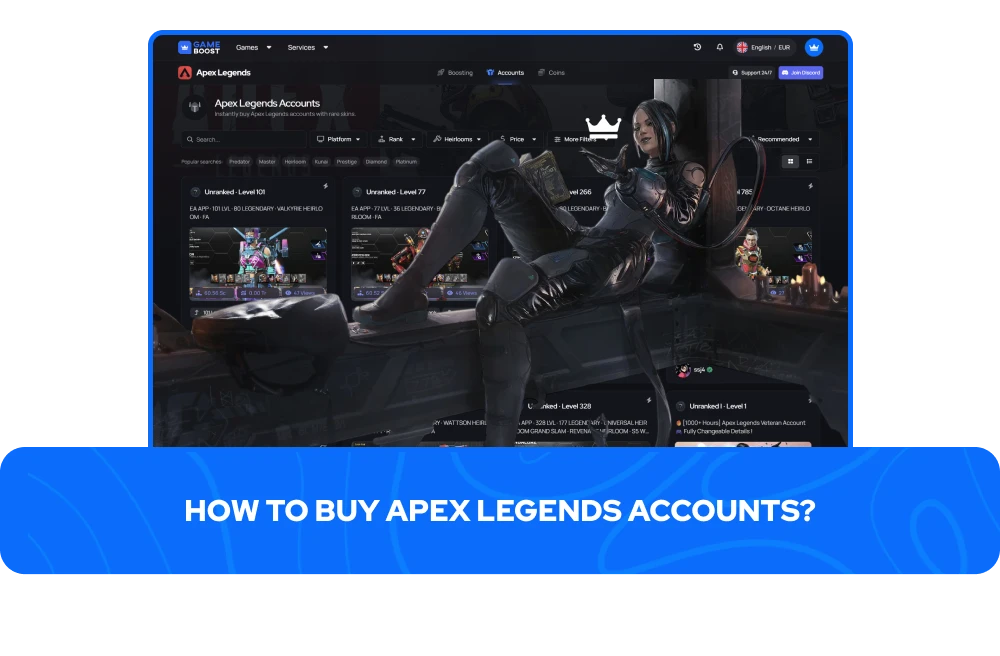
Finding a reliable place to buy Apex Legends accounts takes some research, and the quality of that experience depends heavily on how a marketplace handles listing accuracy, seller verification, and what happens after the purchase is complete. Inconsistent details at the listing stage or a lack of post-purchase support can turn an otherwise simple transaction into a frustrating one.
GameBoost lists Apex Legends accounts for sale with clear information on legend roster, cosmetic inventory, rank status, and platform, so users know exactly what they are getting before reaching checkout. Every Apex Legends account on the site is reviewed before going live, payments are handled through secure channels, and a replacement policy covers situations where account details do not match what was listed.
To buy an Apex Legends account on GameBoost, the steps are as follows:
Find your account — head to the Apex Legends accounts for sale section and use filters to narrow down by rank, heirloom status, or account type
Pick the listing that matches what you are looking for and review the full account contents before proceeding
Complete checkout using your preferred payment method through the secure payment system
Check your dashboard for login credentials, which are typically delivered within minutes of purchase
Log in to your Apex account and update the password straight away to secure it
Support is available at any point during that process, and the platform's 14-day warranty covers rare cases where the account contents do not match the listing.
Sellers who already have Apex Legends accounts available can apply at jobs.gameboost.com, where the process begins with submitting a seller application. Before listing, checking similar Apex Legends accounts for sale gives a realistic sense of pricing, as rank tier and heirloom ownership tend to carry the most weight when buyers are comparing available options.
Types of Apex Legends Accounts For Sale
Apex Legends accounts for sale typically fall into several categories, with every Apex account built around a different progression goal.
Players looking to buy Apex Legends accounts will find the following types available:
Apex Legends Smurf Accounts - clean profiles suited to players who want a secondary account for practicing new Legends or strategies without any rank pressure affecting their main standing
Ranked Ready Apex Legends Accounts - clean profiles suited to players who want a secondary account for practicing new Legends or strategies without any rank pressure affecting their main standing
Apex Legends Heirloom Accounts - profiles that already include Heirloom cosmetics, which have an official drop rate of 0.045% pre Apex Pay with a guaranteed drop only after opening 500 packs
Apex Legends Octane Heirloom Accounts - Apex Legends accounts for sale specifically featuring the Octane heirloom, one of the most recognisable melee cosmetics in the game
Apex Legends Rookie Accounts - entry-level profiles for players who want a fresh start with some foundation already in place
Apex Predators Accounts - accounts that have reached the highest tier in the ranked system, a standing that demands sustained high-level performance across a full season and cannot be reached simply by logging more hours
The differences between these categories come down to what has already been completed on the account. New players start with six Legends available by default, and every additional character beyond that requires either 12,000 Legend Tokens, earned only through leveling up at a rate of 600 tokens per level, or 750 Apex Coins purchased with real money. With a roster now exceeding 25 characters, reaching a full legend collection through natural play alone takes a considerable amount of time, which is why Apex Legends Accounts For Sale with complete or near-complete rosters are among the most popular options.
Is Apex Legends Crossplay?
Apex Legends supports full cross-platform play across PC, PlayStation, Xbox, and Nintendo Switch.Console players have the option to disable crossplay if they prefer to match against others on the same platform type, but PC players cannot toggle it off, as it stays permanently enabled to keep matchmaking queues functional. When a mixed-platform party forms, the full squad is placed into PC lobbies rather than console ones.
Cross-progression, which launched in Season 19, allows players to carry progress and cosmetics across any platform linked to the same EA Account, but it does not merge separate EA Accounts. Content tied to one Apex Legends account stays there permanently, and players who had multiple separate accounts before Season 19 kept those as independent profiles with no automatic combination. This distinction matters when buying an Apex Legends account, because each account functions as a standalone profile and its contents cannot be transferred to or merged with any other account a buyer might already own.
Platform-exclusive cosmetics follow the same logic, with Nintendo Switch purchases staying tied to that platform, and PlayStation Plus and Xbox Gold promotional items remaining locked to their respective consoles. Listings include platform details so buyers have a clear picture of exactly what the account contains before completing a purchase.
What’s Next?
FAQs About Apex Legends Accounts
“GameBoost is not affiliated, endorsed, sponsored, or authorized by Electronic Arts, Inc., Apex Legends, or any of its subsidiaries or affiliates. Electronic Arts, Inc.’s official website can be found at: https://www.ea.com/about. The name Apex Legends, as well as related names, marks, emblems, and images are registered trademarks of their respective owners. Use of trademarks is covered by fair use principles under EU Regulation 2017/1001, Article 14.”