












•Filip Premuš• 10 min read
Call of Duty
Popular searches:
Popular Categories:
Trusted by Millions of Gamers Worldwide

Excellent 4.9 out of 5.0
Based on 720,282+ orders
Br*****ry
United States
He was very fast and nice all it took was three minutes to get the order done
Hu*****ns
United States
He gave me my thing took little long
wu*****rk
France
fast, kind and professional i recommend
Ro*****se
United States
Was very nice, even gave me an extra for the time zone difference! 11/10 experience and will be coming back (:
Xe*****no
United Kingdom
Kind of a long wait but it was worth it he times my purchase by 4 bc of the wait can't wait to buy more
ra*****09
France
delifery was pritty slow 24houres for 1hour 2x xp is pritty slow but i got it thank
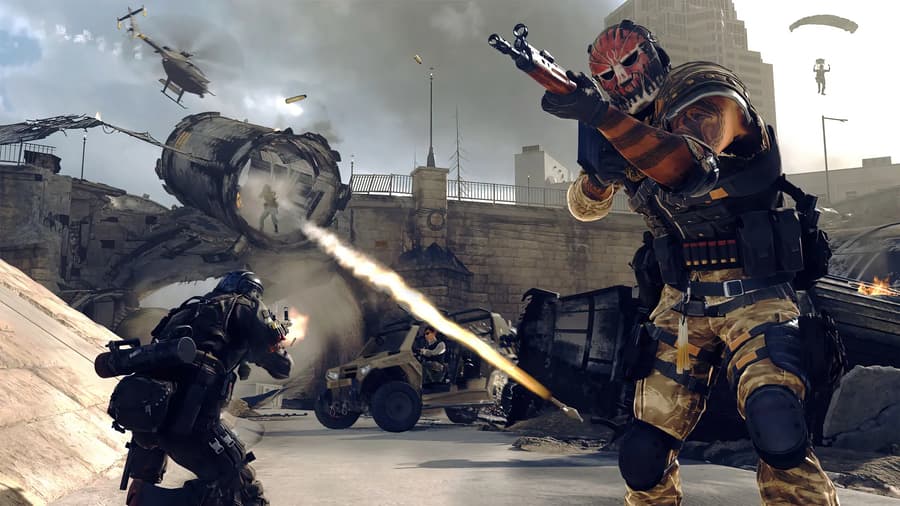
Buy MW4 services like bot lobbies, camo unlocks and DMZ leveling, with GB Coins cashback on every order.

MW4 services cover the parts of Modern Warfare 4 that take the longest to finish yourself: camos, weapon levels, player level and DMZ progress. Someone either plays on your account until the goal is reached or sets up a lobby where you earn it faster. Players who'd rather skip the grind entirely can pick from MW4 accounts for sale, with progress already in place.
MW4 camos are the main reason most players buy help. Each weapon has its own camo challenges, and Modern Warfare 4 launches with 33 base weapons, so finishing every camo in a mode takes a long run of matches. Whatever you unlock, it's saved to your Activision account and shows up on any platform you've linked.
Weapon levels matter just as much as camos. Attachments like scopes, barrels and grips change how a gun handles, from recoil to range, and you unlock them by leveling the weapon. Its strongest attachment, the Apex Attachment, only opens at max level.
Call of Duty MW4 services come in eight types, from quick bot lobbies to full camo grinds:
MW4 bot lobbies: Matches filled with bot opponents that you play yourself on your own account, so kill and headshot challenges go much faster. You can pick PSN MW4 bot lobbies for PlayStation or lobbies for PC and Xbox.
MW4 mastery camos: Your weapons get the Multiplayer mastery camos, from a single camo up to the full set. Gold and Platinum on one gun or a whole weapon class are sold too.
DMZ mastery camos: Your weapons get the DMZ mastery camos, earned in the mode where you loot and extract. DMZ has its own three mastery camos, separate from Multiplayer.
MW4 weapon leveling: Your weapons reach max level with every attachment unlocked, from one gun or a full class like SMGs to all 33 weapons.
MW4 DMZ leveling: Your DMZ level goes up to the max of 70, separate from your player level.
MW4 boosting: Your player level goes up to 55 and into Prestige, without hours of matches.
Double XP and promo codes: Double XP tokens double the XP you earn for a set time, while Monster Energy codes add skins and extra 2XP.
Campaign completion: Someone finishes the story missions on your account, and you keep the campaign rewards.
Each product description lists what's included, the platforms it covers and how it's delivered.
MW4 services reach your account in one of three ways, and the product description says which one applies:
Account login: Camo, leveling, DMZ and campaign services. You share your login in the order chat, and the work happens on your account.
Redeem code: Double XP and promo codes. Your code appears in the order panel after payment.
Lobby invite: Bot lobbies. You enter your in-game username at checkout, accept the invite and play the match yourself.
Codes and bot lobbies are the quickest to deliver, while a full set of mastery camos takes the longest. You can check on your order in the order chat at any point.
Most MW4 services are sold per mode or per weapon group, so the right offer depends on what you actually play. These tips help you pick it:
Pick the mode first: Mastery camos are separate in Multiplayer, DMZ and Warzone, so choose the set for the mode you spend the most time in.
Start with your main weapons: Single-class offers cost less than full-armory packages, like all SMGs or all assault rifles, and cover the guns you use most.
Link your platform: Your Activision account must be linked to the console or PC you play on, or the unlocks won't show up there.
Stay off during login services: Avoid playing on the account while your order is in progress, unless the product description says otherwise.
Use bot lobbies for your own challenges: If you'd rather earn camos yourself, a bot lobby speeds it up without anyone else logging in.
Earning camos and levels the official way means clearing every challenge yourself, match after match. Buying a service hands that work to someone else, and each offer is priced by how long the goal takes. That's why one weapon level costs far less than every mastery camo in a mode, and why cheap MW4 services like a bot lobby sit next to full-armory packages.
Buying MW4 services takes five steps:
Narrow the offers with the Game Version, Platform, Price and Delivery Time filters.
Open an offer and read the product description.
Choose the quantity and click Buy Now.
Fill in the Order Information form if the offer asks for your username.
Pick a payment method and click Pay Now.
Your order then opens with a chat, where you share your login if the service needs it. Once the work is done, check your account and confirm the order.
Login services mean someone else has signed in to your account, so updating your security once the order is done keeps the account yours. Start by changing your Activision password:
Sign in on the Activision website.
Hover over your display name at the top and select Basic Info.
Click Edit next to your password.
Enter the new password twice and click Save.
Pick the same platform you signed in with when the pop-up asks.
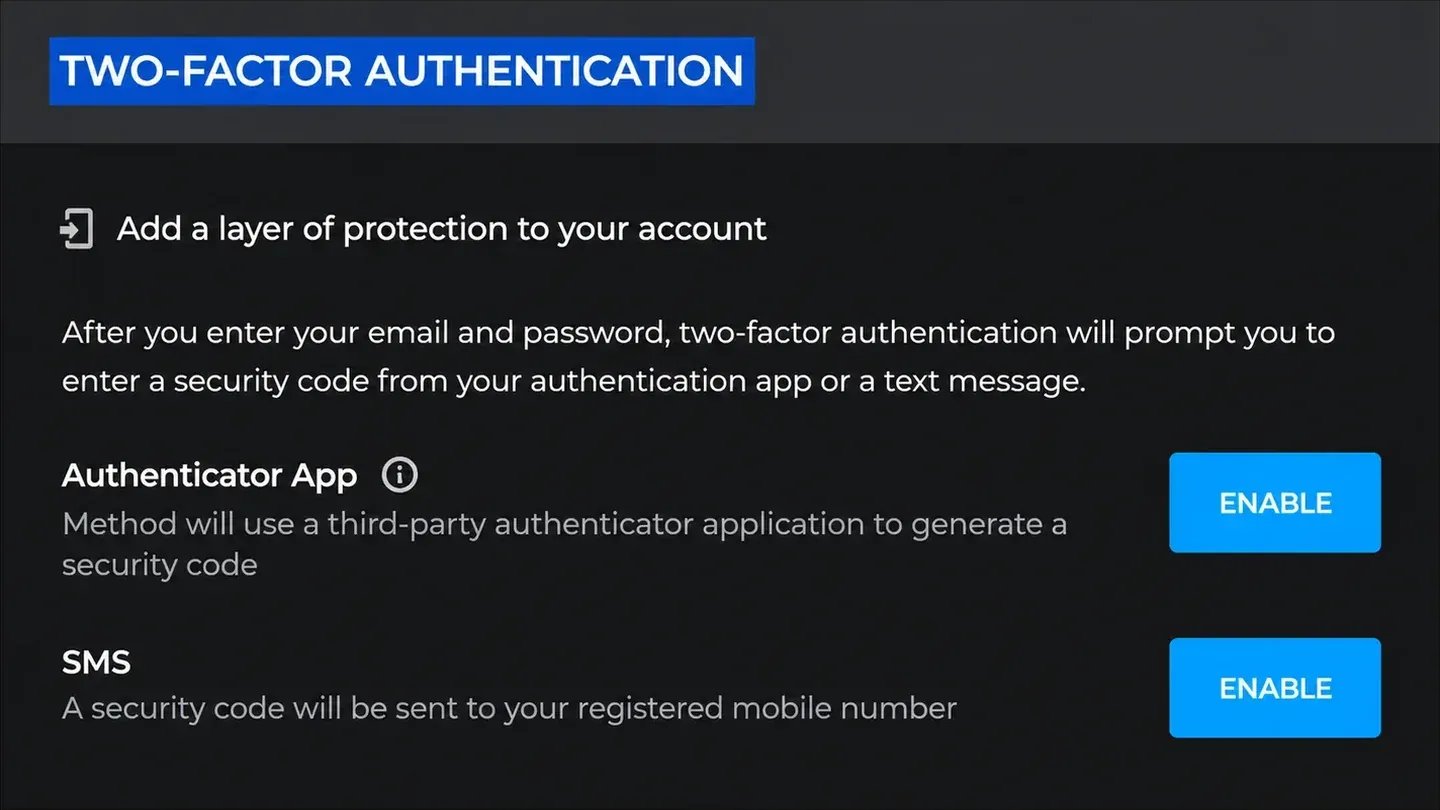
Two-factor authentication adds a code from your phone to every sign-in. To turn it on with an authenticator app:
Install Google Authenticator, Microsoft Authenticator, Authy or Duo Mobile on your phone.
Open the Privacy & Security tab on your Activision account and find Two-Factor Authentication.
Click Enable in the Authenticator App row and add Activision in the app by scanning the QR code.
Enter the 6-digit code from the app and your password, then click Activate.
Save the 10 backup codes somewhere safe, since each backup code works only once.
MW4 bot lobbies are matches where every opponent is a bot instead of a real player. You get invited to the lobby and play the match on your own account. Because bots are easy to beat, kills, headshots and other camo challenges add up far faster than in public matches.
Nobody logs in to your account for a bot lobby, which is why many players choose it over a full camo service. Every kill counts toward your own challenges, so you still earn the camos and weapon levels yourself. Offers are sold per match, per session or per hour, and the product description says which mode the lobby runs in.
Once you've paid, watch the order chat for the host's name and accept their invite in game. If you still play Black Ops 7 as well, BO7 bot lobbies work the same way.
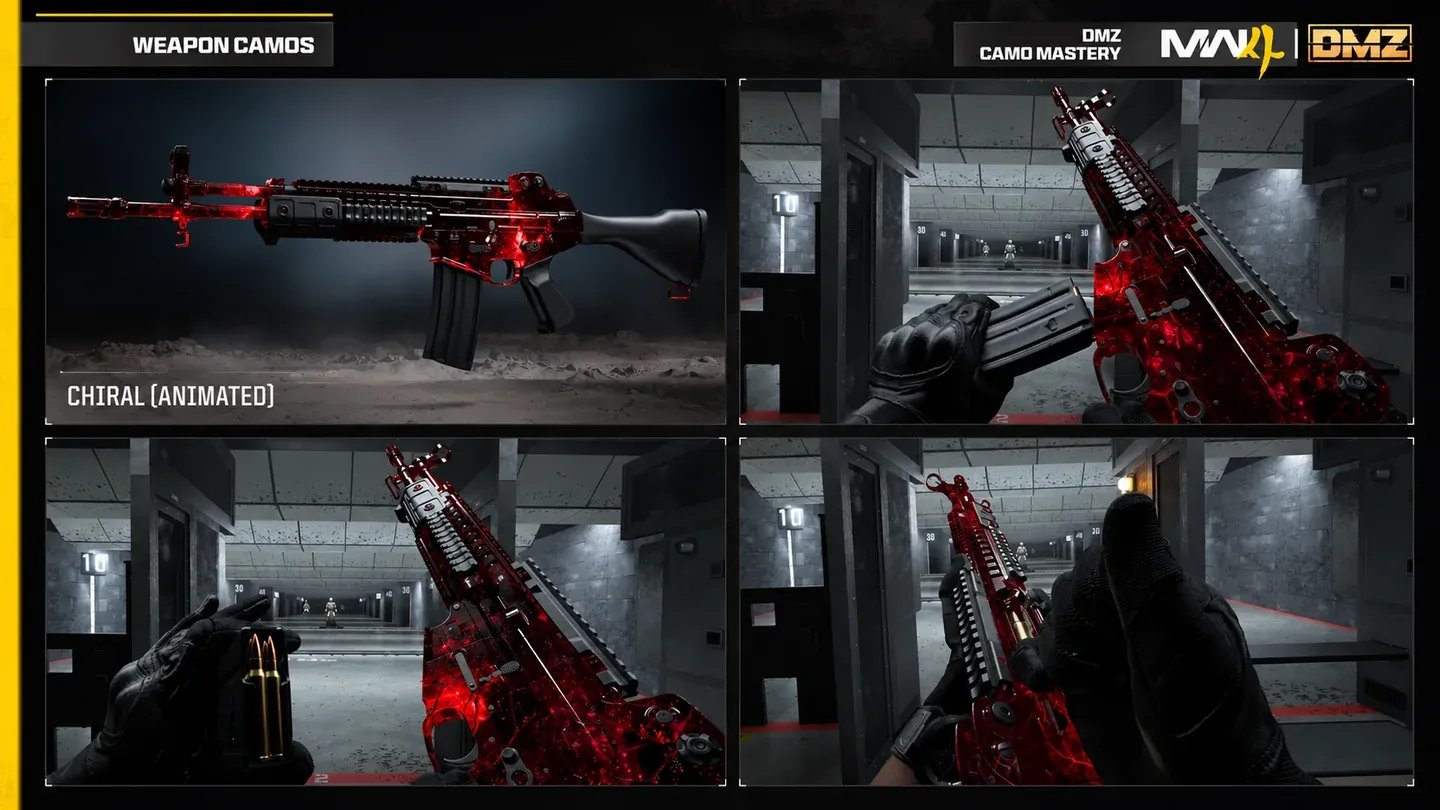
MW4 mastery camos are the highest camos you can earn in each mode. Before you reach them, every weapon goes through Military camos as it levels up, then Special and Completionist camos like Gold and Platinum. Mastery camos need those done across all 33 weapons, which is why they take the longest.
Each mode in Modern Warfare 4 has three mastery camos of its own:
Mode | Mastery camos |
|---|---|
Multiplayer | Mercurial Drift, Polyatomic Reforged, Orion Reforged |
DMZ | Chiral, Ripple Tide, Helio |
Warzone | Parallax, Damascus Reforged, Empyros |
Progress in one mode doesn't count toward another, so Orion Reforged in Multiplayer won't unlock Helio in DMZ. You can buy each mastery camo on its own or a full set for a mode, depending on which one you want on your guns.
Most MW4 services mean handing over your login, so it matters who gets it. Every seller is KYC-verified before they can list, and each offer shows their rating and completed orders. You can follow your order in the order chat from start to finish.
Here's what comes with every MW4 service order:
Rated offers: Ratings and order counts show on each offer before you buy.
Flexible payments: Pay by card, Apple Pay, Google Pay, Paysafecard, Skrill or crypto.
Order chat: Talk to whoever is working on your order, straight from your order page.
GB Coins: Every order earns 3% cashback toward your next purchase.
24/7 support: Real people answer questions at any hour about your order.
GameBoost is a safe place to buy MW4 services, with buyer protection on every order. For anything else, you can open a support ticket at any time.
Before you order a login service, make sure you can still sign in to your Activision account and open the email inbox it uses. For bot lobbies, have the game open on the platform you play on.
Buying MW4 services on gameboost.com takes six steps:
Search for Call of Duty in the search bar and open Items.
Select Modern Warfare 4 in the Game Version filter.
Open an offer and read the product description.
Choose the quantity and click Buy Now.
Fill in the Order Information form if it appears.
Pick a payment method and click Pay Now.
After payment, your order opens in My Orders with a chat. Codes show up in the order panel, and services start once you've shared what the product description asks for.
Explore our marketplace's extensive collection of Call of Duty items, each with a detailed description. Consider your playstyle and objectives and find items that will enhance your gaming experience.
After selecting your desired Call of Duty item, proceed to our secure checkout system. Choose your preferred payment method to ensure a safe and efficient transaction. Upon completion, you'll receive instructions on how to redeem your items within your Call of Duty game.
After you've completed your purchase, the sellers will reach out to you about delivering your CoD items. The delivery time can vary based on the individual seller. Don't worry though, you'll get your Call of Duty items as quickly as possible once the transaction is complete.
If you experience any problems with purchased Call of Duty item, our dedicated support team is available to assist you and ensure you receive your items as described.
We take security seriously. All transactions are processed through encrypted channels to safeguard your financial information. We never ask for your Call of Duty account password or other sensitive login details. Items are delivered through official in-game methods, ensuring your account remains secure. We recommend enabling two-factor authentication on your Call of Duty account for added protection. If you have any security concerns about a transaction, our customer support team is ready to help.
“GameBoost is not affiliated, endorsed, sponsored, or authorized by Activision, Inc., Call of Duty, or any of its subsidiaries or affiliates. Activision, Inc.’s official website can be found at: https://www.activision.com. The name Call of Duty, as well as related names, marks, emblems, and images are registered trademarks of their respective owners. Use of trademarks is covered by fair use principles under EU Regulation 2017/1001, Article 14.”