


•Filip Premuš• 10 min read
Call of Duty
Popular searches:
Popular Categories:
Trusted by Millions of Gamers Worldwide

Excellent 4.9 out of 5.0
Based on 1,223,752+ orders

Gian Marco Spada
Finland
I recently purchased a GTA5 account from gameboost, and the overall experience was fantastic. The entire process was awesome! It was a smooth and great experience overall.

Nick
Germany
I bought the account 07:00 and received everything at 07:05 it is super fast. The account is working i can change the mail adress. Perfect I will buy again. Have a nice day. 😘❤️
God Church
France
Bought an account here, best experience, helped me change the email and provided me with a good account.
Noel van der meulen
France
Account works great
Sekai
Germany
A kind seller and a clean account ! Thanks !
simon hitter
Netherlands
perfect, i got fast access to the account and it is exactly what i wanted
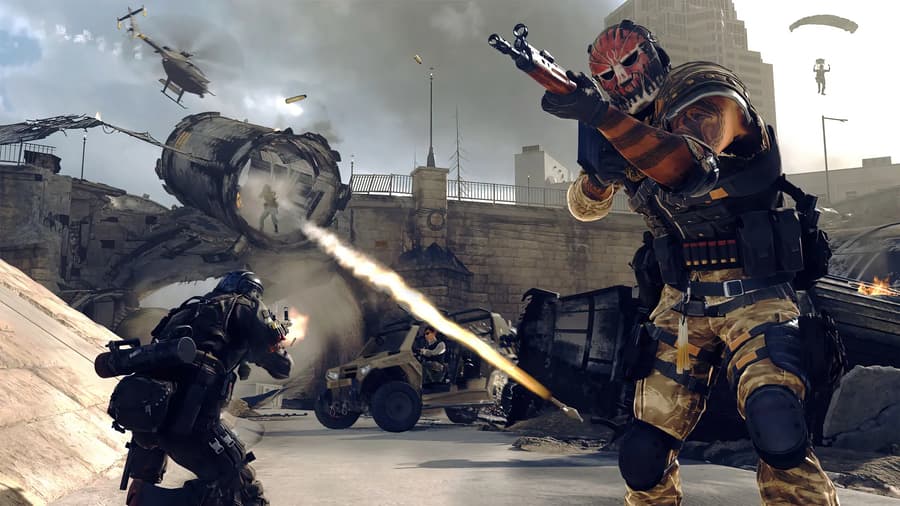
Buy MW4 accounts with DMZ levels, maxed guns and Gold camos already unlocked, sold by verified sellers.

Call of Duty: Modern Warfare 4 brings DMZ back with its own 70-level track, on top of 55 Multiplayer levels and 33 weapons to max out. Reaching all of that on a new profile takes a lot of playtime, and plenty of players would rather start with it done. Buying a Call of Duty account for MW4 means getting an Activision account someone has already leveled, along with its login details, so you skip the early grind entirely.
Most MW4 accounts for sale are progress accounts, built for players who already own the game. You get the Activision account with its levels, maxed guns, camos and DMZ progress. Your copy of Modern Warfare 4 stays on your own Steam, Battle.net, PlayStation or Xbox account. After you link the two, the game loads that progress instead of starting you at level 1. Anyone without the game yet can pick a fresh Steam account with MW4 included.
MW4 accounts for sale come in these types:
DMZ accounts: DMZ level 10 up to 70, often with 100K to 500K DMZ Cash.
Multiplayer accounts: Player level 45 to 55 with 3 to 8 guns at max level.
Camo accounts: Gold and Platinum camos on several weapons, with up to 80 camos in total.
Fresh Steam accounts: Unplayed accounts with the game included, some with the Vault Edition.
DMZ Cash is the money you spend on weapons and gear inside DMZ. Higher DMZ levels open more of the FOB, the DMZ base with stations like the Gunsmith and Vendor. Player level is your main Multiplayer rank, and it unlocks more weapons and equipment as it climbs. Guns at max level have every attachment unlocked, including their Apex Attachment, the top mod each weapon earns at its final level. Players who'd rather level their own profile can buy MW4 items like weapon leveling and camo unlocks instead.
Own Modern Warfare 4 on your platform before buying a progress account, or pick a fresh Steam account with the game included.
Check that your platform account is free to link, since one that's already linked to another Activision account has to be unlinked first.
Read which platforms the account links to in the product description, because not every MW4 account links to Xbox.
Look for a native email in the listing, which means you also get the email address the account was created with.
Follow the product description if 2FA is already set up, so you can get into the security settings after delivery.
Each MW4 account listing names its level, maxed guns and DMZ progress in the title, which makes comparing CoD accounts for sale quick. Delivery is instant on most offers, and the product description says when an account is sent by hand instead. Once you've picked one, buying the MW4 account takes these steps:
Set the Game filter to Modern Warfare 4.
Use the Platform filter to show accounts for your platform.
Open an account and read its product description.
Click Buy Now and pick a payment method.
Click Pay Now to complete the order.
Open the order panel to get the login details.
Sign in, link your platform and check the account against the product description.
Confirm the order once everything checks out.
Someone else created the account before you bought it. Updating its login details right away makes sure only you can sign in from now on. Activision asks for two-factor authentication before it lets you change the email, which is why 2FA comes first.
Securing the account takes four steps:
Turn on two-factor authentication in the Privacy & Security tab, using an authenticator app or SMS.
Change the email address in Basic Info by clicking Edit, entering the code sent to the current email and adding your new one.
Change your Activision password in Basic Info by clicking Edit next to the password and entering the new one twice.
Check the Linked Accounts tab so only your own platform accounts are linked.
Activision only allows an email change once every 12 months, so pick an address you plan to keep. If the product description mentions 2FA set up by the seller, follow its instructions first so you can reach those settings.
Linkable MW4 accounts work on any platform you can connect to an Activision account, as long as Modern Warfare 4 is on that platform. Each platform links in its own way:
PC (Steam or Battle.net): Link the account to the Steam or Battle.net account that owns the game.
PlayStation 5: Link it to your PlayStation Network account.
Xbox Series X|S: Link it to your Xbox account, but check the product description first, since some MW4 accounts can't be linked to Xbox.
Nintendo Switch 2: Link it to your Nintendo account.
Linking connects your platform account to the Activision account, and progress is stored on the Activision account, not on your console or PC. Each Activision account can link one account per platform, and a platform account can only be unlinked once every 12 months. For example, your Steam account may already be linked to your own Activision account. You'd need to unlink it first, which uses up your unlink for the year.
Linking happens on the Activision website, not inside the game. You need to be signed in to both your platform account and the Activision account you bought, in the same browser. With both open, linking the account takes six steps:
Sign in to your platform account in the same browser.
Sign in to the Activision account you bought.
Open the Linked Accounts tab on your profile.
Click Link Account next to your platform.
Click Send Code and enter the code sent to the account email.
Finish linking on your platform's website.
Anyone selling CoD accounts has to pass KYC verification before listing one, and each listing spells out the level, guns and platforms before you pay. You also check the account yourself before confirming the order. With both in place, GameBoost is a safe place to buy MW4 accounts.
Each MW4 account order also gets:
Payment choice: Card, Apple Pay, Google Pay, Paysafecard, Skrill or crypto.
GB Coins: 3% back on the order to spend on your next purchase.
Fast delivery: Login details in the order panel right after payment on most offers.
Warranty: 14-day warranty on every account, with the lifetime warranty as an option.
24/7 support: Help with logins or linking whenever you have questions.
To buy a cheap CoD account for MW4 on gameboost.com, search for Call of Duty, open Accounts and set the Game filter to Modern Warfare 4. Pick any progress account if you already own the game, or a fresh Steam account with MW4 included if you don't. After paying, the login details are in My Orders. Step by step, it works like this:
Search for Call of Duty in the search bar and open Accounts.
Set the Game filter to Modern Warfare 4.
Open an account for your platform and read its product description.
Click Buy Now and sign in or sign up for a GameBoost account.
Choose a payment method and click Pay Now.
Open My Orders to get your login details.
Buy Call of Duty Items
Buy CoD Points Top-Up
View all GameBoost Accounts
View all GameBoost Boosting Services
View all GameBoost Currencies
View all GameBoost Game Keys
View all GameBoost Gift Cards
View all GameBoost Top Ups
View all GameBoost Items
First, browse through the variety of CoD accounts we offer. Then, select the account you need, and proceed to check out. You will receive your account instantly.
After complete your payment, we will send you an email to confirm the purchase. Then you will get access to our unique clients' dashboard, where you will see your new CoD account details.
When you purchase a CoD account from us, it comes with a 14-day warranty guarantee. Therefore, if you ever encounter any issues, feel free to contact our 24/7 support through the live chat.
You will gain immediate access to your new CoD account upon a successful transaction.
We strongly advise changing the email address and password credentials upon receiving your account for security purposes.
“GameBoost is not affiliated, endorsed, sponsored, or authorized by Activision, Inc., Call of Duty, or any of its subsidiaries or affiliates. Activision, Inc.’s official website can be found at: https://www.activision.com. The name Call of Duty, as well as related names, marks, emblems, and images are registered trademarks of their respective owners. Use of trademarks is covered by fair use principles under EU Regulation 2017/1001, Article 14.”