



•Kristina Horvat• 7 min read
Fortnite
Popular searches:
Popular Categories:
Trusted by Millions of Gamers Worldwide

Excellent 4.9 out of 5.0
Based on 1,261,484+ orders

Gian Marco Spada
Finland
I recently purchased a GTA5 account from gameboost, and the overall experience was fantastic. The entire process was awesome! It was a smooth and great experience overall.

Nick
Germany
I bought the account 07:00 and received everything at 07:05 it is super fast. The account is working i can change the mail adress. Perfect I will buy again. Have a nice day. 😘❤️
God Church
France
Bought an account here, best experience, helped me change the email and provided me with a good account.
Noel van der meulen
France
Account works great
Sekai
Germany
A kind seller and a clean account ! Thanks !
simon hitter
Netherlands
perfect, i got fast access to the account and it is exactly what i wanted
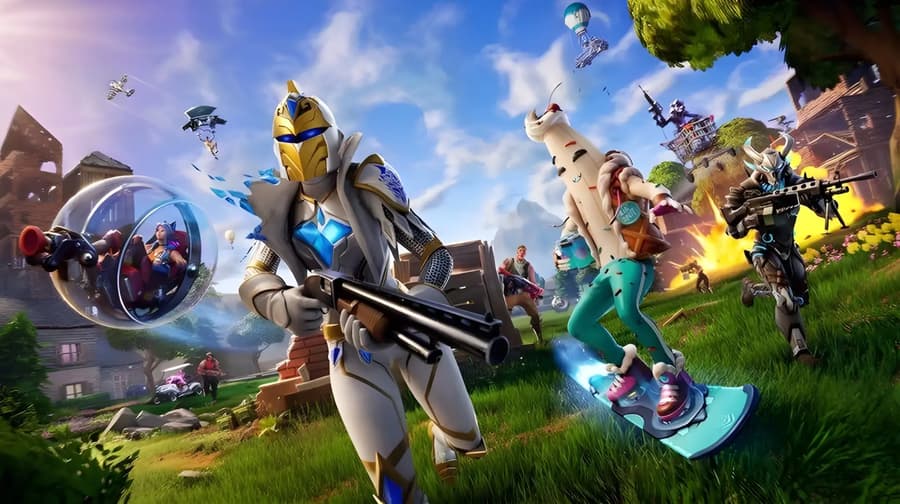
Buy IShowSpeed Fortnite skin accounts with other collab outfits and emotes already unlocked.

IShowSpeed is the Icon Series outfit based on the streamer Darren Watkins, released in Fortnite on December 25, 2025. Icon Series skins only return to the Item Shop from time to time, with no fixed schedule for the next drop. Buying a Fortnite account with the IShowSpeed skin gets you the outfit now, along with every other cosmetic already on that account.
Speed's original IShowSpeed Fortnite skin bundle had two outfits, IShowSpeed and ISuperSpeed. It also came with two back blings, two pickaxes, a glider, the Barrier Breaker emote, a wrap and a Jam Track. Accounts don't always carry the full set, so the product description lists which pieces are included.
Cheap IShowSpeed accounts for sale come in these types:
Stacked accounts: Over 100 skins, often with OG Renegade Raider and other Icon Series outfits like Juice WRLD or Rockstar LISA.
Mid-size accounts: 40 to 100 skins, mostly collab outfits like Leonardo, Chun-Li or Superman next to the Speed skin.
Small accounts: Under 20 skins, built around IShowSpeed and sometimes ISuperSpeed.
Save the World accounts: OG Save the World access, Fortnite's paid co-op mode, with IShowSpeed and a few other skins.
Many of these listings are full access with a changeable email, and several can be linked to PC, PlayStation, Xbox and Nintendo. Stacked accounts are popular because OG Renegade Raider is one of the rarest skins in Fortnite. Each product description lists the exact skins, emotes and pickaxes on the account.
IShowSpeed listings are the Fortnite accounts for sale that already have the Speed skin, and most offers deliver the login details right after payment. Pick your platform first, since each listing shows which systems the account links to. Buying one online takes seven steps:
Use the Platform filter to show accounts for your system.
Open an account and read its product description for the Speed items it has.
Click Buy Account and choose a payment method.
Click Pay Now to place the order.
Open the order panel to see the login details.
Sign in and open the Locker, where Fortnite shows every cosmetic you own.
Confirm the order once the skins match the product description.
Yes, buying an IShowSpeed account is safe when the seller has been checked and the account has cover after delivery. Sellers have to pass KYC verification before they can list, so GameBoost is a safe place to buy Fortnite accounts with the IShowSpeed skin.
Every IShowSpeed skin account order also comes with:
Safe checkout: Card, Apple Pay, Google Pay, Paysafecard, Skrill or crypto.
GB Coins: 3% back to put toward your next order.
Fast delivery: Login details in the order panel right after payment on most offers.
Warranty: 14 days of cover on every account, with a lifetime warranty as an option.
24/7 support: Help at any hour with sign-in or linking questions.
Fresh login details mean nobody else can sign in to the account after you take it over. Epic advises using an email you'll keep for years, because that address is how you recover the account later. Locking it down takes four steps:
Switch the email to your own and verify it.
Set a new password that you don't use for any other site.
Turn on two-factor authentication, with an authenticator app, SMS or email code at every sign-in.
Review Linked accounts and keep only your own consoles there.
Full access listings come with the account's original email, which makes every setting yours to change. When the seller has set up 2FA, follow the product description before changing anything else.
Every Fortnite skin, Speed's included, is saved to the Epic Games account instead of the device. You can play on PC or mobile just by signing in, while PlayStation, Xbox and Nintendo Switch need the console account linked first.
Epic allows one linked account per platform, and each console account can only sit on one Epic account at a time. Swapping the linked console account is limited to once every 365 days. For example, if your Xbox account already belongs to your old Epic account, moving it to the new one uses that yearly swap.
Connecting your console takes four steps on the Epic website:
Log in at epicgames.com with the account you bought.
Go to Linked accounts in the account settings.
Click Link under PlayStation, Xbox or Nintendo.
Sign in with your console account to finish.
You can buy an IShowSpeed Fortnite account on gameboost.com in a few minutes, and full access listings give you the most control over the account. Finding a cheap Fortnite account with the Speed skin takes six steps:
Search for Fortnite on the homepage and open Accounts.
Type IShowSpeed in the account search.
Open an account and read its product description.
Click Buy Account and sign in or sign up for a GameBoost account.
Choose a payment method and click Pay Now.
Open My Orders to get your login details.
“GameBoost is not affiliated, endorsed, sponsored, or authorized by Epic Games, Inc., Fortnite, or any of its subsidiaries or affiliates. Epic Games, Inc.’s official website can be found at: https://www.epicgames.com. The name Fortnite, as well as related names, marks, emblems, and images are registered trademarks of their respective owners. Use of trademarks is covered by fair use principles under EU Regulation 2017/1001, Article 14.”