
•Hamza Rashid• 8 min read
Roblox
 Robux
 99 Nights in the Forest
 Anime Battle Arena
 Bite by Night
 Blade Ball
 BloxStrike
 Clover RPG
 Creatures of Sonaria
 Dragon Adventures
 Escape Tsunami For Brainrots
 Fisch
 Fix It Up
 Grow a Garden
 Grow a Garden 2
 Pet Simulator 99
 Pets Go
 Royale High
 Run a Restaurant
 Sniper Duels
 Tap Simulator
 Tap Simulator Reborn
 Toilet Tower Defense
4 offers available



Excellent 4.9 out of 5.0
Based on 384,996+ orders
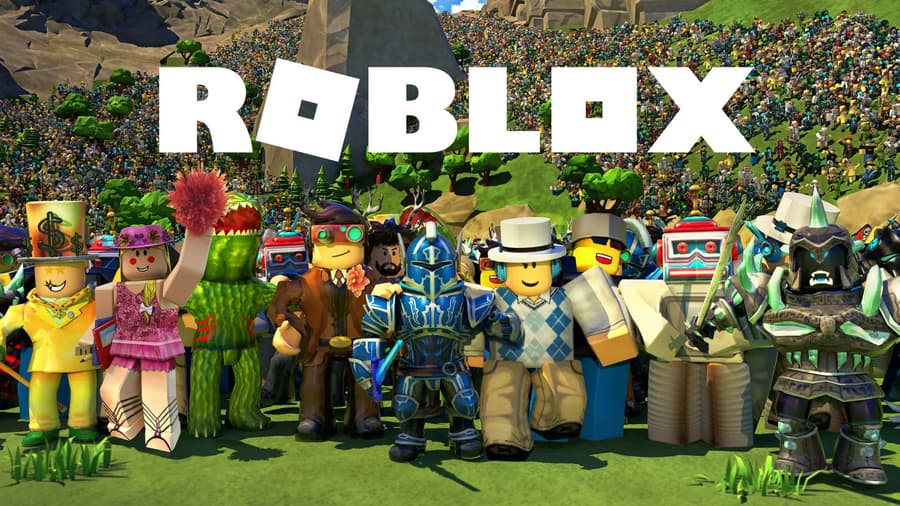
Shop Roblox Robux securely and start unlocking exclusive avatar items, game passes, and premium content in Roblox today.

Robux is a currency for avatar items, game passes, private servers and in-game upgrades. Since playing games doesn't pay out any currency, most players either buy it or earn it by selling their own creations.
Cheap Robux for sale comes from sellers who each set their own price. That way, you pick the exact amount you need instead of paying for one of Roblox's fixed packs.
Roblox Top Up you buy online can go toward:
Avatar items: clothing, accessories, bundles and emotes, including Roblox limiteds that players resell
Game passes: permanent perks inside one game, like VIP areas, extra slots or faster movement
Private servers: your own copy of a game for you and the friends you invite
In-game purchases: boosts, currency and other one-time buys inside games
Bigger avatar goals like Headless Horseman and Korblox Deathspeaker cost tens of thousands of Robux. That's why some players skip saving up and pick Roblox headless accounts or Korblox accounts that already own them.
Each listing shows the seller's unit price, minimum order and delivery time up front. Before you buy Robux online, open the product description as well, since it names the delivery method and anything your Roblox account needs.
With an offer picked, the order goes like this:
Choose the offer that fits your amount and delivery method.
Click Buy Now and set the amount, starting from the seller's minimum.
Enter your Roblox username exactly as it shows on your profile.
Check out and pay.
Send the seller what they ask for in the order chat, such as your game pass link.
Confirm the order once it shows in your Roblox transactions.
GameBoost is a safe place to buy Robux, and most orders never touch your password. Game pass, username and gift card deliveries only need your username, a pass link or a code, so your Roblox login stays with you.
Each purchase also gets you:
Payment protection: every transaction is safeguarded
3% cashback: GB Coins that work as a discount on your next order
Volume discounts: some offers lower the unit price on bigger amounts
Offers on request: if no listing fits your amount, support can find one through partnered sellers
24/7 support: help with any question, from setting up a game pass to checking your pending balance
Verified sellers: every seller passes KYC verification before listing
Prices vary because each seller sets their own rate, minimum and delivery method. Sorting by Lowest Price puts the cheapest Robux at the top of the list. From there, it's easy to see where to buy cheap Robux for the method you want.
Some items can't be bought with Robux at all once they leave a game's shop, like retired pets. Those come from other players as Roblox items for sale, which sit next to the Robux shop in the same store.
That's also true in the most played Roblox games right now. Rare pets in Steal an Egg and Adopt Me are hard to get by playing, so plenty of players pick them up as Steal an Egg items or Adopt Me pets for sale.
Weapons and fruits follow the same pattern. Godly knives in Murder Mystery 2 mostly change hands through trades, and rare fruits in Blox Fruits depend on luck, so players often get them from MM2 items for sale and Blox Fruits items instead.
Most offers use a game pass, which is also the only method with a wait. Sellers usually buy your pass quickly, but Roblox holds game pass earnings as pending for about 5 to 7 days before you can spend them. Apart from login delivery, none of the methods need your Roblox password.
Each delivery method works like this:
Method | How It Works | What to Know |
|---|---|---|
Game pass | You create a game pass priced at your order amount, and the seller buys it | Roblox keeps 30% of the sale, and the rest stays pending for about 5 to 7 days |
Username transfer | The seller sends the amount straight to your username with Roblox Plus | No transfer fee, but daily and monthly limits apply, and your account needs an age check (16+ in most regions) or parent approval for each transfer |
Gift card code | You get a Roblox gift card code in your order | Redeem it on your Roblox account to add the balance |
In-game gift | The seller buys a game pass or item for you inside a game | You get the item itself, not a balance |
Login | The seller signs into your account to add the currency | You share your login and stay online for the verification code |
Username transfers have no fee and no pending time, since they use the same Roblox Plus feature you'd use to send Robux to a friend. The product description says which method an offer uses. Transfers also have daily and monthly limits, and Roblox raises them to 5,000 Robux a day and 10,000 a month for accounts with 2-Step Verification in good standing.
Login delivery is the only method that shares your password, so change your Roblox password once the order is complete. Both security steps take a couple of minutes in your settings:
Open Settings from the gear icon on the website, or the three dots in the app.
Go to Account Info, click Change Password and enter your current password, then the new one twice.
Open the Security tab and turn on 2-Step Verification.
2-Step Verification needs a verified email on your Roblox account, so add one first if it's missing. Once both steps are done, the login details you shared stop working for anyone else.
Roblox takes 30% of every game pass sale as its fee, and whoever made the pass keeps the other 70%. Players call this the Robux tax, and since you're the one who made the pass, you receive 70% of the price you set.
Most game pass sellers don't add that 30% on top, so a game pass priced at 1,000 leaves you with 700. To end up with 1,000, order and price your pass at about 1,430.
Some offers are marked tax covered, which means the seller pays the fee for you. With those, the amount you order is the amount that reaches your balance.
Game pass orders need a published Roblox experience set to Public, which you can create for free in Roblox Studio. Once that's ready, making a game pass on Roblox takes a few minutes:
Go to Creations on the Creator Hub and select your experience.
Open Monetization, then Passes, and click Create pass.
Add an image and a name, then create the pass.
Open the pass, go to Sales, turn on Item for Sale and enter the price the seller asks for.
Disable Managed Pricing for the pass, then paste its link into the order chat.
Regional pricing is on by default for every pass, and it lowers the price for players in cheaper regions. Turning it off makes the seller pay the full price you set, so you get the full amount you ordered.
Once the seller buys the pass, the amount appears as pending on your My Transactions page. You can follow the pending Robux there until Roblox moves it into your balance.
Roblox Plus is Roblox's monthly subscription, and it replaced Premium for new members. On its own, Plus doesn't add Robux to your account, though it makes your balance go further.
Roblox Plus subscribers get:
Discounts: 10% off in-game items and avatar items, rising to 20% from the third month in a row
Private servers: one free private server in each supported game
Free transfers: the option to gift Robux to other players with no transaction fee
Trading: trading and reselling avatar items with other players
For a monthly balance, the Plus 500, Plus 1000 and Plus 2000 bundles add that amount every month on top of the subscription. Players who stayed on Premium keep their monthly stipend, which is the biggest gap in Roblox Plus vs Premium.
Buying from a seller works like a Roblox top up, since the currency goes straight onto your own account. Roblox gift cards, on the other hand, give you a code to redeem. Some cards add a set balance, and others add Roblox credit you can convert or spend on a subscription.
That makes a Robux gift card the easier present, since anyone can redeem a Roblox gift card on their own account. Roblox also gives up to 25% more Robux for purchases on its website or with gift cards than in the mobile app.
For your own account, seller offers let you choose any amount above the seller's minimum instead of the fixed packs on the Roblox Buy Robux page. If you'd rather start fresh with a balance already in place, Roblox accounts with Robux are another option.
Yes, enter their Roblox username at checkout, and for a game pass order, send the link to a game pass on their account. Parents often order this way for a child, since the Robux goes straight to the child's account.
Yes, Roblox Plus subscribers can send Robux to any player, and the friend doesn't need Plus. Players under 16 need a parent or caregiver to approve each transfer, and some regions keep that rule until 18.
Yes, Robux belongs to your Roblox account, so the same balance works on PC, mobile and console once you sign in.
Robux from a game pass shows as pending on Roblox's My Transactions page first. It moves into your balance once the hold ends, which usually takes 5 to 7 days.
“GameBoost is not affiliated, endorsed, sponsored, or authorized by Roblox Corporation, Roblox, or any of its subsidiaries or affiliates. Roblox Corporation’s official website can be found at: https://corp.roblox.com/. The name Roblox, as well as related names, marks, emblems, and images are registered trademarks of their respective owners. Use of trademarks is covered by fair use principles under EU Regulation 2017/1001, Article 14.”